A gaming PC’s power consumption depends primarily on your GPU and CPU under load, typically totaling 300-550W at the wall for common mid-range and high-end builds, and understanding these numbers matters for two practical reasons: sizing your power supply correctly and estimating your actual electricity cost. This guide breaks down real wattage figures by component tier rather than relying on the inflated numbers often printed on PSU boxes.
I’m Marcus Reilly, and I measure power draw directly using calibrated power meters on my two-bench test lab, tracking both sustained gaming load and brief power spikes across a range of GPU and CPU combinations, which gives a more accurate picture than component TDP (thermal design power) specs alone, since TDP and actual power draw don’t always match precisely.
As an Amazon Associate we earn from qualifying purchases at no extra cost to you.




Our Top Picks
 Apevia ATX-PM650W Premier 650W 80+ Gold Certified Active650W Semi-Modular Gold6.2 x 5.9 x 3.4 inchesCheck on Amazon
Pros & cons
- 10-core i5-14400F pairs with an 8GB RTX 5060 GPU
- 1TB NVMe SSD offers fast load times and storage
- Backed by 1 year of parts and labor warranty
- Only 2 USB-A 3.2 ports limit fast peripheral connections
- RGB lighting customization options aren't detailed in the listing
 iBUYPOWER Element Gaming PC Desktop Computer AMD Ryzen20 x 9.1 x 17.4 inches36 poundsCheck on Amazon


Top 3 picks at a glance
What TDP actually tells you — and what it doesn’t
Thermal Design Power (TDP) is the figure manufacturers publish for how much heat a component is designed to dissipate under typical sustained load, and it’s commonly used as a proxy for power draw, but the two aren’t identical — TDP is a thermal engineering target, and actual electrical power draw can run somewhat higher or lower depending on workload and boost behavior.
Modern GPUs in particular use dynamic boost algorithms that push power draw above their stated TDP for brief periods, sometimes 15-20% above rating for milliseconds at a time when handling a particularly demanding frame, which is normal behavior but part of why PSU headroom matters beyond simply matching the average TDP number.
CPU TDP has become similarly complicated with modern boost behavior — a CPU rated at a 65W or 105W base TDP can draw meaningfully more during short boost windows or sustained all-core loads in CPU-intensive games, and manufacturers’ “PL2” or “boost power” figures (when published) are more representative of peak draw than the base TDP number alone.
This nuance matters most when sizing a PSU precisely, covered in the PSU sizing section below, but the practical takeaway is to treat TDP as a helpful reference point rather than an exact power draw prediction.
GPU power draw by tier: the numbers that matter most
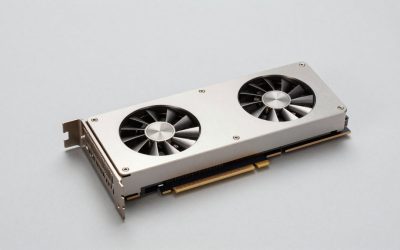
The graphics card is typically the single largest power consumer in a gaming PC, and draw scales significantly across the current lineup — entry-level cards like the RTX 4060 draw around 115W, mid-range cards like the RTX 4070 draw around 200W, and high-end cards like the RTX 4080 draw around 320W, with the RTX 4090 reaching roughly 450W under sustained gaming load.
AMD’s Radeon lineup follows similar patterns at comparable performance tiers — the RX 7600 draws around 165W, the RX 7700 XT around 245W, and the RX 7900 XTX around 355W, generally running somewhat higher power draw than Nvidia’s equivalent performance tier due to architectural differences in efficiency.
These figures represent typical gaming load, not the card’s absolute maximum — power draw varies by game, resolution, and settings, with less demanding titles or lower resolutions drawing meaningfully less than a card’s rated figure suggests, since the GPU isn’t working as hard to render each frame.
Undervolting, a process of reducing a GPU’s voltage curve while maintaining clock speed through software like MSI Afterburner, can reduce power draw by 10-15% with minimal or no performance loss on many current-generation cards, worth considering if reducing electricity cost or heat output is a priority alongside performance.
| GPU tier | Typical gaming draw | Recommended min PSU (system total) |
|---|---|---|
| RTX 4060 / RX 7600 | 115-165W | 550-650W |
| RTX 4070 / RX 7700 XT | 200-245W | 650-750W |
| RTX 4080 / RX 7900 XTX | 320-355W | 850W |
| RTX 4090 | ~450W | 1000W |
For GPU-specific system recommendations that account for these power figures, our best gaming PC with RTX 5070 and best gaming PC with RTX 5080 guides pair each tier with an appropriately sized PSU.
CPU power draw and how it adds to total system load
CPU power draw during gaming is typically lower than during heavily multi-threaded workloads like video rendering, since most games use fewer CPU cores intensively, but it still contributes meaningfully to total system draw — a mid-range six-core gaming CPU typically draws 65-95W during gaming, while a higher-core-count CPU under full multi-core load can exceed 150-200W.
Intel’s current-generation CPUs generally show a wider gap between idle and full-load power draw than AMD’s equivalents, partly due to differing boost algorithm aggressiveness, so two CPUs with similar gaming performance can show different power draw patterns depending on brand and specific model.
Games that are more CPU-intensive — simulation-heavy titles, some strategy games, and titles with complex physics or large numbers of on-screen entities — push CPU power draw closer to its ceiling than typical GPU-bound titles, where the CPU spends more time waiting on the GPU and consequently draws less power.
Overclocking a CPU increases power draw substantially, often 20-40% above stock power for a modest clock speed gain, since power draw scales non-linearly with voltage and frequency increases — this is worth factoring into PSU sizing if you plan to overclock, even if your baseline stock power draw would otherwise leave comfortable headroom.
Combined GPU and CPU draw under simultaneous heavy load (demanding game at high settings) is the figure that matters most for PSU sizing, rather than either component’s peak in isolation, since both draw their highest power during actual gameplay simultaneously.
Other components: the smaller but real contributors
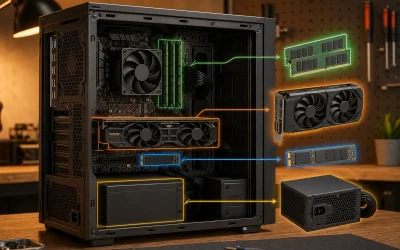
Beyond GPU and CPU, the rest of a gaming PC’s components add a modest but non-trivial amount to total power draw — a typical motherboard draws 25-50W, each stick of RAM draws roughly 2-5W, an NVMe SSD draws 5-8W under load, and case fans collectively draw 5-15W depending on quantity and speed.
These smaller draws add up to roughly 50-100W total for a typical mid-range system’s supporting components, which is why the common PSU sizing guideline of adding 150-200W to your GPU’s draw (covering CPU plus everything else) provides reasonable headroom without requiring you to individually total every minor component.
Liquid cooling pumps and RGB lighting controllers add a small additional draw, typically under 10W combined for a modest RGB setup, though elaborate lighting configurations with many individually addressable LEDs can add somewhat more — rarely enough to significantly affect PSU sizing decisions, but worth a mention for very heavily lit builds.
Multiple storage drives, particularly spinning hard drives rather than SSDs, add more meaningful draw than SSDs alone — a traditional 3.5-inch hard drive typically draws 6-10W at idle and slightly more during active read/write, relevant if your system includes bulk storage alongside a primary SSD.
How to correctly size a PSU for your build
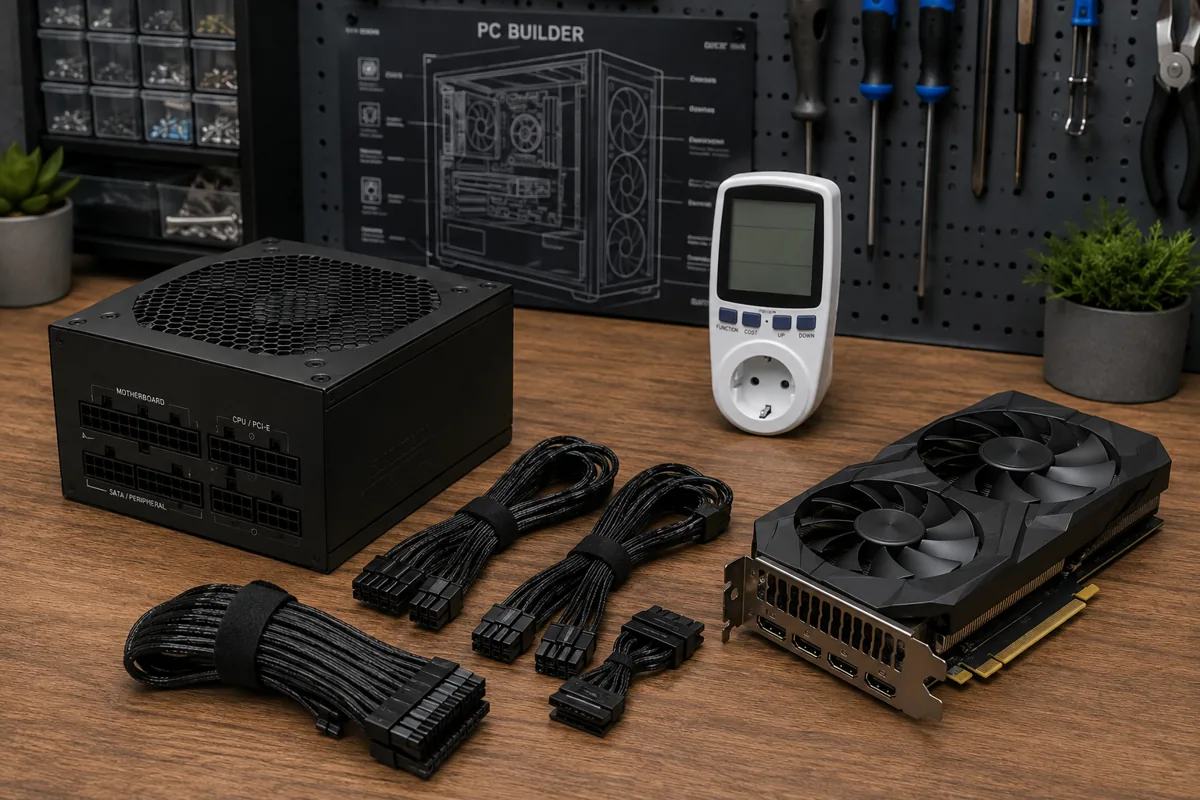
Start with your GPU’s typical gaming power draw from the table above, add 150-200W for CPU and remaining components, then add a further 20-30% headroom on top of that combined figure — this headroom improves efficiency (PSUs run most efficiently at 40-70% of their rated capacity, not near maximum) and provides safety margin for boost-related power spikes.
Working through an example: an RTX 4070 (200W) plus 175W for CPU and other components totals 375W of typical draw; adding 25% headroom brings the target to roughly 470W minimum, which rounds up to a standard 650W PSU as a comfortable, efficient choice rather than cutting it close at 500W.
80 Plus efficiency ratings (Bronze, Gold, Platinum, Titanium) indicate how much power is lost as heat during AC-to-DC conversion — an 80 Plus Bronze PSU is roughly 82-85% efficient at typical load, while an 80 Plus Gold unit reaches roughly 87-90%, meaning a Gold-rated PSU wastes less electricity as heat for the same delivered power, translating to a small but real ongoing electricity savings.
Avoid the common mistake of sizing a PSU exactly to a component’s peak rated draw with no headroom — this leaves no margin for boost spikes, reduces efficiency by running the PSU near its rated ceiling, and shortens the unit’s practical lifespan under sustained near-maximum load.
Our how to upgrade a prebuilt gaming PC guide covers PSU headroom checks specifically in the context of adding a new GPU to an existing system, which follows the same sizing principles outlined here.
Calculating your actual electricity cost
Electricity cost depends on your system’s average wattage during use, how many hours you game per day, and your local electricity rate — US residential rates commonly range from around $0 to around $0 per kilowatt-hour depending on state and utility, with a national average around $0 per kWh as of recent data.
The calculation: (average watts ÷ 1,000) × hours used × electricity rate = cost. For a system averaging 400W during three hours of daily gaming at a around $0/kWh rate: 0.4kW × 3 hours × around $0 = $0.192 per day, or roughly $5 per month, and roughly $70 per year from gaming specifically, separate from idle or background usage.
Idle power draw matters for total cost too, even though it’s much lower than gaming load — a typical gaming PC idles at 60-100W, which across the many hours a system might sit powered on but not actively gaming adds a smaller but continuous cost worth including in a full monthly estimate if your system stays on frequently.
| System tier | Typical gaming draw | Cost per hour (around $0/kWh) | Cost per month (3 hrs/day) |
|---|---|---|---|
| Budget (RTX 4060) | ~300W | $0.048 | ~$4 |
| Mid-range (RTX 4070) | ~400W | $0.064 | ~$5 |
| High-end (RTX 4080) | ~525W | $0.084 | ~$7 |
| Flagship (RTX 4090) | ~650W | $0.104 | ~$9 |
These figures assume typical use patterns and will vary with your actual electricity rate, game selection, and settings, but they provide a realistic order-of-magnitude estimate rather than the sometimes alarmist figures circulated based on a PSU’s maximum rated capacity rather than actual draw.
Reducing power draw without sacrificing performance
Undervolting your GPU, adjusting the voltage-frequency curve downward while maintaining clock speeds through software like MSI Afterburner, is one of the most effective ways to reduce power draw with minimal performance impact, commonly reducing draw by 10-15% with a 0-3% performance difference on many current-generation cards.
Frame rate capping, either through your GPU driver or in-game settings, reduces power draw directly by reducing how hard the GPU works — capping frame rate to your monitor’s refresh rate (rather than running uncapped well above it) both reduces unnecessary power draw and often reduces screen tearing simultaneously.
Adjusting in-game settings that have high performance cost relative to visual impact — certain shadow quality, ambient occlusion, or ray tracing settings in particular — can reduce GPU load and power draw meaningfully while preserving most of the visual experience, worth experimenting with if reducing power draw is a specific goal.
Enabling your motherboard’s power-saving CPU states in BIOS (typically enabled by default, but worth confirming) allows the CPU to draw significantly less power during lighter loads or idle moments within a gaming session, without measurably affecting performance during actual demanding gameplay moments.
None of these adjustments dramatically change your electricity bill in isolation, but combined they can meaningfully reduce both power draw and heat output, which secondarily reduces cooling demands and fan noise during extended gaming sessions.
Circuit and outlet considerations for high-power systems
Standard US residential circuits are typically rated for 15 or 20 amps at 120V, providing roughly 1,800-2,400W of total capacity, and a single gaming PC — even a high-end 850-1000W PSU system — uses a small fraction of that circuit’s capacity on its own, so a dedicated circuit isn’t necessary for a typical single-PC setup.
Circuit capacity becomes relevant if multiple high-draw devices share the same circuit, particularly space heaters, other high-wattage electronics, or multiple gaming PCs in a shared office or gaming setup, where combined draw could approach a standard circuit’s capacity and trip a breaker under simultaneous peak load.
Surge protection is worth having regardless of your system’s power draw, since power spikes from the electrical grid rather than your PC’s own draw are the more common cause of component damage — a quality surge protector rated for your PSU’s wattage, not just any power strip, is a reasonable investment for a build representing significant cost.
If you notice your breaker tripping specifically when your gaming PC is under heavy load, that’s more often an indicator of a shared circuit reaching its combined capacity limit with other devices than a sign your PC itself is drawing an unusual amount of power — checking what else shares that circuit is the first troubleshooting step.
Troubleshooting: unexpected shutdowns or tripped breakers
If your system shuts down unexpectedly under gaming load specifically, first check whether it’s a PSU capacity issue — insufficient headroom for GPU boost spikes is a common cause, and this is more likely if the shutdown correlates with specific demanding scenes or benchmark moments rather than happening randomly throughout a session.
If a breaker trips rather than the PC itself shutting down, check what else shares that circuit, since a gaming PC alone rarely approaches a standard circuit’s capacity, but combined with other devices (space heaters, other electronics) it can push a shared circuit over its rated limit during simultaneous peak draw.
If shutdowns happen specifically during GPU-intensive moments after a recent GPU upgrade, revisit your PSU sizing calculation from this guide — a PSU that was adequate for your previous GPU may lack sufficient headroom for a newer, higher-draw card, even if the wattage rating technically exceeds the new GPU’s stated TDP.
If power issues persist despite adequate PSU sizing, testing with a different, known-good PSU (if available) or monitoring 12V rail stability with software like HWiNFO64 during load helps isolate whether the issue is genuinely power-related or stems from another cause, such as an unstable overclock or a failing component elsewhere in the system.
Running an encoder alongside the game itself pushes both CPU and GPU draw higher than typical gameplay, which changes the power budget you should plan around — see our streaming build parts list for a rig sized to handle that load.
Frequently asked questions
How much power does a typical gaming PC use while playing games?
A mid-range gaming PC with an RTX 4070-class GPU and a modern six-core CPU typically draws 350-450W total from the wall while gaming, though this varies with resolution, settings, and specific game demands; measuring your own system with a wall meter gives a more accurate figure than estimating from component TDP alone.
How do I calculate my gaming PC’s monthly electricity cost?
Multiply your system’s average wattage during use by your daily gaming hours, divide by 1,000 to get kilowatt-hours, then multiply by your local electricity rate (commonly around $0-around $0 per kWh in the US); a system averaging 400W for three hours daily costs roughly $4-around $6 per month at typical US rates.
What size power supply do I need for my GPU?
Add your GPU’s rated power draw to roughly 150-200W for the rest of the system (CPU, drives, fans, motherboard), then add 20-30% headroom for safe, efficient operation away from the PSU’s maximum rated capacity; an RTX 4070 (200W) typically needs a 650-750W PSU, while an RTX 4080 (320W) typically needs 850W or more.
Does a higher-wattage PSU use more electricity even when idle?
No, a PSU only draws the power your components actually request, not its full rated capacity, so a 1000W PSU running a system that needs 400W draws roughly 400W (plus small conversion losses), not 1000W; PSU wattage is a safe capacity ceiling, not a fixed consumption level.
Why does my PC’s power draw spike briefly during gaming?
Modern GPUs use dynamic boost algorithms that briefly spike power draw well above their rated TDP for milliseconds at a time to handle demanding frames, sometimes 15-20% above the stated rating; this is normal behavior that a properly sized PSU with adequate headroom handles without issue, but it’s part of why headroom matters beyond the average draw number.