An under 3000 dollars ceiling is generous for a gaming PC, and that is exactly why it is easy to get wrong. At this level you are no longer asking whether a machine can run modern games; you are deciding how much of the budget belongs to the graphics card, how much to the processor, and whether a premium cooler or a bigger drive is worth the remainder. A tower with a flagship-class graphics card and a weak platform wastes the ceiling just as much as a balanced mid-range build that leaves headroom unused.
This list is for buyers shopping with a firm upper limit who want a prebuilt rather than a custom build. It ranges from a high-end tower with an X3D processor down to older entry-level machines that fit well below the cap, so you can see what each tier of the market offers. Judgments rely only on the specs in the listed titles. Because the cap is a ceiling, not a target, the 2026 question is where the money gives the most gaming performance per dollar, and the answer is usually the graphics card first and the processor second.
As an Amazon Associate we earn from qualifying purchases at no extra cost to you.

Our Top Picks
 HELLOLAND White Gaming Desktop PC1977.27 cubic inches13.58 x 10.63 x 14.76 inches26 poundsCheck on Amazon
 Skytech Archangel Gaming Computer PC Desktop16GB DDR4 | 500 GB SSD17.9 x 8.3 x 16.4 inches28 poundsCheck on Amazon


Top 3 picks at a glance
Quick Picks
As an Amazon Associate we earn from qualifying purchases at no extra cost to you.



| Product | Best for | Key spec from the title |
|---|---|---|
| Skytech Ryzen 7 9800X3D tower | High-refresh gaming at the top of the cap | Ryzen 7 9800X3D, RTX 5070 Ti, 32GB DDR5 6000, 360 AIO |
| HELLOLAND White (Ryzen 7 5700X) | Clean white build, big memory | Ryzen 7 5700X, RTX 5060 8GB, 32GB DDR4, 240mm AIO |
| HELLOLAND Pink RGB | Themed desk setup | Same core specs, ARGB software, 240mm AIO |
| HELLOLAND Ryzen 5 9600X tower | Newer platform with 16GB graphics memory | Ryzen 5 9600X, RX 9060 XT 16GB, 32GB DDR5, 650W PSU |
| STGAubron Athlon 3000G, RX 580 | Very basic gaming and school use | Athlon 3000G, RX 580 8G, 16G DDR4, 512G SSD |
| Skytech Archangel (GTX 1660 Super) | Entry-level 1080p | Ryzen 5 3600, GTX 1660 Super 6G, 500GB SSD |
| STGAubron Athlon 3000G, RX 590 | Very basic gaming and streaming | Athlon 3000G, RX 590 8G, 16G DDR4, 512G SSD |
| Skytech Archangel 3.0 | Value 1080p with a 12GB card | Ryzen 5 3600, RTX 3060 12GB, 1TB SSD, 600W Gold PSU |
How to Choose
Spend on the graphics card first
Frame rates in most games depend more on the graphics card than on anything else. Within the cap, look for at least 12GB of video memory if you plan to play at 1440p, and 16GB if you want to keep the card relevant for several years. An 8GB card handles 1080p well but starts to strain in newer titles at higher texture settings. A processor with X3D cache adds frame rate in CPU-bound games, but it matters less than the card for most buyers.
Match the platform to your upgrade plans
Ryzen 3000-series and Athlon processors belong to the older AM4 generation with DDR4 memory. The Ryzen 5 9600X and Ryzen 7 9800X3D belong to AM5 with DDR5. AM5 gives a longer upgrade runway, because newer processors will keep dropping into the same socket. If you expect to keep the machine for five years, the platform matters nearly as much as the graphics card.
Memory, storage, and power supply thresholds
Aim for 32GB of RAM if you also stream, edit video, or keep many browser tabs open; 16GB is fine for pure gaming. For storage, 1TB is the realistic minimum, while a 500GB or 512GB drive fills fast. For power, a 600W Gold unit is a sensible floor for a mid-range card, and a 850W Gold ATX 3 unit suits high-end graphics cards. Cooling counts too: a 240mm or 360mm liquid cooler is stronger than basic air for higher-wattage processors.
What to ignore, and where prebuilts cut corners
Ignore RGB fan counts, themed colors, and sticker-style marketing words like streaming-ready. Look instead at power supply wattage and efficiency, whether memory runs in a dual-channel pair, and whether the motherboard is a recognizable model. Unnamed power supplies and tiny drives are the usual corners cut. A high price ceiling does not guarantee a better machine if the listing hides these details, so read every line of the specification.
The 8 Best Options
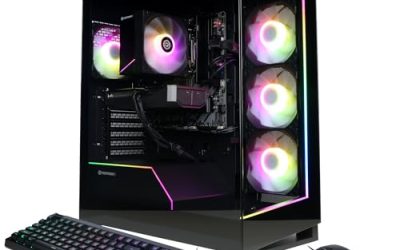
Skytech Ryzen 7 9800X3D tower
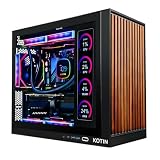
This Skytech machine pairs a Ryzen 7 9800X3D with an RTX 5070 Ti, 32GB of DDR5 6000, a 1TB Gen4 NVMe SSD, an 850W Gold ATX 3 power supply, and a 360 ARGB liquid cooler, with Windows 11 installed. It is the most capable machine here and the one closest to using the full ceiling. It suits players who want high refresh rates at 1440p.
- Strength: an X3D processor and a high-end graphics card target top-tier frame rates.
- Strength: an 850W Gold ATX 3 power supply and 360 AIO fit the hardware.
- Trade-off: 1TB of storage is modest for a machine at this level.
Skip it if your budget is far below the cap or you play on a 1080p monitor.
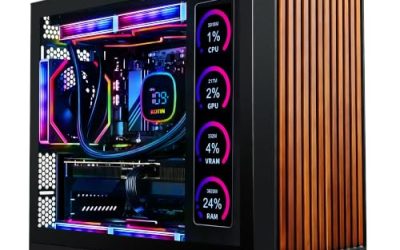
HELLOLAND White (Ryzen 7 5700X)
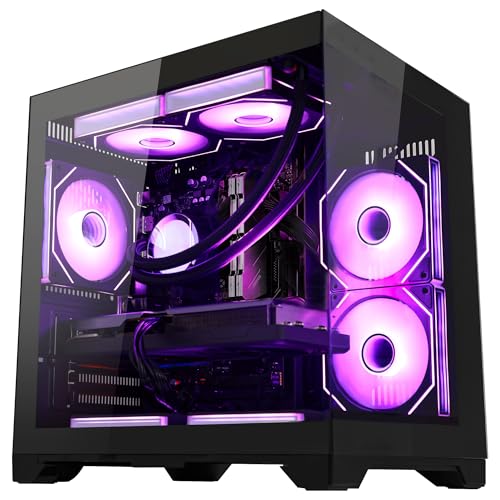
The white HELLOLAND tower combines a Ryzen 7 5700X at 3.4GHz with a GeForce RTX 5060 8GB, 32GB of DDR4 memory, a 1TB PCIe SSD, a 240mm AIO liquid cooler, and WiFi with Bluetooth. It targets buyers who want a clean white aesthetic and plenty of RAM for multitasking.
- Strength: 32GB of memory is generous for the class.
- Strength: a 240mm liquid cooler suits the processor.
- Trade-off: it uses older DDR4 and AM4, so the upgrade path is shorter.
Skip it if you want a DDR5 platform that can accept future processors.
HELLOLAND Pink RGB
This variant carries the same Ryzen 7 5700X, RTX 5060 8GB, 32GB DDR4, and 1TB PCIe SSD, with a 240mm AIO and ARGB software control. The difference from the white model is the pink theme and lighting. It is for gamers who want a coordinated desk with matching peripherals.
- Strength: software-controlled ARGB makes lighting changes simple.
- Strength: it shares the generous 32GB memory and 1TB storage of its sibling.
- Trade-off: the 8GB graphics card limits ceiling settings in newer games.
Skip it if you prefer a plain black case or do not want lighting software.
HELLOLAND Ryzen 5 9600X tower
The newest platform among the HELLOLAND listings uses a Ryzen 5 9600X six-core at 3.9GHz, an AMD RX 9060 XT 16GB, 32GB of DDR5, a 1TB PCIe SSD, a 650W power supply, a 240mm liquid cooler, and WiFi with Bluetooth. It is the better-value pick for players who want a modern AM5 base and plenty of video memory.
- Strength: 16GB of graphics memory and a DDR5 platform give a longer runway.
- Strength: 32GB of RAM and a liquid cooler round out a balanced configuration.
- Trade-off: a 650W supply leaves less room for a future high-wattage card.
Skip it if you want an Nvidia graphics card for ray tracing features.
STGAubron Athlon 3000G, RX 580
This entry-level tower uses an Athlon 3000G up to 3.5GHz, an RX 580 8G graphics card, 16GB of DDR4, and a 512GB SSD, with ARGB lighting. It is marketed for streaming, video editing, and school use. It is a basic machine for casual gaming and everyday tasks.
- Strength: it sits far below the cap, leaving money free for a monitor or peripherals.
- Strength: 8GB of video memory is workable for older and esports titles.
- Trade-off: the Athlon 3000G is an entry-level processor that limits modern games.
Skip it if you want to play recent AAA games at decent settings.
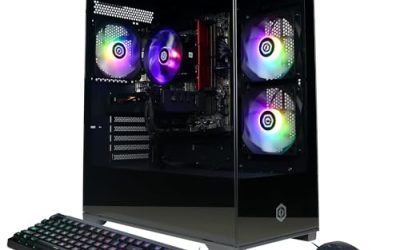
Skytech Archangel (GTX 1660 Super)
The Archangel pairs a Ryzen 5 3600 at 3.6GHz with a GTX 1660 Super 6G, a 500GB SSD, 16GB of DDR4 3200MHz, RGB fans, and Windows 11 Home. It is an older but recognizable configuration for 1080p play on modest settings.
- Strength: a six-core Ryzen 5 3600 is a sturdier processor than the Athlon models.
- Strength: Windows 11 Home is included.
- Trade-off: the GTX 1660 Super has no ray tracing hardware and only 6GB of video memory.
Skip it if you want current-generation graphics features.
STGAubron Athlon 3000G, RX 590
Nearly identical to the RX 580 model, this STGAubron tower swaps in an RX 590 8G while keeping the Athlon 3000G, 16G of DDR4, and a 512G SSD. It targets the same casual crowd and carries the same streaming and school pitch.
- Strength: the RX 590 steps up from the RX 580 within the same platform.
- Strength: a low starting point keeps the total well beneath the ceiling.
- Trade-off: the processor and 512G drive remain the weak points.
Skip it if you plan to grow into heavier games or larger libraries.
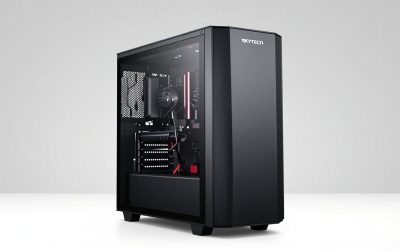
Skytech Archangel 3.0
The Archangel 3.0 uses a six-core Ryzen 5 3600 at 3.6GHz with an RTX 3060 12GB, a 1TB SSD, 16GB of DDR4 3200, RGB fans, AC WiFi, and a 600W Gold power supply. The 12GB card and the Gold supply make it the most sensible of the older-generation towers.
- Strength: a 12GB graphics card and a 1TB drive suit 1080p and some 1440p play.
- Strength: a 600W Gold power supply is a respectable unit for the class.
- Trade-off: it relies on AM4 and DDR4, so the platform has limited growth.
Skip it if you want DDR5 and a longer platform lifespan.
Which One Fits Your Situation
You want the strongest machine under the cap
The Skytech Ryzen 7 9800X3D tower is the only listing built to use most of the ceiling. It suits high-refresh monitors and demanding games.
You want a balanced modern build with room to grow
The HELLOLAND Ryzen 5 9600X tower combines a DDR5 AM5 platform with 16GB of video memory and 32GB of RAM. It leaves money for a better monitor.
You want a themed or white build
The HELLOLAND White and HELLOLAND Pink models share their core hardware, so pick by aesthetic. Both offer 32GB of memory and a 240mm cooler.
You are on a very tight budget
The Skytech Archangel 3.0 is the best of the older towers thanks to its RTX 3060 12GB and 1TB drive. The Athlon-based STGAubron models are only for light use.
Common Mistakes
- Treating the budget ceiling as a target and overspending on a flagship graphics card the monitor cannot use.
- Pairing a premium graphics card with a weak processor or tiny drive.
- Ignoring AM4 versus AM5 and the memory generation that goes with it.
- Skipping the power supply details, then discovering an upgrade needs a new unit.
- Buying on RGB and color theme instead of the graphics card and memory.
Related guides
- How To Check Gpu Compatibility With Your Motherboard And Cpu
- High-Performance Gaming Desktop Specifications
- Desktop Computer For Working From Home
Frequently Asked Questions
Is 8GB of video memory enough?
For 1080p and moderate settings, yes. For 1440p or newer texture-heavy games, 12GB or 16GB gives more room and holds up longer.
Do I need DDR5?
Not for casual play, but DDR5 pairs with the AM5 platform and its longer upgrade path. If you plan to upgrade the processor later, DDR5 is the safer choice.
Is an X3D processor worth it?
For high-refresh gaming, the extra cache can raise frame rates in processor-limited games. Buyers focused on 4K or heavy graphics settings may see smaller gains.
How big a power supply do I need?
A 600W unit suits mid-range cards, while a high-end card is better served by 850W with an ATX 3 rating, as in the Skytech 9800X3D listing.