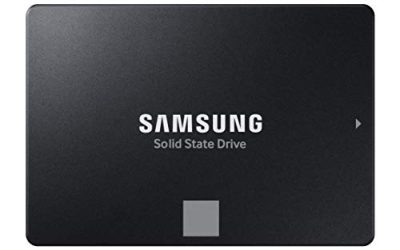
Swapping the drive is the cheapest way to make an aging laptop feel new, but the keyword hides a trap: “SSD for laptop upgrade” can mean two physically incompatible products. Older and thicker laptops usually have a 2.5 inch SATA bay that once held a spinning hard drive. Newer thin-and-light models use an M.2 slot and need a gumstick-shaped NVMe drive. Buy the wrong shape and the drive will not fit, no matter how fast it is. So the first decision is not brand or speed, it is what your laptop can physically accept.
This guide is for owners who want more space or a quicker boot without replacing the whole machine, from a student with a slow hard disk to a gamer whose library outgrew a 256GB drive. The list mixes 2.5 inch SATA III models in several capacities with two M.2 NVMe options, so you can match either bay. As of 2026, SATA drives remain a sensible, low-risk upgrade for older notebooks, while NVMe suits newer ones.
Our Top Picks


Top 3 picks at a glance
Quick Picks
As an Amazon Associate we earn from qualifying purchases at no extra cost to you.


| Product | Best for | Key spec from the title |
|---|---|---|
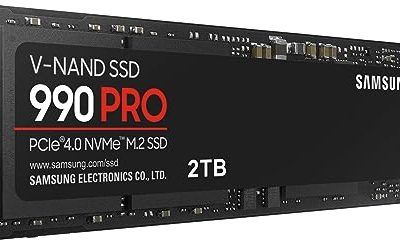
| Samsung 990 EVO Plus 2TB | Newer laptops with an M.2 slot and big libraries | PCIe Gen 4×4, M.2 2280, up to 7,250 MB/s |
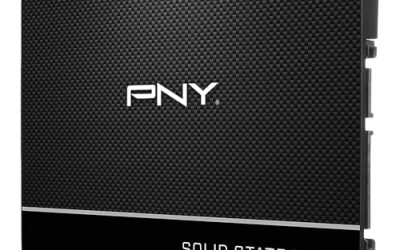
| PNY CS900 250GB | Light everyday use on an older SATA laptop | 2.5 inch SATA III, up to 535/500 MB/s |
| PNY CS900 500GB | Basic upgrade with room for apps and files | 2.5 inch SATA III, up to 550/500 MB/s |
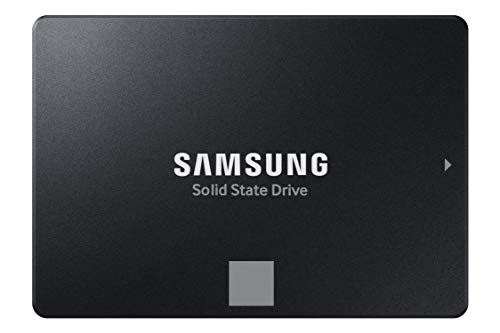
| Samsung 870 EVO 2TB | Maximum capacity in a SATA bay | 2.5 inch SATA III, reads up to 560 MB/s |
| KingSpec 1TB | Value-minded 1TB SATA swap | 550 MB/s read, 520 MB/s write, 3D NAND |
| Samsung 870 EVO 1TB | Balanced SATA upgrade from a known maker | 2.5 inch SATA III, reads up to 560 MB/s |
| Fanxiang 1TB NVMe | M.2 laptops that want Gen4 speed | PCIe Gen4 M.2, up to 4800 MB/s |
| PNY CS900 1TB | Replacing a hard drive on a budget | 2.5 inch SATA III, up to 535/515 MB/s |
How to Choose
Confirm the form factor before anything else
Open your laptop’s service manual or look up the exact model number. A 2.5 inch SATA drive is a flat rectangle about the size of a deck of cards, and it slides into the same bay as a hard drive. An M.2 2280 drive is a narrow stick, 80 millimeters long, that screws into a slot on the motherboard. Some laptops have both, some only one, and a few use shorter M.2 sizes or SATA-only M.2 slots. A drive described as PCIe Gen 4×4 NVMe will not work properly in a slot that only supports SATA signaling, so verify the interface as well as the shape.
Understand what the speed numbers mean in a laptop
SATA III tops out around 550 to 560 MB/s, which is why every 2.5 inch drive in this list quotes a read speed in that range. An NVMe drive quoting 4,800 or 7,250 MB/s sounds far faster, and in file transfers it is. But for boot times, app launches, and general responsiveness, the jump from a hard drive to any SSD is the dramatic one; the jump from SATA to NVMe is smaller in daily use. Also, a laptop with a Gen3 slot cannot reach Gen4 speeds, so do not pay a premium for headroom your hardware cannot use.
Pick capacity based on your actual library
A 250GB drive fills quickly once you add Windows updates and a handful of games. A 500GB drive is the practical floor for a main drive. At 1TB you have comfortable room for a game collection, and 2TB suits those who store large media or want to avoid a second upgrade soon. If you are cloning an existing drive, make sure the new one is at least as large as the used space on the old one, and plan on a USB adapter or cloning software to migrate the system.
Look at heat, thickness, and where budget drives cut corners
Thin laptops have little airflow, and a fast NVMe drive can run warm without a heatsink, so check whether your machine has a thermal pad or cover over the slot. Some 2.5 inch bays accept only 7mm thick drives, so confirm thickness before ordering. Budget-tier SSDs often use smaller caches and lower endurance, which shows during large writes. Mid-range and premium models from established makers tend to offer better software tools and longer warranty terms, which matter more than peak speed on a daily-use machine.
The 8 Best Options
Samsung 990 EVO Plus 2TB
This is the performance pick for a newer laptop with an M.2 slot. The title lists a PCIe Gen 4×4 interface, a 2280 M.2 form factor, and speeds up to 7,250 MB/s, with two terabytes of capacity. It suits a buyer replacing a small factory drive with something big enough for a full game library and project files.
- Strength: PCIe Gen 4×4 NVMe with a stated top speed of 7,250 MB/s.
- Strength: 2TB capacity covers games, media, and work files in one drive.
- Trade-off: it only fits laptops with an M.2 2280 slot that supports NVMe.
Skip it if your laptop uses a 2.5 inch SATA bay or if you only need modest storage.
PNY CS900 250GB
The smallest drive in the lineup is a 2.5 inch SATA III model with listed speeds up to 535/500 MB/s read and write. It targets a basic refresh of an older laptop used for browsing, email, and documents, where the main benefit is escaping a slow hard drive. Think of it as a boot drive for a machine with light demands.
- Strength: SATA III interface fits standard 2.5 inch laptop bays.
- Strength: an entry-level tier makes it a low-cost way to speed up an old machine.
- Trade-off: 250GB fills quickly with updates, apps, and games.
Skip it if you store large libraries or want long-term headroom.
PNY CS900 500GB
The 500GB version of the same line quotes up to 550/500 MB/s and keeps the 2.5 inch SATA format. It is a sensible step for owners who want a bit more breathing room than the smallest model without moving to a terabyte. A student machine with documents, a browser, and a few programs fits comfortably.
- Strength: 500GB gives a practical amount of space for a main drive.
- Strength: listed 550 MB/s read speed is at the ceiling for SATA III.
- Trade-off: a modern game library will crowd it quickly.
Skip it if your laptop needs an M.2 drive or you plan to install many large games.
Samsung 870 EVO 2TB
The 870 EVO in 2TB is for people who want the largest capacity a SATA bay can offer. The title lists reads up to 560 MB/s and pitches it as a PC or laptop memory and storage upgrade. For an older gaming laptop with a hard drive bay and a big backlog of installs, this single drive can replace an entire storage setup.
- Strength: 2TB in a 2.5 inch SATA form factor for older laptops.
- Strength: Samsung branding and a stated 560 MB/s read speed.
- Trade-off: it sits in the premium tier among the SATA options because of capacity.
Skip it if your laptop has only an M.2 slot or you can live with 1TB.
KingSpec 1TB
KingSpec lists a 1TB 2.5 inch SATA III drive with 550 MB/s read and 520 MB/s write speeds and 3D NAND flash. It is aimed at laptop and desktop upgrades and appeals to shoppers who want a full terabyte without stepping up to the best-known brand names. The write speed stated in the title is the highest among the SATA drives listed.
- Strength: 1TB capacity with 550/520 MB/s listed speeds.
- Strength: 3D NAND flash is named in the title.
- Trade-off: it comes from a less established maker, so check warranty terms.
Skip it if you prefer a drive from a long-standing brand with a larger support ecosystem.
Samsung 870 EVO 1TB
The 1TB 870 EVO is the middle path for SATA laptops: the same 560 MB/s read figure as its larger sibling, a known brand, and enough room for most users. It suits someone upgrading from a 500GB or hard drive who wants a drive that will last through a few years of use without constant cleanup.
- Strength: 1TB SATA III with reads listed up to 560 MB/s.
- Strength: a well-known brand in the SATA category.
- Trade-off: it costs more than other 1TB SATA options in this group.
Skip it if your laptop uses an M.2 slot or if budget is the top priority.
Fanxiang 1TB NVMe
This M.2 drive lists PCIe Gen4, speeds up to 4,800 MB/s, 3D NAND, and an SLC cache. The title also calls out PS5 use, which hints at compatibility with consoles, but for a laptop the key point is that it is an M.2 NVMe drive. It suits a newer notebook that has a free or replaceable M.2 slot and needs a fast terabyte at a modest tier.
- Strength: PCIe Gen4 NVMe with a stated 4,800 MB/s peak.
- Strength: 1TB at a budget-to-mid tier for M.2 laptops.
- Trade-off: the title does not mention a heatsink, so check clearance in a thin laptop.
Skip it if your laptop only takes 2.5 inch SATA drives.
PNY CS900 1TB
The 1TB PNY CS900 lists speeds up to 535/515 MB/s in a 2.5 inch SATA III format and positions itself for PC and laptop upgrades from a hard drive. It is the straightforward budget choice for an owner who wants a terabyte and no fuss. Everyday users, creators, and gamers are all named in the listing.
- Strength: 1TB capacity in a standard SATA bay.
- Strength: 535/515 MB/s listed speeds are typical for the interface.
- Trade-off: speeds sit at the lower end of the SATA group.
Skip it if you need NVMe-class transfer speeds.
Which One Fits Your Situation
You are rescuing an older laptop with a hard drive
The PNY CS900 500GB or 1TB are the simple answers. Either fits a 2.5 inch SATA bay and removes the main bottleneck, which is the spinning disk. Choose 1TB if you keep photos or games on the laptop.
You have a newer laptop with an M.2 slot
The Samsung 990 EVO Plus 2TB offers the top listed speed and a big capacity, while the Fanxiang 1TB NVMe is the lower-tier alternative if you do not need 2TB. Confirm the slot supports PCIe NVMe first.
You need the most storage in a SATA bay
The Samsung 870 EVO 2TB is the capacity leader among the 2.5 inch drives here. It lets you consolidate everything onto one drive in a laptop that can only hold one.
You want a balanced 1TB without overthinking it
The Samsung 870 EVO 1TB suits buyers who value a known brand, and the KingSpec 1TB suits those who prefer a lower-tier option with slightly higher listed write speed.
Common Mistakes
- Ordering an NVMe drive for a laptop that only has a 2.5 inch SATA bay, or the reverse.
- Assuming every M.2 slot supports PCIe; some are SATA-only.
- Paying for Gen4 speeds in a laptop that can only run Gen3.
- Skipping a backup or cloning plan, then having to reinstall Windows from scratch.
- Ignoring drive thickness in slim laptops with a 7mm bay limit.
Related guides
- How To Check Gpu Compatibility With Your Motherboard And Cpu
- High-Performance Gaming Desktop Specifications
- Prebuilt Gaming Pc Rtx 5070 Under 1500
Frequently Asked Questions
How do I know which SSD my laptop takes?
Search the laptop’s exact model number with the words “service manual” or “upgrade”. It will show whether the storage is a 2.5 inch SATA bay, an M.2 slot, or both, and which M.2 length it accepts.
Is a SATA SSD still worth it in 2026?
For older laptops, yes. A SATA SSD delivers the largest felt improvement over a hard drive, and many laptops cannot use anything faster. Newer machines with M.2 slots can take advantage of NVMe.
Will an NVMe drive make my laptop much faster than SATA?
You will see it in large file copies. In everyday tasks like booting and opening apps, the difference from SATA is modest compared with the leap from a hard drive.
How should I move my data to the new drive?
Use cloning software with a USB-to-SATA or USB-to-NVMe adapter, or perform a clean install and copy files back from a backup. Either way, back up first.