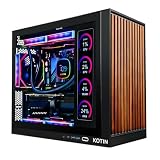
Buying a gaming PC for a teenager is a different exercise from building one for yourself. The machine has to survive three or four years of rising demands, from esports shooters and open-world titles to homework, video projects, and streaming, and it usually gets paid for by someone who is not the daily user. That pulls the decision in two directions: enough graphics power that the system is not obsolete by the next school year, and enough restraint that the household does not overspend on parts a teen will not use. The right answer is rarely the biggest number on the box.
This guide is written for parents, guardians, and first-time buyers shopping for a ready-made tower rather than a custom build. The six systems below range from an entry-level machine with a 4GB graphics card to prebuilts with current-generation RTX 5000-series cards. Heading into 2026, the main splits are graphics tier, memory type, storage size, and whether the tower can be upgraded later, and each of those is spelled out in the listing titles.
Our Top Picks


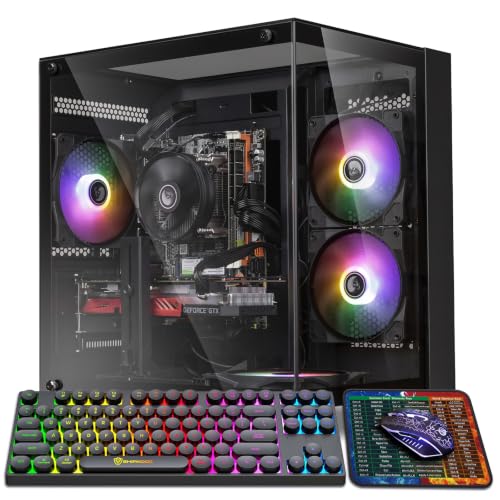
Top 3 picks at a glance
Quick Picks
As an Amazon Associate we earn from qualifying purchases at no extra cost to you.


| Product | Best for | Key spec from the title |
|---|---|---|
| CyberPowerPC Gamer Xtreme VR (i5-13400F, RTX 5060) | Balanced all-round teen gaming | RTX 5060 8GB, 16GB DDR5, 1TB PCIe 4.0 SSD |
| CyberPowerPC Gaming PC (Ryzen 5 5500) | First gaming PC at the lowest tier | Radeon RX 6500 XT 4GB, 8GB DDR4, 500GB SSD |
| AVGPC Blizzard (Core i9 11900KF) | Showpiece build with big memory | RTX 5060 Ti, 32GB DDR4, 360mm liquid cooler |
| STGAubron Gaming PC (R5 5500) | Gaming plus school and streaming | RTX 2060S 8G, 16G DDR4, 1T SSD |
| CyberPowerPC Gamer Xtreme VR (i5-14400F, RTX 5060 Ti) | Longer-lasting pick with big storage | RTX 5060 Ti 8GB, 16GB DDR5, 2TB PCIe 4.0 SSD |
| CyberPowerPC Gamer Xtreme VR (Core Ultra 5 225F) | Newer Intel platform on a tighter plan | RTX 5050 8GB, 16GB DDR5, 1TB PCIe 4.0 SSD |
How to Choose
Match the graphics card to the games and the monitor
The graphics card drives most of what a teenager will feel. A card with 8GB of video memory, like those in the RTX 5060, RTX 5060 Ti, RTX 5050 and RTX 2060 Super systems here, is a comfortable baseline for 1080p play in popular titles. A 4GB card, like the Radeon RX 6500 XT, is workable for esports and older games but runs short of memory in newer releases. Check what monitor the teen already owns: a basic 1080p, 60 to 144 Hz display does not justify a higher-tier card, while a 1440p screen benefits from stepping up the lineup. It also helps to ask which games are on the wish list. Competitive titles such as battle royales and tactical shooters care more about frame rate than visual polish, so a mid-range card with a fast monitor is usually the smarter pairing than a premium card driving a slow screen. Story-driven and open-world games lean harder on video memory and newer graphics features, which is where the RTX 5000-series systems pull ahead of the older RTX 2060 Super and the entry-level Radeon card.
Prioritize memory type and capacity
Sixteen gigabytes of RAM is the practical minimum for current games plus a browser and chat apps running at the same time. An 8GB system, like the entry-level Ryzen listing, will feel tight and is the first thing to upgrade. DDR5 memory, found in the CyberPowerPC Gamer Xtreme VR systems, belongs to the newer platform and gives more of a path forward than DDR4 systems. If the tower has free memory slots, doubling the RAM later is an inexpensive fix.
Look at storage size and speed
Games now routinely take tens of gigabytes each, so a 500GB drive fills after a handful of titles. A 1TB PCIe 4.0 or NVMe drive is the comfortable starting point, and a 2TB drive suits teens who keep many games installed or edit videos. Fast NVMe storage also shortens load times and boot, which matters for school use as much as gaming. Remember that you can add a second drive later if the case and motherboard have a free slot.
Think about cooling, upgrade room, and household controls
Tower style, airflow, and cooling affect noise and lifespan. A liquid cooler or well-ventilated mesh case helps a hotter processor stay in range, while a basic air-cooled system is fine for mainstream chips. For a growing teen, look for standard parts, WiFi ready or built-in wireless, and Windows 11 Home so parental controls and screen-time tools are available through a family account. Be skeptical of systems that lean on flashy lighting and a big processor name while using a weaker graphics card, since graphics matters more. Finally, think about where the tower will live. A bedroom desk means fan noise matters at night and a mesh case may be louder than a closed one, while a shared family room may call for cleaner cable routing and a quieter cooler.
The 6 Best Options
CyberPowerPC Gamer Xtreme VR (i5-13400F, RTX 5060)
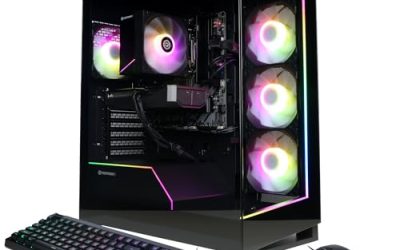
This is the balanced middle of the group. The title lists an Intel Core i5-13400F, a GeForce RTX 5060 with 8GB of video memory, 16GB DDR5, a 1TB PCIe 4.0 SSD, and WiFi readiness with Windows 11 Home. It suits a household that wants a capable 1080p machine for current games without paying for the top graphics tier.
- Strength: RTX 5060 8GB paired with 16GB of DDR5 memory.
- Strength: 1TB PCIe 4.0 SSD gives usable storage out of the box.
- Trade-off: it uses a previous-generation Intel i5 chip rather than the newest platform.
Skip it if you want the newer Core Ultra processor line or a larger drive.
CyberPowerPC Gaming PC (Ryzen 5 5500)
This system pairs an AMD Ryzen 5 5500 with a Radeon RX 6500 XT 4GB, 8GB DDR4, and a 500GB PCIe 4.0 SSD, with WiFi readiness and Windows 11 Home. It is the entry point, built for a first gaming PC where the main titles are lighter or older. Households watching spending will find the specs plain but honest.
- Strength: lowest-tier entry into a pre-built gaming desktop.
- Strength: PCIe 4.0 SSD and Windows 11 Home included.
- Trade-off: 4GB of graphics memory, 8GB of RAM, and 500GB of storage will all feel limiting soon.
Skip it if the teen plans to play newer, demanding games or keep a large library installed.
AVGPC Blizzard
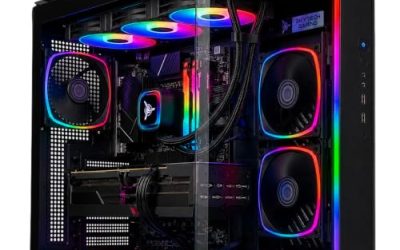
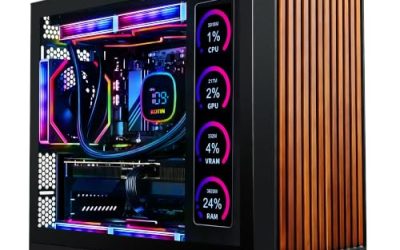
The Blizzard lists an Intel Core i9 11900KF, an RTX 5060 Ti, 32GB DDR4, a 1TB NVMe M.2 SSD, a 360mm liquid cooler, ARGB fans, WiFi/AC, and a TD500 mesh case. It stands out for memory and cooling: 32GB is generous for multitasking, and a 360mm radiator is a heavy-duty cooling choice. It suits a teen who streams or edits while gaming and likes a display-worthy build.
- Strength: 32GB of DDR4 and a 360mm liquid cooler.
- Strength: RTX 5060 Ti graphics in a mesh-front case with ARGB fans.
- Trade-off: the older-generation i9 and DDR4 platform has a shorter upgrade path than DDR5 systems.
Skip it if you want the most future-proof platform rather than the biggest spec list.
STGAubron Gaming PC (R5 5500)
The STGAubron lists a Ryzen 5 5500 up to 4.2GHz, an RTX 2060 Super with 8G of memory, 16G DDR4, a 1TB SSD, and ARGB fans. The title also targets streaming, video editing, home, and school use. It fits a teen who wants one computer to handle homework, light creative projects, and 1080p games.
- Strength: 8GB graphics card with 16GB of RAM and a 1TB SSD.
- Strength: general-purpose positioning covers school and creative use.
- Trade-off: the RTX 2060 Super is an older graphics generation than the RTX 5000 systems here.
Skip it if you want current-generation graphics features or a recognizable brand ecosystem.
CyberPowerPC Gamer Xtreme VR (i5-14400F, RTX 5060 Ti)
This version steps up to an Intel Core i5-14400F, a GeForce RTX 5060 Ti 8GB, 16GB DDR5, and a 2TB PCIe 4.0 SSD, with WiFi readiness and Windows 11 Home. Of the CyberPowerPC options, it combines the stronger graphics card and the largest drive, which makes it the one least likely to need a quick upgrade. It suits a household making a longer-term purchase.
- Strength: RTX 5060 Ti with a 2TB PCIe 4.0 SSD.
- Strength: DDR5 memory on a platform that offers more upgrade room.
- Trade-off: it sits at a higher tier than the other CyberPowerPC systems.
Skip it if you only need a casual, entry-level machine.
CyberPowerPC Gamer Xtreme VR (Core Ultra 5 225F)
The last system lists an Intel Core Ultra 5 225F at 3.3GHz, a GeForce RTX 5050 8GB, 16GB DDR5, and a 1TB PCIe 4.0 SSD. It is the pick for buyers who want the newer Intel Core Ultra platform and 8GB of graphics memory without moving to the RTX 5060 Ti tier. It fits a teen who plays mainstream games at 1080p.
- Strength: newer Core Ultra processor with DDR5 memory.
- Strength: 1TB PCIe 4.0 SSD with Windows 11 Home.
- Trade-off: the RTX 5050 is the lower graphics tier among the RTX 5000 systems.
Skip it if graphics performance is your top priority.
Which One Fits Your Situation
This is a first gaming PC with a tight plan
The CyberPowerPC Ryzen 5 5500 system is the entry choice, but expect to upgrade the RAM and storage within a year. If you can stretch a little, the Core Ultra 5 225F model with the RTX 5050 offers more memory and a larger drive.
The teen games at 1080p and wants a safe all-rounder
The CyberPowerPC i5-13400F and RTX 5060 system is the middle road. It provides 16GB of DDR5 and 1TB of fast storage, which covers most mainstream games and school work.
The teen streams or edits video alongside gaming
The AVGPC Blizzard with 32GB of memory and a 360mm liquid cooler suits heavy multitasking. The STGAubron is a gentler alternative that names streaming and video editing in its title.
You want the system to last through high school
The CyberPowerPC i5-14400F with an RTX 5060 Ti and a 2TB drive is the longevity pick. DDR5 memory and a large drive mean fewer forced upgrades down the road.
Common Mistakes
- Choosing by processor name while ignoring the graphics card, which matters more for games.
- Accepting 8GB of RAM or 500GB of storage as a long-term setup.
- Paying for ARGB fans and a showy case when the money would be better spent on the graphics tier.
- Forgetting a monitor, keyboard, mouse, and headset, which are rarely included.
- Skipping parental controls and account setup on the new Windows install.
Related guides
- How To Check Gpu Compatibility With Your Motherboard And Cpu
- High-Performance Gaming Desktop Specifications
- Prebuilt Gaming Pc Rtx 5070 Under 1500
Frequently Asked Questions
How much graphics memory does a teenager need?
For 1080p gaming, 8GB is a comfortable level for current titles. A 4GB card works for lighter and older games but will run short in newer releases.
Is 16GB of RAM enough?
Yes, for most gaming and school use. Heavy streaming or video projects benefit from 32GB, and many towers let you add memory later.
Should I buy a prebuilt or build a PC?
A prebuilt comes ready to use with Windows installed and is simpler for a first PC. Building offers more control but needs time and parts knowledge.
Can I set limits on gaming time?
Yes. Windows 11 Home supports family accounts with screen-time and content filters, and most game launchers include their own parental settings.