Running three monitors is a desk problem before it is a graphics card problem. Three 24-inch screens sitting side by side take up roughly five and a half feet of width, and three 27-inch panels need even more. Most desks marketed to gamers are too short for that layout, which is why corner and L-shaped designs dominate any list built around triple-screen setups. This guide looks at seven desks that give you the surface area, shelf height, and cable management to make three displays practical.
It is written for buyers who are tired of a single wide monitor, or who have added two displays and now want a proper triple arrangement for gaming, racing, flight sims, or work. You will also see how an L-shaped corner can hold a wrap-around cockpit of three screens at an angle, and when a long straight desk or standing desk fits better. One related accessory, the HUANUO triple monitor mount in the same search, is covered in the checklist below but left out of the desk reviews.
Our Top Picks
 Korfile 66'' L Shaped Gaming Desk with StorageLarge: 66 inches42.5 x 65.4 x 36.5 InchesCheck on Amazon
 SEDETA 78.7” Large L Shaped Gaming Desk with78.7 x 47.2 x 35 inches47.2 x 78.7 x 35 inches81 PoundsCheck on Amazon
 SEDETA 79" Gaming Desk with Fabric Drawers StorageLarge27.5 x 78.7 x 30 Inches66 PoundsCheck on Amazon
 HUANUO Triple Monitor Mount for 13-27 inch Computer13 to 27 inch15.91 x 12.68 x 7.87 inchesCheck on Amazon


Top 3 picks at a glance
Quick Picks
As an Amazon Associate we earn from qualifying purchases at no extra cost to you.


| Product | Best for | Key spec from the title |
|---|---|---|
| Korfile 66-inch L-Shaped Gaming Desk | Corner wrap-around setups | 66 inch, reversible, drawers, outlets, LED |
| SEDETA 78.7-inch L-Shaped Desk | Maximum width | 78.7 inch, drawers, shelves, glass display cabinet |
| SEDETA L-Shaped Gaming Desk | Accessory-heavy builds | Monitor shelf, keyboard tray, pegboard |
| SEDETA 79-inch Gaming Desk | Straight long layout | 79 inch, fabric drawers, monitor stand |
| Korfile 59-inch L-Shaped Desk | Smaller rooms | 59 inch, 4 drawers, monitor stands |
| PRAISUN 63-inch L-Shaped Desk | Modern USB-C charging | 63 inch, outlets and Type-C port, 3 drawers |
| Huuger 55 x 28 Electric Standing Desk | Sit-stand work and play | 27.6-inch depth, 3 height presets |
How to Choose
Width and layout come first
A 24-inch 16:9 monitor is about 21 inches wide, and a 27-inch model is around 23.5 inches. Three in a straight row therefore need roughly 63 to 71 inches before any gaps. A desk near 79 inches, like the longer SEDETA, handles that in a line. An L-shaped desk at 59 to 66 inches can place two screens on the long arm and one on the return, which is a common wrap-around approach.
Depth and viewing distance
Depth decides how far your eyes sit from the screens. A desk around 24 to 28 inches deep, like the 27.6-inch Huuger, is a workable minimum for 24- to 27-inch monitors. Shallower tops push the display close to your face. If you plan to use a monitor shelf or stand to lift the screens, make sure it leaves room for the keyboard tray.
Power, cables, and storage
Triple setups bring a PC, three screens, speakers, and chargers. Look for built-in outlets or a power strip, as several listings state, and a Type-C port if you want a charging spot. A pegboard or shelf helps keep headsets and controllers off the surface. Drawers are a nice bonus, but they eat leg room, so check how far they reach on a corner desk.
Mounts versus stands, and budget trade-offs
Monitor stands built into a desk are simple, while a separate arm mount, like the HUANUO triple mount that lists a 19.8lbs capacity and 13 to 27 inch screens, frees surface space. Budget desks tend to cut corners on tabletop thickness and hardware, so look for steady frames when loaded. Ignore flashy lighting claims; the LED strip is cosmetic and will not change your setup. Also confirm whether the surface is wide enough for a keyboard and mouse after the monitors take their share, since a crowded top defeats the point of three screens.
The 7 Best Options
Korfile 66-inch L-Shaped Gaming Desk
The 66-inch Korfile is a large reversible L-shaped desk with storage drawers, power outlets, and LED lighting, described as suited to multiple monitors. It fits players who want a corner command center without stepping up to the largest tier. Reversibility matters more than it sounds, because the right layout depends on which wall your outlet and door sit against, and you can decide that at assembly time.
- Strength: the reversible design lets you place the return on either side.
- Strength: built-in outlets and drawers handle cables and small gear.
- Trade-off: at 66 inches, three large monitors will need an angled layout around the corner.
Skip it if you want a straight row of three 27-inch screens or a desk without built-in lighting.
SEDETA 78.7-inch L-Shaped Desk
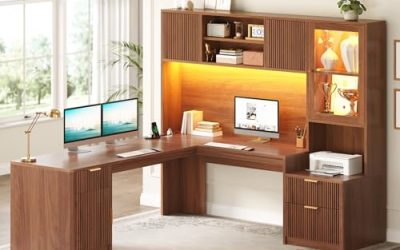
This SEDETA is the widest L-shaped option at 78.7 inches, with drawers, a reversible corner, storage shelves, a power outlet, LED lighting, and a glass display cabinet. It is built for gamers who want room for three screens and a trophy shelf. It is the closest match in this group to a full command station, and the upper storage keeps collectibles and controllers off the work surface.
- Strength: the 78.7-inch span gives real breathing room for three monitors.
- Strength: shelves and a display cabinet add storage above and beside the desk.
- Trade-off: a desk this large needs a big room and a lot of floor space.
Skip it if you have a small bedroom or want a desk without upper shelves blocking light.
SEDETA L-Shaped Gaming Desk
This SEDETA model is an L-shaped reversible gaming desk with power outlets, an LED strip, a monitor shelf, a keyboard tray, a pegboard, and storage. It suits buyers who like an all-in-one station with a lot of organizing features. The monitor shelf can lift a center screen while the pegboard holds headsets, which is handy in a cluttered triple setup.
- Strength: the keyboard tray and monitor shelf help raise screens and free the desktop.
- Strength: a pegboard offers hanging space for headsets and accessories.
- Trade-off: the title gives no overall size, so verify width before ordering for a triple layout.
Skip it if you want a clean, minimal surface with few attachments.
SEDETA 79-inch Gaming Desk
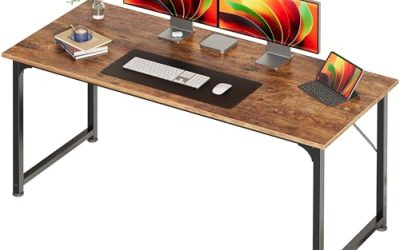
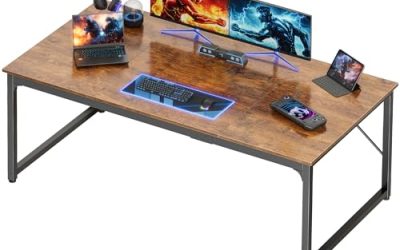
This is the long, straight option at 79 inches, with a carbon fiber black finish, fabric drawers, LED lighting, a power strip, a monitor stand, and a keyboard tray. It suits buyers who prefer one wide surface for three monitors in a row. A long flat top also leaves room for a mouse pad wide enough for sweeping aim, something corner desks sometimes cramp.
- Strength: 79 inches handle three monitors in a line, including 27-inch panels.
- Strength: a power strip and fabric drawers keep wiring and gear tidy.
- Trade-off: a straight desk needs a long wall, and does not wrap around you.
Skip it if you prefer an angled corner layout or have limited wall space.
Korfile 59-inch L-Shaped Desk
The 59-inch Korfile is a smaller corner desk with power outlets, four adjustable storage drawers, and two monitor stands, described as ideal for home office or bedroom corners. It fits modest rooms where a three-screen layout has to be angled. Using a shelf or stand for the rear screens and the main surface for the center display can make the geometry work.
- Strength: the compact 59-inch size suits smaller bedrooms.
- Strength: four drawers and two monitor stands add storage and screen height.
- Trade-off: its size is tight for three large screens, so plan smaller monitors or a mount.
Skip it if you plan three 27-inch displays or want a long straight surface.
PRAISUN 63-inch L-Shaped Desk
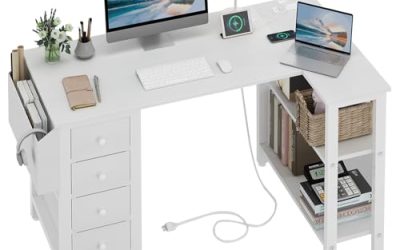
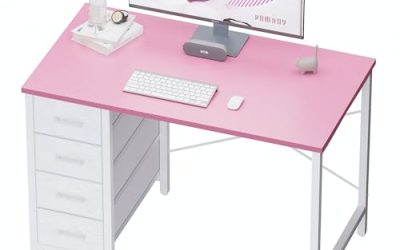
The PRAISUN is a 63-inch L-shaped office and gaming desk with power outlets, a Type-C port, three fabric drawers, and mesh shelves, positioned for a corner study area. It is for buyers who want modern charging options along with the corner layout. Charging a laptop or phone through the desk itself reduces the number of adapters crowding the floor.
- Strength: a Type-C port and outlets support laptops and phones.
- Strength: fabric drawers and mesh shelves provide flexible storage.
- Trade-off: at 63 inches it is mid-sized, so three big screens require the corner arrangement.
Skip it if you do not need charging ports or prefer a longer straight desk.
Huuger 55 x 28 Electric Standing Desk
The Huuger is a 55 by 28 inch electric standing desk with a 27.6-inch deep desktop, two hooks, and three preset heights. It is the pick for people who want to alternate between sitting and standing while using multiple monitors. Moving between sitting and standing can break up long sessions, and the preset heights remove fiddling once you find your levels.
- Strength: electric height adjustment with presets helps you change posture quickly.
- Strength: the 27.6-inch depth gives comfortable viewing distance.
- Trade-off: at 55 inches wide it fits only smaller monitors in a triple row, so mounts help.
Skip it if you need built-in drawers and outlets, or a very wide surface.
Which One Fits Your Situation
Three 27-inch monitors in a straight line
The SEDETA 79-inch Gaming Desk gives the widest straight surface of the group, along with a monitor stand and keyboard tray. Leave a few inches of gap between screens for bezels, and the desk still has margin for speakers.
A corner cockpit
The Korfile 66-inch L-Shaped Desk or the SEDETA 78.7-inch version let you angle screens around you. Choose the larger one if you have the room. The return side can hold the third screen, a console, or a laptop.
A small bedroom
The Korfile 59-inch L-Shaped Desk fits tighter spaces, especially if you use smaller monitors or arm mounts. Pushing the desk into the corner also frees the rest of the floor.
Sit-stand flexibility
The Huuger Electric Standing Desk offers three presets and a deep top, best paired with lighter monitors on mounts. Check the weight limit on the frame before loading it with a PC tower and three displays.
Common Mistakes
- Measuring desk width but not the width of three monitors plus bezels.
- Ignoring depth and sitting too close to three large screens.
- Choosing an L-shaped desk without checking whether the return fits your wall.
- Forgetting that drawers reduce leg room under a corner desk.
- Trusting LED strips and pegboards as productivity features rather than extras.
Related guides
- How To Check Gpu Compatibility With Your Motherboard And Cpu
- High-Performance Gaming Desktop Specifications
- Prebuilt Gaming Pc Rtx 5070 Under 1500
Frequently Asked Questions
How wide should a three monitor desk be?
Aim for at least 63 inches for three 24-inch screens in a row, and more for 27-inch panels. An L-shape can work at shorter lengths if you angle the screens.
Is an L-shaped desk better than a straight desk?
It depends on the room. L-shaped desks wrap the screens around you and use corner space, while a straight desk keeps all three in a clean line.
Can a standing desk handle three monitors?
Yes, with limits. The Huuger lists a 55-inch width and a 27.6-inch depth, so lighter monitors and arm mounts work best in 2026 setups.
Do I need monitor arms?
Not always. Built-in stands and shelves are fine for lighter monitors, while arms free surface space and help with angle adjustment. Check each arm’s listed screen size range and weight limit, since 13 to 27 inch support will not cover larger ultrawide panels.