The best RTX 5070 prebuilt gaming PC near $1,500 is, on paper, the msi Codex R2: RTX 5070 12GB, Core i5-14400F, 32GB DDR5 and a 1TB NVMe drive, with the leaner Skytech Azure 3 as the cheaper alternative. Be realistic about that ceiling, though. Most RTX 5070 desktops in this set are listed above $1,500, prices change daily, and two entries are RTX 5070 Ti machines from a higher class. We rank each listing by what its title promises and point out what the title leaves out, mainly the power supply and the cooler. Shortlist from the table, then confirm the live price on the listing.
Updated October 2026 – listings rechecked against their current titles and specifications.
Short answer: if you want an RTX 5070 prebuilt gaming PC under $1,500, start with the msi Codex R2 or the Skytech Azure 3. Both are priced above or right at that line on most days, so treat $1,500 as a target and compare the live price with the 32GB DDR5 and named-PSU systems below.
Our Top Picks
Pros & cons
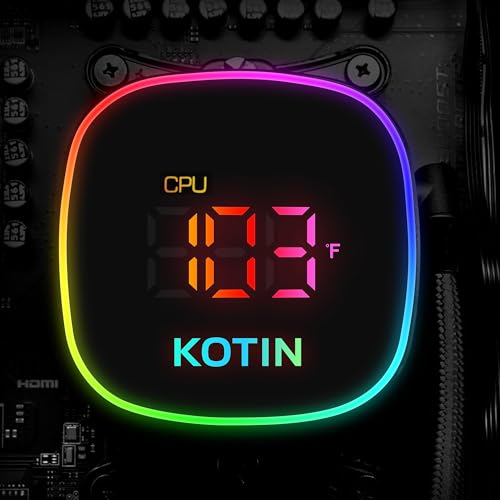
- Built-in 11.3 inch smart display shows live temps and usage
- 850W 80+ Gold PSU leaves headroom for upgrades
- Arrives fully assembled with Windows 11 Home installed
- Monitor must connect to the graphics card, not motherboard ports
- 360mm liquid cooler takes up significant case space


Top 3 picks at a glance
The twelve RTX 5070 prebuilt gaming PC listings side by side

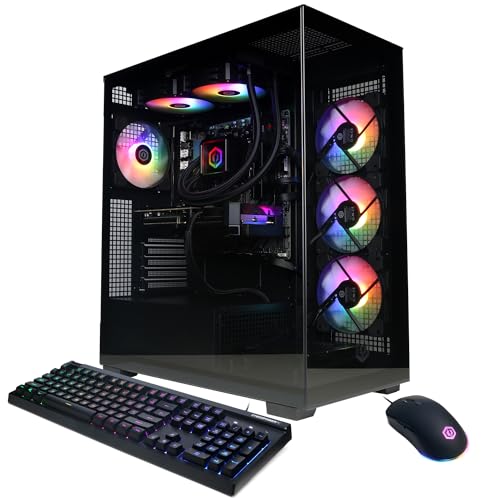
msi Codex Z2 Gaming Desktop, AMD R7-8700F, RTX 5070, 32GB DDR5, 2TB SSD | NVIDIA GeForce RTX 5070, USB Type-C, VR-Ready, Windows 11 Home. Model A8NVP-436US


As an Amazon Associate we earn from qualifying purchases. Product prices and availability are accurate as of the date/time indicated.

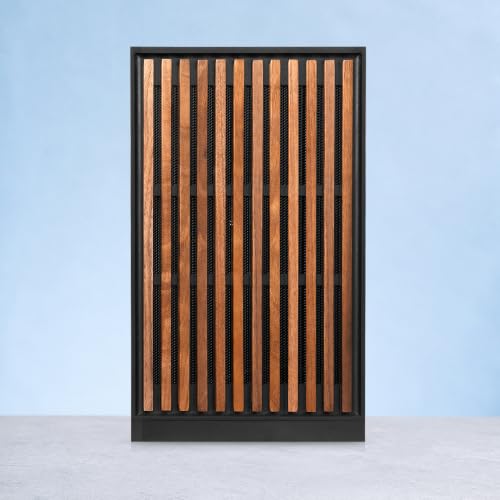
KOTIN Prebuilt Gaming PC RTX 5070 12GB, Ryzen 7 9700X, 32GB DDR5, 1TB SSD | 11.3in Smart Display, 850W 80+ Gold PSU, 360mm Liquid Cooler, WiFi 7, 1440p 4K ARGB Windows 11 Gaming Desktop Computer


As an Amazon Associate we earn from qualifying purchases. Product prices and availability are accurate as of the date/time indicated.

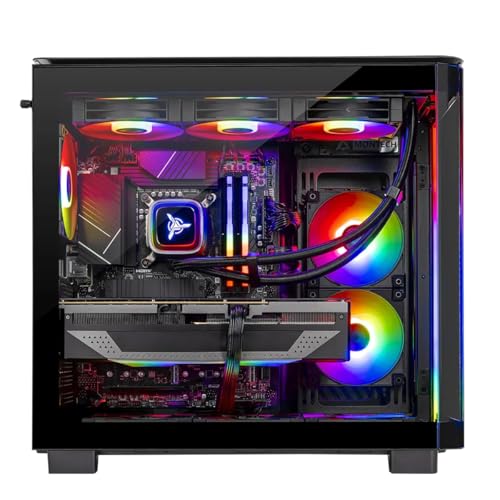
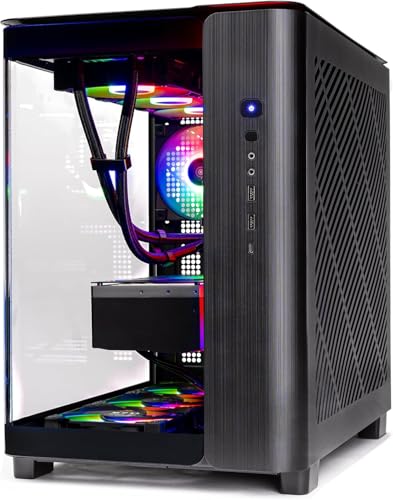
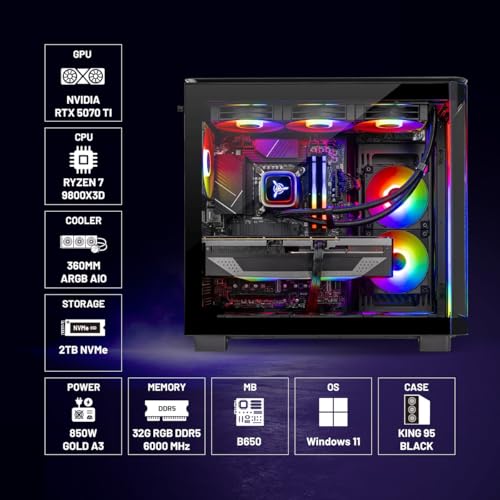
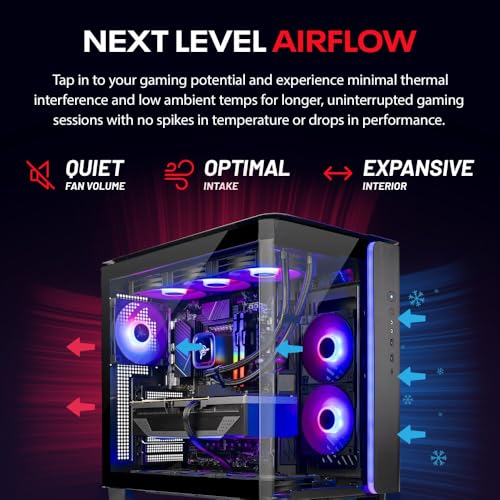
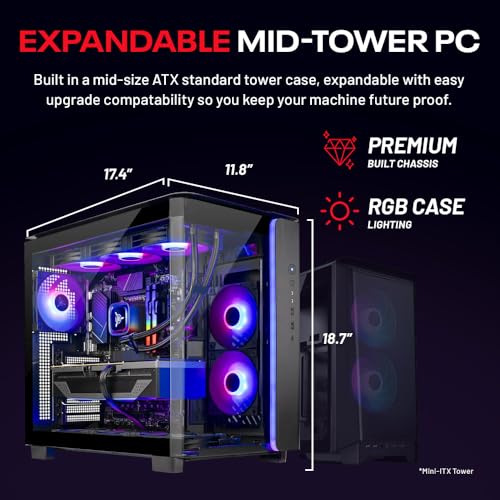
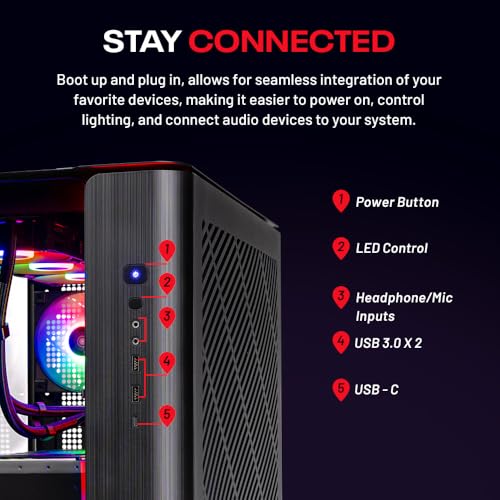
Skytech Gaming PC Desktop, Ryzen 7 9800X3D, RTX 5070 Ti, 32GB RAM, 2TB SSD | Windows 11, Gen4 NVMe SSD, DDR5 6000, 850W GOLD ATX 3 PSU, 360 ARGB AIO , Wi-Fi 5, King 95 Series



As an Amazon Associate we earn from qualifying purchases. Product prices and availability are accurate as of the date/time indicated.

msi Codex R2 Gaming Desktop PC | NVIDIA GeForce RTX 5070 12GB | Intel Core i5-14400F | 32GB DDR5 RAM | 1TB NVMe SSD | Air Cooling | Wi-Fi 6E | Windows 11 Home | VR Ready | D14NVP5-613US


As an Amazon Associate we earn from qualifying purchases. Product prices and availability are accurate as of the date/time indicated.

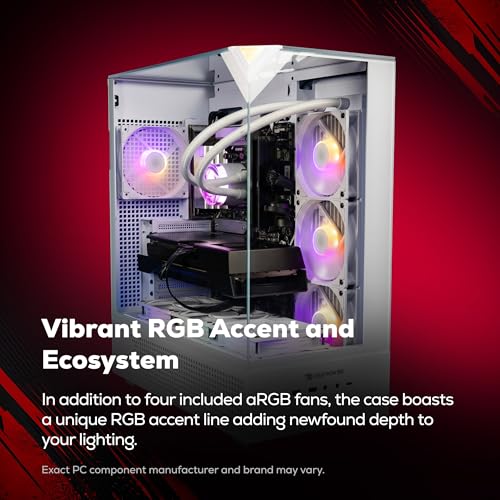
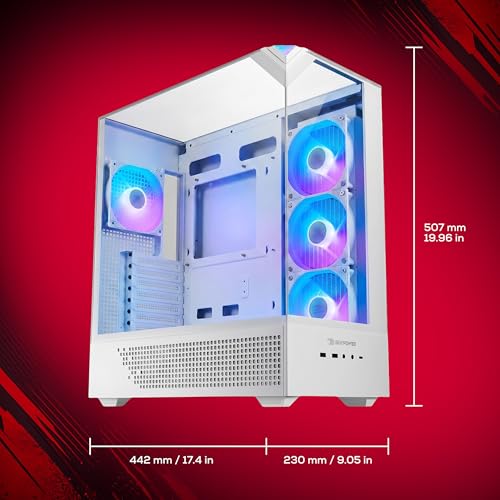
iBUYPOWER Element Gaming PC Desktop Computer AMD Ryzen 9 7900X CPU, NVIDIA GeForce RTX 5070 12GB GPU, 32GB DDR5 RAM, 1TB NVMe SSD, Windows 11 Home, Gamer Keyboard and Mouse - EWA9N5702





As an Amazon Associate we earn from qualifying purchases. Product prices and availability are accurate as of the date/time indicated.

Skytech Gaming PC Desktop, Intel i5 14400F, RTX 5070, 16GB RAM, 1TB SSD | Windows 11, Gen4 NVMe SSD, DDR4 3200, 850W GOLD ATX 3 PSU, Wi-Fi 5, Azure 3 Series


As an Amazon Associate we earn from qualifying purchases. Product prices and availability are accurate as of the date/time indicated.

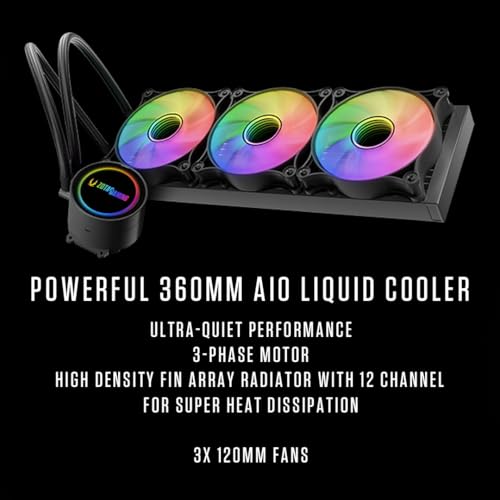
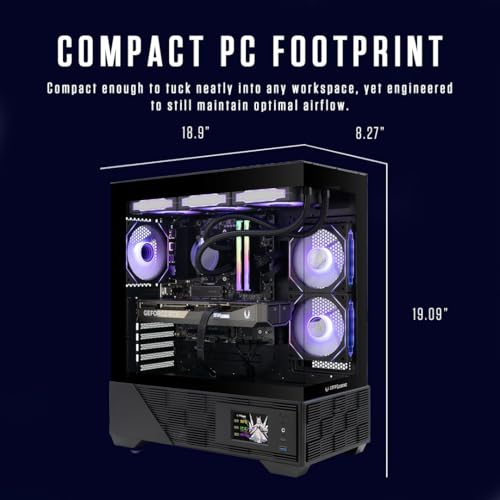
ZOTAC MEK Gaming PC Desktop, Ryzen 7 9700X, NVIDIA GeForce RTX 5070 Ti 16GB | 32GB DDR5, 1TB NVMe SSD, 750W 80+ Gold PSU, WiFi 6E, Bluetooth 5.3, Windows 11 Pro, GDDR7, up to 5.5GHz





As an Amazon Associate we earn from qualifying purchases. Product prices and availability are accurate as of the date/time indicated.

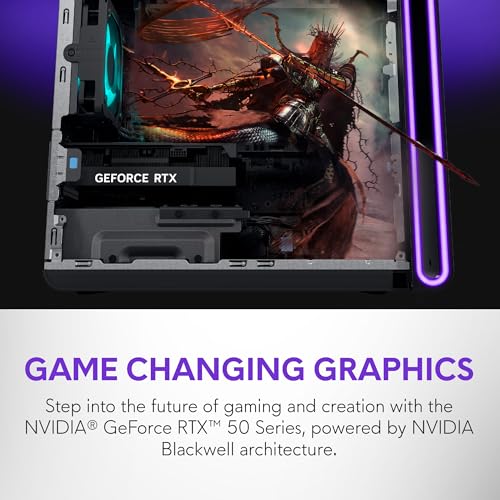
Alienware Aurora Gaming Desktop, RTX 5070, Intel Core Ultra 7 265F | 1TB SSD, 32GB DDR5, Wi‑Fi 7, Bluetooth, Killer 2.5Gb Ethernet, Windows 11 Home, Wired Keyboard, ACT1250



As an Amazon Associate we earn from qualifying purchases. Product prices and availability are accurate as of the date/time indicated.
| Model | Key point from title | Price tier | Best for |
|---|---|---|---|
| msi Codex R2 | RTX 5070, i5-14400F, 32GB DDR5, 1TB, air cooling | Budget | Staying closest to $1,500 |
| Skytech Azure 3 | RTX 5070, i5 14400F, 16GB DDR4, 850W Gold ATX 3 | Budget | Lowest entry, upgrade RAM later |
| Alienware Aurora | RTX 5070, Core Ultra 7 265F, 32GB DDR5, Wi-Fi 7 | Mid-range | Brand support, fast networking |
| iBUYPOWER Element | RTX 5070, Ryzen 9 7900X, 32GB DDR5, keyboard and mouse | Mid-range | CPU-heavy work plus gaming |
| msi Codex Z2 | RTX 5070, R7-8700F, 32GB DDR5, 2TB SSD | Mid-range | Storage-hungry libraries |
| KOTIN gaming PC | RTX 5070, Ryzen 7 9700X, 850W Gold, 360mm liquid cooler | Premium | Spec-sheet completeness |
| ZOTAC MEK | RTX 5070 Ti 16GB, Ryzen 7 9700X, 750W Gold | Premium | Stepping up a GPU class |
| Skytech King 95 | RTX 5070 Ti, Ryzen 7 9800X3D, 2TB, 360 AIO | Premium | Top-end gaming CPU |
| Skytech i7 14700F (Azure 3 Series) | RTX 5070, i7 14700F, 16GB DDR4, 850W Gold ATX 3, 360 AIO | Budget | Stronger CPU, lowest-RAM trade-off |
| CyberPowerPC Gamer Xtreme | RTX 5070 12GB, Ryzen 9 9900X, 32GB DDR5, 1TB | Mid-range | Fast CPU with 32GB DDR5 |
| ASUS ROG G700 | RTX 5070, Core Ultra 7 265F, 16GB DDR5, 1TB | Mid-range | Brand support, add RAM later |
| HP Omen Max 45L | RTX 5070, Ryzen 7 7700X, 16GB DDR5, 1200W Platinum PSU, liquid cooling | Mid-range | Power headroom and cooling |
Eight RTX 5070 prebuilts, one at a time
msi Codex R2
The title lists an RTX 5070 12GB, Intel Core i5-14400F, 32GB DDR5, 1TB NVMe, air cooling and Wi-Fi 6E. Money goes into the graphics card and memory rather than a flashy CPU, which suits 1440p gaming. It is also the nearest entry to the $1,500 line. The title does not state the power supply wattage or brand, so find that on the listing before buying. Air cooling is fine on paper, but noise under load is a question for buyer reviews, and the listing should name the cooler model.
Pros
- 32GB DDR5 at a budget-tier price
- Mainstream CPU, easy to cool
Cons
- PSU details missing from the title
- 1TB fills quickly with big games
Who it’s for: buyers who want an RTX 5070 and refuse to go far past the budget.
Skytech Azure 3
Skytech pairs an RTX 5070 with an Intel i5 14400F, 1TB Gen4 NVMe and an 850W Gold ATX 3 power supply. Here the PSU is spelled out, which is reassuring for a GPU that draws a few hundred watts at peak. The compromise is 16GB of DDR4-3200, which is the weakest memory in the set and stays on an older platform. Plenty of buyers will add a second 16GB kit; confirm the free slots first. Wi-Fi 5 is dated if you rely on wireless, though a wired connection avoids the issue.
Pros
- 850W Gold ATX 3 supply named in the title
- Lowest-cost way into an RTX 5070
Cons
- 16GB DDR4 limits multitasking
- Wi-Fi 5 only
Who it’s for: shoppers who want the lowest entry price and are happy to add RAM.
Alienware Aurora
This one carries an RTX 5070, Core Ultra 7 265F, 32GB DDR5, a 1TB SSD, Wi-Fi 7, Killer 2.5Gb Ethernet and a wired keyboard. Networking is the best of the group, and a major brand may come with a clearer support process; read the warranty terms to confirm. The title omits the cooler type and the PSU, so check both. Proprietary cases and motherboards from big OEMs can restrict later upgrades, so read the listing’s description of the chassis and motherboard before assuming standard parts.
Pros
- Wi-Fi 7 and 2.5Gb wired networking
- 32GB DDR5 and a keyboard in the box
Cons
- Cooler and PSU unspecified
- Upgrade flexibility needs checking
Who it’s for: people who value brand support and fast networking over raw component transparency.
iBUYPOWER Element
The title shows a Ryzen 9 7900X, RTX 5070 12GB, 32GB DDR5, 1TB NVMe, Windows 11 Home and a gamer keyboard and mouse. A Ryzen 9 class CPU is overkill for most games but helps with video editing, streaming and compiling. That is a spend on the processor rather than the graphics card, so the GPU class matches the cheaper machines. The title gives no cooler or PSU information for a chip in this class, so look hard at both, and compare the price against the Ryzen 7 systems.
Pros
- High core count for creator work
- Peripherals included
Cons
- No cooler or PSU named
- Gaming gain over cheaper CPUs is small
Who it’s for: gamers who also edit video or stream from the same PC.
msi Codex Z2
The Z2 (model A8NVP-436US) lists an AMD R7-8700F, RTX 5070, 32GB DDR5, 2TB SSD, USB Type-C and VR-Ready branding. Doubling the storage of the R2 is the clearest difference. The 8700F is an older-generation Ryzen part, so it trails the Ryzen 7 9700X entries, but for a GPU-limited game at 1440p the gap may be modest. Confirm the PSU wattage and cooler before checkout, since neither is in the title. USB Type-C on the front or rear panel is handy for newer peripherals.
Pros
- 2TB SSD out of the box
- USB Type-C and VR-Ready labelling
Cons
- Older CPU generation than the 9700X systems
- PSU not named in the title
Who it’s for: players with large game libraries who don’t want to add a drive.
KOTIN gaming PC
KOTIN lists an RTX 5070 12GB, Ryzen 7 9700X, 32GB DDR5, 1TB SSD, 850W 80+ Gold PSU, 360mm liquid cooler, WiFi 7 and an 11.3in smart display. It is the most complete spec sheet here. The display is a styling extra and costs money you might prefer in storage, and the title’s “1440p 4K” wording is marketing, not a performance promise. KOTIN is a smaller brand than msi or Alienware, so read the warranty and return terms on the listing.
Pros
- 850W Gold PSU and 360mm AIO named
- Ryzen 7 9700X and Wi-Fi 7
Cons
- Smart display adds cost, not frames
- Support terms need a close read
Who it’s for: buyers who judge a prebuilt by how many parts are actually named.
ZOTAC MEK
This is a step up in class: RTX 5070 Ti 16GB with GDDR7, Ryzen 7 9700X, 32GB DDR5, 1TB NVMe, a 750W 80+ Gold PSU, Windows 11 Pro and WiFi 6E. It is not an RTX 5070 machine and will not land near $1,500. The 750W supply is the number to scrutinise, because a Ti-class card has less headroom on 750W than on 850W when paired with a high-boost CPU. Compare the card’s recommended PSU rating on the manufacturer page and ask the seller what the exact PSU model is.
Pros
- 16GB of video memory
- Windows 11 Pro included
Cons
- Outside the budget class
- 750W is tighter for this GPU
Who it’s for: someone willing to raise the budget for 4K-leaning play.
Skytech King 95
The King 95 pairs a Ryzen 7 9800X3D with an RTX 5070 Ti, 32GB DDR5-6000, 2TB Gen4 NVMe, an 850W Gold ATX 3 PSU and a 360mm ARGB AIO. It is the strongest and priciest entry, and plainly not a sub-$1,500 option. The X3D processor is a gaming specialist, while Wi-Fi 5 feels dated at this level. For a cheaper way to a 5070 class, skip it; for a long-lived tower, it earns a look. Confirm the exact motherboard and whether the RAM runs at its rated speed out of the box.
Pros
- 9800X3D, 2TB and an 850W ATX 3 PSU
- 360mm AIO named
Cons
- Far above the stated budget
- Wi-Fi 5 only
Who it’s for: enthusiasts who treat $1,500 as a floor, not a ceiling.
Four more RTX 5070 prebuilts worth a look
Roundups of RTX 5070 desktops near this budget also list Skytech Azure 3 variants with a stronger CPU, a CyberPowerPC Ryzen 9 system and OEM towers from ASUS and HP. These four fill those gaps. Specs below come from the listing titles; anything a title leaves out is marked “check the listing”.
Skytech Azure 3 Series with Core i7 14700F
As an Amazon Associate we earn from qualifying purchases at no extra cost to you.

This Azure 3 variant keeps the RTX 5070, the 1TB Gen4 NVMe drive, the 850W Gold ATX 3 power supply and the 360 ARGB all-in-one cooler, but swaps in an Intel i7 14700F. It is the same 16GB DDR4-3200 memory configuration as the cheaper i5 model.
- GPU: RTX 5070
- CPU: Intel i7 14700F
- Memory: 16GB DDR4-3200
- Storage: 1TB Gen4 NVMe SSD
- Power and cooling: 850W Gold ATX 3, 360 ARGB AIO
- Networking: Wi-Fi 5
Pros: named 850W ATX 3 supply, 360mm cooler suited to a hotter chip, strong CPU for streaming and editing.
Cons: 16GB of DDR4 is the weak spot; the extra CPU cores add little in most games at 1440p.
Skip it if you play mostly GPU-bound games and would rather put the money into 32GB of RAM.
CyberPowerPC Gamer Xtreme with Ryzen 9 9900X
CyberPowerPC pairs an RTX 5070 12GB with a Ryzen 9 9900X, 32GB DDR5 and a 1TB PCIe 4.0 SSD. The listing calls it WiFi ready and includes Windows 11 Home. The title does not name the power supply or cooler, so confirm both before ordering.
- GPU: RTX 5070 12GB
- CPU: AMD Ryzen 9 9900X
- Memory: 32GB DDR5
- Storage: 1TB PCIe 4.0 SSD
- Model code listed: GXiVR8080A41
Pros: 32GB DDR5 out of the box, a high core count for creator work, a recognizable US brand.
Cons: PSU and cooler not named in the title; a Ryzen 9 is more CPU than most games need.
Skip it if you want the lowest price or a fully spelled-out parts list.
ASUS ROG G700 (G700TF-DS774)

The ROG G700 listing names an RTX 5070, a Core Ultra 7 265F, 16GB DDR5, a 1TB PCIe 4 SSD and Windows 11 Home. It belongs to a known gaming brand, which can mean clearer support, but the title leaves out the power supply and cooler.
- GPU: RTX 5070
- CPU: Intel Core Ultra 7 265F
- Memory: 16GB DDR5
- Storage: 1TB M.2 NVMe PCIe 4 SSD
- Model code listed: G700TF-DS774
Pros: DDR5 platform, brand backing, current Intel CPU.
Cons: 16GB is the baseline, not a comfortable amount; PSU and cooler unnamed; OEM cases can limit upgrades.
Skip it if you want 32GB included or standard parts you can swap freely.
HP Omen Max 45L (Ryzen 7 7700X)

The HP Omen Max 45L listing names an RTX 5070, a Ryzen 7 7700X, 16GB DDR5, a 1TB Gen4 SSD, a liquid-cooled design and a 1200W Platinum power supply, plus Wi-Fi 7, Windows 11 Pro and a keyboard and mouse. The 1200W supply gives plenty of room for a future GPU upgrade.
- GPU: RTX 5070
- CPU: AMD Ryzen 7 7700X
- Memory: 16GB DDR5
- Storage: 1TB Gen4 SSD
- Power and cooling: 1200W Platinum PSU, liquid cooling
- Extras: Wi-Fi 7, Windows 11 Pro, keyboard and mouse
Pros: large power supply, liquid cooling, Wi-Fi 7, Windows 11 Pro, peripherals included.
Cons: only 16GB of RAM; this listing comes from a third-party seller, so check the seller and warranty terms.
Skip it if you want the lowest entry cost or a compact tower.
How we picked these
We shortlisted RTX 5070 and 5070 Ti desktops from marketplace results for this keyword, then compared the specifications written in each title and weighted GPU class first, memory and storage second, power supply and cooling disclosure third. Nobody on the team used or measured these units. Our editorial team works from published specifications, manufacturer documentation and buyer reviews, so anything missing from a title is marked “check the listing” rather than guessed. Prices appear as relative tiers because live prices change too often to print.
What to look for in an RTX 5070 prebuilt
CPU pairing
At 1440p an RTX 5070 is usually the limiting part, so a mainstream i5-14400F or Ryzen 7 can feel the same in many games as a Ryzen 9. The extra cores matter for editing and streaming. If you play esports titles at high refresh rates, the CPU matters more, and X3D parts are built for that.
RAM and storage
32GB is the comfortable baseline; 16GB works but leaves little room for a browser, voice chat and a game together. For storage, 1TB holds only a handful of modern AAA installs, so 2TB or a free M.2 slot has real value. Confirm the slot count, and whether the RAM is two sticks (dual-channel) or one.
Power connector and case clearance
Check that the supply has the correct GPU power connector and that the case has room for the card, since cards in this class are long and thick. A listing photo of the interior or the manufacturer’s spec page usually settles it. Never force a connector; if it won’t seat, stop and check the cable type.
Power supply and cooling
NVIDIA’s published reference for the RTX 5070 is about 250W of board power, and about 300W for the 5070 Ti; the manufacturer’s recommended PSU rating is higher. Use that page, not our estimate. Look for an ATX 3 label, a named brand and an 80+ Gold tier. A 360mm AIO or a large air cooler suits hotter CPUs; check the listing for the cooler model rather than assuming it can handle your CPU.
Worked example: is a prebuilt cheaper than building?
Assume, for illustration only, that a self-built RTX 5070 system needs these components: GPU about 45% of the total, CPU 15%, motherboard 10%, RAM 8%, SSD 6%, PSU 7%, case and cooling 9%. If you can find the GPU alone at a price, divide it by 0.45 to estimate the whole build, then add a Windows licence and an evening of your time. When the prebuilt’s price is under that estimate and it names the PSU, the prebuilt wins. These percentages are rough assumptions, not market data.
Best RTX 5070 Prebuilt by Priority
- Closest to the budget: msi Codex R2 (32GB DDR5) or Skytech Azure 3 (add RAM later).
- Most memory out of the box: msi Codex R2, msi Codex Z2, Alienware Aurora, iBUYPOWER Element, KOTIN and CyberPowerPC Gamer Xtreme list 32GB DDR5.
- Most storage: msi Codex Z2 lists a 2TB SSD.
- Most power headroom: HP Omen Max 45L lists a 1200W Platinum supply, and the Skytech and KOTIN systems list 850W Gold.
- Best spec transparency: KOTIN and the Skytech Azure 3 name the PSU and cooler in the title.
16GB or 32GB: How Much RAM Does an RTX 5070 PC Need?
Sixteen gigabytes runs current games, but 32GB is the safer buy for a machine you keep for several years. Four systems in this guide list only 16GB: the Skytech Azure 3 (both CPU variants), the ASUS ROG G700 and the HP Omen Max 45L. If you pick one of these, check the free memory slots and plan on adding a matching kit.
Prebuilt Gaming PC Buying Checklist
- Confirm the exact GPU: RTX 5070 and RTX 5070 Ti are different classes.
- Look for a named power supply with an 80+ Gold or Platinum rating and ATX 3.
- Check for dual-channel memory and free RAM and M.2 slots.
- Read the warranty and return terms, especially from smaller brands and third-party sellers.
- Check the live price against your ceiling, including tax and shipping.
Mistakes buyers make
- Trusting the $1,500 label. Listing prices shift, so check the live number against your ceiling, including tax and shipping.
- Ignoring the PSU line. If the title says nothing, find the wattage and 80+ rating before buying.
- Buying a CPU you don’t need. A high-end CPU eats budget that could fund storage.
- Forgetting the second RAM stick. A 16GB single-channel kit can hold a game back, so confirm dual-channel.
- Judging by the RGB. Lighting and a smart display add no frames.
- Assuming Windows is set up. Plan on updates and GPU driver installs on day one.
- Skipping the return window. A fresh prebuilt can arrive with transit damage; inspect it promptly and photograph any problem before you start setup.
Which RTX 5070 prebuilt has the best value?
The msi Codex R2 is the best value in this set because it lists 32GB DDR5 and a 1TB NVMe drive at the budget end. If you accept 16GB of RAM, the Skytech Azure 3 costs less and names an 850W Gold ATX 3 supply.
Is an RTX 5070 enough for 1440p gaming?
Yes, for most current games at high settings, and with DLSS it handles demanding titles well. For 4K at high settings, the RTX 5070 Ti is the safer class.
Should I buy a prebuilt with an i7 or Ryzen 9 CPU?
Only if you also edit video or stream. At 1440p the GPU is usually the limit, so an i5-14400F or Ryzen 7 gives similar frame rates in many games for less money.
Verdict
For the budget, the msi Codex R2 is the closest match to an RTX 5070 under $1,500, and the Skytech Azure 3 is the thriftier option if you add RAM. The KOTIN is the most complete spec sheet in the RTX 5070 class. The ZOTAC MEK and Skytech King 95 are RTX 5070 Ti systems for a bigger budget. Compare the full tradeoff on our prebuilt vs custom gaming PC guide, or see the RTX 5070 vs RX 9070 matchup if you are undecided on the GPU.
Frequently asked questions
Can you really get an RTX 5070 prebuilt under $1,500?
Sometimes, but not reliably. In this set the cheapest listings sit closest to the line and the rest are above it, and prices change with sales and stock. Treat $1,500 as a target, check the live price, and compare it with the cost of building the same parts yourself. If every listing is slightly over, wait for a sale rather than accepting a weaker GPU or less memory.
Is 16GB of RAM enough in an RTX 5070 prebuilt?
It runs current games, but it leaves little room for a browser, chat apps and recording running alongside. 32GB is the comfortable target. If you accept a 16GB machine such as the Skytech Azure 3 to save money, check that a free memory slot exists and that you are comfortable adding a matching kit later.
Does a 750W power supply work with an RTX 5070 Ti?
It can, because many cards list a recommended rating near that range, but the headroom is smaller than with 850W, especially with a high-boost CPU. Always read the card maker’s recommended PSU figure rather than relying on general rules, and confirm the supply is a named brand with proper cable connectors for the card.
Are prebuilt gaming PCs harder to upgrade?
Some are. Systems from large OEMs may use proprietary parts, shaped power supplies or limited slots, while many boutique builders use standard components. The title rarely says which, so read the description, look at buyer photos of the interior, and check how many M.2 slots and RAM slots are free.
Should I pick the RTX 5070 Ti systems instead?
Only if you can raise the budget. The Ti class is a different tier and the two examples here cost noticeably more than the RTX 5070 machines. They suit buyers aiming at higher resolutions or longer ownership. If your goal is the best RTX 5070 near $1,500, stay with the standard cards and spend any spare money on storage.