Our Top Picks


Top 3 picks at a glance

Best SEEN TV Products for Home Viewing
The best SEEN TV products for home viewing are a compatible streaming device and the SEEN TV app, chosen to match your TV’s platform, room layout, and internet connection. Start by checking which devices SEEN TV officially supports in your country; if your TV is unsupported, a compatible streaming player can be a simpler fix than replacing the television.
Choose by viewing setup
SEEN TV’s supported devices and features may vary by region and change over time. Before buying hardware, check the current SEEN TV device list and subscription terms. The categories below describe practical setup choices; they do not imply that every product or platform is supported.
As an Amazon Associate we earn from qualifying purchases at no extra cost to you.


| Your setup | Best product class | Installation effort | Best fit |
|---|---|---|---|
| Recent smart TV with SEEN TV listed in its app store | Built-in TV app | Low | One-room setup with minimal extra hardware |
| TV lacks the app or has a slow interface | Supported external streaming device | Low to moderate | Older or entry-level TVs |
| Several TVs in different rooms | One supported device per TV, subject to account limits | Moderate | Multi-room viewing without moving equipment |
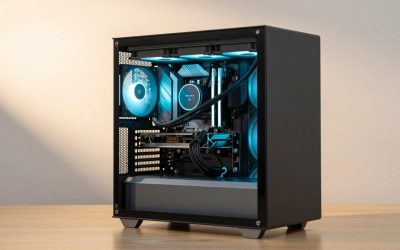
| Gaming PC connected to a TV | Official browser or app, if supported | Moderate | People who already use the PC as a media center |
For a living-room TV
If the TV’s own app store offers SEEN TV, try the built-in app first. It avoids another remote and power adapter, and keeps the HDMI input free for a console. This is usually the neatest choice when the TV is reasonably recent and its interface remains responsive.
If the app is unavailable or the TV struggles to run it, use an external streaming device only after confirming that its operating system and model are supported. Check available HDMI ports, the device’s power requirements, and whether the TV can supply adequate USB power; a wall adapter is more reliable than a TV USB port when the device needs more power.
For a bedroom or smaller screen
A small-room setup rarely needs premium video hardware. Prioritize app compatibility, reliable Wi-Fi, and a simple remote over extra storage or high-end picture features. If the TV has only one HDMI port, account for other equipment—such as a console or soundbar—before adding a player. An HDMI switch can expand inputs, but it adds another device and another possible point of failure.
For a gaming PC connected to the TV
A PC can be convenient if SEEN TV officially supports a browser or PC app. It is less convenient when the television is used from across the room: small text, mouse-driven navigation, and a sleeping PC can make a quick viewing session cumbersome. Confirm controller or remote support before treating the PC as a living-room replacement for a streaming player.
Compatibility checks before you buy
- Confirm exact support: Look up the TV’s model year and operating system, or the streaming device’s exact model—not just its brand. Support can differ between generations.
- Check location and account rules: App availability, channels, simultaneous streams, and household rules may depend on your country and plan.
- Match the network connection: Check whether the device supports dual-band Wi-Fi or Ethernet. A wired connection can help when the router is far away or separated by dense walls.
- Plan the audio path: If you use a soundbar or receiver, confirm which device connects to it and that the TV’s HDMI ARC/eARC or optical connection is available as needed.
- Check picture expectations: A 4K-capable television does not guarantee that a particular SEEN TV stream is delivered in 4K. Verify the service’s actual resolution and plan limits.
Bandwidth and room-size planning
Room size affects viewing distance and screen choice, but it does not by itself determine internet demand. Stream quality, number of concurrent viewers, and connection stability matter more. The figures below are planning estimates for one stream, not guaranteed SEEN TV requirements; use the service’s published guidance if it specifies different rates.
| Stream quality (planning estimate) | Approx. bandwidth for one stream | Suggested headroom | Practical use |
|---|---|---|---|
| HD | 5 Mbps | 10 Mbps or more | Small or secondary-room screen |
| 4K | 25 Mbps | 50 Mbps or more | Large main-room screen, if the service provides 4K |
| Two HD streams | 10 Mbps combined | 20 Mbps or more | Two rooms watching at once |
Worked example: Suppose two household members watch HD in separate rooms while another device uses about 8 Mbps for a game download. At the planning rate above, that is 5 + 5 + 8 = 18 Mbps of estimated demand. A connection delivering at least 25 Mbps consistently gives some breathing room; a faster plan may be sensible if other devices are active or Wi-Fi performance varies. Test speed near the TV, because the advertised internet-plan speed is not necessarily the speed the streaming device receives.
Installation: the low-friction route
- Check support before setup. Confirm the exact TV or player is listed for SEEN TV in your region. This prevents buying a device that cannot run the service.
- Connect power and HDMI. Select the matching TV input. If the screen is blank, check the input selection and HDMI seating before changing picture settings.
- Connect to the stronger network. Use Ethernet if practical; otherwise, place the router or mesh node where it can reach the TV without several walls in between.
- Install or open SEEN TV. Sign in using the service’s official process. Avoid unofficial app files or devices that promise access through unsupported software.
- Check playback and audio. Play a program for a few minutes, confirm dialogue and picture are stable, and verify that sound comes through the intended speakers.
Best value by room and situation
- Small room, supported smart TV: Use the built-in app. It adds no hardware cost and keeps setup simple.
- Main room, unsupported or sluggish TV: A supported midrange streaming device is often the sensible upgrade. General market prices for streaming players commonly range from about $30–$100, with premium models costing more; compare support and connectivity rather than buying the most expensive option by default.
- Several rooms: Budget for one playback device per TV if needed, and check the subscription’s simultaneous-stream limit. Moving one device between rooms saves money but makes everyday use less convenient.
- PC already connected to the TV: Try the officially supported PC route before buying anything. Add a dedicated player only if couch navigation or startup convenience is a recurring problem.
Frequently asked questions
Can I power an external streaming device from my TV’s USB port?
You can, but a wall adapter is more reliable when the streaming device needs more power. Before choosing this setup, check the device’s power requirements and whether the TV can supply adequate USB power. You should also confirm that the TV has an available HDMI port and that its operating system and exact model are supported by SEEN TV.
Do I need a separate streaming device for every TV?
You may need one supported playback device per TV for convenient multi-room viewing. Moving one device between rooms saves money but makes everyday use less convenient. If several TVs are used at once, check the subscription’s simultaneous-stream limit, along with regional account and household rules, before buying additional hardware.
Will a 4K television automatically show SEEN TV in 4K?
No, a 4K-capable television does not guarantee that a particular SEEN TV stream is delivered in 4K. Verify the service’s actual resolution and plan limits. If the service provides 4K, the article gives a planning estimate of about 25 Mbps for one stream and suggests 50 Mbps or more for headroom.
What should I do if my TV has only one HDMI port?
Account for other equipment, such as a console or soundbar, before adding an external streaming player. An HDMI switch can expand the available inputs, but it adds another device and another possible point of failure. You should also confirm how audio will connect and whether the TV’s HDMI ARC/eARC or optical connection is available as needed.
Is a gaming PC a practical replacement for a streaming device?
A gaming PC can be practical when SEEN TV officially supports a browser or PC app and the PC is already connected to the TV. It may be less convenient across the room because of small text, mouse-driven navigation, or a sleeping PC. Confirm controller or remote support before relying on it as a living-room replacement.
Bottom line
For most households, the best SEEN TV products are the devices the service explicitly supports—not a particular brand chosen on reputation alone. Use the built-in TV app when it works well; choose a supported external player when compatibility or performance is the obstacle; and plan each room around its HDMI access, network signal, and viewing habits. Check current regional support and plan limits before spending, since those details determine whether a device is a useful upgrade or an unnecessary extra box.