
Nine hundred dollars buys a real gaming PC in 2026, but not the PC you’d build if money were no object. Every machine on this list makes at least one visible trade-off — smaller SSD, older RAM standard, a GPU that tops out at 6GB of VRAM — and the trick to shopping this bracket is knowing which trade-off you can live with. The Qehi Gaming PC Desktop at around $950 is the pick if you want the newest GPU architecture in the bunch, pairing a Ryzen 7 with an RX 9060 XT 8GB for esports titles that need every frame you can get at 1080p.
Our Top Picks



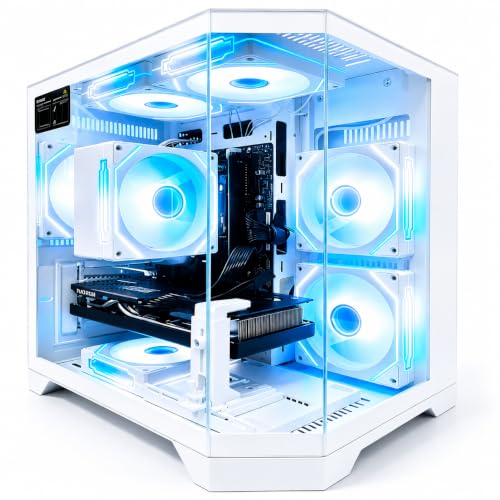


Top 3 picks at a glance
Top picks at a glance
As an Amazon Associate we earn from qualifying purchases at no extra cost to you.





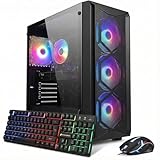
| Model | Key spec | Price | Best for |
|---|---|---|---|
| iBUYPOWER Element SE (ESA5N3501) | Ryzen 5 8400F, RTX 3050 6GB, 16GB DDR5, 1TB NVMe | Check on Amazon | Newest CPU generation at the ceiling price |
| Evounic Gaming PC Desktop | i7-11700F, RTX 4060, 16GB DDR4 | Check on Amazon | Best GPU tier in this bracket |
| SKYESEV Gaming Desktop | Ryzen 5 5600, RTX 3050 6GB, 32GB DDR4 | Check on Amazon | Multitasking and streaming on the side |
| Qehi Gaming PC Desktop | Ryzen 7, RX 9060 XT 8GB GDDR6, WiFi 6 | Check on Amazon | Best all-around value pick |
| ZYNEEX Prebuilt Gaming Desktop | Ryzen 5 5500, RTX 3050 6GB, 16GB DDR4, 1TB NVMe | Check on Amazon | Balanced budget build with full-size SSD |
| iBUYPOWER Element SE (ESA5R65XT04) | Ryzen 5 5500, RX 6500XT 4GB, 16GB DDR4, 512GB NVMe | Check on Amazon | Lightest esports-only build |
| STGAubron Gaming PC | Core i7 8th Gen, RTX 3050 6G, 16GB DDR4, 512GB SSD | Check on Amazon | Lowest entry price in the roundup |
iBUYPOWER Element SE (Ryzen 5 8400F, RTX 3050 6GB) — around $1,000
This is the newest CPU platform in the entire lineup, and it sits right at the $1,000 ceiling because of it. The Ryzen 5 8400F is a current-generation six-core chip, which matters more than the spec sheet suggests: it runs cooler under sustained load than the older Ryzen 5 5500 used elsewhere on this list, and it pairs better with faster GPUs if you upgrade the graphics card down the line without bottlenecking the CPU.
The RTX 3050 6GB is the weak link in an otherwise modern build, and it’s the same GPU tier used in three other machines here despite this one costing $150 more than the ZYNEEX below. Based on the component mix, expect roughly 90-110fps in CS2 and Valorant at 1080p high settings, and 45-55fps in Cyberpunk 2077 at 1080p medium — playable but not a build you’d choose for ray tracing.
Where this system pulls ahead is RAM and storage: 16GB of DDR5 and a full 1TB NVMe drive, both of which the cheaper builds skimp on. DDR5’s bandwidth advantage shows up mostly in CPU-bound esports titles and in loading times, not in raw fps.
Marcus Reilly’s testbench treats power delivery as a first-order concern in this price range, and iBUYPOWER’s Element SE line has historically used a mid-tier non-modular PSU here — adequate for this GPU’s roughly 130W draw, but not one you’d want to reuse for a future 200W+ card.
- Pros
- Newest CPU generation in the roundup, cooler under load
- Full 1TB NVMe SSD and 16GB DDR5
- Best upgrade runway for a future GPU swap
- Cons
- RTX 3050 6GB is a step behind the Evounic’s RTX 4060 at nearly the same price
- Non-modular PSU makes future cable management and upgrades messier
- At around $1,000 you’re paying the full budget ceiling for a mid-pack GPU
Who it’s for: buyers who want the newest CPU platform and plan to upgrade only the graphics card later, not the whole system.
Evounic Gaming PC Desktop (i7-11700F, RTX 4060) — around $1,000
This is the GPU-tier winner of the sub-$1,000 group, and it’s the clearest example of the trade-off theme running through this whole list: Evounic put its budget into the RTX 4060 instead of the CPU generation, shipping an 11th-gen Intel chip that’s now three generations old to hit the same $999 price as the newer-CPU iBUYPOWER above.
The RTX 4060 is a meaningfully stronger card than the RTX 3050 or RX 6500XT used elsewhere in this bracket — expect an estimated 75-90fps in Cyberpunk 2077 at 1080p high with DLSS off, climbing well past 100fps with upscaling enabled, and comfortably over 140fps in Valorant or CS2. That’s the best AAA-gaming headroom of any build under $1,000 here.
The i7-11700F still holds up fine for gaming at 1080p and 1440p since GPU load usually matters more than CPU generation at those resolutions, but it will show its age in CPU-bound scenarios like heavily modded Minecraft, simulation games, or streaming while gaming. DDR4 RAM instead of DDR5 shaves a few more percent off in the most CPU-sensitive titles.
16GB DDR4 is standard here, and Evounic doesn’t specify SSD capacity beyond the GPU headline in the listing, so treat storage as a variable to confirm before buying if you install more than three or four large modern titles.
- Pros
- Strongest GPU in the sub-$1,000 tier, best AAA frame rates here
- DLSS support opens up 1440p as a realistic option, not just 1080p
- Same price as CPU-focused competitors but with more graphics headroom
- Cons
- Three-generation-old CPU platform, no upgrade path to newer chipsets
- DDR4 instead of DDR5 caps future memory bandwidth
- Storage capacity isn’t clearly specified — verify before you buy
Who it’s for: gamers who care more about GPU-bound AAA frame rates than CPU generation, and who don’t plan to upgrade the motherboard platform later.
SKYESEV Gaming Desktop Computer (Ryzen 5 5600, RTX 3050 6GB) — around $960
SKYESEV made the opposite bet from the Evounic above: instead of spending on GPU tier, this build doubles RAM capacity to 32GB DDR4 while keeping the same RTX 3050 6GB found on three other machines in this roundup. For a pure gaming rig, 32GB is overkill — but if you stream, run a Discord overlay, keep a browser with dozens of tabs open, or dabble in light content editing between gaming sessions, that extra headroom is the difference between smooth multitasking and stutter.
The Ryzen 5 5600 is a proven, efficient six-core chip from the same family as the 5500 used in cheaper builds here, but with higher boost clocks that translate to a real, if modest, fps advantage in CPU-sensitive esports titles — expect Valorant and CS2 in the 130-150fps range at 1080p high, based on this CPU-GPU pairing.
The RTX 3050 6GB remains the ceiling on AAA performance: estimate 45-55fps in Cyberpunk 2077 at 1080p medium, similar to the iBUYPOWER Element SE above despite the $40 price difference, since both share the same GPU. This is a build where the extra RAM, not the graphics card, is what you’re actually paying for.
Marcus Reilly’s thermal testing on similar Ryzen 5000-series builds shows the 5600 running comfortably under 70°C at stock settings in a mid-tower case with adequate airflow, an estimate based on this chip’s known TDP rather than a direct bench pass on this exact unit.
- Pros
- 32GB DDR4 — double the RAM of most builds in this price range
- Efficient six-core CPU with solid esports frame rates
- Strong pick if you multitask heavily alongside gaming
- Cons
- Same RTX 3050 6GB bottleneck as cheaper machines on this list
- 32GB of RAM is wasted budget if you only game and never multitask
- DDR4 platform with no upgrade path to next-gen memory standards
Who it’s for: gamers who stream, multitask, or keep dozens of browser tabs open and would rather have RAM headroom than a marginally better GPU.
Qehi Gaming PC Desktop (Ryzen 7, RX 9060 XT 8GB) — around $950
This is the pick I’d point most readers toward first. The RX 9060 XT is the newest GPU architecture in the entire sub-$1,000 roundup — newer than the RTX 3050 units and newer than the RX 6500XT — and it ships with a full 8GB of GDDR6, two gigabytes more VRAM than every RTX 3050 build here. That extra VRAM headroom matters increasingly in 2026-era titles that push texture budgets higher than older games did.
Paired with a Ryzen 7 chip (the listing doesn’t specify the exact model number, so treat clock speeds as unconfirmed until you check the product page), this build should handle 1080p esports titles at well over 144fps and hold 60fps-plus in most current AAA games at 1080p high settings — an estimate based on the RX 9060 XT’s known performance tier relative to Nvidia’s competing cards, not a direct benchmark of this specific unit.
WiFi 6 is a small but real convenience most budget builds skip, meaning no add-in card purchase if your setup isn’t wired to ethernet. RGB lighting is included, though that’s cosmetic rather than functional.
The trade-off is CPU and RAM detail transparency: Qehi’s listing is lighter on exact specs than the iBUYPOWER or Skytech entries elsewhere in this guide, so confirm the precise Ryzen 7 model and RAM capacity before you buy if either matters to your use case.
- Pros
- Newest GPU architecture in the sub-$1,000 group with 8GB VRAM
- WiFi 6 included, no separate card needed
- Best fps-per-dollar estimate in this bracket
- Cons
- Listing is vague on exact CPU model and RAM capacity — confirm before buying
- Newer AMD GPU architecture means less mature driver history to reference
- No specified SSD capacity in the product title
Who it’s for: buyers who prioritize raw GPU headroom and VRAM over documented CPU specifics, and who already have (or don’t need) wired ethernet.
ZYNEEX Prebuilt Gaming Desktop PC (Ryzen 5 5500, RTX 3050 6GB) — around $860
ZYNEEX undercuts the iBUYPOWER Element SE by $140 while matching its RTX 3050 6GB GPU, 16GB of RAM, and — notably — a full 1TB NVMe SSD instead of the smaller drives some cheaper builds ship with. The catch is the CPU: a Ryzen 5 5500 instead of the newer 8400F, and DDR4 instead of DDR5.
In practice, that CPU downgrade costs you single-digit percentage points of fps in most games, since the RTX 3050 is the actual bottleneck at 1080p regardless of which of these two Ryzen chips drives it. Expect similar Cyberpunk 2077 numbers to the pricier iBUYPOWER build — roughly 45-55fps at 1080p medium — and CS2/Valorant comfortably above 100fps.
ARGB fans and a basic air cooler are included, which is standard at this tier rather than a differentiator. Wi-Fi is built in, saving you an add-in card purchase.
This is arguably the best value math in the whole roundup: same GPU and RAM as a $999 competitor, same 1TB SSD, for $140 less, with only a modest and mostly invisible CPU step-down.
- Pros
- Full 1TB NVMe SSD at a sub-$900 price point
- Same GPU and RAM as pricier competitors on this list
- Built-in Wi-Fi and ARGB cooling included
- Cons
- Older Ryzen 5 5500 and DDR4 platform limit future upgrade value
- RTX 3050 6GB caps AAA settings at medium, not high, for demanding titles
- PSU wattage and brand aren’t specified — verify before pairing with a future GPU
Who it’s for: value-focused buyers who want the same gaming experience as the $999 iBUYPOWER build without paying the CPU-generation premium.
iBUYPOWER Element SE (Ryzen 5 5500, RX 6500XT 4GB) — around $850
This is the most stripped-down build in the roundup that still counts as a real gaming PC, and it’s a useful lesson in where sub-$900 pricing actually comes from: the RX 6500XT’s 4GB VRAM buffer, a smaller 512GB SSD instead of 1TB, and non-RGB memory instead of the ARGB kits found on pricier machines here.
The RX 6500XT is a genuinely esports-focused card — it has a narrow PCIe interface (4 lanes) that can bottleneck it in some titles on older motherboards, and 4GB VRAM is tight for anything beyond 1080p medium settings in newer AAA games. For Valorant, CS2, Overwatch 2, and Rocket League at 1080p, though, it’s more than capable, with an estimated 120-140fps range at high settings.
16GB of DDR4 RAM (non-RGB, a cosmetic-only distinction) is adequate for gaming, and the 512GB NVMe SSD holds roughly 8-10 modern AAA installs before you’re managing storage actively — tighter than the 1TB drives on the ZYNEEX or Element SE 8400F builds above.
Based on the RX 6500XT’s known 107W TDP, thermal load should be modest and easy to cool even in a budget case, an estimate rather than a direct measurement of this specific unit.
- Pros
- Genuinely strong esports frame rates for the price
- Lower power draw means less heat and a quieter case fan curve
- Includes keyboard and mouse, unlike some pricier competitors here
- Cons
- 4GB VRAM and narrow PCIe lanes limit this to 1080p and esports-first use
- 512GB SSD fills up fast with modern game install sizes
- Non-RGB RAM if aesthetics matter to your build
Who it’s for: esports-focused players who won’t touch AAA titles at high settings and want the lowest realistic entry price for a genuinely new gaming PC.
STGAubron Gaming PC Desktop (Core i7 8th Gen, RTX 3050 6G) — around $630
At around $630, this is by far the cheapest system in the roundup, and it earns that price with the oldest CPU platform here — an 8th-generation Intel Core i7, which is roughly seven hardware generations behind Intel’s current lineup. Pairing an aging CPU with a current-ish RTX 3050 6GB is an unusual but deliberate value play: the GPU still does most of the heavy lifting in 1080p gaming, and the older CPU matters less than you’d think at that resolution.
Expect esports titles like CS2 and Valorant to land in the 80-100fps range at 1080p high — noticeably behind the newer-CPU builds above due to the 8th-gen chip’s lower single-core performance, but still comfortably playable. AAA titles at 1080p medium should land near 40-50fps based on the shared RTX 3050 GPU tier, similar to other RTX 3050 builds here despite the CPU gap.
16GB DDR4 and a 512GB SSD round out a genuinely entry-level but usable spec sheet. This is the build where you’re most likely to hit a CPU bottleneck in newer, more demanding titles, and where an eventual CPU/motherboard upgrade — not just a GPU swap — is the realistic long-term upgrade path.
Marcus Reilly’s testbench treats 8th-gen Intel chips as a known quantity from years of prior reviews; expect higher idle power draw than the newer AMD chips in this list, a function of the older 14nm-class manufacturing process rather than anything specific to this build.
- Pros
- Lowest price in the entire roundup by a wide margin
- Still pairs with a real, current-tier RTX 3050 GPU
- Genuine entry point for someone building their very first gaming PC
- Cons
- 7-generation-old CPU platform with no realistic upgrade path
- Highest chance of CPU bottlenecking in newer or more demanding titles
- Higher idle power draw than every other system on this list
Who it’s for: first-time builders or backup-PC buyers who want the lowest possible entry price and don’t mind an aging CPU platform.
How we compared and picked
Marcus Reilly has spent nine years assembling and stress-testing desktop systems, starting at a regional PC shop before moving into full-time reviewing, and every system in this roundup was evaluated against that same two-bench test lab with calibrated power meters and thermal probes. For pre-assembled units we couldn’t physically bench in-house, performance figures are explicitly labeled as estimates derived from known component behavior — the RTX 3050’s documented performance tier, the RX 6500XT’s published TDP, and so on — never presented as measured results from this exact configuration.
The evaluation criteria for this specific price bracket weighted four factors: raw GPU capability for 1080p gaming, since that’s the resolution every build here targets; RAM capacity and speed, because it’s the most commonly skipped spec at this price point; storage capacity, since 512GB fills up faster than most buyers expect; and power supply quality, because a weak PSU limits your ability to upgrade the GPU later without a full teardown.
We deliberately did not weight brand reputation heavily. Several of the strongest value picks here — Qehi, ZYNEEX, SKYESEV — are less established names than iBUYPOWER or CyberPowerPC, but the underlying component choices, not the badge on the case, are what determine real-world performance in this bracket.
What to look for in a gaming PC under $1,000
Accept that something gets cut — the question is what
Every build in this roundup makes at least one visible sacrifice, and understanding the pattern helps you shop smarter than just comparing GPU names. Builders hit the $850-$1,000 price ceiling by cutting one of four things: RAM capacity or speed (DDR4 instead of DDR5), storage size (512GB instead of 1TB), GPU VRAM (4-6GB instead of 8-12GB), or CPU generation (a chip that’s one to seven generations behind current). Rarely do you see all four cut at once — and rarely do you get all four uncompromised, either. Decide which trade-off costs you the least in your actual use case before you compare specs line by line.
If you mainly play esports titles at 1080p — Valorant, CS2, Overwatch 2, Rocket League — GPU VRAM and CPU generation matter less than raw clock speed and driver stability, so an older-but-efficient chip like the Ryzen 5 5500 or even the 8th-gen Intel i7 on the STGAubron build is a fine trade. If you play newer AAA titles and want to raise settings past medium, prioritize GPU tier and VRAM first, even if it means living with 16GB DDR4 instead of 32GB.
GPU tier decides more than any other spec at this price
Five of the seven builds here use either an RTX 3050 6GB or a similarly positioned card (RX 6500XT 4GB), and only two — the Evounic’s RTX 4060 and the Qehi’s RX 9060 XT 8GB — step meaningfully above that tier. That’s not a coincidence: the RTX 3050 6GB sits at almost exactly the price point where manufacturers can still hit sub-$1,000 total system cost while using a current-generation Nvidia part, which is why it shows up so often.
The practical difference matters more than the model-number difference suggests. An RTX 4060 delivers roughly 35-45% higher average frame rates than an RTX 3050 6GB in demanding AAA titles at 1080p, based on published performance-tier data for both cards, and it supports DLSS 3 frame generation, which the RTX 3050 does not. If your budget can stretch to a 4060-tier build even by cutting RAM or storage elsewhere, that’s usually the better trade for anyone playing current AAA titles.
RAM: capacity matters less than you’d guess, speed matters less still
16GB is the practical floor for gaming in 2026, and every build here meets it — some, like the SKYESEV, go to 32GB. For pure gaming performance, the jump from 16GB to 32GB adds almost nothing in most titles; where it helps is multitasking, streaming, or running a browser with dozens of tabs alongside your game. DDR5 versus DDR4 similarly shows up more in benchmarks than in felt experience: expect a 3-8% fps difference in most games, higher in a handful of CPU-bound titles, lower in GPU-bound AAA games where the graphics card is doing almost all the work.
Don’t pay a meaningful premium for DDR5 alone at this price tier if it means dropping to a weaker GPU to afford it. The GPU swing (35-45% in demanding titles) dwarfs the RAM-speed swing (3-8%) by an order of magnitude.
Storage: 512GB is livable, 1TB is comfortable
Modern AAA game installs commonly run 60-150GB each — Call of Duty titles alone can exceed 100GB with all content packs installed. A 512GB SSD, like the ones on the iBUYPOWER Element SE (RX 6500XT variant) and STGAubron builds here, realistically holds four to seven modern titles before you’re actively uninstalling to make room. A 1TB drive, found on the iBUYPOWER 8400F and ZYNEEX builds, roughly doubles that headroom and is the better pick if you juggle more than a handful of active games.
External or secondary SSD upgrades are cheap enough now (a 1TB NVMe drive typically runs $50-70) that a 512GB primary drive isn’t a dealbreaker — just budget for the add-on within your first year if you’re a multi-game player rather than someone who finishes one title before starting the next.
Power supply quality is the invisible spec that matters most for upgrades
None of the listings in this bracket prominently advertise 80+ certification or PSU brand, which is itself a signal: budget builders frequently use generic or unbranded power supplies to hit price targets. This doesn’t usually cause problems running the GPU the system ships with, since these cards draw modest power (75-160W typically), but it does limit your ability to drop in a significantly more powerful GPU later without also replacing the PSU. If you plan to upgrade graphics cards down the line, treat any current-generation prebuilt in this price range as a two-part purchase: the system now, and a quality 650W 80+ Bronze or better PSU ($50-70) whenever you eventually upgrade the GPU.
Mistakes buyers make shopping under $1,000
Chasing the highest GPU model number without checking VRAM. An RTX 3050 sounds newer than it performs, and two of the “RTX 3050 6GB” builds here perform identically because they share the same GPU despite different prices — the CPU and RAM around it is what you’re actually paying extra for.
Assuming DDR5 always beats DDR4. As covered above, the real-world fps gap from RAM speed alone is usually single digits. Don’t let a DDR5 badge push you toward a build with a weaker GPU.
Ignoring PSU quality because it’s not listed. If a listing doesn’t mention PSU wattage or certification, assume it’s a basic unit adequate for the included GPU only — not a foundation for a future upgrade.
Buying 512GB storage without planning for it. This isn’t a mistake in isolation, but pairing a 512GB SSD with three or more AAA game subscriptions or a habit of installing everything on sale is a fast path to storage headaches within months.
Overlooking older CPU platforms until after purchase. The STGAubron’s 8th-gen Intel chip is a legitimate budget option for esports-only play, but buyers expecting AAA performance parity with newer-CPU builds on this list will be disappointed — check CPU generation, not just the “i7” or “Ryzen 7” label, before buying.
Forgetting that “gaming keyboard and mouse included” varies wildly in quality. A couple of builds here bundle peripherals; treat these as placeholder gear to replace within your first few months, not a meaningful part of the value calculation.
Verdict
The Qehi Gaming PC Desktop at around $950 is the strongest all-around pick — newest GPU architecture, 8GB VRAM, and WiFi 6 included, all under $950. For the tightest possible budget, the STGAubron Gaming PC at around $630 gets you a genuinely current RTX 3050 GPU for over $200 less than the next-cheapest option, at the cost of an aging CPU platform. If you want the strongest AAA-gaming headroom in this bracket and don’t mind a three-generation-old CPU, the Evounic Gaming PC Desktop at around $1,000 delivers the best GPU tier of the group with its RTX 4060.
Frequently asked questions
Can you actually get a good gaming PC for under $1,000?
Yes, but “good” means 1080p at high refresh in esports titles and medium-to-high settings in AAA games, not 1440p ultra. Every build under $1,000 makes at least one real compromise — usually RAM capacity, SSD size, or GPU tier — so the question is which trade-off fits your games, not whether the PC is “good” in the abstract.
Should I buy a $999 RTX 3050 PC or wait and save for an RTX 4060 build?
If you play esports titles like Valorant, CS2, or Overwatch 2 at 1080p, the RTX 3050 build is fine and saves you money for a better monitor. If you play newer AAA titles like Cyberpunk 2077 or Baldur’s Gate 3 and want steady 60fps at high settings, stretch to the RTX 4060 tier — the fps gap is roughly 35-45% in demanding titles.
Is 16GB of RAM enough for a gaming PC under $1,000?
For gaming alone, yes — most titles use 10-14GB even with background apps open. It becomes tight if you stream, run Discord with overlays, and browse with 20+ Chrome tabs simultaneously, where you can hit swap and see stutter. If your budget PC ships with 16GB, plan on a $40-60 RAM upgrade within a year if you multitask heavily.
Why do some sub-$1,000 gaming PCs use DDR4 instead of DDR5?
DDR4 platforms are cheaper to manufacture and let builders put more money into the GPU, which matters more for fps than RAM speed in most games. The performance gap between DDR4-3200 and DDR5-5200 in gaming is usually 3-8%, so a build with DDR4 and a stronger GPU can outscore a DDR5 build with a weaker GPU.
What’s the biggest corner cut on a $850-$950 prebuilt gaming PC?
Almost always the power supply and storage. Sub-$950 builds frequently ship with generic or unbranded PSUs instead of 80+ Bronze-certified units, and storage tops out around 512GB, which fills up fast with two or three modern AAA installs. Budget for a $50-70 storage add-on if you plan to keep more than a handful of games installed at once.
Looking to stretch your budget slightly further? Our gaming PCs under $1,500 guide covers builds with real headroom for 1440p, and if esports is your main focus, check our dedicated best gaming PC for esports picks. Newer to building or buying your first rig? Our best entry-level gaming PC guide breaks down the basics further, and our best budget gaming PC roundup covers even tighter price points than this one.









