
As an Amazon Associate we earn from qualifying purchases at no extra cost to you.


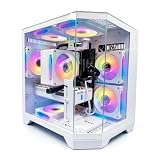
Choosing between a barebones kit and a full prebuilt PC is really a choice about how you want to spend your time: hours assembling and tuning something that fits you exactly, or minutes unboxing something that works the moment you plug it in. The phrase “barebones kit” actually covers two very different product categories, which is where a lot of buyers get confused. In the mechanical keyboard world, a barebones kit is an empty chassis — a case, PCB, and stabilizers with no switches or keycaps — like the BOYI GMK67 or the GTSP M87, both of which sell for well under $50 and leave the fun parts to you. In the desktop world, the same term usually means a PC with no or minimal storage, memory, and sometimes no graphics card. Either way, you’re buying a foundation, not a finished product. A full prebuilt, on the other hand — think of something like the KOTIN desktop with a Ryzen 7 8700F and RTX 5060 Ti at around $1,400, or the LXZ with an RTX 5060 at around $1,300 — arrives complete, tested, and ready to game or work the same afternoon.
This guide walks through where each approach genuinely wins, what the real five-year cost looks like, and which setup fits different kinds of homes.
Our Top Picks


Top 3 picks at a glance
Quick Verdict
If you enjoy tinkering, want to spread the cost across paychecks, and care about fine-tuned feel or performance per dollar, a barebones kit is the more rewarding path — especially for keyboards, where a $35–$50 kit plus $25–$60 in switches and keycaps delivers a typing experience that $150 retail boards can’t match. If you need reliable performance today, want warranty coverage on the whole machine, and don’t want to troubleshoot anything, a full prebuilt PC is the safer and ultimately cheaper-for-most-people choice, with capable gaming systems starting around $1,200–$1,400. Most homes are best served by a prebuilt desktop for the main computer and a barebones kit as a weekend project for a peripheral like a keyboard.
Side by Side
| Factor | Barebones Kit | Full Prebuilt PC |
|---|---|---|
| Comfort of setup | Low at first — expect 1–3 hours for a keyboard kit, 2–5 hours for a PC barebones with parts sourcing and assembly | High — unbox, plug in, and you’re running in 15–30 minutes |
| Durability | Depends on your build quality; aluminum keyboard cases are stout, but a bad assembly can cause failures | Consistent — factory-tested as a complete system, typically with 1-year parts-and-labor coverage |
| Price range | $35–$50 for keyboard kits; $300–$800 for PC barebones before adding GPU, RAM, and storage | $1,200–$1,400 for mainstream gaming towers; $600–$900 for office-grade systems |
| Maintenance | You handle it — swapping switches, re-pasting, cleaning; low cost, higher effort | Minimal — dust filters and occasional cleaning; upgrades may be limited by proprietary parts on budget towers |
| Space needed | Very little; a 65% keyboard kit occupies roughly 12 x 4 inches on a desk | Mid-tower cases typically measure 17–19 inches tall and need 8+ inches of rear clearance for airflow |
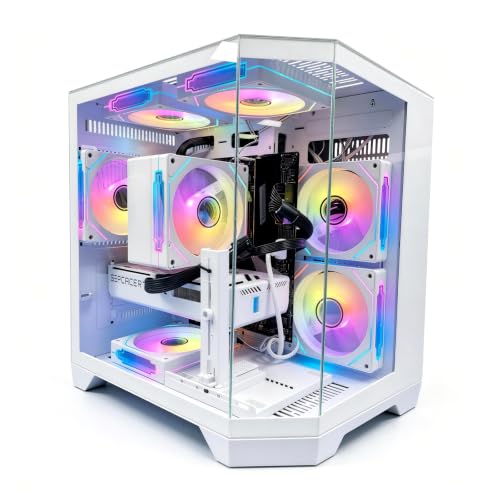
| Look | Fully customizable — knob, south-facing RGB, gasket mount, any keycap colorway you like | Polished but generic; RGB fans and tempered glass panels are common and look fine, just not personal |
| Resale value | Poor as a kit; decent if you build it well and sell as a completed custom | Moderate — complete systems sell faster used, though depreciation on GPUs is steep |
| Warranty | Component-by-component, often 30–90 days on the kit itself | Full-system warranty, usually 1 year, sometimes with on-site or cross-shipping service |
| Best for | Hobbyists, tinkerers, second setups, anyone who enjoys the process | Students, families, gamers who want to play today, gift buyers |
Where Barebones Kit Wins
The obvious advantage is price flexibility. The BOYI GMK67 lists at around $47 and the GTSP M87 at around $34 — that’s the cost of one restaurant dinner for a chassis, PCB, stabilizers, and (on the GMK67) a rotary knob, tri-mode wireless with Bluetooth 5.0 and 2.4GHz, hot-swap sockets, and a 4,000mAh battery. Add linear or tactile switches at roughly $0–around $0 each and a keycap set for $20–$45, and you have a fully custom wireless board for $80–$120 total. Nothing at that price off the shelf sounds or feels as good.
The GTSP M87 leans further into the DIY ethos with a blank, silent-oriented 75% layout, gasket mounting for a softer typing feel, south-facing RGB, and hot-swap sockets that accept both 3-pin and 5-pin switches — meaning you can change the entire character of the board later without a soldering iron.
Hot-swap sockets are the long-term argument. Because you can pull switches out and press new ones in, a $35 kit stays current for years. You’re also learning something transferable: what gasket mount feels like, how stabilizers rattle, what thock means to you.
For PC barebones units, the win is component control. You choose the exact GPU, RAM speed, and SSD — no filler parts, no mystery-brand power supply — and you often save 10–15% versus a comparable prebuilt by catching sales on individual components.
Where Full Prebuilt Pc Wins
Time is the biggest one. A system like the LXZ prebuilt — Ryzen 7 8700F, RTX 5060, 16GB of DDR5, and a 1TB SSD for around $1,300 — is benchmarks-ready out of the box, with Windows installed and drivers current. Building the equivalent yourself saves maybe $100–$150 but costs an evening plus the risk of a bad part.
Whole-system warranty matters more than people expect. If a prebuilt dies, one support call covers it. If your DIY build has an issue, you’re troubleshooting component by component, and some kits carry only 30-day coverage.
Prebuilts also sidestep compatibility headaches: BIOS updates for new CPU generations, RAM clearance under coolers, GPU length versus case width, PSU wattage headroom (a modern gaming tower needs a real 550–650W unit; many budget builds ship with 500–600W bronze supplies that are adequate but not generous). The integrator has already solved all of that.
For families, the prebuilt is simply the responsible default. Nobody wants to reseat RAM at 9 p.m. because a kid’s homework machine won’t post. And a complete system with a modern 8-core CPU and an RTX 5060-class card comfortably handles 1080p and 1440p gaming at high settings — which is what the majority of households actually need, without the 8GB-vs-16GB VRAM debate that enthusiasts enjoy.
Cost Over 5 Years
Custom keyboard path: around $47 kit (or around $34 for the GTSP) plus $30–$60 in switches and keycaps gets you started at $65–$110. Realistically, the hobby pulls you further — a second keycap set, lube, a switch opener — so budget $150–$250 over five years. That’s still far below most retail boards, and the board itself never becomes obsolete.
Prebuilt desktop path: $1,299–$1,400 up front. Over five years, add roughly $100–$200 for a storage upgrade (a 2TB NVMe drive runs $100–$130), possibly a GPU swap in year four or five ($300–$500 if you chase newer games at 1440p), and $30–$50 in thermal paste and filters. Total: roughly $1,500–$2,100, and the machine still resells for $200–$400.
DIY barebones PC path: $400–$600 barebones plus $600–$900 in GPU, RAM, and storage lands near a prebuilt’s price, but with $0 labor and usually a better PSU and motherboard for the money. The hidden cost is your time and the occasional RMA hassle.
The pattern: keyboards are a category where kits win on pure value. Desktops are a category where prebuilts have closed the price gap enough that you’re mostly paying a small premium for warranty and convenience — a premium most people should pay.
Which One for Your Home
Small Apartment
Space argues for both, honestly. A 65% barebones keyboard like the GMK67 measures about 12 x 4 inches and runs wireless for weeks on its 4,000mAh battery, freeing desk inches that a full-size board would eat. For the computer itself, a compact prebuilt tower around 15–17 liters fits under or beside a desk without the airflow compromises of a tiny DIY case. Go prebuilt for the PC, and if desk real estate is precious, make the keyboard your kit project.
Family with Kids or Pets
Full prebuilt, no contest. One warranty, one support number, nothing for small hands to disassemble. Hot-swap sockets on a keyboard kit are actually kid-friendly — pop a switch back in, no tools — but an unassembled kit plus a curious toddler is a weekend of lost springs. Buy the LXZ or a similar complete system, add a $15 dust filter for pet hair, and keep the DIY ambitions on a shelf until the kids are older.
Rental or Short-Term Living
A prebuilt travels better: one box, one cable bundle, insured as a single unit during a move, and easy to resell when you land somewhere permanent. A DIY build means loose GPU and cooler during transit — the two parts most likely to break in a moving truck — and a partially completed kit is just clutter between leases. If you want a project while renting, the around $34 GTSP kit is low-commitment: it fits in a desk drawer and moves in a shoebox.
Long-Term Home
This is where building shines. With a stable desk, good lighting, and no imminent moves, the barebones route pays off: a PC barebones you spec yourself can be upgraded piece by piece for a decade — new GPU in year three, more RAM in year five, a case that outlives three builds. On the desk side, the GMK67 with a knob and hot-swap sockets becomes a board you re-tune every couple of years for the price of a switch pack. Enthusiasts settling in for the long haul in 2026 should lean kits; everyone else can happily stay with prebuilts.
FAQ
Is a barebones kit cheaper than a prebuilt PC?
For keyboards, yes, dramatically — a $35–$50 kit becomes a full custom board for $80–$120 total. For desktops, it’s closer: a barebones PC plus a GPU, RAM, and storage typically lands within $50–$150 of a comparable prebuilt like the around $1,300 LXZ. The savings come from avoiding bundled markup, not from any huge discount.
Do barebones keyboard kits come with switches and keycaps?
No. Kits like the BOYI GMK67 and GTSP M87 include the case, PCB, stabilizers, and mounting hardware, but switches and keycaps are sold separately. Budget roughly $25–$40 for a pack of switches and $20–$45 for keycaps. Check that the kit is hot-swap (both of these are) so you don’t need to solder.
How hard is it to assemble a barebones setup?
A hot-swap keyboard kit takes 30–60 minutes with no soldering: screw in stabilizers, press switches into the PCB, align the plate, snap on keycaps. A PC barebones is a genuine afternoon project — 3–5 hours including cable management — and requires matching CPU socket, RAM type (DDR5 in current builds), and PSU wattage of at least 550–650W for a gaming GPU.
Which one should I buy if I’ve never built anything before?
Start with a keyboard kit, not a PC. The GMK67 at around $47 is a forgiving, tool-light introduction with excellent instructions online, and if you hate the process you’re only out the cost of dinner. If the desktop itself is what you need working, buy the prebuilt — a first-time builder troubleshooting a no-post machine the night before a launch is a preventable kind of misery.
Related guides
- Best Gaming PC for Fortnite: Eight Prebuilt Desktops Sorted by Refresh Rate Goal (2026)
- Best RX 9070 XT Prebuilt Gaming PCs: Seven Desktops and Three Cards Compared: 10 Compared (2026)
- CyberPowerPC vs iBUYPOWER Gaming PC: How the Two Brands Compare
- Best RX 9070 XT Prebuilt Gaming PC (2026): 5 Picks Compared









