
Setting up a home office, a dedicated gaming nook, or a multi-use living room workstation is no longer just an exercise in selecting the right desk and ergonomic chair. Today, your choice of computer is a major interior design decision. A computer is no longer a beige box hidden away in shame; it is a highly visible piece of furniture that influences the flow, clutter, and aesthetic harmony of your room.
When shopping for a prebuilt system, the core dilemma often comes down to physical scale: the ultra-compact prebuilt Mini ITX versus the commanding prebuilt Full Tower. The real decision a buyer faces is a trade-off between physical footprint and performance headroom. Do you want a discreet, beautifully engineered machine that blends seamlessly into a minimalist Scandinavian desk setup, or are you willing to dedicate a massive footprint of floor or desk space to a heavy-duty tower that guarantees effortless cooling, whisper-quiet fans, and limitless upgrade potential?
As an Amazon Associate we earn from qualifying purchases at no extra cost to you.



Our Top Picks


Top 3 picks at a glance
Quick Verdict
If your priority is spatial efficiency, visual minimalism, and maintaining an elegant, clutter-free home environment, a prebuilt Mini ITX is the clear winner. However, you will pay a premium for this compact engineering. If you have the physical space, value long-term hardware upgrades, and want the best possible thermal performance per dollar, a prebuilt Full Tower remains the gold standard for home setups.
Side by Side
To help visualize how these two form factors compare in a real home environment, here is a breakdown of their physical, aesthetic, and functional differences:
| Feature | Prebuilt Mini ITX | Prebuilt Full Tower |
|---|---|---|
| Physical Volume | Typically 10 to 20 liters (compact footprint) | Typically 50 to 80 liters (large footprint) |
| Average Dimensions | Approx. 13″ x 7″ x 10″ | Approx. 22″ x 9″ x 22″ |
| Average Weight | 10 to 15 lbs (easy to lift and move) | 35 to 55+ lbs (heavy, requires sturdy furniture) |
| Aesthetic Integration | Blends into bookshelves, TV consoles, or small desks | Dominates a space; usually sits on the floor or a large desk |
| Noise & Thermal Management | Fans run faster and louder under heavy workloads | Larger fans spin slower, offering quieter operation |
| Price Range | Premium priced ($1,200 to $4,000+) due to specialized parts | Budget-friendly to high-end ($600 to $3,500+) |
| Maintenance & Cleaning | Challenging; tight spaces collect dust quickly | Easy; spacious interior allows for quick dusting |
| Upgradability | Highly limited; proprietary or tightly packed layouts | Virtually unlimited; fits standard ATX components |
| Best For | Studio apartments, clean desks, multi-purpose living rooms | Dedicated home offices, hardcore gamers, maximum value |
Where Prebuilt Mini ITX Wins
The primary appeal of a Mini ITX prebuilt is its incredible spatial economy. In modern home design, square footage is premium real estate. A Mini ITX system occupies a fraction of the desk space required by standard towers. It can easily sit on a floating shelf, tuck neatly inside a media console next to a television, or rest quietly on a small writing desk without crowding out your notepad, coffee mug, and desk lamp.
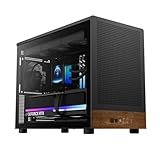
Aesthetically, these systems are designed to be seen but not to overwhelm. Many manufacturers lean into premium materials like brushed aluminum, mesh panels, and even natural wood accents to help these machines look more like high-end audio equipment than raw computing power. For instance, those looking to build or customize a small-form-factor setup often look to cases like the GAMDIAS Micro-Tower Gaming Case, Walnut Front Panel& Side Tempered Glass, 3×120mm Prebuilt Fan, Support Dual 360mm Radiators, micro‑ATX/Mini‑ITX, USB 3.0×2& Type Cx1, Front‑Mounted PSU ATHENA M4M WOOD (around $86), which uses real walnut to match warm mid-century modern home decor.
Furthermore, high-end prebuilt Mini ITX systems do not compromise on power. Premium configurations, such as the Cooler Master NR2 Pro Gaming PC Intel Ultra 7 KF + RTX 5080 Mini ITX PC ($3799.99), pack bleeding-edge hardware into a chassis that takes up less desk space than a standard shoebox. This makes them incredibly easy to relocate around the home or pack safely into a box if you move frequently.
Where Prebuilt Full Tower Wins
While Mini ITX systems are masterpieces of tight packaging, they must fight constantly against the laws of thermodynamics. This is where the prebuilt Full Tower takes a commanding lead. Because a Full Tower features a massive internal volume (often exceeding 60 liters), it has room for massive 140mm fans, massive heatsinks, and extensive liquid cooling loops. This translates directly to a quieter home environment. Under heavy workloads, a Full Tower’s fans can spin at lower, whisper-quiet speeds, whereas a Mini ITX system’s smaller fans must spin at high, audible RPMs to exhaust hot air.
Upgradability is another massive advantage. In a Full Tower, swapping out a graphics card, adding extra storage drives, or upgrading the power supply is a simple ten-minute task. Standardized ATX motherboards offer plenty of PCIe slots and RAM channels. This ease of access also makes routine maintenance—such as blowing out dust with compressed air—incredibly straightforward.
Finally, Full Towers offer unmatched value for money. Because they use standard, widely produced components rather than expensive, miniaturized SFX power supplies and custom ITX motherboards, they are much cheaper to build and buy. For entry-level users, budget-friendly options like the WIWB Gaming PC Desktop Computer – Ryzen 5 4500, Radeon RX 6500XT 4GB (around $660) show how affordable a standard tower can be. For mid-range buyers, a system like the KOTIN Gaming PC Desktop, Ryzen 7 8700F, RTX 5060 Ti 8GB, 16GB DDR5, 1TB SSD ($1299.99) delivers excellent mainstream performance at a highly competitive price point, without the “small-form-factor tax” associated with Mini ITX builds.
Cost Over 5 Years
When calculating the true cost of ownership over a five-year horizon, the financial differences between these two form factors become even more pronounced. The initial purchase price is only the starting point; you must also factor in upgradeability, component lifespan, and power efficiency.
A prebuilt Full Tower is highly economical over five years. Because the internal components stay cooler, they experience less thermal stress, which can prolong the lifespan of your motherboard, graphics card, and storage drives. When a component does eventually become obsolete, you can easily swap it out. If you want to upgrade your graphics card in three years, a Full Tower will easily accommodate the larger physical dimensions of newer cards without requiring you to buy a new power supply or case.
A Mini ITX system, by contrast, carries higher long-term costs. If a proprietary component fails out of warranty, sourcing a replacement ITX-sized motherboard or SFX power supply is often more expensive than sourcing standard ATX equivalents. Furthermore, if you want to upgrade your graphics card down the line, you may find that newer, larger cards simply will not fit inside your compact chassis. This often forces Mini ITX owners to sell their entire system and buy a new one, rather than performing simple, incremental upgrades.
Which One for Your Home?
The Small Apartment or Studio
If you live in a cozy urban apartment or a studio where your living room, bedroom, and office space overlap, space is your most valuable asset. A massive Full Tower sitting on or under your desk will make your living space feel cramped and industrial. A Mini ITX system is the perfect choice here. It can sit elegantly on a bookshelf or a small console, preserving precious floor space and keeping your home feeling open, airy, and clean.
The Family Home with Kids and Pets
In a bustling family home, a computer sitting on the floor is a magnet for trouble. Toddlers can press buttons, pets can shed dander that clogs up dust filters, and loose toys can easily scratch tempered glass panels. In this scenario, a Mini ITX PC is highly advantageous because it is light and compact enough to be placed high up on a wall shelf or desktop organizer, completely out of reach of curious hands and paws. However, if you choose a Full Tower, you will need to invest in a sturdy, heavy desk to keep the heavy machine elevated off the carpet.
The Rental Home (Frequent Mover)
If you rent your home and find yourself moving every year or two, portability is a massive factor. Moving a 50-pound glass-and-metal Full Tower is a logistical headache; the risk of internal components shifting or tempered glass shattering in transit is high. A Mini ITX system can easily be packed into its original box, tucked into a suitcase, or placed on the front seat of your car, making relocations effortless as we head toward 2026.
The Dedicated Long-Term Home Office
If you have a permanent home with a dedicated office room where you do not need to worry about sharing space, the prebuilt Full Tower is the superior option. You have the luxury of space to accommodate a wide desk, meaning you can easily place a large tower on the floor or showcase it on a return desk. You will benefit from a quieter working environment, easier dust maintenance, and a system that can grow and change with your computing needs for years to come.
FAQ
Are Mini ITX prebuilt PCs louder than Full Towers?
Yes, generally speaking. Because Mini ITX cases have limited internal space, they rely on smaller fans (often 80mm or 120mm) that must spin at higher revolutions per minute (RPM) to keep components cool under load. This creates a higher-pitched, more noticeable hum compared to the larger, slower-spinning 140mm or 200mm fans found in Full Towers.
Can I upgrade the graphics card in a prebuilt Mini ITX system?
While it is physically possible, your options are highly limited. You must carefully measure the length, width, and slot-thickness of any replacement card to ensure it fits within the strict clearances of your specific ITX chassis. Many modern high-end graphics cards are too thick or too long to fit in standard Mini ITX enclosures.
Do Mini ITX systems run hotter than Full Towers?
Mini ITX systems do tend to run warmer because hot air can quickly become trapped in a small chassis. However, premium prebuilt manufacturers design these systems with highly efficient airflow paths or custom liquid cooling loops to keep temperatures within safe operating limits, though this often results in higher fan noise.
Is it harder to clean dust out of a Mini ITX PC?
Yes. Due to the dense packing of cables, power supplies, and brackets inside a Mini ITX case, dust can settle in hard-to-reach crevices. Cleaning a Mini ITX system thoroughly often requires a bit of disassembly, whereas a Full Tower can usually be cleaned quickly with a can of compressed air and a microfiber cloth.
Related guides
- Best Gaming PC for Fortnite: Eight Prebuilt Desktops Sorted by Refresh Rate Goal (2026)
- Best RX 9070 XT Prebuilt Gaming PCs: Seven Desktops and Three Cards Compared: 10 Compared (2026)
- CyberPowerPC vs iBUYPOWER Gaming PC: How the Two Brands Compare
- Best RX 9070 XT Prebuilt Gaming PC (2026): 5 Picks Compared









