The best gaming PC for Battlefield 6 overall is the iBUYPOWER Element with its Ryzen 9 7900X, RTX 5070 12GB, and 32GB of memory, because it offers the strongest graphics headroom in this group for high-refresh 1440p play and a more comfortable path toward demanding settings than the RTX 5060 systems. It is best suited to players who want a premium prebuilt and expect to keep the same PC for several years.
For most players, however, the best value choice is a Ryzen 7 8700F or Core i5-14400F system with an RTX 5060 Ti or RTX 5060. The CyberPowerPC Ryzen 7 8700F model with an RTX 5060 Ti is the more balanced mid-range option, while the Skytech Core i5-14400F model with an RTX 5060 is the sensible budget starting point. Players targeting 1080p on a 60–144Hz monitor do not need to spend on an RTX 5070, whereas 1440p players should prioritize the 12GB RTX 5070 or at least the RTX 5060 Ti.
Battlefield 6 performance depends on the final game build, graphics preset, ray-tracing features, upscaling mode, map size, and multiplayer activity. The recommendations below therefore focus on hardware capability and upgrade logic rather than unsupported fixed FPS claims.
Our Top Picks
Pros & cons
- 750W 80+ Gold PSU leaves headroom for upgrades
- 32GB of DDR5 RAM supports smooth multitasking
- Assembled in the USA with 1 year of support
- Listing lists only HDMI and DisplayPort, no USB-C video
- Tempered glass panel adds fragility risk versus solid panels
 iBUYPOWER Element Gaming PC Desktop Computer AMD Ryzen20 x 9.1 x 17.4 inches36 poundsCheck on Amazon



Top 3 picks at a glance
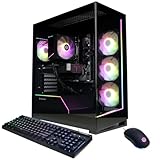
Quick Comparison
| Product | Best for | Key listed specifications | Price tier |
|---|---|---|---|
| Skytech Gaming PC Desktop | Budget 1080p Battlefield gaming | Core i5-14400F, RTX 5060, 16GB RAM, 1TB SSD | Budget |
| Skytech Gaming Archangel 5 | Balanced memory capacity and gaming multitasking | Ryzen 7 7700, RTX 5060, 32GB DDR5, 1TB NVMe SSD | Premium |
| CyberPowerPC Ryzen 7 8700F | Mid-range 1440p gaming | Ryzen 7 8700F, RTX 5060 Ti 8GB | Mid-range |
| CyberPowerPC Core i5-14400F | Affordable 1080p gaming | Core i5-14400F, RTX 5060 8GB | Budget |
| iBUYPOWER Element | Premium 1440p and high-refresh gaming | Ryzen 9 7900X, RTX 5070 12GB, 32GB DDR | Premium |
| YAWYORE Gaming PC | Entry-level Ryzen gaming | Ryzen 7 5700X, RTX 5060 | Mid-range |
| The Horizon Autherium Dragon RGB | Large storage and memory capacity | Core i9 up to 5.4GHz, RTX 507, 64GB RAM, 5TB storage | Premium |
| WIWB Gaming PC Desktop | Basic 1080p gaming on a tight budget | Ryzen 7, Radeon RX 6500 XT 4GB, 16GB RAM, 512GB SSD | Budget |
| Olialia Prebuilt Gaming PC | General desktop use with light gaming | Ryzen 5 5600GT, 32GB RAM, 1TB PCIe SSD | Budget |
| LXZ Prebuilt Gaming PC | Compact mid-range RTX gaming configuration | Ryzen 7 8700F, RTX 5060, 16GB DDR5, 1TB SSD | Mid-range |
| KOTIN Gaming PC Desktop | RTX 5060 Ti gaming with DDR5 | Ryzen 7 8700F, RTX 5060 Ti 8GB, 16GB DDR5, 1TB SSD | Mid-range |
How We Chose
These recommendations are based on the specifications stated in each product listing, the requirements of current PC gaming, and the way Battlefield-style multiplayer games use both graphics and processor resources. The main weighting goes to GPU class and VRAM because resolution, texture quality, and effects settings place the largest load on the graphics card. CPU core performance matters for large multiplayer maps, high refresh rates, background applications, and frame-time consistency.
We also considered memory capacity, SSD capacity, platform age, and upgrade potential. A 16GB system can still be usable, but 32GB gives more room for a modern game, voice chat, browsers, launchers, and recording software. RTX 5060 Ti and RTX 5070 systems are separated from basic RTX 5060 machines because their additional graphics headroom is more meaningful at 1440p. Products with unspecified power supplies, motherboard models, cooling hardware, or exact port layouts should be checked carefully before purchase.
1. Skytech Gaming PC Desktop – Best for budget 1080p Battlefield gaming
As an Amazon Associate we earn from qualifying purchases at no extra cost to you.
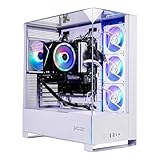
This Skytech Gaming desktop is the clearest low-cost recommendation for someone whose main goal is to play Battlefield 6 at 1080p without moving immediately into a premium build. Its listed Core i5-14400F is a modern desktop processor with strong gaming capability, while the RTX 5060 provides a far more suitable graphics foundation for contemporary games than entry-level cards with only 4GB of VRAM.
The combination is particularly sensible for a 1080p monitor running at 60Hz, 100Hz, or 144Hz. At that resolution, the RTX 5060 can make good use of modern upscaling and frame-generation features where supported, although competitive players should evaluate latency and image quality rather than enabling every feature automatically. The 16GB of RAM is adequate for starting a game, but it is the first component I would monitor if you run browsers, recording software, Discord, and overlays at the same time.
- Processor: Intel Core i5-14400F.
- Graphics: NVIDIA GeForce RTX 5060.
- Memory: 16GB RAM.
- Storage: 1TB SSD.
- Best display target: 1080p, with settings adjusted for a high-refresh monitor.
The 1TB SSD is a useful starting capacity. Large modern games can occupy a substantial portion of it, but it leaves more practical space than a 512GB boot drive. Keep at least 15–20 percent of the SSD free where possible, since a nearly full drive complicates updates and reduces flexibility for temporary installation files.
Strengths
The strongest point is balance. The processor is not an obviously weak pairing for the RTX 5060, and the graphics card belongs to a current mid-entry gaming class. This makes the system more appropriate for a new Battlefield release than a PC built around integrated graphics or a low-end four-gigabyte card.
- Good starting point for 1080p Battlefield gaming.
- Modern six-performance-core-class processor design with additional efficiency cores.
- RTX 5060 support provides access to current NVIDIA graphics features.
- 1TB SSD is practical for Windows and several large games.
Cons
- 16GB RAM leaves less room for heavy multitasking than 32GB systems.
- RTX 5060 is less comfortable for demanding 1440p settings than an RTX 5060 Ti or RTX 5070.
- The listing does not establish the exact motherboard, power supply, cooling, or upgrade layout.
Compared with the CyberPowerPC Core i5-14400F RTX 5060 system, this is effectively a same-class alternative. Choose between them using the actual current configuration: memory speed, number of occupied RAM slots, power-supply quality, included wireless connectivity, case airflow, and warranty terms matter more than small branding differences. The Skytech is preferable when its included configuration offers a better upgrade path or cooling arrangement at the time of purchase.
2. Skytech Gaming Archangel 5 – Best for 32GB memory on an RTX 5060 system
The Skytech Gaming Archangel 5 is aimed at players who want an RTX 5060 gaming PC but do not want to begin with only 16GB of memory. Its listed Ryzen 7 7700, 32GB of DDR5, and 1TB NVMe SSD make it a comfortable all-round desktop for gaming, streaming, voice chat, and everyday multitasking.
The RTX 5060 determines the main gaming ceiling. It is well matched to 1080p play and can be used for 1440p with sensible settings, but the extra memory and Ryzen 7 processor do not turn it into an RTX 5060 Ti-class graphics machine. That distinction is important: additional CPU cores may improve multitasking and some processor-limited situations, but GPU-heavy Battlefield settings remain limited by the graphics card.
- Processor: AMD Ryzen 7 7700.
- Graphics: NVIDIA GeForce RTX 5060.
- Memory: 32GB DDR5.
- Storage: 1TB NVMe SSD.
- Best fit: Players who run background applications while gaming.
Its 32GB memory configuration is useful for long sessions. A multiplayer game, browser tabs, communication software, RGB utilities, capture tools, and a launcher can collectively make 16GB feel restrictive. The additional capacity does not directly double frame rate, but it can reduce the likelihood of memory pressure and background-app closures.
Strengths
- 32GB DDR5 is a comfortable capacity for modern gaming multitasking.
- Ryzen 7 7700 is a capable mainstream desktop processor.
- NVMe storage offers a responsive boot and game-loading platform.
- More attractive for streamers and multitaskers than otherwise similar 16GB systems.
Cons
- The RTX 5060 remains the limiting part for high-end 1440p graphics.
- Its premium classification needs to be justified by the memory and platform, not assumed to mean premium GPU performance.
- Exact board, PSU, cooling, and expansion details should be confirmed from the live listing.
The nearest alternative is the Skytech Core i5-14400F RTX 5060 desktop. The Archangel 5 is the better choice for 32GB users, multitasking, and a newer DDR5 platform; the Core i5 system is more compelling when it is substantially cheaper and the computer will mainly run Battlefield with little else open. Against the CyberPowerPC RTX 5060 Ti models, this Archangel has the memory advantage but gives up graphics headroom.
3. CyberPowerPC Ryzen 7 8700F – Best for mid-range 1440p gaming
This CyberPowerPC configuration is one of the most balanced choices in the list for a player moving beyond basic 1080p. It combines a Ryzen 7 8700F with an RTX 5060 Ti 8GB, placing more emphasis on graphics capacity than the RTX 5060 systems while retaining a modern Ryzen 7 platform.
The RTX 5060 Ti is the important upgrade here. Its additional GPU resources make it more appropriate for 1440p than a standard RTX 5060, although 8GB of VRAM still calls for sensible texture and ray-tracing choices in especially demanding games. For Battlefield, a reasonable starting profile is native or upscaled 1440p, high textures if memory use remains stable, medium-to-high effects, and ray tracing disabled unless visual effects are a priority over latency and frame rate.
- Processor: AMD Ryzen 7 8700F.
- Graphics: GeForce RTX 5060 Ti with 8GB VRAM.
- Platform: Modern Ryzen 7 desktop class.
- Best display target: 1440p at a moderate or high refresh rate.
Eight gigabytes of VRAM is enough for a large number of 1080p and 1440p situations, but it is not a guarantee that maximum textures and every effect option will remain optimal indefinitely. If texture streaming warnings or stutter appear, lower texture quality one step before reducing resolution. Texture settings primarily affect VRAM use, while resolution affects the total pixel workload.
Strengths
- RTX 5060 Ti is a meaningful step above the RTX 5060 for 1440p.
- Ryzen 7 processor class suits gaming alongside communication and recording tools.
- Good middle ground between entry-level price and premium RTX 5070 capability.
- Suitable foundation for a 1440p adaptive-sync monitor.
Cons
- 8GB VRAM may require texture compromises in future demanding releases.
- The listing information supplied does not specify memory capacity, PSU, or exact cooling.
- It is more expensive than RTX 5060 systems without offering the same premium 12GB GPU buffer as the RTX 5070.
The closest alternative is the KOTIN Ryzen 7 8700F RTX 5060 Ti system. They share the key processor and GPU classes, so compare their included RAM, cooler, case airflow, power supply, wireless connectivity, and warranty. Compared with the LXZ Ryzen 7 8700F RTX 5060, this CyberPowerPC gives up no CPU class but gains a more capable graphics card, making it the better 1440p choice.
4. CyberPowerPC Core i5-14400F – Best for affordable 1080p gaming

This CyberPowerPC desktop is a straightforward budget Battlefield configuration: a Core i5-14400F paired with an RTX 5060 8GB. It is aimed at players who want a current discrete graphics card and a modern desktop processor without paying for a larger Ryzen 7 or RTX 5070 system.
For 1080p gaming, the pairing makes practical sense. The processor offers enough capability for a broad range of multiplayer workloads, while the RTX 5060 supplies the graphics features and memory capacity expected from a current gaming card. Start with a high preset, monitor frame-time consistency, and then reduce effects or shadows if the game does not maintain the refresh target of the display.
- Processor: Intel Core i5-14400F.
- Graphics: GeForce RTX 5060 with 8GB VRAM.
- Best use: 1080p gaming and general-purpose desktop work.
- Upgrade focus: Check RAM capacity and power supply before adding hardware.
A 1080p player should not automatically pay extra for a high-core-count processor. Battlefield can be processor-intensive in large matches, but the value of additional cores depends on the target refresh rate and what runs in the background. At 60–100Hz, the GPU and game settings are usually more important than moving from a capable Core i5 to a premium CPU.
Strengths
- Well-matched CPU and GPU classes for 1080p.
- 8GB graphics memory offers more room than older entry-level cards.
- Good option for a first dedicated-gaming desktop.
- Core i5-14400F is also suitable for office work and general multitasking.
Cons
- Less suitable for ambitious 1440p settings than RTX 5060 Ti systems.
- Exact RAM amount is not included in the supplied product description.
- F-series Intel processors require a discrete graphics card for display output.
The nearest alternative is the Skytech Core i5-14400F RTX 5060 model. Since the central CPU and GPU classes are the same, the decision should come down to the complete configuration and current price tier. If one includes 16GB in two modules, a better-rated PSU, or more useful connectivity, that difference can matter more than the manufacturer name.
5. iBUYPOWER Element – Best for premium 1440p gaming

The iBUYPOWER Element is the strongest clearly specified graphics configuration in this roundup. Its Ryzen 9 7900X, RTX 5070 12GB, and 32GB of DDR memory make it the premium pick for players who want high-quality 1440p Battlefield gaming, a high-refresh display, and enough processor capacity for recording or demanding background work.
The RTX 5070 and its 12GB VRAM are the central reasons to choose this machine. Compared with RTX 5060 systems, it provides a larger graphics-performance cushion and more memory for higher resolution, more detailed textures, and future game updates. It is still important to distinguish “premium” from “unlimited”: maximum ray tracing at very high refresh rates can challenge any mainstream GPU, and actual performance varies by patch and settings.
- Processor: AMD Ryzen 9 7900X.
- Graphics: NVIDIA GeForce RTX 5070 with 12GB VRAM.
- Memory: 32GB DDR.
- Best display target: 1440p high refresh, with selected 4K use possible.
The Ryzen 9 7900X is a powerful desktop processor, but buyers should pay attention to cooling. A high-performance CPU needs an appropriate cooler and case airflow, especially during long multiplayer sessions or simultaneous recording and encoding. The supplied product name does not establish the exact cooler, motherboard, or PSU, so those details should be verified.
Strengths
- Best specified GPU in the roundup for demanding 1440p use.
- 12GB VRAM is a useful advantage over 8GB alternatives.
- Ryzen 9 processor is well suited to gaming plus creation and multitasking.
- 32GB memory is appropriate for a premium gaming system.
Cons
- Premium pricing is unnecessary for a basic 1080p monitor.
- High-end CPU cooling and PSU quality deserve careful confirmation.
- There is no guaranteed benefit from the Ryzen 9 in a GPU-limited Battlefield setup.
The nearest alternative is The Horizon Autherium Dragon RGB system, which also lists a 507-class GPU and substantially more memory and storage. The iBUYPOWER is easier to evaluate because its Ryzen 9 7900X and RTX 5070 12GB are explicitly identified. Choose the Horizon only if its exact GPU model, power supply, storage arrangement, and cooling are confirmed and its extra capacity has a real use for you.
6. YAWYORE Gaming PC – Best for a basic Ryzen 7 and RTX 5060 combination

The YAWYORE desktop pairs a Ryzen 7 5700X with a GeForce RTX 5060. It is a sensible category match for 1080p Battlefield gaming, but its AM4-era processor platform makes it a different proposition from the newer DDR5-based Ryzen 7 8700F machines in this list.
The RTX 5060 gives the system its gaming identity. The Ryzen 7 5700X remains a capable processor for many games, and its eight-core design can be useful for multitasking, but the platform has less forward upgrade appeal than a newer AM5 system. This matters most if you plan to replace the processor later rather than keeping the PC as configured.
- Processor: AMD Ryzen 7 5700X.
- Graphics: GeForce RTX 5060.
- Best fit: 1080p gaming on a value-oriented desktop.
- Platform consideration: Confirm the motherboard model and memory configuration.
Because the listing name does not specify RAM, storage, power supply, or motherboard, these components should influence the final decision. A PC with two matched memory modules, a reputable power supply, and a ventilated case is preferable to one with more attractive headline branding but uncertain supporting hardware.
Strengths
- Eight-core Ryzen processor is a capable foundation for gaming and general use.
- RTX 5060 is appropriate for 1080p Battlefield settings.
- Could offer good value if priced below newer Ryzen 7 systems.
- Discrete GPU gives access to current graphics features.
Cons
- Older AM4 platform has a narrower upgrade path than AM5.
- Supplied listing details do not state memory or storage capacity.
- RTX 5060 remains better suited to 1080p than premium 1440p play.
The nearest alternative is the LXZ Ryzen 7 8700F RTX 5060 desktop. The LXZ has the newer processor platform and explicitly lists 16GB DDR5 and a 1TB SSD, making it easier to assess. The YAWYORE becomes interesting when its complete configuration is clearly documented and its price advantage compensates for the older platform.
7. The Horizon Autherium Dragon RGB – Best for large memory and storage capacity
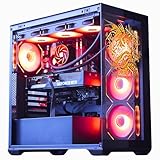
The Horizon Autherium Dragon RGB stands out for capacity rather than a conventional, fully specified component balance. Its listing states 64GB of RAM, 5TB of storage, a Core i9 reaching up to 5.4GHz, and an RTX 507-class graphics card. This makes it attractive to users who want a large game library, heavy multitasking, or content-creation space without immediately adding drives.
The specification needs careful verification before purchase because “Core i9,” “RTX 507,” and “up to 5.4GHz” do not identify exact CPU and GPU models as precisely as a complete model number would. The exact graphics variant determines VRAM, performance, power consumption, and appropriate resolution. Treat the headline as a component class until the detailed listing confirms the model.
- Processor: Core i9 class, listed up to 5.4GHz.
- Graphics: RTX 507-class GPU as stated in the product name.
- Memory: 64GB RAM.
- Storage: 5TB total storage.
For Battlefield, 64GB does not automatically produce higher frame rates than 32GB. Its value is practical: large mod libraries where supported, video editing, multiple applications, and a large number of installed games. Likewise, 5TB is convenient but should be checked for its division between SSD and any slower storage, because capacity alone does not reveal loading performance.
Strengths
- Largest stated memory capacity in this roundup.
- Largest stated storage capacity in this roundup.
- High-end CPU and GPU classes are suitable for an enthusiast-oriented system if fully specified.
- Useful for users who combine gaming with editing, archiving, or large software libraries.
Cons
- Exact CPU and GPU models are not fully identified in the supplied name.
- 64GB RAM is unnecessary for Battlefield alone.
- Storage type and split should be confirmed rather than inferred from the total.
- Cooling and power-supply requirements are especially important for a high-end configuration.
The nearest alternative is the iBUYPOWER Element. The iBUYPOWER is the safer recommendation when predictable Battlefield performance matters because its Ryzen 9 7900X and RTX 5070 12GB are explicitly stated. The Horizon is the capacity-focused choice, but only after confirming the exact graphics model, drive types, PSU, and cooling.
8. WIWB Gaming PC Desktop – Best for basic 1080p gaming on a tight budget
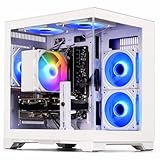
The WIWB desktop is the most compromise-oriented gaming product in this roundup. It lists a Ryzen 7 processor, Radeon RX 6500 XT 4GB, 16GB RAM, and a 512GB SSD. It can serve as an inexpensive entry point for lighter games and reduced 1080p settings, but it is not the Battlefield 6 recommendation for buyers who can stretch to an RTX 5060 system.
The RX 6500 XT’s 4GB VRAM is the key limitation. Modern large-scale games can exceed that capacity at higher texture settings, leading to texture reductions or stutter if the card is pushed beyond its intended class. The right target is a modest 1080p profile with conservative textures and effects, not maximum quality or high-resolution play.
- Processor: Ryzen 7 class, exact model not stated in the supplied name.
- Graphics: Radeon RX 6500 XT with 4GB VRAM.
- Memory: 16GB RAM.
- Storage: 512GB SSD.
Storage is another practical weakness. A modern operating system plus Battlefield and a few other large games can consume most of 512GB. Keep more free space than the installation itself appears to require, and budget for a larger SSD if the motherboard and case provide a suitable expansion route.
Strengths
- Lower-cost route into PC gaming.
- 16GB system memory is usable for a focused gaming setup.
- SSD is preferable to a mechanical boot drive for responsiveness.
- May suit esports and less demanding games better than large modern releases.
Cons
- 4GB VRAM is restrictive for a current large-scale Battlefield title.
- 512GB storage is quickly filled by modern games.
- Exact Ryzen model and supporting hardware are not specified.
- Not a good fit for high-refresh 1440p gaming.
The nearest alternative is the Olialia Ryzen 5 5600GT system, but neither should be selected as the primary Battlefield machine without checking whether the computer includes a discrete graphics card. Compared with the budget RTX 5060 desktops, the WIWB saves money only by accepting a substantially lower graphics ceiling. It is best viewed as a basic gaming PC, not a long-term Battlefield-focused purchase.
9. Olialia Prebuilt Gaming PC – Best for general desktop use with light gaming

The Olialia prebuilt lists a Ryzen 5 5600GT, 32GB of RAM, and a 1TB PCIe SSD. Its generous system memory and useful storage make it attractive for everyday work, study, browsing, and light gaming, but the supplied product name does not list a discrete graphics card. That omission is decisive for a Battlefield 6 recommendation.
A processor with integrated graphics can be useful for basic display output and lighter games, but large modern multiplayer games place far greater demands on the GPU. Do not assume that 32GB of RAM compensates for the absence of a discrete graphics card. Memory capacity helps applications coexist; it does not turn integrated graphics into an RTX 5060-class solution.
- Processor: AMD Ryzen 5 5600GT.
- Graphics: No discrete GPU is stated in the supplied name.
- Memory: 32GB RAM.
- Storage: 1TB PCIe SSD.
This product can make sense when the buyer’s priority is a responsive general-purpose PC and gaming is secondary. Before purchase, verify whether a graphics card is included, whether the power supply can support one, and whether the case has the required clearance and airflow. If no discrete GPU is included, adding one later may also require checking motherboard slots and power connectors.
Strengths
- 32GB RAM is generous for office work and multitasking.
- 1TB PCIe SSD offers useful everyday storage.
- Ryzen 5 processor is suitable for general desktop tasks.
- Potentially useful as an upgradeable base if the internal configuration supports a graphics card.
Cons
- No discrete graphics card is identified in the supplied product name.
- Not the recommended ready-to-play Battlefield configuration.
- Upgrade compatibility, PSU capacity, and case space need confirmation.
- Integrated graphics may require substantial settings compromises.
The nearest alternative is the WIWB system, which at least explicitly lists an RX 6500 XT discrete GPU. If gaming is the priority, the WIWB is the more relevant of these two, although an RTX 5060 budget PC is a much better target. Choose Olialia for general use only, or when a suitable future GPU upgrade has been confirmed.
10. LXZ Prebuilt Gaming PC – Best for a newer RTX 5060 platform
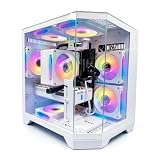
The LXZ prebuilt combines a Ryzen 7 8700F, RTX 5060, 16GB DDR5, and a 1TB SSD. It is a straightforward mid-range option for 1080p gaming and a possible entry into 1440p with adjusted settings. The newer Ryzen 7 processor and DDR5 memory distinguish it from older AM4 configurations, although the RTX 5060 remains the main graphics constraint.
Its 16GB RAM is serviceable but less comfortable than the 32GB systems in this list. If the machine uses two modules and has open slots, a later move to 32GB may be uncomplicated; if it uses a single module, upgrading may require replacing it for best memory performance. Confirm the actual arrangement rather than relying only on the total capacity.
- Processor: AMD Ryzen 7 8700F.
- Graphics: GeForce RTX 5060.
- Memory: 16GB DDR5.
- Storage: 1TB SSD.
The system is best matched with a 1080p high-refresh monitor or a 1440p display used with a sensible mix of medium and high settings. To make the most of it, prioritize stable frame times: reduce heavy effects, volumetric options, and shadows before reducing textures, provided VRAM usage remains under control.
Strengths
- Modern Ryzen 7 and DDR5 platform.
- RTX 5060 is a capable 1080p gaming GPU.
- 1TB SSD is a practical starting point.
- Clearer specification than products with unnamed supporting components.
Cons
- 16GB RAM may become restrictive with background applications.
- RTX 5060 is not the ideal choice for maximum 1440p settings.
- Exact motherboard, power supply, cooler, and upgrade layout are not provided.
The nearest alternative is the Skytech Archangel 5, which has a Ryzen 7-class processor, RTX 5060, 32GB memory, and a 1TB NVMe SSD. The LXZ is preferable when its newer processor configuration and price are attractive; the Archangel is the better out-of-box multitasking choice because it lists twice the memory.
11. KOTIN Gaming PC Desktop – Best for an RTX 5060 Ti with DDR5

The KOTIN desktop is a strong mid-range candidate because it pairs the Ryzen 7 8700F with an RTX 5060 Ti 8GB, 16GB DDR5, and a 1TB SSD. Its main advantage over RTX 5060 machines is graphics performance, making it more appropriate for 1440p gaming and higher settings.
The configuration is very close to the CyberPowerPC Ryzen 7 8700F RTX 5060 Ti system. The decisive factors are therefore not the headline processor or graphics card, which share the same broad classes, but the supporting components. Check whether the RAM is installed as a matched pair, whether the power supply has suitable capacity and connectors, and whether the case provides direct airflow to the graphics card.
- Processor: AMD Ryzen 7 8700F.
- Graphics: RTX 5060 Ti with 8GB VRAM.
- Memory: 16GB DDR5.
- Storage: 1TB SSD.
Sixteen gigabytes remains usable, but 32GB is increasingly comfortable for a machine intended to last several years. If the system has two 8GB modules, replacement or expansion may be required for a 32GB target. Avoid mixing incompatible memory kits where possible; a matched kit is the safer route.
Strengths
- RTX 5060 Ti is a meaningful upgrade over RTX 5060 for 1440p.
- Ryzen 7 8700F and DDR5 form a modern platform.
- 1TB SSD provides reasonable initial storage.
- Good match for an adaptive-sync 1440p monitor.
Cons
- 16GB RAM is less generous than some similarly priced alternatives.
- 8GB VRAM can require texture compromises in demanding future games.
- Exact PSU, cooling, motherboard, and wireless specifications are not stated.
The nearest alternative is the CyberPowerPC Ryzen 7 8700F RTX 5060 Ti configuration. Treat them as direct rivals and choose according to the complete build, warranty, memory arrangement, and current market price. Compared with the LXZ RTX 5060, the KOTIN gives up no listed CPU class but provides the more suitable graphics card for 1440p.
How to Choose
Choosing the best gaming PC for Battlefield 6 starts with the monitor rather than the product name. A 1080p 60Hz screen, a 1080p 144Hz screen, and a 1440p 165Hz screen create very different hardware priorities. The same PC can be excellent for one target and a poor-value purchase for another.
Match the GPU to resolution first
For 1080p, an RTX 5060 is the sensible center of this roundup. The Skytech Core i5 and CyberPowerPC Core i5 systems are the clearest budget choices, while the Archangel and LXZ add stronger CPU or memory platforms. A 1080p player should not purchase an RTX 5070 solely because it is faster; the extra money may be better spent on a higher-refresh monitor, a larger SSD, or 32GB of RAM.
For 1440p, move toward the RTX 5060 Ti or RTX 5070. The CyberPowerPC and KOTIN RTX 5060 Ti systems are the mid-range picks, while the iBUYPOWER RTX 5070 is the premium choice. The RTX 5070’s 12GB VRAM gives it more breathing room than the 8GB RTX 5060 Ti, especially when textures and future updates are considered.
4K is a different requirement. None of the listed products should be described as a guaranteed maximum-settings 4K Battlefield solution without exact testing and a confirmed game build. The iBUYPOWER is the most credible 4K-capable option because of its RTX 5070 12GB, but a 4K buyer should be prepared to use upscaling, adjust effects, and accept lower frame rates than at 1440p.
Understand the pixel workload
Resolution changes the number of pixels the GPU must process. 1080p contains 2,073,600 pixels per frame, while 1440p contains 3,686,400 pixels. That is approximately 1.78 times as many pixels. At the same refresh rate, a 1440p display therefore demands roughly 78 percent more pixel work than 1080p before accounting for effects, textures, ray tracing, and upscaling.
A useful bandwidth-style calculation illustrates the display requirement. Uncompressed 2560 × 1440 at 165Hz equals 3,686,400 × 165, or 608,256,000 pixels per second. At 32 bits per pixel, that is about 19.5 gigabits per second before display-interface overhead. This is why high-refresh 1440p setups need an appropriate DisplayPort or HDMI connection, cable, and monitor mode; the PC’s GPU performance alone does not guarantee that the monitor can receive the intended signal.
Use VRAM as a settings guide
VRAM stores textures, frame buffers, geometry data, and other graphics resources. The listed RX 6500 XT has 4GB, the RTX 5060 Ti models have 8GB, and the iBUYPOWER RTX 5070 has 12GB. These numbers do not translate directly into frame rate, but they indicate how much room each class has for high-resolution textures and future content.
If a game shows texture-streaming problems, begin by lowering texture quality one step. If the frame rate is low but textures are stable, lower resolution, volumetric effects, reflections, or shadows instead. This distinction prevents unnecessary image-quality loss: textures mainly address VRAM pressure, while resolution and effects address shader and pixel workload.
Decide whether you need 16GB or 32GB
Sixteen gigabytes is still a workable gaming capacity, especially if Battlefield is the main foreground application and background programs are limited. However, 32GB is the more comfortable target for a new purchase. A game, Windows services, a browser with many tabs, voice chat, recording software, and a launcher can consume enough memory to make 16GB feel constrained.
The Skytech Archangel, iBUYPOWER Element, and Horizon systems list 32GB or more. The budget Skytech, LXZ, and KOTIN systems list 16GB. Check whether 16GB is installed as one module or two. Two matched modules generally provide a better memory configuration than a single module, but the exact motherboard and memory speed still matter.
Choose the CPU according to refresh rate and multitasking
At 60Hz or modest 100Hz gaming, the Core i5-14400F and Ryzen 7 5700X are adequate partners for an RTX 5060-class graphics card. At very high refresh rates, large multiplayer matches, or while recording and streaming, a stronger CPU can help maintain frame-time consistency. The Ryzen 7 7700, Ryzen 7 8700F, and Ryzen 9 7900X systems offer more appealing processor headroom.
Do not confuse core count with guaranteed Battlefield performance. A game may be limited by the GPU, one or more busy game threads, memory latency, or engine scheduling. A Ryzen 9 is most valuable when the PC also performs creation, encoding, compiling, or heavy multitasking. For a purely 1080p, 60Hz build, it is usually a poor-value way to improve the experience.
Inspect the power supply and cooling
The product names do not provide complete PSU and cooler information for most entries. This is a critical gap. A graphics card needs adequate wattage, correct power connectors, and a power supply of appropriate quality. A high-end CPU such as the Ryzen 9 7900X also needs a cooler capable of removing sustained heat.
Before buying, look for the exact PSU wattage, efficiency certification, manufacturer, and connector information. Also check whether the case has front intake fans, an unobstructed graphics-card area, and a rear or top exhaust path. Good airflow generally matters more than decorative RGB lighting during a long multiplayer session.
Think about storage capacity realistically
A 1TB SSD is the practical minimum for a new gaming PC, but the usable space is lower than the advertised capacity after formatting and operating-system files. Battlefield, another large multiplayer game, a few single-player releases, and updates can fill it sooner than expected. The 512GB WIWB drive is therefore a significant limitation.
The Horizon’s listed 5TB capacity is convenient, but verify how much is SSD storage and how much uses another drive type. Capacity determines how many files fit; drive type affects loading and responsiveness. A smaller NVMe SSD can be preferable to a larger slower drive for the operating system and frequently played games, with additional storage used for archives.
Use a decision matrix
| Your situation | Recommended choice | Why |
|---|---|---|
| 1080p, 60–144Hz, lowest sensible spend | Skytech Core i5-14400F RTX 5060 or CyberPowerPC Core i5 RTX 5060 | Balanced modern CPU and discrete GPU without premium overhead |
| 1080p plus streaming, browsers, and recording | Skytech Archangel 5 | Ryzen 7 and 32GB memory provide more multitasking room |
| 1440p at a moderate or high refresh rate | CyberPowerPC Ryzen 7 8700F RTX 5060 Ti or KOTIN | RTX 5060 Ti offers a stronger graphics class than RTX 5060 |
| Longer-term premium 1440p ownership | iBUYPOWER Element | RTX 5070 12GB and 32GB memory provide the greatest specified headroom |
| Large software library and heavy multitasking | The Horizon Autherium Dragon RGB | Lists 64GB RAM and 5TB storage, subject to component verification |
| General use with only light gaming | Olialia | 32GB RAM and 1TB SSD, but discrete GPU must be confirmed |
| Lowest-cost basic gaming | WIWB only if the limitations are acceptable | RX 6500 XT 4GB is a substantial compromise for modern Battlefield gaming |
Check the exact live configuration
Prebuilt listings can change components while retaining a similar product name. Confirm the exact CPU, GPU, VRAM, RAM arrangement, SSD type, motherboard, PSU, operating-system license, wireless connectivity, and warranty before ordering. Pay particular attention to ambiguous labels such as “RTX 507,” “Core i9,” “Ryzen 7,” or “5TB storage,” because a category label is not a complete model specification.
Frequently Asked Questions
What is the best gaming PC for Battlefield 6 overall?
The iBUYPOWER Element is the best overall pick from this list because it combines an RTX 5070 12GB with a Ryzen 9 7900X and 32GB of memory. It is best for premium 1440p gaming and buyers who want more graphics headroom than an RTX 5060 system provides.
Which PC is the best budget choice?
The Skytech Core i5-14400F system with an RTX 5060 is the strongest straightforward budget recommendation. The CyberPowerPC Core i5-14400F RTX 5060 model is a close alternative, so compare the complete RAM, PSU, cooling, and storage configuration.
Is an RTX 5060 enough for Battlefield 6?
An RTX 5060 is a sensible target for 1080p Battlefield gaming, with settings adjusted according to the final game build and desired refresh rate. For 1440p, an RTX 5060 Ti or RTX 5070 provides more comfortable headroom.
Is 16GB RAM enough for Battlefield 6?
Sixteen gigabytes can be usable when the game is the main foreground application. Thirty-two gigabytes is preferable for a new purchase if you also stream, record, keep many browser tabs open, or want more room for future games.
Should I buy an RTX 5060 Ti or RTX 5070?
Choose the RTX 5060 Ti for value-oriented 1440p gaming. Choose the RTX 5070 when you want more performance headroom, 12GB of VRAM, higher settings, or a longer upgrade interval and can justify the premium tier.
Is the RX 6500 XT system suitable for Battlefield?
The WIWB system with an RX 6500 XT 4GB can be considered only for a highly budget-constrained, reduced-setting 1080p setup. Its 4GB VRAM and lower graphics class make the RTX 5060 systems much safer recommendations for a current Battlefield-focused PC.
Does a powerful CPU increase Battlefield FPS?
It can help when the game is CPU-limited, especially at high refresh rates and in large multiplayer situations. If the graphics card is already the limiting component, moving from a capable Core i5 or Ryzen 7 to a Ryzen 9 will not deliver the same benefit as upgrading the GPU.
What should I check before buying a prebuilt gaming PC?
Confirm the exact graphics-card model and VRAM, processor model, RAM arrangement, SSD type, motherboard, power supply, cooler, case airflow, display outputs, wireless connectivity, and warranty. These supporting details determine whether the headline specification will be quiet, upgradeable, and reliable under sustained gaming loads.
Final Recommendation
Choose the iBUYPOWER Element for premium 1440p Battlefield gaming and the greatest specified graphics headroom. Choose the CyberPowerPC Ryzen 7 8700F or KOTIN RTX 5060 Ti system for a balanced mid-range 1440p build. Choose the Skytech Core i5-14400F RTX 5060 desktop for affordable 1080p gaming, or the Skytech Archangel 5 if 32GB memory and multitasking matter more than the lowest entry price.
Related guides
- Best Gaming PC for Fortnite: Eight Prebuilt Desktops Sorted by Refresh Rate Goal (2026)
- Best RX 9070 XT Prebuilt Gaming PCs: Seven Desktops and Three Cards Compared: 10 Compared (2026)
- CyberPowerPC vs iBUYPOWER Gaming PC: How the Two Brands Compare
- Best RX 9070 XT Prebuilt Gaming PC (2026): 5 Picks Compared