
Our Top Picks


Top 3 picks at a glance
The Short Answer
Most low-profile PC cases have a CPU cooler clearance of 47 mm to 70 mm (about 1.85 to 2.76 inches). That means the cooler you buy needs a total height — from the base of the cold plate to the top of the fan — that stays under your case’s stated CPU cooler clearance, ideally with 1–2 mm of breathing room. Popular low-profile coolers like the ID-COOLING IS-40X V3 measure just 45 mm (1.77 in) tall, making it a safe fit for ultra-slim HTPC cases rated for 47 mm or more. Stepping up slightly, coolers in the 60–70 mm range, such as the be quiet! Pure Rock Low Profile at roughly 58 mm (2.28 in), fit most slim towers and small form factor (SFF) builds rated for 60 mm+ clearance. If your cooler is even 1 mm taller than the clearance, the side panel will not close — so measure first, buy second.
Standard Sizes
CPU cooler heights fall into a few well-defined categories. Use this table to match a cooler class to your case type before shopping:
As an Amazon Associate we earn from qualifying purchases at no extra cost to you.


| Cooler Class | Typical Height | Inches | Case Types It Fits | Typical Price Range |
|---|---|---|---|---|
| Ultra-low profile | 35–47 mm | 1.38–1.85 in | Thin HTPC cases, 1U-style server cases, slim console-style builds (47 mm clearance or less) | $25–$45 |
| Low profile | 48–60 mm | 1.89–2.36 in | Slim SFF towers, compact HTPC cases (60 mm clearance) | $35–$60 |
| Tall low profile | 61–70 mm | 2.40–2.76 in | Small SFF cases, compact micro-ATX builds (70 mm clearance) | $40–$70 |
| Mid-tower air cooler | 125–160 mm | 4.92–6.30 in | Standard mid-tower cases only — too tall for any low-profile chassis | $40–$100 |
Two real-world reference points: the ID-COOLING IS-40X V3 sits at 45 mm (1.77 in) with a slim 15 mm-thick fan, which is why it is a go-to for 47 mm-clearance cases. The be quiet! Pure Rock Low Profile comes in around 58 mm (2.28 in) and is rated to handle CPUs up to 100W TDP, making it a strong match for slim towers with 60 mm or greater clearance while staying compatible with Intel LGA 1700, 1200, 1150, 1151, and 1155 sockets plus AMD AM5 and AM4.
Also note that clearance is not the only dimension that matters. Down-draft low-profile coolers (fans blowing straight down at the motherboard) need roughly 5–10 mm of side-to-side clearance around the heatsink so they do not overhang RAM slots or the rear I/O shroud. Check the cooler’s listed footprint — many 45 mm-class coolers have a base plate around 90 × 90 mm or wider.
How to Measure Your Space
- Find the official clearance figure. Check your case manufacturer’s spec sheet for “CPU cooler max height” or “heatsink clearance.” This number, usually listed in millimeters, is your hard ceiling. If the spec sheet only appears in metric, divide by 25.4 to get inches.
- Measure physically if specs are missing. Open the case and measure from the top surface of the CPU socket on the motherboard to the nearest obstruction directly above it — usually the side panel or a shroud. Use a rigid ruler or calipers; a soft tape measure sags and adds error.
- Subtract a safety margin. Take 2–3 mm off the clearance to account for panel flex, motherboard standoffs, and manufacturing tolerance. A 50 mm clearance realistically means you should shop for coolers 47 mm tall or shorter.
- Compare against the cooler’s total height. Manufacturers list cooler height including the fan, not just the heatsink. A “45 mm heatsink” with a separate 15 mm fan can total 60 mm. Always confirm the combined figure.
- Check RAM clearance. Many low-profile coolers overhang the first DIMM slot. If your cooler’s spec lists a RAM height limit (often 40–45 mm), verify your memory modules — standard sticks without tall heat spreaders run 30–35 mm.
- Verify socket compatibility. Confirm the cooler supports your socket (LGA 1700 and AM5 are the current standards). Some older low-profile coolers need adapter kits for LGA 1700 because Intel’s taller socket changes the mounting pressure.
By Room or Use Case
Living Room HTPC and Media Center
Home theater PCs live in slim, console-style cases that often sit inside entertainment centers with restricted airflow. These cases typically allow only 45–50 mm of cooler height, which puts you squarely in ultra-low-profile territory: a 45 mm cooler like the IS-40X V3 with a quiet slim fan is the standard choice. Prioritize noise output (look for fans rated under 25 dBA at low speed) over raw cooling, since media playback is a light load. Budget $25–$40.
Compact Office and Desktop Builds
Slim micro-ATX and compact desktop cases usually offer 60–70 mm of clearance. That opens the door to better coolers — a 58 mm unit like the Pure Rock Low Profile can quietly handle CPUs in the 65W–100W TDP class, which covers most mainstream office and productivity chips. Expect to spend $40–$60. This class also gives you more fan options, so you can often swap the stock 92 mm or 120 mm fan for a quieter one later.
Gaming SFF and Travel Builds
Small form factor gaming cases are the tightest category, with clearances ranging from 47 mm to 70 mm depending on the model. If you are building for gaming in a 47 mm-class chassis, pair a 45 mm cooler with a 65W-class CPU and accept some thermal headroom loss; in a 70 mm chassis, a taller low-profile cooler with a 120 mm fan can cool 100W-class chips comfortably. Budget $30–$60, and consider adding a slim 15 mm case fan for exhaust if the case allows it.
RV, Workshop, and Adjacent Cooler Uses
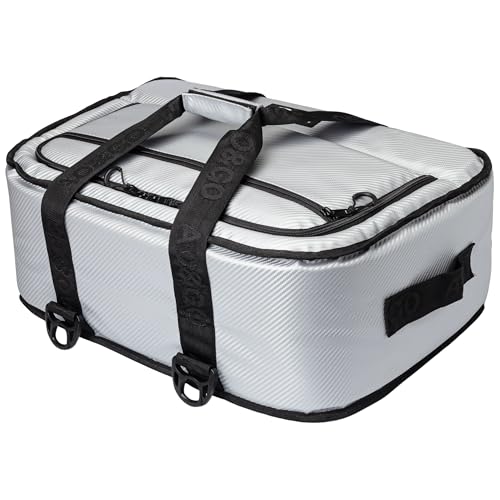
A quick note to prevent confusion: if your search crossed into soft-sided coolers for food and drinks, “low profile” means something entirely different. Products like the AO Coolers Stow-N-Go line — available in carbon (around $150) and canvas (around $120) versions in a 38-can size — are around 12–14 inches tall and designed to slide under seats or into low storage compartments, holding ice for roughly 24 hours. Their dimensions are not relevant to PC case clearance, so do not mix the two categories when comparing specs.
Common Sizing Mistakes
- Trusting heatsink-only height. A cooler advertised at 45 mm may exclude its fan. Confirm the total installed height before buying.
- Ignoring panel bulge. Tempered glass and acrylic side panels flex slightly; a cooler flush against the spec limit can still rattle or press on the glass. Keep the 2–3 mm margin.
- Forgetting RAM overhang. Down-draft coolers sit over the memory slots. Tall RGB RAM at 45–55 mm can block mounting or cause uneven pressure. Low-profile RAM is safer in slim builds.
- Missing the LGA 1700 offset. Intel’s 1700 socket sits taller than 115x sockets, so a cooler designed for older Intel mounts may be incompatible or apply incorrect pressure without the right spacers.
- Buying for the wrong TDP. A 45 mm cooler generally handles CPUs up to about 65W TDP quietly. Pairing one with a 125W chip causes throttling regardless of how well it fits. Match cooler capacity (look for 100W TDP ratings or higher for mainstream chips) to your processor.
- Measuring to the wrong obstruction. In some cases, a cable shroud, PSU shroud, or airflow duct — not the side panel — is the real height limit. Visually confirm what sits directly above the socket.
FAQ
Will a 45mm cooler fit any low profile case?
Almost always, yes. Since most low-profile cases allow at least 47 mm of CPU cooler clearance, a 45 mm cooler like the IS-40X V3 fits nearly all of them. The rare exceptions are true 1U server-style chassis rated at 40 mm or less, which require specialized coolers.
Is a bigger cooler always better for cooling?
Within the low-profile category, a few extra millimeters help — a 58–70 mm cooler with a full-size 120 mm fan will outperform a 45 mm unit with a slim 15 mm fan on the same chip. But beyond roughly 70 mm you are choosing case size, not cooler size: any cooler taller than your clearance simply does not fit.
How much clearance should I leave above the cooler?
Aim for 2–3 mm of gap between the top of the cooler and the first obstruction. This covers panel flex, vibration, and small tolerance differences between the case and motherboard. A cooler that touches the panel will transmit fan vibration and noise into the chassis.
Can I use a stock CPU cooler in a slim case?
Usually not. Intel stock coolers run roughly 37–45 mm tall and may fit ultra-slim builds, but AMD’s stock Wraith coolers are 47–54 mm tall, and box coolers often struggle with heat on modern chips anyway. For a reliable, quiet build, a purpose-built low-profile cooler in the $25–$50 range is the safer route, especially with 65W–100W TDP processors common in 2026-era builds.









