
Choosing between a single PC and a dual PC streaming setup is not just a tech decision, it is a home decision. A single powerful rig keeps your desk clean and your living room quiet. A dual PC setup splits the work between a gaming PC and a dedicated streaming PC, which can mean smoother performance and less stress on your main machine. Both can produce a professional stream, but they demand very different things from your space, your budget, and your patience. If you are weighing which route fits your apartment, house, or rental, here is how they actually compare in daily use.
Our Top Picks


Top 3 picks at a glance

Quick Verdict
For most home streamers, a modern single PC is the smarter starting point. A current mid to high end CPU with 8 or more cores and a GPU with a hardware encoder like NVENC or AMF can game and encode 1080p at 6000 kbps without noticeable drops, while keeping costs, noise, and desk footprint low.
As an Amazon Associate we earn from qualifying purchases at no extra cost to you.


Choose a dual PC setup if you stream competitively, run CPU-heavy games at 1440p or 4K at high refresh rates, or need a completely isolated system for encoders, chat bots, and production tools. It costs more and takes more space, but it protects your game performance and gives you redundancy if one machine needs maintenance.
Side by Side
| Feature | Single PC Streaming | Dual PC Streaming |
|---|---|---|
| Comfort in Daily Use | One keyboard, mouse, and monitor set to manage. Less cable clutter and simpler audio routing. | Requires input switching or a KVM, plus audio mixing between two systems. More to manage during a live stream. |
| Durability and Strain | One machine handles gaming and encoding, so CPU and GPU run hotter and at higher sustained load. Needs good cooling and regular dusting. | Load is split, so each PC runs cooler and with less thermal cycling. Can extend component lifespan under heavy streaming schedules. |
| Price Range (2026 street pricing) | $1,200 to $2,500 for a capable build including case, PSU, and cooling. Add $150 to $300 for peripherals. | $1,800 to $4,000 total. Gaming PC $1,200 to $2,500 plus streaming PC $400 to $900 and capture card $150 to $250. |
| Maintenance | One system to update, one set of drivers, one Windows install. Troubleshooting is faster. | Two systems to patch, sync, and back up. More cables, more drivers, and a capture card to configure. |
| Space Needed | Standard desk footprint: tower 18 to 21 inches tall, 8 to 10 inches wide. Fits on or under a 48 to 60 inch desk. | Needs room for two towers or a tower plus small form factor PC, plus extra power strip and ventilation. Plan for 60 to 72 inch desk or L-shaped layout. |
| Power and Noise | 450 to 850 watts under load. One set of fans, typically 32 to 42 dB at desk distance. | 600 to 1,100 watts combined under load. Two sets of fans and PSUs, often 36 to 48 dB unless you invest in quiet cases. |
| Look in the Home | Cleaner aesthetic. Easier to integrate into a living room, bedroom, or home office without looking like a studio. | More industrial. Better suited to a dedicated office or studio nook where extra gear can be hidden or racked. |
| Resale Value | One high-value system holds value well if built with standard parts. Easier to sell whole. | Two systems give you flexibility to sell or repurpose one. Total resale can be higher but takes more effort. |
| Best For | New streamers, casual to serious hobbyists, and anyone prioritizing simplicity and lower upfront cost. | Full time streamers, esports players, and creators running complex scenes, multiple cameras, and heavy plugins. |
Where Single Pc Wins
The single PC approach wins on simplicity, and in a home that matters more than spec sheets suggest. You have one tower to place, one power cable to route, and one set of peripherals to keep tidy. For apartments and shared spaces, that clean setup keeps your room looking like a home first and a studio second.
Performance is no longer the compromise it once was. Modern GPUs handle encoding on a dedicated chip, so gaming frames and stream encoding do not fight for the same resources as heavily as before. Pair a 65 to 125 watt CPU with a GPU that supports hardware encoding and 32GB of RAM, and you can play most titles at 1080p or 1440p while pushing a stable 1080p 60 fps stream. You will save roughly $500 to $900 versus buying a second PC and capture card, and you avoid the latency a capture card can add, typically 30 to 80 milliseconds if not configured correctly.
Setup is also more forgiving for home furniture. A single tower weighing 20 to 30 pounds sits comfortably on a solid wood desk or a reinforced particle board top rated for 75 to 100 pounds. You do not need a second monitor stand or a vertical tower shelf, and you can keep cable management simple with one tray and one surge protector. Even small touches like keeping a H2H Men’s Soft Crewneck Shirts Ultra Blue US XS Single pc folded nearby for quick on-camera changes shows how a streamlined space lets you handle the human side of streaming without digging through extra gear.
Finally, single PC streaming makes upgrades straightforward. When you want a better camera, you do not need to think about which PC it plugs into. Something like the EMEET Piko Dual-Camera 4K Webcam for Streaming, Wide-Angle and Telephoto at around $79 plugs into your one machine and is ready in OBS or your app of choice without routing video between systems. That plug and play quality keeps your workflow focused on content, not configuration.
Where Dual Pc Streaming Setup Comparison Wins
A dual PC setup earns its keep when performance isolation is non-negotiable. Your gaming PC does nothing but run the game, while your streaming PC handles OBS, overlays, alerts, browser sources, and encoding. That separation means your game keeps its full CPU headroom and frame consistency, which is critical if you play fast paced shooters at 144Hz or 240Hz and cannot afford encoding microstutters.
It is also more stable for long or demanding productions. You can load the streaming PC with plugins, virtual cables, and chat bots without worrying that a browser source will spike your game CPU. If the streaming PC needs a restart or a driver update, your game stays running. Many creators also find audio easier to isolate with two machines, once they invest in a proper mixer or software audio routing, because game audio, mic, music, and Discord can live on separate channels without complex filters on a single system.
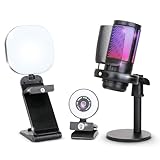
The dual approach also shines for multi-camera or studio style homes. If you run two or three camera angles, a large LED key light, and a dedicated mic chain, offloading that processing keeps your gaming rig lean. A kit like the Webcam Streaming Kit, 1080P Webcam, RGB Mic and LED Light for PC and Mac at around $79 is a good example of the kind of bundled gear that lives more comfortably on a dedicated production PC where you can fine tune lighting and audio without touching game settings.
There are tradeoffs to plan for in your furniture layout. Two towers need airflow on at least two sides, so avoid enclosed cabinets. A second machine, even a compact small form factor build at 12 to 15 liters and 10 to 15 pounds, still needs a shelf or floor stand that can handle its weight and keep intake vents clear. You will also add a capture card, usually an internal PCIe card or a USB 3.0 external unit roughly the size of a deck of cards, plus an extra HDMI run of 6 to 10 feet between PCs. And do not forget small organization: a 2 PCS Hole Punch, 1/4 Inch Single Hole Puncher with 8-Sheet Capacity at around $3 is the kind of inexpensive desk drawer tool that helps keep printed scene notes, sponsor sheets, or cable labels punched and filed when you are managing twice the manuals and warranties.
Cost Over 5 Years
Upfront cost is where single PC pulls ahead, but the five year view depends on how often you stream and upgrade.
A single PC build for reliable 1080p streaming typically costs $1,400 to $2,200 for the tower alone, plus $200 to $400 for a quality 650 to 850 watt PSU replacement if you buy cheap initially, better cooling, and peripherals. Electricity at 3 to 5 hours per day, 5 days a week, adds roughly $45 to $95 per year at the national average of around $0 to around $0 per kWh. Over five years, expect $1,700 to $2,800 total if you do one mid-cycle GPU or RAM refresh around year three for $300 to $600.
A dual PC setup starts at $2,200 to $3,500 for both towers, a capture card, and extra cables or a KVM. Annual power for the second PC, often a 35 to 65 watt efficient build idling during editing, adds $25 to $50 per year. Maintenance is higher because you are cleaning two systems, replacing two sets of thermal paste and filters every 18 to 24 months, and potentially updating two Windows licenses. Over five years, total cost lands around $2,600 to $4,500, with the second PC often lasting longer since it is less stressed and can be reused as a family computer or editing box later.
In early 2026, component prices have stabilized enough that the gap between the two approaches is narrower than during shortage years, but single PC remains about 30 to 40 percent cheaper over the life of the setup unless you already own a spare PC you can repurpose as the streaming box.
Which One for Your Home
Your floor plan and household matter as much as your frame rate target. Here is how to match the setup to your space.
Small Apartment
Go single PC. You likely have a 42 to 55 inch desk and limited outlets, often just two duplex receptacles per wall. A single tower plus a 24 to 27 inch monitor, a compact mic arm, and one light keeps your footprint under 10 square feet and your noise down for neighbors. If you add a webcam and light, choose USB powered gear that does not need extra power bricks. Keep the tower off carpet on a small stand or plank to improve airflow and reduce dust.
Family With Kids or Pets
Single PC is usually safer and tidier, especially if the setup shares a living room or bedroom. Fewer cables on the floor means less risk for tripping or chewing, and one tower is easier to place out of reach on a desk or enclosed stand with a front mesh panel. If you do need dual PCs for performance, put the second PC on a high shelf or inside a ventilated cabinet with a child lock and use cable raceways along the baseboard. Anchor desks to the wall if toddlers climb, since two towers add 30 to 50 pounds of top weight.
Rental
Single PC protects your security deposit. You can build a clean setup with no wall drilling using a freestanding desk, a floor based mic stand, and adhesive cable clips rated for 2 to 5 pounds that remove without residue. Dual PC setups often tempt renters to drill for monitor arms, shelves, or cable pass throughs, which can cost $50 to $200 to patch at move out. If you must run dual, keep everything modular on a single L-shaped desk so you can move without rewiring the room.
Long-Term Home
This is where dual PC makes the most sense if you stream four or more times per week. With a dedicated office, you can plan for two circuits or a 12 outlet surge station, add acoustic panels, and build in proper ventilation with at least 6 inches of clearance behind each tower. A long term owner can also justify investing in a quiet case, a 750 to 850 watt Gold rated PSU, and a permanent capture card install that will stand up to years of use. Over time, the second PC becomes a true production asset for editing, recording, and hosting, not just streaming.
FAQ
Do I need a capture card for a single PC setup?
No. A capture card is only needed when you send video from one PC to another. On a single PC, your GPU handles both gaming and encoding, and OBS captures the game directly. A capture card is still useful on a single PC if you want to capture console gameplay via HDMI, but it is not required for PC only streaming.
Will a single PC drop frames in demanding games?
It can if the encoder is overloaded, especially in CPU intensive titles at high settings. To avoid it, use your GPU hardware encoder, cap in game fps slightly below your monitor refresh rate, limit OBS canvas to 1920×1080, and keep bitrate at 4500 to 6000 kbps for Twitch or up to 8000 to 12000 kbps for YouTube. Closing background browsers and capping preview scaling also helps keep encoding smooth.
What specs should the second PC have for dual streaming?
The streaming PC does not need a powerful gaming GPU. A modern 6 core CPU, 16GB RAM, a 256 to 512GB NVMe drive, and a motherboard with an available PCIe x4 slot for the capture card is enough for 1080p 60 fps encoding. Many creators reuse an older office tower or build a small form factor unit that draws 65 to 150 watts under load and weighs under 15 pounds.
Which setup is quieter for a shared home?
A well cooled single PC is usually quieter because you only cool one system and can invest more in a single set of quiet fans and a larger case with better airflow. Dual PCs add a second set of fans and coil whine sources. If silence is critical, choose a single PC with a mesh front case, a 240mm or larger AIO or large air cooler, and a fan curve that keeps idle noise under 35 dB.
Related guides
- Best Gaming PC for Fortnite: Eight Prebuilt Desktops Sorted by Refresh Rate Goal (2026)
- Best RX 9070 XT Prebuilt Gaming PCs: Seven Desktops and Three Cards Compared: 10 Compared (2026)
- CyberPowerPC vs iBUYPOWER Gaming PC: How the Two Brands Compare
- Best RX 9070 XT Prebuilt Gaming PC (2026): 5 Picks Compared









