
Setting up a clean, productive home workspace is a primary goal for anyone designing a modern home office. Standard mid-tower desktop computers are bulky, often weighing 20 to 30 pounds, and they consume massive amounts of desk space while drawing up to 500 watts of power. Because of this, minimalist workers and interior designers are turning to compact alternatives.
This shift has brought barebones DIY kits to the forefront of home office design. Whether you are looking at ultra-compact mini PCs or custom mechanical keyboards, the “barebones” concept allows you to buy the essential structural chassis and customize the internal components yourself. But if you want to streamline your desktop, is a barebones pc kit worth buying, or are you better off purchasing a fully assembled, plug-and-play system?
As an Amazon Associate we earn from qualifying purchases at no extra cost to you.
Our Top Picks

The Short Answer
Yes, a barebones PC kit is worth buying, but only under one specific condition: you must want to choose your own storage, memory, and operating system to avoid the steep markups charged by pre-built manufacturers, and you must be comfortable spending 30 minutes assembling the parts with a screwdriver. If you already own spare hardware components, or if you want to optimize your home office for a specific budget and aesthetic, a barebones kit offers unmatched value and clutter-free utility.
What You Actually Get
When you purchase a barebones PC kit, you are not buying a complete, working computer out of the box. Instead, you are buying the core skeleton of a computer. A typical mini PC barebones kit includes:
- A compact outer chassis (often measuring just 4.5 x 4.5 x 2.0 inches and weighing under 1.5 pounds).
- A pre-installed motherboard customized to fit that specific chassis.
- A pre-installed processor (CPU), which is typically soldered to the motherboard and cannot be upgraded later.
- An external power supply brick (usually drawing between 65W and 120W).
- Pre-routed cooling fans and heat sinks.
To make the computer functional, you must separately purchase and install the system memory (RAM), a solid-state drive (M.2 NVMe SSD) for storage, and an operating system license (such as Windows 11 or Linux).
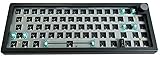
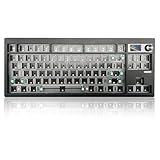
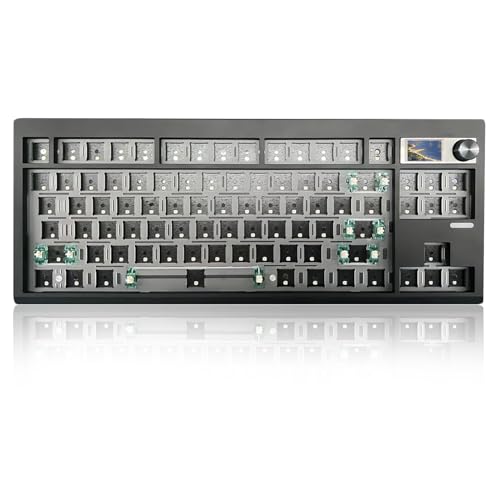
This modular, DIY philosophy has also taken over the peripheral market. Home office enthusiasts frequently pair compact barebones PCs with barebones keyboard kits to build a cohesive, personalized desk aesthetic. For example, a barebones keyboard kit like the BOYI GMK67Pro Keyboard Barebones Kit (around $57) or the ZMX GMK87 Keyboard Barebones Kit (around $68) provides the plastic or aluminum casing, the central printed circuit board (PCB), and the stabilizer bars. Just like a barebones PC, these keyboard kits require you to source your own switches and keycaps to finish the build. This dual-barebones approach gives you total aesthetic and functional control over your desk layout.
Pros
- Substantial Cost Savings on Upgrades: Computer manufacturers notorious for overcharging for memory and storage upgrades. Upgrading a pre-built PC from 8GB to 32GB of RAM can cost upwards of $150 through a mainstream brand. Buying your own 32GB DDR5 RAM kit for a barebones system typically costs between $70 and $90.
- Zero Pre-installed Bloatware: Pre-built computers from major brands often come cluttered with trial antivirus software, factory assistant programs, and unwanted background applications that slow down your system. With a barebones unit, you install a clean operating system from scratch.
- Drastic Space Savings: Most barebones mini PCs can be mounted directly to the back of a computer monitor using a standard VESA plate. This completely clears your desktop surface, leaving more room for ergonomic desk pads and plants.
- Component Quality Control: You get to choose the exact brand and speed of your storage drive and RAM. You can opt for ultra-reliable Samsung or Western Digital SSDs rather than the generic, slow storage drives often hidden inside pre-built budget systems.
- High Aesthetic Customization: Pairing a sleek mini PC with a matching DIY keyboard, such as the triple-mode wireless ZMX GMK87 with its custom TFT-screen, allows you to curate a cohesive, cord-free, and professional workspace that reflects your personal style.
Cons
- No Out-of-the-Box Functionality: You cannot simply plug a barebones PC into the wall and turn it on. You must open the casing, physically click the RAM and SSD into their slots, close the unit, plug in a bootable USB drive, and manually install your operating system.
- Fragmented Warranties: If a pre-built computer stops working, you send the entire unit back to one manufacturer. If a barebones system fails, you have to diagnose the problem yourself. If the SSD dies, you deal with the SSD manufacturer; if the motherboard fails, you deal with the PC kit manufacturer.
- Hidden Costs: While the barebones chassis itself is inexpensive, the cost of adding 16GB of RAM ($40–$60), a 1TB SSD ($60–$90), and a retail Windows license ($100–$139) can sometimes equal or slightly exceed the price of a cheap, mass-produced pre-built system on sale.
- Limited Graphics Performance: Because barebones mini PCs are highly compact, they rely on integrated graphics processors. They are excellent for daily productivity, photo editing, and 4K video streaming, but they cannot handle demanding AAA gaming or heavy 3D rendering.
Who Should Buy It
A barebones PC kit is an exceptional investment for remote workers, students, and home office minimalists who want a tidy, cords-free desk setup. Looking ahead to 2026, the trend of compact, high-efficiency home office designs will continue to prioritize hidden technology and clean aesthetics. If you already have an old laptop or desktop from which you can salvage an M.2 SSD or compatible RAM, a barebones kit is an incredibly cheap way to upgrade your processing power.
It is also a perfect match for DIY hobbyists. If you enjoy the tactile satisfaction of assembling your own tools, building a barebones PC and pairing it with a customizable keyboard like the gasket-mounted BOYI GMK67Pro is a highly rewarding weekend project. This keyboard kit features tri-mode wireless connectivity and a programmable physical knob, allowing you to fine-tune your workflow tactilely.
Who Should Skip It
You should skip a barebones kit if you experience anxiety at the thought of opening up electronic devices or using a BIOS configuration menu. If you want a system backed by a single customer support phone number that can guide you through every software hiccup, a traditional pre-built computer from a major retailer is a safer choice.
Additionally, hardcore PC gamers and professional 3D animators should steer clear. The compact 1.5-pound chassis of a barebones mini PC cannot house a full-sized, dedicated graphics card, which typically requires its own 200W to 400W power supply and extensive cooling fans.
Cheaper Alternatives
If you are on a tight budget or want to evaluate your options before committing to a DIY build, consider how barebones kits compare to other common desktop configurations:
| Option | Estimated Cost Range | Trade-off |
|---|---|---|
| Barebones PC Kit (DIY Assembly) | $150 – $450 (Chassis only) | Requires separate purchase and manual installation of RAM, SSD, and OS. |
| Pre-configured Mini PC | $280 – $700 (Complete) | Higher upfront cost; often comes with cheaper, generic RAM/SSD brands and pre-installed bloatware. |
| Refurbished Office Micro Desktop | $130 – $250 (Complete) | Slightly larger footprint; uses older, less power-efficient processor generations with limited warranties. |
| Pre-built Budget Mechanical Keyboard | $40 – $80 (Complete) | Fixed switches and cheap plastic keycaps; lacks custom QMK/VIA programming or advanced gasket mounting. |
FAQ
Do barebones PC kits include a processor?
Yes, almost all modern mini PC barebones kits come with the processor (CPU) pre-installed and soldered directly to the motherboard. You do not need to worry about installing the processor or applying thermal paste; you only need to install the RAM, the M.2 SSD storage drive, and your operating system.
Is it hard to assemble a barebones computer?
Not at all. Assembling a modern barebones mini PC requires no soldering and very little technical expertise. Most kits require you to remove four screws from the bottom rubber feet, insert the RAM sticks into their angled slots until they click, slide the M.2 SSD into its slot, secure it with a single small screw, and put the cover back on. The entire physical assembly process takes less than 10 minutes.
Will I save money by building a barebones PC?
You will save money if you want high-performance specifications (such as 32GB or 64GB of RAM and a 2TB SSD) because you can buy those components at raw market prices rather than paying inflated factory upgrade fees. However, if you only need basic specifications (like 8GB of RAM and a 256GB SSD), a mass-produced, fully assembled budget computer on sale may occasionally cost less than a barebones setup.
Why should I pair a barebones PC with a barebones keyboard?
Pairing a barebones PC with a barebones keyboard kit, such as the BOYI GMK67Pro or the ZMX GMK87, completes the ultimate personalized desk experience. Both systems embrace the same philosophy: eliminating manufacturer markups and generic parts in favor of custom-tailored hardware. This combination lets you match your keyboard’s keycap colors, switch weight, and typing sound directly to your physical workspace aesthetic while keeping your desktop clean and wire-free.
Related guides
- Best Gaming PC for Fortnite: Eight Prebuilt Desktops Sorted by Refresh Rate Goal (2026)
- Best RX 9070 XT Prebuilt Gaming PCs: Seven Desktops and Three Cards Compared: 10 Compared (2026)
- CyberPowerPC vs iBUYPOWER Gaming PC: How the Two Brands Compare
- Best RX 9070 XT Prebuilt Gaming PC (2026): 5 Picks Compared









