
As an Amazon Associate we earn from qualifying purchases at no extra cost to you.


Buying a graphics card for 1440p shouldn’t be complicated, yet the way most people shop for one guarantees they’ll either overspend or end up disappointed. The most common mistake is buying for the resolution you *might* upgrade to later instead of the one you actually play at today — that’s how someone ends up with a $900 card that never leaves 1080p. The second mistake is fixating on brand loyalty or RGB lighting while ignoring VRAM capacity, which is the single spec most likely to render a card obsolete early. Third, people ignore their own power supply and case, then discover their shiny new GPU doesn’t fit or won’t boot.
Here’s the honest starting point: 1440p (2560×1440) pushes roughly 78% more pixels than 1080p, so a card that was merely “fine” at 1080p often struggles to hold 60 fps at 1440p in modern titles. You need more raw horsepower and, increasingly, more memory. This guide walks through exactly what matters, in the order you should think about it.
Our Top Picks



Top 3 picks at a glance
Decide These 3 Things First
Before comparing a single spec sheet, answer these:
1. What frame rate do you actually want? Competitive shooters at 144+ fps demand far more GPU than story games at 60 fps. A card that maxes out a monitor at 165 Hz in esports titles may still dip below 60 in demanding AAA releases.
2. What’s your total budget, GPU only? For a balanced 1440p build in 2026, plan on $350–$700 for the graphics card. Below $300 you’re really shopping for 1080p; above $800 you’ve entered 4K territory where 1440p becomes overkill.
3. What can your system actually support? Measure your case’s GPU clearance (most mid-towers fit cards up to 300–330mm; check yours), confirm your PSU wattage (budget at least 650W for a mid-range 1440p card, 750W+ for upper-tier), and verify your CPU won’t bottleneck — a 6-core modern CPU from the last three or four generations is the practical floor.
VRAM: The Spec That Decides Longevity
Video memory is where cards live or die at 1440p. Modern AAA games with high-resolution texture packs routinely consume 8–12GB at this resolution, and that number keeps climbing.
– 6GB: Already limiting at 1440p. Cards like the GTX 1660 Super (6GB, 192-bit, ~$195) can run older or lighter titles at medium settings, but expect texture downgrades in current AAA games.
– 8GB: The bare minimum for 1440p today. Playable, but you’ll lower texture settings in demanding titles within a couple of years.
– 12GB: Comfortable. Handles current games at high textures with headroom.
– 16GB: The sweet spot for anyone who wants to set textures to max and not think about it for years. Cards like the ASRock Radeon RX 9070 Challenger (16GB GDDR6 on a 256-bit bus, PCIe 5.0) are built around exactly this philosophy — plenty of memory so the GPU core, not VRAM, is the limiting factor.
Practical rule: at 1440p, don’t buy below 8GB, and strongly prefer 12GB or 16GB if you keep cards for 4+ years.
Raw Performance: Matching the Card to Your Monitor
Rather than chasing model numbers, anchor your purchase to frame rate targets:
– 60 fps at high settings: A mid-range card with 12GB VRAM and roughly 180–220W power draw handles this in nearly everything.
– 100–144 fps: This is where the $500–$700 tier earns its price. Expect 220–300W power draw and a card with substantial cooling — the triple-fan design on the RX 9070 Challenger (2.5-slot class, ~2520MHz boost clock) reflects the cooling these cards need.
– 144+ fps in esports: Esports titles are light; a $300–$400 card with 8–12GB often exceeds 200 fps in them. Don’t buy a premium card just for Counter-Strike or Valorant.
One caution: upscaling (DLSS, FSR, XeSS) is genuinely useful and can add 30–50% performance, but treat it as a bonus, not a substitute. If a card only hits your target frame rate with upscaling at aggressive settings, it’s underpowered for your needs.
Physical Fit, Power, and Cooling
This is the “size and construction” factor people skip:
– Length: Measure from the rear expansion bracket to the front of the case. Many modern cards run 280–330mm long. A triple-fan card like the Challenger is typically around 300mm+ — check the specific model’s spec sheet against your case clearance with 20mm to spare.
– Slot width: Cards are now commonly 2 to 3 slots thick (40–60mm+). A 2.5- or 3-slot card may block adjacent PCIe slots in smaller cases.
– Power connectors: Mid-range cards usually need one 8-pin (150W) or 12V-2×6 connector. Premium cards may need two 8-pins or a 16-pin. Confirm your PSU has the right connectors — adapters exist but add cable clutter.
– PSU wattage: 650W minimum for cards in the 200–250W class; 750W for 300W-class cards; 850W if you want quiet operation with headroom.
– Fan behavior: Look for a zero-RPM/0dB idle mode, which keeps fans off during desktop use. Most current-generation cards, including the Challenger, include it — it matters more for daily enjoyment than most specs.
If you’re buying a prebuilt instead, verify the same things: a system like the KOTIN desktop (Ryzen 7 8700F, RTX 5060 Ti 8GB, 32GB DDR5, 1TB SSD, ~$1,650) is balanced for 1440p, though note the 8GB VRAM ceiling — fine now, tighter in three years.
Price Tiers: What Your Money Buys
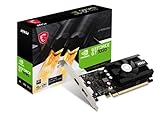
– Entry ($120–$250): Honestly, this is 1080p territory. A GT 1030 4GB DDR4 (~$120) is an office/display card — it will drive multiple monitors and play decade-old games, but it’s not a 1440p gaming card, full stop. A used or budget 6GB card (~$195 class) covers 1080p and light 1440p esports.
– Budget 1440p ($300–$450): 8–12GB VRAM, 160–200W class, 60 fps at high settings in most titles, 100+ fps in esports.
– Mainstream 1440p ($450–$700): 16GB VRAM, 220–300W, high-refresh capable. This is the tier most 1440p buyers should target.
– Upper tier ($700–$900+): Diminishing returns at 1440p unless you play demanding titles at max settings or plan to move to 4K.
Warranty and Support
Graphics card warranties run 2–3 years from most major brands, with some manufacturers offering registration extensions up to 4–5 years. Check whether warranty service is handled by the board partner or requires going through the retailer, and whether you must provide the original invoice. Cards with backplates and metal shrouds also handle long-term wear slightly better than all-plastic designs, though this is secondary to actual cooling performance.
Spec Checklist
| Spec | Budget | Mid | Premium |
|---|---|---|---|
| VRAM | 8GB | 12–16GB | 16GB+ |
| Memory bus | 128-bit | 192–256-bit | 256-bit+ |
| Card length | Under 270mm | 270–300mm | 300–330mm+ |
| Slot width | 2-slot | 2–2.5 slot | 2.5–3 slot |
| PSU needed | 550–650W | 650–750W | 750–850W |
| Power draw | 130–180W | 180–260W | 260–350W |
| Price range | $300–$450 | $450–$700 | $700–$900+ |
| 1440p target | 60 fps high | 100–144 fps | 144+ fps maxed |
Red Flags
– “4K-ready” marketing on sub-$250 cards: Outputting a 4K signal to a monitor is not the same as playing games at 4K — or even 1440p. A GT 1030 advertises HD output support; that says nothing about gaming performance.
– 4GB or less of VRAM in a “gaming” card: Instantly insufficient for modern 1440p gaming, regardless of clock speeds.
– DDR4 memory on a graphics card: Budget cards using DDR4 instead of GDDR6 sacrifice enormous bandwidth. Fine for display duty, poor for gaming.
– No listed dimensions: If a listing doesn’t state card length and slot width, assume it’s large and verify elsewhere before buying.
– Proprietary power requirements: Prebuilts with 400–500W OEM power supplies often can’t handle a GPU upgrade without replacing the PSU too.
– Suspiciously deep discounts on new-tier cards: Verify the exact model number; discount SKUs sometimes use slower memory or reduced clock speeds versus the reference review you read.
FAQ
Is 8GB of VRAM enough for 1440p?
For right now, yes — with compromises. Expect to drop texture settings to medium or high in the newest AAA releases. If you upgrade GPUs every two to three years, 8GB is a defensible budget choice. If you keep cards five years or longer, spend up for 12–16GB.
Can a 1080p card work at 1440p?
It will run, but performance drops 25–35% compared to 1080p in the same game. A card that delivered 70 fps at 1080p typically manages 45–50 fps at 1440p. Cards in the $195 class, like a GTX 1660 Super 6GB, are better treated as strong 1080p cards that can manage older games at 1440p.
Should I just buy a prebuilt instead?
If you value convenience and the pricing is competitive, yes. Check three things: the PSU’s real wattage and brand, the GPU’s VRAM (8GB minimum for 1440p), and that the case has adequate airflow. A prebuilt around $1,600 with a Ryzen 7-class CPU, an RTX 5060 Ti, 32GB of DDR5, and a 1TB SSD is a sensible 1440p baseline.
Do I need PCIe 5.0?
No. PCIe 4.0 x16 slots have more than enough bandwidth for every current 1440p-class card; the real-world difference is typically a percent or two. Buy PCIe 5.0 cards for future-proofing if the price is equal, but never pay a premium for it, and don’t worry if your motherboard is PCIe 4.0 or even 3.0 — a modern GPU loses only a few percent on PCIe 3.0.









