
Our Top Picks



Top 3 picks at a glance
The Short Answer
The amount of power wattage you need for streaming depends entirely on whether you are consuming content or broadcasting it. For simply watching (streaming) media via a smart TV, streaming stick, or console, your power requirements are remarkably low, ranging from 2 to 15 watts for a media player, up to 50 to 200 watts for the television itself.
However, if you are a content creator broadcasting a live stream (such as gaming, vlogging, or podcasting), you will require significantly more power. A basic live streaming setup with a laptop, a single ring light, and a USB microphone requires about 150 to 300 watts. A professional, multi-camera gaming and streaming setup with studio lighting, a high-end desktop PC, and external audio mixers will demand between 600 and 1,200+ watts. As we look ahead to 2026, streaming gear continues to pack higher performance into more compact profiles, but managing your aggregate electrical load remains essential for preventing tripped breakers and ensuring a flicker-free broadcast.
As an Amazon Associate we earn from qualifying purchases at no extra cost to you.



Standard Sizes
When planning a home media center or a dedicated streaming studio, physical dimensions and power profiles go hand in hand. Larger audio gear and high-output lighting require more physical space and draw significantly more power. The table below outlines the standard sizes, weights, and power profiles of common streaming equipment.
| Device Type | Average Dimensions (Inches) | Average Dimensions (cm) | Weight (lbs / kg) | Power Wattage Range |
|---|---|---|---|---|
| Streaming Stick / Player (e.g., Roku 3, Fire Stick) | 3.7″ x 0.8″ x 0.5″ | 9.4 x 2.0 x 1.3 cm | 0.1 lbs / 0.05 kg | 2W – 10W |
| USB-C Inline Power Meter (Diagnostic tool) | 1.1″ x 0.8″ x 0.4″ | 2.8 x 2.0 x 1.0 cm | 0.02 lbs / 0.01 kg | Supports up to 140W |
| Portable Battery Power Handle (For mobile streaming) | 10.5″ x 1.8″ x 1.8″ | 26.7 x 4.6 x 4.6 cm | 1.5 lbs / 0.7 kg | 100W Power Delivery (PD) |
| LED Ring Light / Studio Panel (With stand mount) | 18.0″ x 18.0″ x 2.0″ | 45.7 x 45.7 x 5.1 cm | 3.5 lbs / 1.6 kg | 45W – 90W |
| 10-Inch Speaker System (Active + Passive PA Pair) | 11.5″ x 9.5″ x 18.5″ (per speaker) | 29.2 x 24.1 x 47.0 cm | 28.0 lbs / 12.7 kg (pair) | 200W (RMS) – 1200W (Peak) |
| High-End Gaming & Streaming PC (Desktop tower) | 18.0″ x 8.5″ x 19.5″ | 45.7 x 21.6 x 49.5 cm | 25.0 lbs / 11.3 kg | 550W – 1000W+ |
How to Measure Your Space
Setting up a functional streaming area requires balancing your physical layout with your electrical infrastructure. Follow these steps to map out your space and ensure your power needs are safely met:
- Calculate Your Total Wattage Load: List every device you plan to use simultaneously. Add up their maximum wattages (usually found on the power brick or back panel label). For example, if you have a PC (750W), two monitors (40W each), a ring light (60W), and an audio interface (15W), your total active draw is 905 watts.
- Check Your Circuit Breaker Capacity: Most standard American residential rooms run on a 15-amp circuit at 120 volts. This configuration supports a maximum continuous load of 1,440 watts (80% of the absolute 1,800-watt limit). Ensure your total streaming load does not share a circuit with other high-draw household appliances like space heaters, air conditioners, or vacuum cleaners.
- Measure Desk and Floor Footprint: Ensure your furniture can physically support your gear. A standard 10-inch active and passive PA speaker system with dual stands will require at least 4 to 6 feet of lateral clearance to prevent audio feedback and allow for clean cable routing.
- Plan Cable Paths and Clearance: Measure the distance from your devices to the nearest wall outlet. Avoid stretching power cords tightly. Leave at least 3 inches (7.6 cm) of clearance behind devices like computers, gaming consoles, and heavy-duty power bricks to allow heat to dissipate safely.
By Room or Use Case
Living Room Media Center
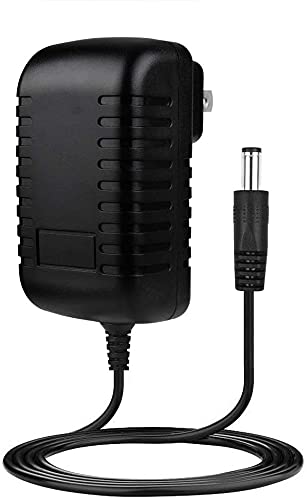
In a standard living room, streaming is focused on media consumption. Your primary power draws are the television and an external soundbar or receiver. A typical streaming player, like an older Roku or a modern smart TV interface, draws very little power—often between 2W and 7W, costing less than a few dollars a year to run continuously. These devices typically use compact AC/DC wall adapters ($5 to $12 range) that convert standard 100-240V wall power down to 5V or 12V DC. The overall power footprint for a living room streaming setup rarely exceeds 150W to 250W, making it perfectly safe to run on any standard wall outlet alongside lamps and phone chargers.
Dedicated Home Studio & Gaming Room
For content creators who stream live video gameplay or host podcasts, the power dynamics shift dramatically. A dual-monitor setup paired with a dedicated gaming computer demands serious power. A high-efficiency computer power supply unit (PSU) rated at 750W to 1000W is standard here. Auxiliary gear like USB microphones, capture cards, and high-definition webcams add another 20W to 50W. Because you are sitting at a desk, ergonomics and cable management are crucial. You will want to invest in a heavy-duty, surge-protected power strip rated for 15 amps to handle the concentrated power load safely.
Outdoor Vlogging & Mobile Streaming
When streaming on location or outdoors, you cannot rely on wall outlets. Mobile setups must prioritize lightweight, highly efficient battery systems. Portable power handles and handheld grips equipped with built-in lithium-ion batteries (ranging from 15,000mAh to 30,000mAh) are excellent solutions for powering cameras, mobile rigs, and compact LED lights. These handles typically provide 100W Power Delivery (PD) fast charging via USB-C, allowing you to run a mirrorless camera and a wireless mic receiver for several hours. These portable power rigs generally cost between $70 and $100 and fit easily into a standard camera backpack.
Commercial Event & Live Performance Streaming
Streaming a live musical performance, house of worship service, or corporate presentation requires high-output audio and professional lighting. In these environments, you need powerful sound reinforcement, such as a 10-inch active and passive PA speaker system. These systems, often priced between $200 and $300, can output up to 1200 watts of peak power (approximately 150W to 300W continuous RMS power). Because these systems generate substantial volume and draw sudden spikes of electrical current during bass-heavy passages, they should ideally be placed on a dedicated electrical circuit separate from your sensitive streaming cameras and encoding computers to prevent electrical hum and video interference.
Common Sizing Mistakes
- Confusing Peak Wattage with Continuous (RMS) Wattage: Many audio systems advertise a massive “1200 Watt Maximum Power Output.” In reality, the continuous power draw (RMS) is much lower, usually around 150 to 200 watts. Always size your electrical breakers and backup power supplies based on continuous load, not peak bursts.
- Overloading a Single Power Strip: Plugging a high-end PC, multiple studio lights, and a speaker system into a cheap, unrated extension cord is a fire hazard. Always check the wattage rating of your surge protector; it should be rated for at least 1800W for heavy studio use.
- Ignoring “Phantom” Power Draw: Many streaming devices, media players, and chargers draw power even when turned off or in standby mode. Over a year, this standby draw can add up. Using smart power strips that cut power entirely to idle devices can save energy.
- Using Inadequate USB-C Cables: High-wattage fast charging (such as 100W to 140W PD) requires specialized, e-marked USB-C cables. Using a standard, cheap phone charging cable with a high-wattage power bank can restrict power flow, slow down charging, or cause the cable to overheat.
FAQ
How do I check the actual live wattage my streaming devices are drawing?
The easiest and most accurate way is to use an inline USB-C power meter or a household plug-in watt meter (often called a Kill-A-Watt meter). A compact USB-C adapter with an integrated LED digital display (priced around $5 to $10) plugs directly between your device and its power cable. It instantly shows the real-time wattage delivery, helping you diagnose whether your device is pulling its full rated capacity or if your charger is underperforming.
Can I run a 1200W speaker system on a standard household outlet?
Yes, because the 1200W rating is typically a peak measurement representing brief bursts of maximum volume. The continuous running wattage of a 1200W peak PA system is usually closer to 150W to 300W. A standard 15-amp household outlet can easily handle this alongside your computer or TV, provided you aren’t running other high-draw appliances like a microwave or a hair dryer on the same circuit.
What size battery pack do I need for outdoor live streaming?
For a basic phone or compact camera setup, a 15,000mAh to 30,000mAh battery pack with 100W Power Delivery (PD) is ideal. This capacity provides enough energy to run a smartphone, a small LED light panel, and a wireless microphone system for 4 to 6 hours of continuous broadcasting without needing an AC wall outlet.
Does a higher wattage power adapter charge my streaming device faster?
Only up to the maximum input limit supported by the device itself. For example, if your streaming player or phone is designed to accept a maximum of 15 watts, plugging it into a 140W USB-C fast charger will not damage it, but it will still only charge at 15W. However, having a higher-capacity charger ensures the power brick runs cooler and can easily support multiple lower-draw devices simultaneously.









