
The Asiahorse 16AWG Pro kit is the best overall sleeved cable extension set in this group for most PC builds: it covers the 24-pin motherboard plug, two 8-pin CPU connectors and three PCIe graphics connectors in 30 centimeter lengths, all in 16 AWG wire with combs included. Builders with a single graphics card and a simpler loadout can drop to the four-cable EZDIY-FAB kit. A sleeved extension kit adds short, braided cables between your power supply’s existing leads and your components, so it changes the look of your build without replacing any modular cables.
Our Top Picks


Top 3 picks at a glance
Quick List
- AsiaHorse 16AWG White Connector Kit – best for white builds that need dual CPU and triple PCIe extensions
- AsiaHorse 16AWG Two-Color Comb Kit – best for custom color schemes with two comb colors
- EZDIY-FAB 18AWG Black Kit – best for a simple four-cable setup with PET sleeving
- Asiahorse 16AWG Pro Kit – best overall for builds with dual CPU cables and three graphics connectors
- upHere 16AWG Kit – best for builds that also need 6-pin graphics extensions
- Sirlyr 16AWG Kit – best for colorful builds with a range of kit sizes
Which One Is Right for You?
| If you… | Choose |
|---|---|
| want full coverage for a powerful build with two CPU cables | Asiahorse 16AWG Pro Kit |
| run an older graphics card that needs a 6-pin connector | upHere 16AWG Kit |
| need only one CPU cable and two graphics cables | EZDIY-FAB 18AWG Black Kit |
| want white connectors to match a light build | AsiaHorse 16AWG White Connector Kit |
| like to mix two comb colors for an accent | AsiaHorse 16AWG Two-Color Comb Kit |
| want several color combinations and kit-size options | Sirlyr 16AWG Kit |
The decision usually turns on connector counts, wire thickness and color. Count the plugs on your power supply and the sockets on your motherboard and graphics card first, then match the kit to that tally. Remember that all of these are extensions: they plug into your existing cables and do not connect directly to the power supply.
All 6 Picks in Detail
1. AsiaHorse 16AWG White Connector Kit – Best for White Builds
As an Amazon Associate we earn from qualifying purchases at no extra cost to you.

This AsiaHorse kit is aimed at light-themed builds. The listing describes a 16 AWG power supply extension kit with white connectors, one 24-pin cable, two 4+4 EPS cables and three 6+2 PCIe cables, each 30 centimeters long, with combs. That is a full set for a system with a dual-CPU-connector motherboard and up to three graphics power plugs.
The white connector shells are the main difference from other AsiaHorse kits. They look best with white cases, white memory and light-colored fans, where black plugs would stand out. Wire gauge is 16 AWG, thicker than the 18 AWG used in some competing kits, which generally means lower resistance and less voltage drop at the same current.
- 1x 24-pin, 2x 4+4 EPS, 3x 6+2 PCIe per the listing
- 16 AWG wire, 30cm length
- White connector shells
- Combs included
- Sleeve color options: confirm on listing
Pros:
- Full set of connector types in one box
- Heavier 16 AWG wire
Cons:
- Six cables may be more than a simple build needs
- Color choices depend on the variant
Because white plastic shows scratches and dust more than black, handle the connectors gently and keep the cables clear of sharp case edges. The matching comb color should be chosen to suit the sleeving so the bundle looks deliberate rather than mismatched. Compared with the Pro kit, it offers a similar cable set with white connectors.
2. AsiaHorse 16AWG Two-Color Comb Kit – Best for Custom Color Schemes
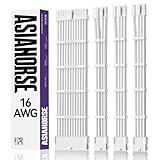
This listing describes a 16 AWG sleeved PSU extension for GPU, PC, audio and video power, with soft braided cables and a two-color comb kit, in 24-pin, 8-pin to 6+2 and 8-pin to 4+4 configurations. The key distinction is the two-color combs, which let you alternate colors for an accent stripe across the cable bundle.
The title does not state exactly how many cables are in the box, so check the product page for counts before buying. Other AsiaHorse listings describe 30 centimeter lengths, but confirm that detail here, since lengths vary by kit. The comb color choice makes this kit better for showcase builds than for plain functional ones.
- 16 AWG braided extension cables
- 24-pin, 6+2 PCIe and 4+4 EPS cable types
- Two-color comb kit
- Cable count and length: confirm on listing
- Soft braided sleeving
Pros:
- Two comb colors for custom styling
- 16 AWG wire gauge
Cons:
- Title does not give exact cable counts
- Style-focused rather than feature-focused
When combs are the main visual feature, take time to space them evenly along the cable and match the pattern across all the cables, so the whole bundle looks consistent through a glass side panel. It is a good choice when the power supply shroud hides the plugs but the lengths of cable between shroud and components are on display. Next to the white connector kit, it focuses on comb styling instead of connector color.
3. EZDIY-FAB 18AWG Black Kit – Best for a Simple Four-Cable Setup

The EZDIY-FAB kit is the compact option. The listing describes an 18 AWG sleeved extension kit for ATX, EPS and PCIe connectors in 30 centimeter lengths, black, with PET sleeving, cable combs and four cables. Retailer data describes one 24-pin cable, one 4+4 EPS cable and two 6+2 PCIe cables, which suits a typical single-graphics-card build.
It uses thinner 18 AWG wire, which is common and adequate for standard loads, but offers a smaller margin than 16 AWG on high-current runs. The listing data cites a maximum current of 10 amps per wire, which is more than the typical per-wire load of a mid-range system. For an overclocked high-end processor, consider a thicker-gauge kit or confirm the ratings.
- 18 AWG wire, 30cm lengths
- PET sleeving with combs included
- Four cables: 24-pin, 4+4 EPS and two 6+2 PCIe per retailer data
- Black
- Maximum current per wire cited as 10A; confirm
Pros:
- Straightforward kit for a single-GPU build
- Black suits most builds
Cons:
- Thinner wire than the 16 AWG kits
- Only one CPU extension and two graphics extensions
For a typical build with one graphics card and a mainstream processor, four cables is the number that matters, and fewer extra cables means fewer leftover pieces to hide. A black cable bundle also blends into most cases. The simplicity is the selling point, and the limitation is that the kit cannot serve a second CPU socket or a three-connector graphics card. Compared with the Pro kit, it covers fewer connectors with thinner wire in exchange for simplicity.
4. Asiahorse 16AWG Pro Kit – Best Overall for Full Coverage

The Pro kit is the best overall option because its connector set matches a modern mid-to-high-end build. The listing describes a 16 AWG sleeved extension kit with one 24-pin cable, two 8-pin (4+4) cables for the motherboard, three 8-pin (6+2) PCIe cables, 30 centimeter length and combs. The dual EPS cables suit motherboards that provide two CPU power sockets, and three PCIe cables cover a graphics card with up to three connectors.
Retailer descriptions identify the wire as UL 1015 rated copper and mention several color and comb options. Some listings cite power ratings for the cables, but marketplace spec fields can be generic, so rely on the wire gauge and the power supply’s own ratings instead. Whether you need all six cables depends on your hardware: count your sockets first.
- 1x 24-pin, 2x 4+4 EPS, 3x 6+2 PCIe
- 16 AWG copper, 30cm length
- Combs included
- Multiple colors per retailer data
- Exact sleeve and comb color: confirm per variant
Pros:
- Complete connector coverage for demanding builds
- Heavier 16 AWG wire
Cons:
- Not all connectors will be needed in every build
- No 6-pin graphics extensions
A sensible way to use it is to count your sockets and keep any cable you do not need in the bag for a future upgrade, such as a second CPU plug on a new motherboard. The kit’s coverage means it will survive a platform change better than a smaller set. It is the closest match to the white connector kit, with more color options.
5. upHere 16AWG Kit – Best for Builds That Need 6-Pin Graphics Extensions

The upHere kit stands out for including a wider range of connector types. The listing describes a sleeved PSU extension kit in 16 AWG with 24-pin, 8-pin, 6-pin and 4+4-pin connectors and combs, in red, white and black. Retailer descriptions list one 24-pin cable, one 4+4 EPS cable, two 8-pin PCIe cables and two 6-pin PCIe cables, all 30 centimeters.
The 6-pin cables matter for older graphics cards, for secondary power plugs on some cards, and for certain accessories. Listings in the same family describe nylon sleeving and several combs per cable, but the exact counts can vary by seller, so confirm the package contents. The red, white and black color mix gives a bold custom look.
- 1x 24-pin, 1x 4+4 EPS, 2x 8-pin PCIe, 2x 6-pin PCIe per retailer data
- 16 AWG copper, 30cm length
- Combs included
- Red, white and black color mix
- Package contents: confirm on listing
Pros:
- Includes 6-pin graphics extensions
- 16 AWG wire
Cons:
- Only one CPU extension
- Package contents vary across similar listings
One caution: a 6-pin plug on a graphics extension carries less power than an 8-pin one, so use it only where the card or accessory actually calls for a 6-pin connection. Never convert a 6-pin lead into an 8-pin supply for a hungry card. Compared with the EZDIY-FAB kit, it adds heavier wire and extra connectors.
6. Sirlyr 16AWG Kit – Best for Colorful Builds With Several Kit Sizes

The Sirlyr listing is a 16 AWG PSU extension kit for a custom sleeved look, with 24-pin ATX, 8 (4+4) pin EPS CPU and 8 (6+2) pin PCIe GPU cables. The family of Sirlyr listings comes in several colors and in kits of four, five or six cables, so the exact contents of this entry depend on the variant selected.
Some Sirlyr listings in the family describe a curved or pre-bent design and cable lengths near 13 inches, while other brands use 30 centimeters, so check the length against your case. Retailer descriptions for related kits cite 16 AWG tinned copper and gold-plated or transparent connector options. Treat those as variant details to confirm.
- 16 AWG, 24-pin, 4+4 EPS and 6+2 PCIe cable types
- Variants with different cable counts and colors
- Combs included in the family
- Length around 13 inches or 30cm: confirm
- Exact kit contents: confirm on listing
Pros:
- Many color combinations
- 16 AWG wire
Cons:
- Contents differ by variant
- Length can differ from other brands
Because the family spans several versions, read the contents list on the exact listing you choose and compare it to your socket count. A pink, blue or white scheme can transform the look of a glass-sided case, provided the cable lengths reach comfortably. Next to the upHere kit, it offers more color variety but a less certain connector count.
Specs Compared
| Kit | Wire gauge | Length | Cables (per listing or retailer data) | Combs | Colors |
|---|---|---|---|---|---|
| AsiaHorse White Connector | 16 AWG | 30cm | 24-pin, 2x 4+4 EPS, 3x 6+2 PCIe | Included | White connectors |
| AsiaHorse Two-Color Comb | 16 AWG | Confirm on listing | 24-pin, 8-pin to 6+2, 8-pin to 4+4; counts confirm | Two-color | Two comb colors |
| EZDIY-FAB Black | 18 AWG | 30cm | 24-pin, 4+4 EPS, 2x 6+2 PCIe | Included | Black |
| Asiahorse Pro | 16 AWG | 30cm | 24-pin, 2x 4+4 EPS, 3x 6+2 PCIe | Included | Multiple options |
| upHere | 16 AWG | 30cm | 24-pin, 4+4 EPS, 2x 8-pin, 2x 6-pin | Included | Red, white, black |
| Sirlyr | 16 AWG | Confirm on listing | 24-pin, 4+4 EPS, 6+2 PCIe; counts vary | Included in family | Multiple options |
How We Chose These
This guide rests on research into specifications, not on physical use. We started from the products in current catalog listings and compared wire gauge, cable length, connector types, comb inclusion and color options from the titles and specification fields. Retailer descriptions were cross-checked against manufacturer-style pages where available. Because marketplace listings often reuse titles across variants, we flagged cable counts, lengths and plating as items to confirm. Kits with thicker wire and clear connector counts ranked higher, and any claim not stated in a listing is marked for confirmation.
What to Look For
Extensions versus replacement cables
A sleeved extension has a female end that plugs into your power supply’s existing cable and a male end that plugs into your component. It never connects to the power supply itself. A replacement cable, by contrast, connects directly to the supply and is specific to a brand and product line because modular pinouts are not standardized.
That difference is why extension kits are universal: they work with fixed-cable and modular supplies alike. It is also why you must never plug a modular cable from one power supply into another, since a mismatched pinout can send voltage to the wrong pins and damage parts.
Wire gauge: 16 AWG versus 18 AWG
American Wire Gauge numbers run backward: a smaller number means a thicker wire. A 16 AWG conductor has less resistance than an 18 AWG one of the same length, so it drops less voltage and warms less under the same current. For short 30 centimeter extensions the difference is small at modest loads, but it matters at higher power.
A rule of thumb: an 8-pin PCIe connector is specified for up to 150 watts, which is roughly 12.5 amps spread over three 12 volt wires, about 4 amps each. Both gauges handle that comfortably. High-power processors that draw well over 200 watts through the EPS connectors benefit more from the thicker wire.
Safety: extra connection points and heat
Every extension adds a pair of connectors in the power path. Each connection is a potential source of resistance, and resistance becomes heat. Seat every plug fully, avoid sharp bends right at the connector, and do not stack multiple extensions on the same line.
After a long gaming session, power the PC down and unplug it before you touch the connectors, then check that none feel unusually warm or smell of overheated plastic. If anything looks melted or discolored, stop using that cable immediately. Do not use generic extensions with the newer 12V-2×6 or 12VHPWR graphics connector unless the product is explicitly designed and rated for it, because those connectors carry far more current in a smaller space.
Connector counts and fit
Count what your build uses: one 24-pin motherboard plug, one or two CPU plugs, and as many graphics plugs as your card has. A 4+4 cable can be split into two 4-pin halves for boards with a single 4-pin socket. Also check length, since a 30 centimeter extension adds that distance to your existing cable and may leave less slack in a small case.
A worked example: planning a kit for a typical gaming build
Consider a mid-tower with an ATX motherboard that has one 8-pin CPU socket, a graphics card with two 8-pin power plugs and a power supply with modular cables. You need one 24-pin extension, one 4+4 EPS extension and two 6+2 PCIe extensions: four cables, which is exactly what the EZDIY-FAB kit supplies. If the motherboard has a second 4-pin CPU socket, add a second EPS cable, and the five- or six-cable kits make sense.
Now check clearances. A 30 centimeter extension sits between the supply and the component, so a connector that is already near the edge of a tight cutout might need a gentle curve instead of a straight run. Trial-fit a single cable before you route the whole set, and leave a little slack so that nothing is pulled tight when the case panel closes.
Installing extensions without stressing the connectors
Switch off the power supply and unplug it from the wall before touching any cables. Plug each extension into the existing cable first, then route it, then connect it to the component, pushing until the latch clicks. Avoid forcing a plug that does not align, because the connectors are keyed and a misaligned push can bend pins.
Finish by checking that no cable is pinched by a panel, brushing a fan or pressed against a hot heatsink. A tidy run also helps airflow, which is one of the genuine practical benefits of this kind of kit.
Combs, sleeving and appearance
Combs hold the wires in a flat, tidy row. Sleeving can be PET, nylon or soft braided fabric, and each has a slightly different texture and stiffness. Stiffer sleeving looks neater but takes more effort to bend around corners. Choose colors that match the rest of the build, and keep the cables from pressing against hot parts or fan blades.
Questions
Do sleeved extensions improve performance?
No. They change appearance and cable management, not electrical performance. Heavier wire may reduce voltage drop slightly, but the effect on a normal build is negligible.
Can I use these with any power supply?
Yes, for the connector types they match, because they extend existing cables and do not plug into the power supply directly. Make sure the connector sizes match your hardware, such as 24-pin, 4+4 EPS or 6+2 PCIe.
Are extension cables safe?
They are generally safe when the connectors are fully seated and the wire gauge is adequate for the load. Avoid stacking extensions, avoid sharp bends at connectors, and inspect them for warmth or discoloration after heavy use.
What is the difference between 16 AWG and 18 AWG?
The 16 AWG wire is thicker, with lower resistance and less heat at the same current. The 18 AWG wire is more flexible and is adequate for typical loads, but offers less margin.
Can I use these with the 12V-2×6 graphics connector?
Not unless the product is explicitly made and rated for that connector. The kits here list 24-pin, EPS and PCIe 6+2 plugs, and the 16-pin graphics connector needs a purpose-built cable.
How many cables do I need?
Count your motherboard and graphics card sockets. Most builds need one 24-pin, one or two CPU cables and two or three graphics cables, so a five- or six-cable kit covers the majority of systems.
Update History
- October 20, 2026 – Initial publication; product set drawn from current catalog listings.
- Check the product page for current specifications and availability before buying.
Sources
- Manufacturer-style product descriptions and retailer text for AsiaHorse, EZDIY-FAB, upHere and Sirlyr
- Retailer listing titles and specification fields


