
The modern home office is no longer a cord-cluttered eyesore hidden away in a spare closet. Today, our workspaces are seamlessly integrated into living rooms, bedroom corners, and open-concept common areas. This shift has forced us to reconsider the physical footprint, noise level, and visual impact of our computing setups. When designing a clean, functional workspace, tech-minded homeowners inevitably face a crucial hardware decision: the compact, plug-and-play simplicity of a mini PC versus the tailored power of a custom small form factor tower.
Choosing between a barebones mini pc vs sff build comes down to balancing your spatial limitations, aesthetic preferences, acoustic tolerance, and technical needs. While both paths reject the massive, dusty desktop towers of the past, they serve very different household dynamics. Below, we break down how these two compact computing solutions compare so you can choose the perfect fit for your home.
As an Amazon Associate we earn from qualifying purchases at no extra cost to you.


Our Top Picks
 ASUS ROG Loki SFX-L 750W Platinum Power Supply750W|Black4.9 x 4.9 x 2.5 inches4 PoundsCheck on Amazon


Top 3 picks at a glance
Quick Verdict
For most homeowners who value a minimalist aesthetic, silent operation, and zero desk clutter, a barebones mini PC is the ideal choice. It tucks neatly behind a monitor or inside a media console while drawing very little power. However, if you require high-end graphics performance for gaming or creative work, want the freedom to upgrade individual parts over the next decade, or view your PC chassis as a design statement, a custom small form factor (SFF) build is well worth the extra space and initial investment.
Side by Side
To help you visualize how these two formats occupy your living space and impact your daily routine, here is a direct comparison of their physical, economic, and practical characteristics:
| Feature | Barebones Mini PC | SFF (Small Form Factor) Build |
|---|---|---|
| Physical Footprint | Ultra-compact (typically 0.5 to 1.5 liters; under 6″ x 6″) | Compact to moderate (typically 5 to 20 liters; footprints vary) |
| Acoustic Comfort | Whisper-quiet to silent; low-wattage fans | Variable; can be dead silent with premium fans or loud under heavy load |
| Thermal Output | Very low; negligible heat added to a small room | Moderate to high; can warm up a small home office during heavy use |
| Initial Price Range | $200 to $600 (excluding user-supplied RAM, SSD, and OS) | $600 to $2,000+ (complete custom component selection) |
| Maintenance & Dust | Very low; sealed chassis requires occasional dusting of small vents | Moderate; requires opening the chassis to clear dust filters annually |
| Aesthetic Customization | Minimal; usually a simple matte black, silver, or gray box | High; endless options for case materials, colors, and RGB lighting |
| Resale Value | Depreciates quickly as integrated CPUs age | High; individual parts (GPU, PSU, case) retain value well |
| Best For | Minimalists, small apartments, media centers, and home offices | Gamers, creators, hardware enthusiasts, and long-term workspaces |
Where Barebones Mini PC Wins
The primary appeal of a barebones mini PC lies in its physical discretion. These machines pack a surprising amount of processing power into a chassis about the size of a couple of stacked paperback books. Because they are sold as “barebones” units, they arrive with the processor, motherboard, and power supply pre-installed. You simply add your own storage drive, system memory (RAM), and operating system. This allows you to customize your storage capacity and speed without paying the premium markup of fully pre-built systems.
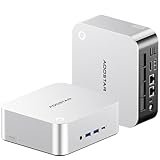
From an interior design standpoint, mini PCs are incredibly easy to conceal. Most units come with VESA mounting brackets, allowing you to bolt the computer directly to the back of your monitor. This completely eliminates desk clutter, leaving you with only a single power cord running down your desk leg. Devices like the sleek AOOSTAR MACO AMD Ryzen 7 PRO 8845HS Mini PC (around $300) offer incredibly high-performance integrated graphics and advanced connectivity options like OCuLink in a footprint that won’t disrupt your tabletop styling. Even slightly larger options, such as the ASRock DeskSlim X600 5L Mini PC Barebone (around $210), offer a tiny 5-liter footprint that can sit horizontally under a monitor stand or slip vertically into a crowded bookshelf.
Power consumption is another major victory for the mini PC. Running on low-voltage mobile processors, these systems typically draw between 15 and 90 watts of electricity. This keeps your utility bills low, prevents your home office from heating up on warm summer afternoons, and ensures the internal cooling fans rarely spin fast enough to create distracting background noise during video calls.
Where Sff Build Wins
While mini PCs excel at staying out of sight, small form factor (SFF) builds excel at standing out for all the right reasons. An SFF build is a fully custom computer housed in a chassis under 20 liters in volume. Building an SFF computer gives you absolute control over every single component. You can select a case that matches your home decor, choose whisper-quiet premium cooling fans, and install a dedicated desktop graphics card that leaves even the best integrated mini PC graphics in the dust.
For design-conscious homeowners, SFF cases have evolved into genuine pieces of functional art. Instead of hiding your computer behind a screen, you can display a beautiful chassis like the JONSBO/JONSPLUS Z20 Pink/White Micro-ATX Mini Tower Pc Case (around $100), which features a convenient carrying handle and a striking dual-tone finish that coordinates beautifully with modern pastel or minimalist Scandinavian home decor. Inside these cases, you have the physical space to install high-quality, long-lasting power delivery systems like the fully modular ASUS ROG Loki SFX-L 750W Platinum (around $130) power supply, ensuring your system runs efficiently and silently under heavy workloads.
The biggest advantage of an SFF build is its long-term modularity. If your computing needs change, you do not have to throw away the entire system. You can easily swap out the graphics card, upgrade to a newer processor, or install a larger power supply. This modular design means your investment can be maintained and upgraded piece-by-piece for a decade or more.
Cost Over 5 Years
When comparing a barebones mini pc vs sff build, looking only at the upfront sticker price can be misleading. A mini PC is almost always cheaper on day one, but its long-term financial curve looks very different from a custom SFF desktop.
Let’s look at a realistic five-year projection of ownership costs for both systems:
- Year 1 (Initial Setup): A high-quality barebones mini PC, paired with 32GB of RAM and a 2TB SSD, will cost roughly $500 to $700. A mid-range custom SFF build, including a dedicated graphics card, SFX power supply, ITX motherboard, and custom case, will typically run between $1,000 and $1,500.
- Year 3 (The Mid-Life Upgrade): By the third year, software demands will have increased. If you own an SFF build and want better graphics performance, you can sell your old graphics card for $150 and buy a new one for $350 (net cost: $200). If you own a mini PC, you cannot upgrade the graphics processor or CPU. Your only option to get more power is to purchase a completely new barebones unit, which will cost another $300 to $500 while rendering your old chassis obsolete.
- Year 5 (End of Cycle): By year five, the integrated processor in the mini PC will likely struggle with modern software demands, requiring a complete system replacement. Meanwhile, the SFF builder can simply swap their motherboard and processor for roughly $300, retaining their premium power supply, custom case, and storage drives.
Ultimately, while the mini PC offers a lower barrier to entry, the SFF build often proves to be more cost-effective and environmentally friendly over a five-to-ten-year lifecycle because you only replace the specific components that have aged out of usefulness.
Which One for Your Home
Your physical living arrangement is the single most important factor in deciding between these two computing styles. Here is how each option fits into different home scenarios:
The Small Apartment or Studio
In a small apartment or studio layout, rooms often serve multiple purposes. Your dining table might double as your daytime desk, or your workspace might sit directly next to your bed. In these tight quarters, space is at an absolute premium and visual clutter can quickly make a small home feel chaotic. A barebones mini PC is the undisputed king of small apartments. It can be mounted out of sight behind your monitor or slipped into a tiny drawer when guests come over, keeping your living space feeling open, clean, and organized.
The Family Home with Kids and Pets
Homes with young children and pets present unique hazards for electronics. Low-sitting computer towers are magnets for pet hair, dust, and curious toddler fingers. Heavy SFF cases placed on desks can be knocked over, posing a safety risk to both the hardware and your family. A mini PC is incredibly easy to mount high up on a wall or tuck safely inside a closed, ventilated media cabinet where little hands and wagging tails cannot reach it. This keeps your expensive hardware safe and eliminates dangling cable hazards.
The Rental Home
If you rent your home, you likely move every few years. Packing up heavy, fragile desktop computers is always a stressful experience. The compact nature of both options is helpful here, but the mini PC is exceptionally travel-friendly. You can literally pack your entire computer, power brick, and cables into a small backpack or a camera bag, making your next move effortless and completely eliminating the risk of internal components getting damaged during transit.
The Long-Term Family Home
If you own your home and have a dedicated home office or a permanent study space, the SFF build shines. You have the stability to set up a permanent, beautiful desk arrangement. An SFF case can be treated as a piece of high-end furniture that sits proudly on top of a solid wood desk. Because you do not need to worry about frequent moves or hiding your equipment, you can invest in a high-performance system that will grow with your family’s needs, from school projects to advanced creative hobbies and high-end home entertainment.
FAQ
What components do I need to buy separately for a barebones mini PC?
When you purchase a barebones mini PC, it arrives without system memory (RAM), storage (an M.2 SSD), or an operating system (like Windows or Linux). You will need to purchase these components separately and install them yourself, which typically requires only a small screwdriver and about ten minutes of hands-on time.
Can I use a barebones mini PC for modern AAA gaming?
While high-end mini PCs feature excellent integrated graphics that can easily handle casual gaming, indie titles, and older games, they generally struggle with demanding modern AAA games at high visual settings. If top-tier gaming performance is your priority, a custom SFF build with a dedicated graphics card is a much better choice.
Are small form factor (SFF) builds difficult for beginners to assemble?
Building inside an SFF case is more challenging than building a standard mid-tower PC because space is tight and cable management requires careful planning. However, with patience, a modular power supply, and a well-designed case, beginners can absolutely complete a successful SFF build. Many modern SFF cases are specifically engineered to make the assembly process highly intuitive.
As we head toward 2026, will mini PCs completely replace traditional desktop builds?
While mini PCs will continue to capture a massive share of the casual computing and home office markets due to rapid advancements in mobile processor efficiency, they are unlikely to completely replace SFF builds. Power users, gamers, and creative professionals will always require the superior cooling capacity, high-end dedicated graphics options, and modular upgrade paths that only a dedicated desktop chassis can provide.









