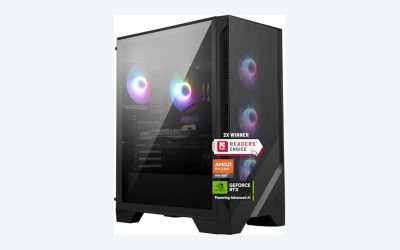
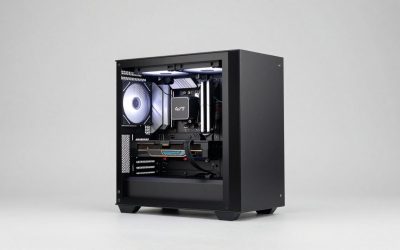
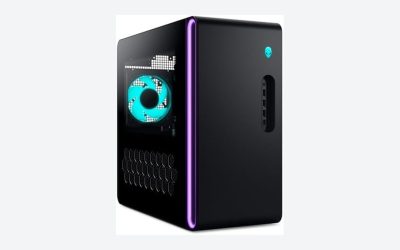
When you are trying to keep a small form factor setup cool at home, the choice between air cooling vs liquid cooling for small form factor is not just about temperatures on a spec sheet. It is about how much space you can give up, how much noise you can live with, how often you want to open the case, and whether you need that PC to disappear into a living room or sit on a desk in a bedroom. The same dilemma applies if you are trying to cool yourself in a compact room: a tower fan takes up floor space but needs no installation, while a more integrated solution cools differently. Understanding where each approach actually makes sense will save you money, frustration, and square footage.
In 2026, small form factor builds have gotten more powerful and more compact, which makes cooling decisions tighter than ever. A cooler that fits easily in a mid-tower might not clear the side panel of a 14-liter case, and a radiator that looks compact on paper still needs room for tubing and airflow. This guide breaks down the real trade-offs so you can match the cooling method to your home, not just your hardware.
As an Amazon Associate we earn from qualifying purchases at no extra cost to you.


Our Top Picks


Top 3 picks at a glance
Quick Verdict
If you want the simplest, most reliable, and most affordable way to cool a small form factor PC in a home environment, air cooling wins for most people. A quality low-profile air cooler costs less, has fewer points of failure, and needs almost no maintenance beyond dusting. If you are chasing maximum performance in a very tight case, want the quietest possible operation under load, or care about a clean, minimal look with a tempered glass or transparent panel, liquid cooling for small form factor is worth the extra cost and care. For cooling your room itself rather than your PC, air-based solutions like tower fans remain the practical choice for small spaces because they require no plumbing or installation.
Side by Side
| Feature | Air Cooling | Liquid Cooling for Small Form Factor |
|---|---|---|
| Comfort (Noise & Room Heat) | 40-45 dB under load with a 92mm or 120mm fan; dumps warm air directly into room | 30-38 dB under load with pump + fans at low RPM; still dumps heat into room but more gradually |
| Durability | 7-10+ year lifespan; only moving part is the fan | 4-6 year typical lifespan for AIOs; pump, tubing, and coolant degrade over time |
| Price Range | $25 to $65 for low-profile coolers; $55 to $90 for premium models | $65 to $120 for 92mm/120mm AIOs; $90 to $180 for 240mm AIOs or custom loop parts like a around $66 single radiator |
| Maintenance | Dust filter and heatsink clean every 3-6 months; 5 minutes with compressed air | Dust radiators every 3-6 months plus check for pump noise, coolant evaporation, and fitting tightness annually |
| Space Needed | Needs 45mm to 70mm CPU clearance; no extra case volume required; cooler dimensions approx. 95 x 95 x 60mm, weight 300-500g | Needs radiator mount (92mm needs 100 x 120 x 30mm space, 240mm needs 280 x 120 x 30mm) plus 30-40mm for fans and tubing bend radius |
| Look | Visible heatsink and fan; functional, can block RAM or view | Cleaner interior, radiator and tubing tucked to edge, showcases components through transparent panel |
| Resale | Holds value well; easy to reuse across builds; no leak history concerns | Lower resale for used AIOs due to pump wear and perceived leak risk; custom parts resell individually |
| Best For | Budget builds, first-time SFF builders, reliability-first home PCs | High-wattage CPUs (95W+), overclocking, ultra-compact cases under 12 liters, design-focused living room builds |
| Power Draw | 1.5W to 4W for fan | 6W to 18W for pump plus 2W to 6W per fan |
Where Air Cooling Wins
Air cooling is the straightforward solution, and that is exactly why it works so well for small form factor PCs at home. A heatsink with heat pipes and a single fan has one failure point. If the fan dies after years of use, you replace a $15 fan, not an entire cooler. There is no pump to whine, no liquid to slowly permeate through tubing, and no risk of a slow leak near your motherboard or power supply.
Space efficiency is often better than people expect. Many compact cases, including popular micro-ATX options like the Cooler Master Q300L V1 Micro-ATX PC Case at around $39, offer high airflow front panels and support for coolers up to 159mm tall, but true small form factor cases often limit you to 65mm or less. In those sub-15 liter cases, a 47mm or 67mm low-profile air cooler fits without fighting tubing or radiator thickness. You keep the full interior volume for cable routing and storage.
Cost and simplicity also matter for a home PC. A reliable low-profile air cooler in the $35 to $55 range cools a 65W CPU comfortably and even handles a 95W chip with a modest undervolt. Installation is four screws and one fan header. For someone who just wants a quiet office PC, a living room media center, or a kid’s homework computer that does not need attention every few months, that simplicity is a major advantage.
Finally, air cooling pairs naturally with how most people cool a small room. If your PC warms up a bedroom or office, a simple air mover like the Levoit Tower Fan for Bedroom at around $54 or the DREO Tower Fan for Bedroom at around $52 can circulate air without any installation. Both models run around 28 dB on low and move air at up to 28 ft/s on high while drawing only 40-50W. They occupy a footprint of about 11 x 11 inches and stand roughly 36 inches tall, so they tuck into a corner without wall mounting or window units.
Where Liquid Cooling for Small Form Factor Wins
Liquid cooling earns its place when thermal density is high and every millimeter matters. In a case under 12 liters with a modern 95W to 125W CPU, a low-profile air cooler can run hot and loud because it has less fin area and a smaller fan. Moving the heat to a radiator mounted at the case edge lets you use larger, slower fans or a thicker radiator to dissipate heat more quietly.
Noise is the clearest win. A 92mm air cooler fan must spin at 1800-2500 RPM to keep up under load, while a 92mm or 120mm radiator with a pump can often keep the same CPU at similar temperatures with fans at 1000-1400 RPM. The pump adds a soft hum at 20-30 dB, but the overall sound is lower and less piercing than a small fan at full speed. For a bedroom or shared living space where the PC runs in the evening, that difference is noticeable.
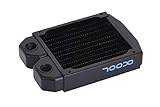
Aesthetics and layout also favor liquid in compact homes. Small form factor builds are often displayed, not hidden. A low-profile air cooler can dominate the view through a transparent panel, while an AIO or custom loop with a single 92mm radiator like the Alphacool NexXxoS ST25 Full Copper 92mm Single Radiator at around $66 keeps the motherboard visible and the interior open. That radiator measures approximately 122 x 92 x 25mm and weighs about 300g, so it can mount to a rear or side bracket without adding much bulk, leaving the CPU area clear for low-profile RAM and neat cabling.
Performance headroom is the last reason to choose liquid. If you plan to run sustained all-core loads, compile code, render video, or game for hours in a warm apartment without air conditioning, liquid gives you more thermal buffer before throttling. In very compact sandwich-layout cases where the CPU cooler draws in warm air from the GPU, a radiator that exhausts directly out of the case breaks that heat recycling loop.
Cost Over 5 Years
Air cooling is cheaper to buy and cheaper to own. Expect to spend $40 to $65 up front for a well-reviewed low-profile cooler, plus $0 in consumables over five years. You may replace a fan once for $12 to $20, and you will spend a few dollars on compressed air. Total five-year cost typically lands between $45 and $85, and the cooler can move to your next build.
Liquid cooling costs more at every stage. A 92mm or 120mm AIO starts around $70 to $110, a 240mm AIO is $110 to $170, and a custom loop with a standalone radiator, pump, fittings, and tubing easily exceeds $180 to $300 even before coolant. Over five years, many AIO owners replace the unit once due to pump noise or reduced performance as fluid slowly evaporates, adding another $80 to $130. Custom loops need coolant top-offs or replacement every 12-18 months at $15 to $25 per bottle, plus time for draining and bleeding. Realistic five-year totals are $90 to $180 for a single AIO with one replacement, and $220 to $400 for a custom loop.
Energy cost is minor for either. An air cooler fan at 3W running 6 hours per day adds about $1 per year in electricity at around $0 per kWh. A liquid setup at 15W total adds about $7 per year. The purchase price, not power draw, drives the difference.
For room cooling, tower fans are similarly inexpensive to run. A 45W tower fan running 8 hours per night for 120 nights per year costs roughly $7 per year in electricity, with no maintenance beyond wiping the grille and no installation costs. That makes them a low-commitment complement to either PC cooling method in a small home.
Which One for Your Home
The right choice depends on where the PC lives and how you use your space. These scenarios map the trade-offs to common home situations.
Small Apartment (Studio or One-Bedroom, Under 600 sq ft)
Choose air cooling for the PC if your case is 12 to 20 liters and your CPU is 65W. You will save money, avoid pump noise in a single living space, and keep maintenance to a quick dusting. Pair it with a tower fan to circulate air without a window unit; both the Levoit and DREO tower options at around $52 to $55 have 8 speeds and remote controls, so you can adjust from the couch without getting up. Choose liquid only if your desk space forces you into a sub-10 liter case with a 95W+ CPU and you are sensitive to fan ramp noise at night.
Family with Kids or Pets
Choose air cooling. Fewer hoses, no liquid near electronics, and no pump that a curious child or pet might bump. Air coolers are also more tolerant of dust and pet hair if you stay on top of filter cleaning. A high-airflow case with a full mesh front helps here, and a tower fan with a narrow base and no exposed blades is safer in a play area than a box fan on the floor. Liquid makes sense only if the PC is out of reach on a high shelf or in a closed office where durability concerns are lower.
Rental
Choose air cooling and portable room cooling. Renters usually cannot mount a window air conditioner or modify ventilation, so a freestanding tower fan plus a simple air-cooled PC avoids any lease issues. Air coolers do not require you to open the loop or worry about leaks that could damage floors and risk your security deposit. If you must have liquid for performance, stick to a sealed AIO rather than a custom loop, and keep the PC where a leak would be contained on a desk, not on carpet.
Long-Term Home (Owned House or Condo)
This is where liquid cooling becomes easier to justify. If you are building a showcase PC that will sit in a living room for years and you value a quiet, clean look through a transparent panel, a 92mm or 240mm AIO fits the lifestyle. You have stable space for a slightly larger case, you can control dust with regular cleaning, and you can budget for a replacement cooler in year four or five. For homeowners who also want whole-room comfort, consider that a small form factor PC with liquid cooling still heats the room; you will want a broader plan for ventilation in summer, whether that is central air, a mini-split, or strategic fan placement to exhaust warm air.
FAQ
Is liquid cooling safe for a PC that sits on carpet or in a tight entertainment center?
A sealed AIO is safe in most homes when installed correctly, but any liquid cooler adds leak risk compared to air. In tight, poorly ventilated cabinets, liquid can actually help by moving heat to a radiator that exhausts out, while a low-profile air cooler recirculates hot air. If you place the case on carpet, elevate it at least 2 inches with feet or a small stand to ensure bottom intake is not blocked, and check fittings and tubing for kinks every six months. For most entertainment centers, air cooling with a mesh-front case provides adequate safety with less worry.
Will a tower fan cool my PC or just me?
A tower fan cools people, not components. It moves room air at 28 ft/s and creates a wind-chill effect, but it does not lower CPU temperatures meaningfully unless your PC is starved for fresh air. Keep at least 4 to 6 inches of clearance around the PC intake and exhaust, and let the internal CPU cooler handle the hardware while the tower fan keeps you comfortable. If your room regularly exceeds 78 degrees, address PC thermals inside the case first, then improve room airflow.
How loud will each option be in a bedroom at night?
At idle or light browsing, both are quiet. A quality air cooler idles around 28-33 dB, similar to the 28 dB low setting on modern tower fans. Under load, a small air cooler is louder at 42-48 dB, while a 92mm or 120mm AIO under load is typically 35-42 dB because fans spin slower. If you render, game, or run updates overnight in the same room where you sleep, liquid has a noticeable advantage. If the PC is off at night, the difference does not matter.
Can I switch from air to liquid later without buying a new case?
Sometimes. Check your case specs for radiator support before you buy. A case that supports a 120mm fan mount may support a 120mm radiator, but thickness matters: a 25mm radiator plus a 25mm fan needs 50mm of clearance, and tubing needs bend room. Single 92mm radiators like the 25mm-thick Alphacool ST25 fit in tighter spots than 240mm radiators, which need a 280mm long mount. Many compact micro-ATX cases support 120mm or 240mm radiators on the front or top, while ultra-compact sandwich cases often only fit 92mm. If your case lacks radiator mounts, moving to a slightly larger high-airflow model is cheaper than forcing a liquid setup to fit.