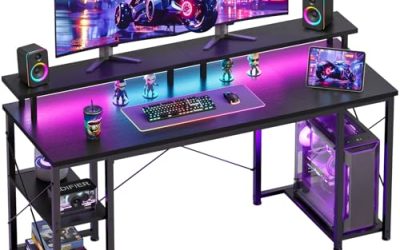
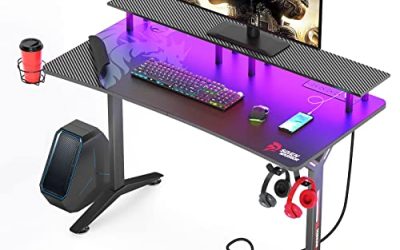
As an Amazon Associate we earn from qualifying purchases.
A rectangle computer desk sets the limits of your whole gaming setup: how far your monitor sits from your eyes, how much room your mouse has to travel, and whether your keyboard, speakers, and headset all fit without crowding each other. Because the front edge runs straight and the corners stay usable, a rectangular top wastes less space than curved or corner shapes, which makes it the default choice for most PC gamers. Getting the size wrong, though, leaves you with a cramped aim, a monitor that feels too close, or a tower squeezed onto the floor.
This guide speaks to competitive players chasing clean mouse movement, streamers building a tidy on-camera background, students fitting a rig into a bedroom, and anyone replacing a wobbly table with something steadier. Instead of ranking specific models, it walks through the measurements, materials, frames, and cable solutions that separate a rectangle desk that serves your setup for years from one you outgrow in a season.
How to Choose
Four decisions drive almost every rectangle desk purchase: the size of the top, the strength of the frame, the material under your wrists, and how cables leave the desk. Start with the measurements that decide whether the desk fits your room and your gear, then judge build quality, and finish with the small details that keep cables tidy. Work through them in that order and the rest of the choice, from colour to accessories, falls into place without regret.
Measure the Surface Before Anything Else
Start with a tape measure, not a product page. A single 27-inch monitor with a full-size keyboard and a low-sensitivity mouse pad needs roughly 55 inches of width and 24 inches of depth, while dual monitors or an ultrawide push the comfortable minimum toward 60 or 63 inches. Depth matters just as much: a 24-inch top puts a large monitor close enough to strain your eyes during long sessions, whereas 28 to 30 inches leaves room for the screen, a keyboard area, and a wrist rest without pushing your chair against the wall behind you. Map the footprint on your floor with masking tape, sit in your chair, and mime a wide mouse sweep before committing.
Check the Frame and Weight Capacity
A desk that wobbles ruins aim faster than any hardware upgrade can fix. Look for a steel frame with a crossbar or diagonal bracing between the legs, and check the stated weight capacity against everything that will actually sit on top: monitors on arms, a tower, speakers, and a monitor riser add up quickly. C-shaped legs leave knee room and let a chair roll in close, T-shaped legs trade a little legroom for a smaller footprint, and Z-shaped legs tend to feel the most rigid under side-to-side pressure. Press down on a corner and push the top sideways during assembly; any flex now becomes a daily annoyance once a heavy monitor arm clamps to the back edge.
Look at the Desktop Material and Finish
The top is the part your hands touch for hours, so its material deserves real attention. Most rectangle gaming desks use MDF or particleboard with a laminate skin, often printed with a carbon-fibre texture; these stay affordable and resist scratches, but a chipped edge can expose the core and swell if drinks spill. Solid wood or bamboo tops cost more and weigh more, yet they survive moves and can be refinished instead of replaced. Run your palm across the surface: a lightly textured finish grips a mouse pad and hides fingerprints, while a glossy top shows every smudge and reflects a bright window. Sealed, rounded edges also matter, since sharp square corners dig into forearms during long sessions.
Plan Cable Routing and Accessories
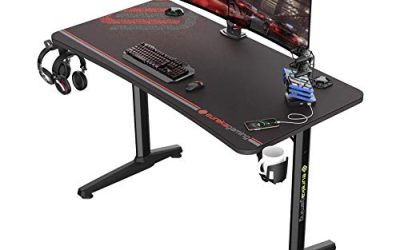
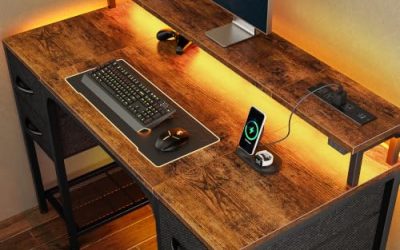
Cables decide whether a setup looks finished or stays a tangle behind the desk. A rectangle top gives you a long straight back edge to use: grommet holes near each monitor, a tray screwed under the rear edge, and a power strip mounted off the floor keep cords out of sight and away from feet. Built-in extras can help or hurt. A headphone hook and cup holder are genuinely useful, but a fixed monitor shelf may sit at the wrong height for your screen, and an attached light strip adds little if you already own bias lighting. Before buying, list every device needing power or a data cable, then confirm the desk offers a route for each one.
Which One Fits Your Situation
No single rectangle desk suits every room, so match the shape of your setup to the shape of your day. Start from the gear you own today, then leave room for the upgrade you will want next. The four layouts below cover the most common gaming rooms, from a cramped bedroom corner to a full dual-monitor battlestation.
A Single Monitor and a Tight Bedroom Corner
A compact rectangle desk around 47 to 55 inches wide fits a single monitor, a keyboard, and a mouse without swallowing a small bedroom. Push it against one wall, keep the tower on the floor beside the leg rather than under the desk, and leave the far corner free for a notebook or controller. Depth matters more than width here: 24 inches works with a slim monitor arm, since the stand no longer eats into the workspace.
Dual Monitors and a Streaming Setup
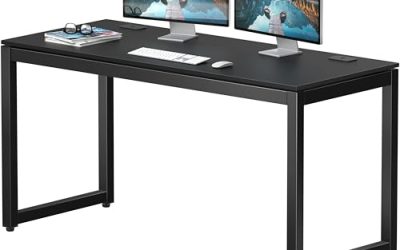
Two screens, a microphone arm, and a camera demand a wider top, 60 inches at minimum and 63 or more once a stream deck and audio interface join in. Place the main monitor in the centre, angle the second screen inward, and route the microphone and camera cables through the same rear tray as the monitor leads. A desk with a solid crossbar earns its keep here, because clamp-mounted arms lever against the back edge all day.
A Shared Room That Doubles as a Workspace
When one desk serves gaming after hours and study or work during the day, pick a plain rectangle top without fixed gaming branding, so the room still reads as a workspace. A neutral finish, a drawer or side shelf for textbooks, and a cable tray that hides chargers make the switch between roles painless. Keep peripherals in a tray or drawer when the workday starts, and the same desk covers both jobs without a second piece of furniture.
A Tall PC Tower and a Full Peripheral Collection
Big towers, external drives, speakers, and a wide mouse pad all compete for the same surface, so buy the largest rectangle your room allows, usually 63 inches or longer. Rest the tower on a small stand beside a desk leg to keep its intake clear of carpet dust, and put speakers on isolation pads at the far corners. A lower shelf suits the tower only when airflow stays open on at least two sides.
Common Mistakes
- Buying by width alone and forgetting depth. A 63-inch desk sounds generous until you realise it is only 20 inches deep, which forces the monitor to the very back edge and leaves your keyboard hanging over the front. Depth decides viewing distance and elbow room, so treat it as equal to width when comparing tops, and measure both against your monitor size and your chair position before ordering. A monitor arm can recover some depth, but it cannot fix a top that is too narrow for a keyboard and mouse side by side, so check both dimensions against the gear you already own.
- Ignoring the chair and wall clearance behind the desk. A desk that fits the wall perfectly still fails if your chair cannot roll back far enough to stand up, or if the chair back scrapes the wall every time you push away from a match. Leave at least 30 inches between the desk edge and the wall behind you, and check that drawers, radiators, and doors stay clear of the chair’s full range of movement. Measure with the chair pushed out as far as you sit during play, not tucked neatly under the desk, since the working position is the one that needs the space.
- Clamping a heavy monitor arm to a thin top without checking thickness. Monitor arms grip the back edge with a clamp, and a thin hollow top can crush, crack, or slowly bend under the leverage of two screens. Check the stated desktop thickness and the arm’s clamp range together, and add a reinforcement plate under the clamp when the top is thinner than the arm expects or feels soft at the edge. If the top is hollow or thinner than the clamp expects, a metal reinforcement plate spreads the load and stops the clamp from crushing the edge over time.
- Skipping cable planning until after assembly. Once monitors, speakers, and a tower are all plugged in, rerouting cables means unplugging everything and crawling behind the desk. Decide where the power strip lives, which grommet each cable uses, and where the tray mounts before the first device goes on top, then plug things in once, in order, from the farthest device to the nearest. Label the ends of shared cables while the back of the desk is still reachable, because tracing a single loose lead through a finished bundle wastes more time than the labelling ever takes.
- Choosing a desk that fits today only, with no room for a second monitor. Setups grow: a second screen, a capture card box, a microphone arm, or a console all arrive sooner than expected, and a desk bought exactly to size forces a replacement within a year. If your room allows it, buy one size wider than your current layout needs, and keep the spare corner clear so the next upgrade lands without rearranging the whole room. A wider top also gives a second screen a sensible viewing angle instead of a sharp sideways twist, which matters more the longer your sessions run.
Frequently Asked Questions
What size rectangle desk is best for gaming?
A 55-inch wide desk with 24 inches of depth suits most single-monitor setups, while dual monitors or an ultrawide screen call for 60 to 63 inches of width and 28 to 30 inches of depth. Measure your monitor, keyboard, and mouse pad together, then add space for speakers and a drink before settling on a size. Count the mouse pad in the width too.
Is a 24-inch-deep desk enough for a gaming monitor?
Yes, for most 24-inch and 27-inch monitors, provided the screen sits on an arm or a slim stand that frees up the surface. A 24-inch depth can feel cramped with a 32-inch or ultrawide display, since the screen ends up close to your eyes, so larger monitors pair better with a 28-inch or 30-inch deep top. A monitor arm helps by lifting the screen off the surface.
Can a rectangle desk hold a PC tower and two monitors?
Yes, when the frame is rated for the combined weight and the top is wide enough to separate the screens from the tower. Place the tower on the floor or a stand beside the desk to keep the surface clear, use monitor arms to free up space, and confirm the desktop thickness suits the clamps before mounting anything heavy. Keep the tower’s vents clear of walls and fabric.
Do I need a gaming desk, or will a regular office desk work?
A regular office desk works well when it offers the right width, depth, and weight capacity, since the label matters far less than the measurements. Gaming desks add useful extras such as cable trays, headphone hooks, and textured surfaces, but a sturdy plain desk with a cable tray often serves a setup just as well. Focus on measurements and build quality first.
Related guides
More from Amazon
Programs that pair well with the guide above. Offers and eligibility are set by Amazon and may change.
Free shipping on eligible items, Prime Video and more. Eligible new members can start with a free trial.
Start a Prime free trialAd-free music streaming. Eligible new subscribers can start with a free trial.
Try Music Unlimited freeA Prime membership for ages 18-24 with a trial period. Eligibility is set by Amazon.
See Prime for Young AdultsAudiobooks and podcasts to listen to on the go. Eligible new members can start with a free trial.
Try Audible freeAs an Amazon Associate we earn from qualifying purchases.