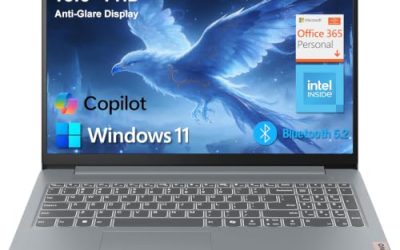
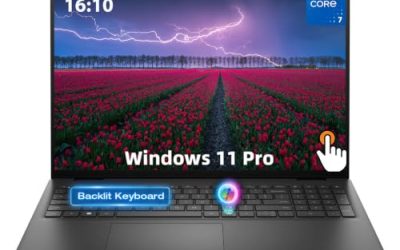
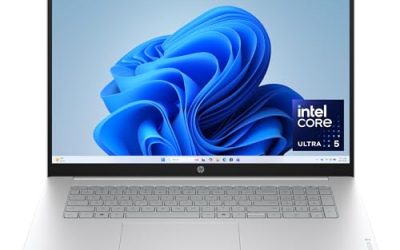
An affordable gaming laptop is not a cheap laptop with a game installed. It is a machine with a real discrete graphics chip, a screen that refreshes fast enough for shooters, and cooling that survives a long session — bought without paying for the metal unibody and flagship branding of the tier above. The entry tier is crowded with lookalike listings, and the differences that matter hide in memory size, panel quality and storage rather than in the headline processor.
The three laptops below were chosen for buyers who play at 1080p: students who need one machine for lectures and late-night sessions, and players upgrading from integrated graphics. Each listing was checked for a discrete GPU, a high-refresh display and current availability, and the specs quoted are the ones the listings themselves state.
Top 3 picks at a glance


Quick Picks
As an Amazon Associate we earn from qualifying purchases.
| Product | Best for | Key spec from title |
|---|---|---|
| Acer Nitro V 15 ANV15-51-51H9 | The balanced default pick | RTX 4050 with a 144Hz IPS screen |
| ASUS TUF Gaming A15 FA507NUR-AS73 | Buyers who want memory headroom | 16GB DDR5 and a 100% sRGB panel |
| HP Victus 15 | Big game libraries | 1TB SSD with RX 6550M graphics |
How to Choose
Treat the graphics chip as the budget’s centre of gravity
In this tier the GPU decides what the laptop can do for the next four years, because it cannot be upgraded later. An RTX 4050-class card is the current entry point that handles modern games at 1080p with sensible settings and gives access to DLSS upscaling, which stretches performance in demanding titles. Radeon alternatives in the same band can be fine value, but check the exact model rather than the family name. Processors matter less: any recent six- or eight-core chip in these listings keeps up with an entry-tier graphics card.
Refuse 8GB of memory unless it is easy to add more
Several entry gaming laptops still ship with 8GB of RAM, and modern games plus a browser and voice chat will push past that quickly, causing stutters that look like a graphics problem. Sixteen gigabytes is the comfortable figure for this class of machine. If a listing states 8GB, check whether the model has a second memory slot you can fill later; a single soldered configuration is a dead end. Storage follows the same logic — game installs are large, so a bigger SSD postpones the day you start deleting titles to make room.
Read the screen spec beyond the size
Every laptop here is 15.6 inches at 1920×1080, so the separating details are refresh rate and colour coverage. A 144Hz panel makes fast games visibly smoother than the 60Hz screens still fitted to some budget models, and it costs the GPU nothing when a game runs slower. Colour coverage matters if the laptop doubles for photo or video work: a listing that states full sRGB coverage signals a better panel than one that stays silent. Brightness and anti-glare finish decide whether the machine is usable near a window.
Plan for heat, weight and battery honesty
Gaming laptops in this band are portable in the sense that they fit in a backpack, not that they run all day unplugged. Listings state weights around the mid-four-pound range for this class, and serious play happens on the charger, where the cooling system can work at full speed. Check the port list in the listing — an HDMI output for a monitor, enough USB ports for a mouse and headset, and Wi-Fi 6 are the practical baseline. A backlit keyboard sounds minor until the first late session in a dim room.
The 3 Best Options
1. Acer Nitro V 15 ANV15-51-51H9

The Nitro V 15 is the straightforward answer for most buyers in this tier. Its listing pairs an Intel Core i5-13420H with an NVIDIA GeForce RTX 4050 and a 15.6-inch Full HD IPS display running at 144Hz, which is the combination that defines a sensible 1080p gaming machine right now. The listing states 8GB of DDR5 memory and a 512GB PCIe Gen 4 SSD, Wi-Fi 6, a backlit keyboard and a Thunderbolt 4 USB-C port alongside HDMI. At a stated 4.66 pounds it is carryable between classes or desks, and the 57.5Wh battery is sized for lectures and travel rather than unplugged play.
- Specs:
- Processor: Intel Core i5-13420H
- Graphics: NVIDIA GeForce RTX 4050 Laptop GPU
- Display: 15.6-inch Full HD (1920×1080) IPS, 144Hz
- Memory: 8GB DDR5
- Storage: 512GB PCIe Gen 4 SSD
- Connectivity: Wi-Fi 6, Thunderbolt 4 USB-C, HDMI
- Weight: 4.66 lbs
- Model: ANV15-51-51H9
- Best for: The default 1080p pick — RTX graphics and a fast screen in one listing
- Watch out for: The listing states 8GB of memory, so confirm the upgrade path if you keep many apps open while gaming
2. ASUS TUF Gaming A15 FA507NUR-AS73
The TUF Gaming A15 fixes the Nitro’s one soft spot before you have to open the machine: its listing states 16GB of DDR5 memory from the start. The processor is an AMD Ryzen 7 7435HS, the graphics an NVIDIA GeForce RTX 4050, and the 15.6-inch Full HD panel runs at 144Hz with colour coverage the listing states as 100% sRGB — a meaningful detail if the same screen handles coursework, streaming or light editing. Storage is a 512GB PCIe SSD and wireless is Wi-Fi 6. The TUF line is built around a sturdier brief than most entry ranges, which suits a laptop that travels daily.
- Specs:
- Processor: AMD Ryzen 7 7435HS
- Graphics: NVIDIA GeForce RTX 4050 Laptop GPU
- Display: 15.6-inch Full HD (1920×1080), 144Hz, 100% sRGB per listing
- Memory: 16GB DDR5
- Storage: 512GB PCIe SSD
- Connectivity: Wi-Fi 6
- Model: FA507NUR-AS73
- Best for: Buyers who want 16GB of memory and a better-specified panel out of the box
- Watch out for: Storage is 512GB, so a large game library will need managing or an upgrade sooner than the Victus below
3. HP Victus 15
The Victus 15 in this listing takes the storage-first route: a 1TB SSD, double the room of the other two machines here, paired with 16GB of DDR5 memory. The processor is an AMD Ryzen 5 7535HS and the graphics a Radeon RX 6550M, driving a 15.6-inch Full HD display at 144Hz. The listing also states a backlit keyboard and Wi-Fi 6. The Radeon card sits a step below the RTX 4050 machines for the newest titles and lacks DLSS, but the memory and storage figures are the strongest in this group, which makes the Victus the pragmatic pick for players whose bottleneck is space, not frame rates.
- Specs:
- Processor: AMD Ryzen 5 7535HS
- Graphics: AMD Radeon RX 6550M
- Display: 15.6-inch Full HD (1920×1080), 144Hz
- Memory: 16GB DDR5
- Storage: 1TB SSD
- Connectivity: Wi-Fi 6, backlit keyboard per listing
- Model: Victus 15 (Ryzen 5 configuration)
- Best for: Players with large libraries who would rather have storage than the fastest entry graphics
- Watch out for: The RX 6550M is a step below RTX 4050-class cards in demanding new releases, and this is a configured listing — verify the exact spec lines at checkout
Which One Fits Your Situation
You play competitive shooters at 1080p
Take the Nitro V 15 or the TUF A15. Both pair a 144Hz screen with an RTX 4050, which is the combination that keeps fast games smooth and lets DLSS recover frames in heavier titles. Between them, the TUF’s 16GB of memory is the tiebreaker if you run voice chat and a browser alongside the game.
You need one laptop for study and gaming
The TUF Gaming A15 is the dual-purpose pick. Its listing’s full sRGB colour coverage makes the screen better suited to coursework, documents and media than a bare-bones gaming panel, the memory figure needs no upgrade, the keyboard is backlit for evening work, and the RTX 4050 covers gaming sessions without turning the machine into a specialist device.
Your library is huge and your patience for deleting games is not
Choose the Victus 15. The 1TB SSD holds roughly double the installs of the 512GB machines, and the 16GB of memory matches the TUF. You trade some graphics headroom in the newest releases, but for a back catalogue of slightly older titles the storage wins every week. It is the least glamorous spec in this guide and the one you will feel most often.
Common Mistakes
- Buying by processor name alone and ending up with integrated graphics that no setting can rescue.
- Accepting 8GB of memory in a listing without checking whether the model lets you add more later.
- Comparing screen sizes instead of refresh rates — a 15.6-inch 60Hz panel and a 15.6-inch 144Hz panel are different products for gaming.
- Assuming a gaming laptop’s battery suits unplugged play; this class is designed to game on the charger.
- Ignoring storage until the third large install, when a 512GB drive starts forcing deletions.
Frequently Asked Questions
Is an RTX 4050 enough for modern games?
For 1080p play, yes, with sensible settings. The listings here pair it with 144Hz screens, and while the newest releases will not always reach that refresh rate, DLSS upscaling — available on RTX cards — recovers a large share of performance. It is the current entry point that does not feel like a compromise within a year.
How much RAM does an affordable gaming laptop need?
Sixteen gigabytes is the comfortable figure for current games alongside everyday apps. An 8GB listing is not automatically a bad buy — the Nitro V 15 is a good example — but only if the model allows a later upgrade. A machine that can never pass 8GB will stutter in multitasking long before its graphics card feels slow.
Can these laptops handle school or office work as well?
Easily. The processors and memory in these listings are well beyond document, browser and coursework needs, and the fast screens make general use feel responsive. The compromises are weight and battery life compared with a thin ultrabook, plus fan noise under load — none of which matters at a desk, all of which matter in a lecture hall.
Should I wait for a sale or buy the configuration I need now?
Buy the configuration, not the calendar. In this tier the spec lines that matter — graphics model, memory size, storage, refresh rate — differ between listings that look identical in photos, and the right configuration beats the wrong one in a promotion. Check the exact listing details at checkout, since configured listings vary.
Related guides
More from Amazon
Programs that pair well with the guide above. Offers and eligibility are set by Amazon and may change.
Free shipping on eligible items, Prime Video and more. Eligible new members can start with a free trial.
Start a Prime free trialAd-free music streaming. Eligible new subscribers can start with a free trial.
Try Music Unlimited freeA Prime membership for ages 18-24 with a trial period. Eligibility is set by Amazon.
See Prime for Young AdultsAudiobooks and podcasts to listen to on the go. Eligible new members can start with a free trial.
Try Audible freeAs an Amazon Associate we earn from qualifying purchases.