A ranked list only helps if you can see why one machine sits above another. With gaming laptops, the honest answer is rarely the brand on the lid: it is the graphics tier first, then whether the processor, memory and screen are strong enough to let that graphics chip do its work. Two laptops can share a GPU name and still deliver very different experiences once wattage limits, RAM capacity and panel quality enter the picture.
This ranking is for buyers cross-shopping across tiers rather than inside one budget band: the player stepping up from integrated graphics, the enthusiast who wants 1600p headroom, and the student who needs one machine for lectures and late-night sessions. Every model below was selected and ordered using the names and specifications printed on its Amazon product page.
Top 3 picks at a glance


Quick Picks
As an Amazon Associate we earn from qualifying purchases.
| Product | Best for | Key spec from title |
|---|---|---|
| ASUS ROG Strix G16 (2025) | Top-tier 1600p play with nothing held back | GeForce RTX 5080, Core Ultra 9 275HX |
| Lenovo Legion Pro 5i | High-end gaming with an OLED screen | GeForce RTX 5070, 2.5K WQXGA OLED |
| ASUS TUF Gaming A15 | Durable mid-tier 1080p gaming | GeForce RTX 4060, Ryzen 7 7735HS |
| Lenovo LOQ 15 | Entry tier with a strong CPU and 16GB RAM | GeForce RTX 4050 6GB, Ryzen 7 8845HS |
| Acer Nitro V 15 | The lowest rung that still games properly | GeForce RTX 4050, Core i5-13420H |
How to Choose
Start With the GPU Tier, Not the Brand
The graphics chip sets the ceiling for everything else, so the ranking here reads top-down by GPU class: RTX 5080, then 5070, then 4060, then the two RTX 4050 machines separated by their supporting hardware. A higher tier generally means more headroom for higher resolutions, ray tracing and longer relevance as games grow heavier. Decide the resolution you actually play at before paying for a tier: an RTX 5080 earns its place at 1600p, while an RTX 4050 is honestly a 1080p part. Brand loyalty should come last in this decision, not first.
Check the Supporting Cast: CPU, RAM and Storage
A strong GPU paired with weak support parts is a wasted purchase. Look for a current high-performance processor, such as Intel’s Core Ultra 9 275HX in the top two picks here, and treat 16GB of DDR5 as the practical memory floor for modern games; 32GB, as fitted to the Strix G16 and Legion Pro 5i, removes multitasking as a concern entirely. Storage fills faster than buyers expect, so 1TB is the comfortable starting point. The Acer Nitro V below shows the compromise clearly: its 8GB of RAM and 512GB SSD are exactly where its lower tier comes from.
Match the Screen to the GPU’s Real Target
Panel specifications should agree with the graphics tier behind them. The Strix G16 pairs its RTX 5080 with a 2560×1600 screen running at 240Hz, a combination that makes sense because the GPU can feed high frame rates at that resolution. At the other end, a 144Hz 1080p panel is the right partner for an RTX 4050; paying for a faster or sharper screen than the GPU can drive buys you nothing in games. OLED, as on the Legion Pro 5i, is a different kind of upgrade: contrast and response that benefit every game, not just fast ones.
Read the Fine Print: Wattage, Weight and Ports
Laptop GPUs with identical names can run at different wattage limits, and the listing does not always publish the figure, so check the full product page for a stated TGP before assuming two same-GPU machines are equal. Weight matters more than spec sheets suggest: the flagship-class machines here are desk-centred laptops you carry occasionally, not daily commuters. Finally, count the ports you will actually use, and note the wireless standard. Wi-Fi 7 on the top two picks is a genuine longevity point; Wi-Fi 6 on the lower tiers is fine today but ages sooner.
The 5 Best Options
1. ASUS ROG Strix G16 (2025)

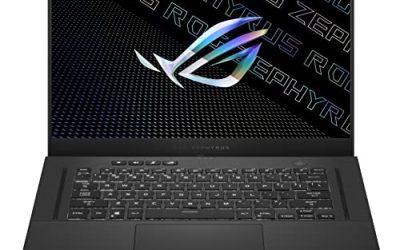
The Strix G16 takes the top rank because nothing in its specification asks you to compromise. The RTX 5080 is the strongest laptop GPU in this list, the Core Ultra 9 275HX is a flagship processor with power to spare for streaming or compiling alongside a game, and the 2.5K 240Hz Nebula display gives that hardware a screen worth driving. With 32GB of DDR5 and a 1TB Gen 4 SSD, it is the pick for players who run demanding titles at native 1600p and keep a machine for years.
Specs
- Display: 16-inch ROG Nebula, 2560×1600 (2.5K), 240Hz, 3ms
- GPU: NVIDIA GeForce RTX 5080 Laptop GPU
- CPU: Intel Core Ultra 9 275HX
- Memory: 32GB DDR5-5600
- Storage: 1TB PCIe Gen 4 SSD
- Wireless: Wi-Fi 7
- Battery: 90Wh
- Operating system: Windows 11 Home
- Model: G615LW-AS96
Best for: Players who game at 1600p with high settings and want the longest useful life from one purchase.
Watch out for: This is a large, heavy performance laptop; confirm the exact configuration on the listing, because Strix G16 variants ship with several different GPUs.
ASIN: B0DW1FVPK8
2. Lenovo Legion Pro 5i
One tier down, the Legion Pro 5i keeps the same flagship processor as the Strix and pairs it with an RTX 5070, then adds something the ASUS does not offer: an OLED panel. For players who split time between games and photo or video work, that 2.5K OLED screen is a serious argument for this rank. The 32GB of memory and 1TB SSD match the top pick, so the step down is purely about graphics headroom at the highest settings, not about everyday responsiveness or storage anxiety.
Specs
- Display: 16-inch WQXGA (2560×1600) OLED
- GPU: NVIDIA GeForce RTX 5070, 8GB
- CPU: Intel Core Ultra 9 275HX
- Memory: 32GB DDR5-5600, expandable to 64GB
- Storage: 1TB SSD
- Wireless: Wi-Fi 7
- Keyboard: RGB backlit
- Operating system: Windows 11 Home
- Model family: Legion Pro 5i (16IAX10)
Best for: Gamers who also create, and anyone who values OLED contrast as much as raw frame rates.
Watch out for: Verify the seller and the exact configuration at checkout; this listing is a marketplace offer, and Legion Pro 5i variants differ in panel and memory.
ASIN: B0G2MK96YG
3. ASUS TUF Gaming A15
The TUF A15 is where the ranking turns from flagship chasing to honest mid-tier value. Its RTX 4060 remains a very capable 1080p GPU, the Ryzen 7 7735HS is a proven eight-core-class partner, and the 144Hz screen with full sRGB coverage suits both gaming and ordinary coursework. The 1TB SSD is generous for this tier, where 512GB is common. What you give up against the two machines above is resolution headroom and memory: 16GB is adequate today, and the panel is Full HD rather than 1600p, which the GPU honestly prefers anyway.
Specs
- Display: 15.6-inch FHD (1920×1080), 144Hz, 100% sRGB
- GPU: NVIDIA GeForce RTX 4060 Laptop GPU
- CPU: AMD Ryzen 7 7735HS
- Memory: 16GB DDR5
- Storage: 1TB PCIe SSD
- Wireless: Wi-Fi 6
- Operating system: Windows 11
- Model: FA507NV-EH74
Best for: 1080p players who want a sturdy, well-rounded machine without paying flagship money.
Watch out for: The processor is an older generation than the chips in the top two picks; that matters little for gaming now, but it is the main longevity trade-off here.
ASIN: B0CJSY4PLN
4. Lenovo LOQ 15

Lenovo’s LOQ line exists to put real gaming hardware within reach of first-time buyers, and this configuration does it more intelligently than most. The RTX 4050 sets a 1080p ceiling, but Lenovo supports it with a Ryzen 7 8845HS, a genuinely strong processor that outmuscles what entry gaming laptops usually get, plus the full 16GB of RAM this tier should have. That balance is why it ranks above the other RTX 4050 machine below: nothing here needs an immediate upgrade to feel complete, and the Luna Grey finish keeps it classroom-appropriate.
Specs
- Display: 15.6-inch FHD (1920×1080)
- GPU: NVIDIA GeForce RTX 4050, 6GB GDDR6
- CPU: AMD Ryzen 7 8845HS
- Memory: 16GB DDR5
- Storage: 512GB SSD
- Operating system: Windows 11 Home
- Colour: Luna Grey
- Model: 83DX00B2US
Best for: First-time gaming laptop buyers and students who need one balanced machine for study and play.
Watch out for: Storage is the tight spot at 512GB; large game libraries will mean deleting titles or adding a drive later.
ASIN: B0CWB2LWRN
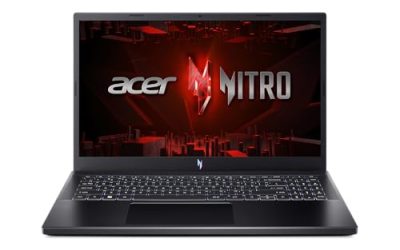
5. Acer Nitro V 15

The Nitro V closes the ranking as the entry point that still counts as a gaming laptop rather than a notebook with ambitions. Its RTX 4050 and 144Hz Full HD panel cover competitive and mainstream titles at 1080p, and the Core i5-13420H is a sensible partner at this level. The compromises are plain to see: 8GB of RAM is below what current games like to have, and 512GB fills quickly. Treat it as a starting platform whose first upgrade is already decided, and it makes a defensible last place.
Specs
- Display: 15.6-inch FHD IPS, 144Hz
- GPU: NVIDIA GeForce RTX 4050 Laptop GPU
- CPU: Intel Core i5-13420H
- Memory: 8GB DDR5
- Storage: 512GB PCIe Gen 4 SSD
- Wireless: Wi-Fi 6
- Keyboard: Backlit
- Model: ANV15-51-51H9
Best for: Buyers taking the first step into PC gaming who accept an early RAM upgrade as part of the plan.
Watch out for: The 8GB of memory is the weakest specification in this entire ranking; check the listing for the upgrade path before buying.
ASIN: B0CP8D4SM2
Which One Fits Your Situation
You Play at 1440p or 1600p and Hate Turning Settings Down
Start at the top. The Strix G16’s RTX 5080 is the only GPU here with real headroom at 2560×1600, and its 240Hz panel means competitive titles benefit too. The Legion Pro 5i is the alternative if you would trade a little graphics ceiling for OLED contrast, but for pure settings-at-maximum play, rank one is rank one for a reason.
You Game and Create on the Same Machine
The Legion Pro 5i is built for your desk. Its OLED panel’s contrast and colour behaviour suit editing work, the Core Ultra 9 275HX handles rendering and exports without complaint, and 32GB of memory keeps big projects and a game open in the same afternoon. The Strix G16 creates just as fast, but its panel is tuned for speed rather than screen quality.
1080p Is Your Resolution and Value Matters Most
Look at ranks three and four. The TUF Gaming A15 gives you the stronger GPU in the RTX 4060 and a full terabyte of storage, while the Lenovo LOQ answers with the better processor and an equally sensible 16GB of memory. Either serves 1080p properly for years; choose the TUF for graphics-heavy single-player games and the LOQ for mixed study, work and play.
This Is a First Gaming Laptop and the Budget Is Firm
The Acer Nitro V 15 is the honest floor of this ranking. It plays the popular catalogue at 1080p today, and its one real weakness, memory, is also the cheapest specification to fix later. If the LOQ above it is within reach instead, take it: the extra RAM and stronger processor remove the upgrade errand entirely.
Common Mistakes
- Assuming two laptops with the same GPU name perform identically, when wattage limits and cooling can separate them by a wide margin.
- Paying for a 240Hz or high-resolution screen that the fitted GPU cannot feed at native resolution in real games.
- Buying 8GB of RAM in 2026 without checking whether the machine lets you add more later.
- Ranking laptops by processor alone, when the graphics tier decides gaming performance far more than the CPU does.
- Ignoring storage until the library outgrows it; modern game installs make 512GB feel small within a year.
Frequently Asked Questions
Does the top-ranked laptop automatically suit every buyer?
No. The ranking orders machines by performance tier and specification completeness, not by fit for your desk. The Strix G16 is the strongest laptop here, but it is also the largest and least portable. A student carrying a machine all day may be happier with the LOQ, and a 1080p player gains little from graphics headroom they will never use.
Why can two laptops with the same GPU perform differently?
Manufacturers set different power limits for the same graphics chip, and cooling quality decides how long the chip can hold its boost speeds. A high-wattage RTX 4060 in a well-cooled chassis can outrun a restricted one in a thin body. This is why the listing’s fine print, including any stated wattage, deserves a read before you compare prices across brands.
How much RAM does a gaming laptop need in 2026?
Sixteen gigabytes is the sensible floor: it covers current games alongside a browser, chat and recording tools without strain. Thirty-two gigabytes, as in the top two picks here, is about comfort and longevity rather than necessity. Eight gigabytes still functions, but it is the specification most likely to force an upgrade first, as the Nitro V’s placement reflects.
Should I choose a current RTX 50-series laptop or an older RTX 40-series one?
Both generations earn places in this ranking because tier matters more than generation. An RTX 4060 laptop remains a strong 1080p choice, while the RTX 5070 and 5080 machines add headroom for higher resolutions and newer features. Compare the actual GPU tier, memory and screen on each listing rather than treating the series number as the decision.
Related guides
More from Amazon
Programs that pair well with the guide above. Offers and eligibility are set by Amazon and may change.
Free shipping on eligible items, Prime Video and more. Eligible new members can start with a free trial.
Start a Prime free trialAd-free music streaming. Eligible new subscribers can start with a free trial.
Try Music Unlimited freeA Prime membership for ages 18-24 with a trial period. Eligibility is set by Amazon.
See Prime for Young AdultsAudiobooks and podcasts to listen to on the go. Eligible new members can start with a free trial.
Try Audible freeAs an Amazon Associate we earn from qualifying purchases.