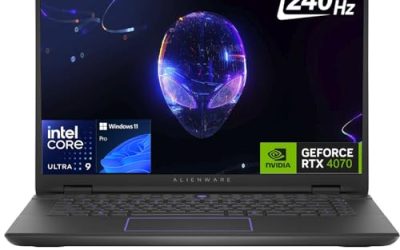
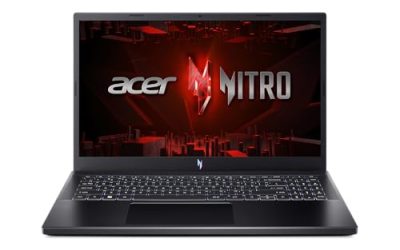
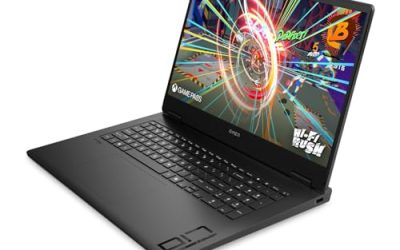
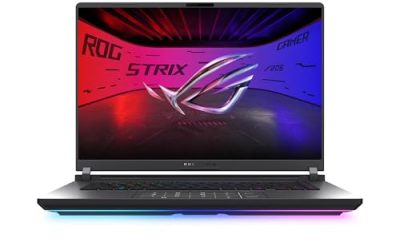
The laptop most buyers picture here — a gaming machine with a discrete graphics card and a SIM slot, ready to play anywhere — does not exist. Every gaming line ships with Wi-Fi only, and none offers a factory 4G LTE option. So the real decision is which compromise fits your life: an LTE business or rugged laptop with modest graphics, a workstation configured with a modem at purchase, or a proper gaming laptop paired with a separate way of getting cellular data.
This guide is for field workers who need a machine online all day, travellers and rural players with no reliable fixed broadband, and anyone who wants one less cable at home. It names the LTE laptops that genuinely exist — the Panasonic Toughbook FZ-55, Microsoft’s Surface Pro LTE models, and the WWAN configurations of the ThinkPad, Latitude and ZBook lines — then covers the routes that actually work for gaming on cellular: phone tethering, a dedicated mobile hotspot and a travel router.
Quick Picks
As an Amazon Associate we earn from qualifying purchases
How to Choose
Confirm a Real Modem Is Actually Fitted
The single most important check is whether a cellular modem is physically installed. A listing deserves trust only when its specifications name a WWAN card or modem outright. Phrases such as “LTE-ready” or “SIM slot included” often mean the chassis has an empty slot and antenna wiring at best, and sometimes nothing more than a blanking plate. Business lines sell the same model with and without the modem, so two listings with identical names can differ completely. Before buying, find the modem named in the spec sheet, and treat any listing that will not name one as a Wi-Fi-only machine.
Match Carrier, Bands and SIM Format
A fitted modem still has to speak to your network. Multi-carrier modems, like the one in the Toughbook FZ-55, switch between carriers with a SIM change, while cheaper configurations can be locked to a single network’s bands. Check that the modem supports the bands your carrier actually uses in the places you travel, and confirm whether the machine takes a physical nano-SIM, an eSIM, or both. A laptop bought for one carrier’s network may connect at reduced speeds — or not at all — on another, and no software update fixes missing band hardware. If you cross borders, favour a modem with broad international band coverage over one tuned to a single domestic carrier.
Be Honest About the Graphics Ceiling
Every laptop sold with built-in LTE today uses integrated graphics. That is enough for older titles, esports games at modest settings, indie games and cloud gaming services, where the rendering happens on a remote server anyway. It is not enough for modern AAA games at high settings, and no setting or driver changes that. If demanding local gaming matters more than the built-in connection, the order of priorities flips: buy the gaming laptop for its graphics card, and solve connectivity separately with a hotspot or tethering rather than hoping one machine does both jobs well. Every LTE laptop here trails even an entry-level gaming laptop as gaming hardware — the honest price of the modem.
Plan the Connection, Not Just the Laptop
Built-in LTE is one of three workable routes, and often not the best one for gaming. A phone on USB tethering gives a gaming laptop a stable wired-style link with no extra hardware. A dedicated 5G or 4G mobile hotspot adds its own battery and antenna placement, and a travel router can share one cellular connection across several devices. Whichever route you choose, budget for the data plan as well as the hardware, and think about latency: cellular ping varies with signal and congestion, which matters far more in a competitive shooter than in a strategy game.
The LTE Laptops That Actually Exist
Because no gaming laptop qualifies, this section names the machines that do carry built-in LTE, with an honest account of what each can and cannot do for gaming. The pattern is consistent: every one of them is a business, rugged or tablet-class machine, most Amazon US listings in this space are Renewed rather than new, and the Chromebook-class LTE models that surface there sit even further from gaming. Nothing below is a substitute for a gaming laptop — each is a different answer to the always-connected problem.
Panasonic Toughbook FZ-55: The Rugged Field Machine
The Toughbook FZ-55 is the only current-production laptop family with a real presence on Amazon US that offers built-in 4G LTE, with a multi-carrier modem and dedicated GPS, sold through rugged-PC resellers. It is built for field work — vehicles, sites and depots — where surviving drops and staying connected matter more than frame rates. Its integrated graphics handle older and lighter games, but it is not a gaming laptop and should never be bought as one. Choose it when the job comes first and gaming is an occasional extra on the road, and check which carrier configuration a reseller listing describes before ordering, because modem fitments vary between units.
Microsoft Surface Pro LTE: The Light Traveller
Surface Pro models with LTE, such as the Pro 8 LTE and the Pro 7+ LTE Advanced, appear on Amazon US mostly as Renewed units rather than new stock. As detachable tablets with integrated graphics, they suit light gaming: older titles, indie games and cloud gaming, where the connection does the heavy lifting and the hardware mostly decodes video. The kickstand-and-keyboard-cover format travels exceptionally well and the built-in modem removes any tethering fuss. Buy one for mobility and convenience, in the knowledge that demanding games installed locally are beyond what this class of machine attempts.
ThinkPad, Latitude and ZBook WWAN Configurations: The Order-It-New Route
Lenovo’s ThinkPad lines, Dell’s Latitude 7000 series and HP’s ZBook workstations offer cellular as a WWAN option you select while configuring the machine on the manufacturer’s own store. This is the only route to a brand-new LTE laptop with a full warranty, because the modem must be fitted at purchase — it generally cannot be added later. These are business and workstation machines, not gaming laptops, and their graphics reflect that. Still, for a buyer who needs one new, supported machine that is always online, configuring WWAN at checkout is the correct way to get it.
Which One Fits Your Situation
You Game Seriously but Travel for Work
Keep the two jobs separate. Buy the gaming laptop you actually want for its graphics card, then feed it data with phone USB tethering or a dedicated mobile hotspot when you are away from Wi-Fi. This is the only arrangement that delivers full gaming performance on a cellular connection, and it avoids paying a premium for a business machine that plays games badly.
You Need a Laptop Online in the Field All Day
The Toughbook FZ-55 fits this life: a built-in multi-carrier modem, dedicated GPS and a chassis designed for vehicles and outdoor work. Accept its ceiling before you buy — integrated graphics mean older and lighter games only. If your working day genuinely happens away from buildings and power sockets, that trade is usually worth making, because no gaming laptop survives or connects in those conditions at all.
You Mostly Play Older Titles and Cloud Games on the Move
A Surface Pro LTE model covers this pattern neatly. The built-in modem keeps you online without draining your phone, the tablet format disappears into a small bag, and cloud gaming services turn its modest hardware into a non-issue for supported games. Just remember that most Amazon US stock is Renewed, so check the unit’s condition grading, battery health and return terms carefully before ordering.
You Want One New Machine With a Warranty and LTE Built In
Configure a ThinkPad, Latitude or ZBook with the WWAN option selected on the manufacturer’s store, and confirm the modem appears on the final order summary. You get a new, warranted laptop that connects anywhere, at business-machine prices and with business-machine graphics. It will not replace a gaming rig, but as a single always-connected work machine it is the cleanest purchase on this page.
Common Mistakes
- Assuming a gaming brand offers a cellular option if you pay more — no gaming line sells a factory LTE configuration at any price.
- Buying an “LTE-ready” laptop and discovering the modem was never fitted, only the empty slot and marketing were included.
- Skipping the carrier check, then finding the modem lacks the bands your network uses where you actually live and travel.
- Expecting discrete-GPU performance from an LTE laptop, when every model with a built-in modem relies on integrated graphics.
- Forgetting the data plan: a cheap hotspot or a discounted laptop stops being cheap once monthly data and fair-use limits are counted.
Frequently Asked Questions
Does any gaming laptop have built-in 4G LTE?
No. As of late 2026, no gaming laptop with a discrete graphics card is sold with a built-in 4G LTE modem, on Amazon US or through the manufacturers’ own stores. Gaming lines ship with Wi-Fi only. Built-in LTE exists solely in business, rugged and tablet-class machines such as the Toughbook FZ-55 and the Surface Pro LTE, none of which is designed for demanding games.
Can I add an LTE modem to a gaming laptop later?
In practice, no. Gaming laptops are not built with the WWAN slot, antenna routing or firmware support an internal modem needs, so there is nothing to upgrade into. The realistic ways to give a gaming laptop cellular data are external: USB tethering from a phone, a dedicated mobile hotspot, or a travel router that shares one SIM connection over Wi-Fi.
Is 4G LTE fast enough for online gaming?
For most games, yes, given a decent signal. Download speed is rarely the limit; latency and jitter are. Turn-based, strategy and many co-operative games play comfortably over LTE, while competitive shooters suffer when ping spikes under congestion. A USB tether or a well-placed hotspot usually beats an internal modem for stability, and testing your carrier when you actually play tells you more than any headline speed figure.
Why do business laptops offer LTE when gaming laptops do not?
Business buyers pay for fleets that must connect anywhere, and employers value a modem that cannot be lost or left behind. Gaming buyers spend their budget on graphics hardware and almost always play near home Wi-Fi, so manufacturers have never justified the modem’s cost, antenna space and carrier certification on a gaming line. Until that demand changes, cellular stays a business feature and gaming stays Wi-Fi only.
Related guides
More from Amazon
Programs that pair well with the guide above. Offers and eligibility are set by Amazon and may change.
Free shipping on eligible items, Prime Video and more. Eligible new members can start with a free trial.
Start a Prime free trialAd-free music streaming. Eligible new subscribers can start with a free trial.
Try Music Unlimited freeA Prime membership for ages 18-24 with a trial period. Eligibility is set by Amazon.
See Prime for Young AdultsAudiobooks and podcasts to listen to on the go. Eligible new members can start with a free trial.
Try Audible freeAs an Amazon Associate we earn from qualifying purchases.