The best gaming PC for Rust is usually the one with a modern six- or eight-core processor, 32GB of DDR5, an SSD and a mid-range graphics card, not the one with the most expensive GPU. Among the nine listings below, the iBUYPOWER Element looks strongest on paper for memory and processor headroom, the Skytech Archangel 5 is the balanced all-rounder, and the KOTIN is the graphics-heavy option. Three listings are clearly weaker-class entries, and we say so plainly, because Rust punishes thin hardware more than most survival games.
Our Top Picks
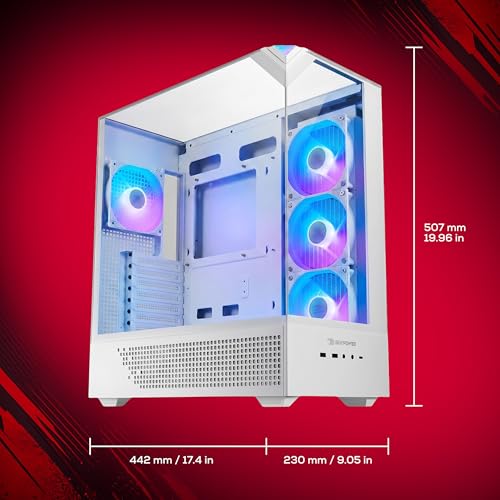
 iBUYPOWER Element Gaming PC Desktop Computer AMD Ryzen20 x 9.1 x 17.4 inches36 poundsCheck on Amazon
Top picks at a glance
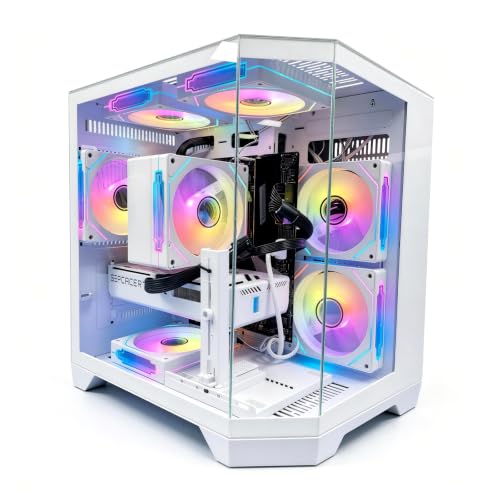
LXZ Prebuilt Gaming PC Ryzen 7 8700F RTX 5060 16GB DDR5 1TB SSD | Gaming Desktop 6 RGB fans, 650W PSU, 7x USB 2.0 + 3x USB 3.0


As an Amazon Associate we earn from qualifying purchases. Product prices and availability are accurate as of the date/time indicated.

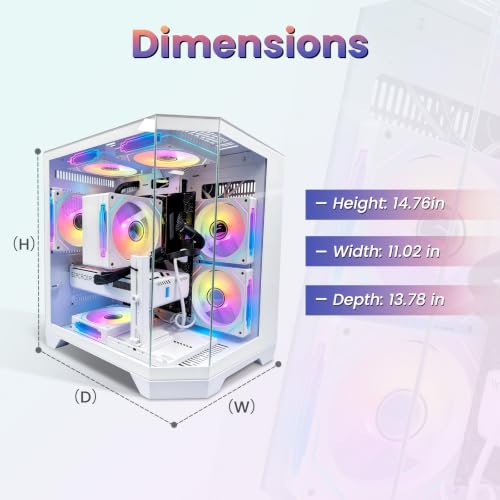
Skytech Gaming PC Desktop, Intel i5 14400F, RTX 5060, 16GB RAM, 1TB SSD | Windows 11, NVMe SSD, DDR5 6000, 750W GOLD PSU, Wi-Fi 5, Archangel 5 Series


As an Amazon Associate we earn from qualifying purchases. Product prices and availability are accurate as of the date/time indicated.
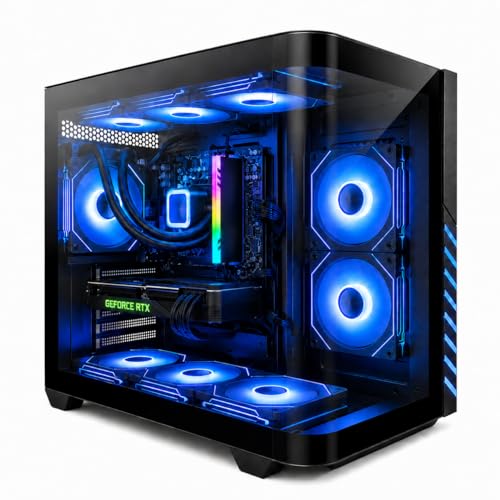
Gaming PC Desktop Liquid Cooled Ryzen 7 8700F RTX 4060 Ti 16GB DDR5 RAM | 1TB NVME WiFi-6 9×ARGB Fans Mechanical Keyboard & Mouse Windows 11


As an Amazon Associate we earn from qualifying purchases. Product prices and availability are accurate as of the date/time indicated.
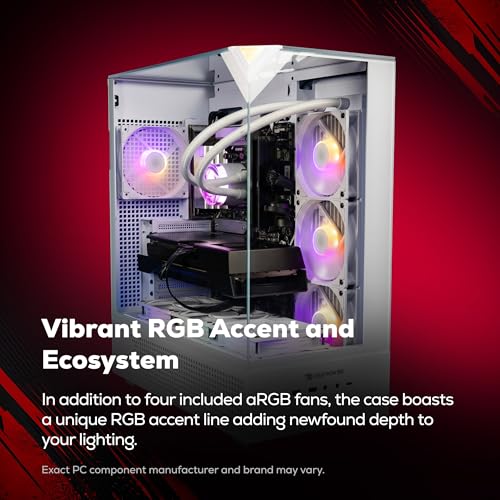
iBUYPOWER Element Gaming PC Desktop Computer AMD Ryzen 9 7900X CPU, NVIDIA GeForce RTX 5070 12GB GPU, 32GB DDR5 RAM, 1TB NVMe SSD, Windows 11 Home, Gamer Keyboard and Mouse - EWA9N5702





As an Amazon Associate we earn from qualifying purchases. Product prices and availability are accurate as of the date/time indicated.

KOTIN Gaming PC, Ryzen 7 9700X, RX 9070 XT 16GB, 32GB DDR5, 1TB SSD | Prebuilt Gaming Computer, 11.3In Smart Display, 360mm Liquid Cooler, WiFi 7, 850W Gold PSU, Windows 11, ARGB, 1440p 4K


As an Amazon Associate we earn from qualifying purchases. Product prices and availability are accurate as of the date/time indicated.

Olialia Gaming PC, Ryzen 5 5600GT 6-Core High Performance Processor | 16GB RAM, 512GB SSD, Prebuilt Gaming Desktop Computer, 600W Power, ARGB Fans, WiFi 6, Ideal for Gaming, Windows 11 Home


As an Amazon Associate we earn from qualifying purchases. Product prices and availability are accurate as of the date/time indicated.

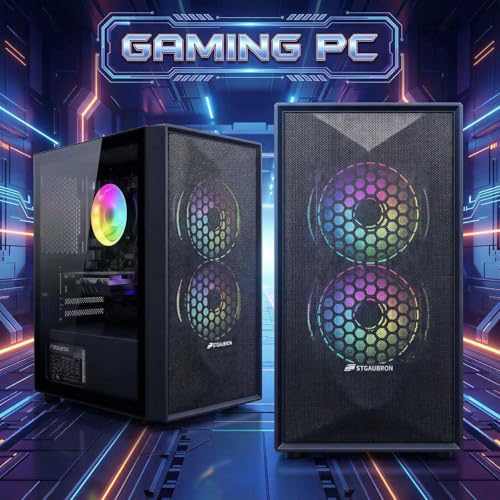
STGAubron Gaming PC Desktop,Core I5,RX 550 4G,16G RAM,512G SSD | Gaming Computer Tower for Streaming,Video Editing,Home,School,I5 up to 3.6G,ARGB Fan,WiFi 6,BT 5.0,4K DP,HDMI,Win11 Home



As an Amazon Associate we earn from qualifying purchases. Product prices and availability are accurate as of the date/time indicated.

OKAMUS Pre-Built PC, i5 CPU Up to 3.6GHz, Integrated Graphics Only, 256 GB M.2, 8 GB RAM Cheap Budget Gaming PC, RGB Fans x 3, Win 11 Home,WiFi 6 + BT 5.3, 400W PSU (i5+No GPU+8GB+256GB)


As an Amazon Associate we earn from qualifying purchases. Product prices and availability are accurate as of the date/time indicated.

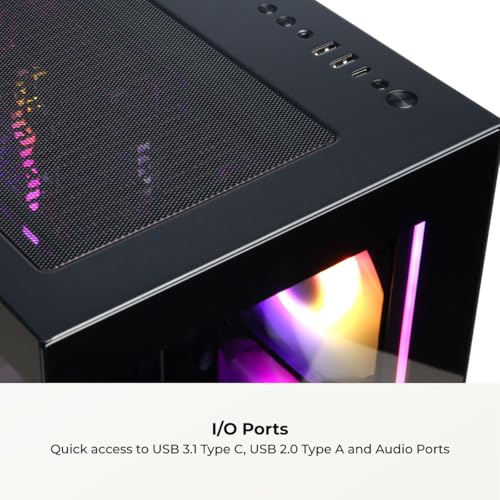
CyberPowerPC Gaming PC, AMD Ryzen 7 8700F, GeForce RTX 5060 Ti 8GB | Gamer Master, 16GB DDR5, 1TB PCIe 4.0 SSD, WiFi Ready & Windows 11 Home (GMA2900A3)




As an Amazon Associate we earn from qualifying purchases. Product prices and availability are accurate as of the date/time indicated.
| Listing | Key point from the title | Price tier | Best for |
|---|---|---|---|
| iBUYPOWER Element EWA9N5702 | Ryzen 9 7900X, RTX 5070 12GB, 32GB DDR5 | Premium | Headroom on busy servers |
| KOTIN Gaming PC | Ryzen 7 9700X, RX 9070 XT 16GB, 32GB DDR5, 850W Gold | Premium | High graphics settings at 1440p |
| Skytech Archangel 5 | Core i5-14400F, RTX 5060, 16GB DDR5 6000, 750W Gold | Mid | Balanced 1080p play |
| CyberPowerPC Gamer Master GMA2900A3 | Ryzen 7 8700F, RTX 5060 Ti 8GB, 16GB DDR5 | Mid | Brand support and a clean spec line |
| LXZ Prebuilt | Ryzen 7 8700F, RTX 5060, 16GB DDR5, 650W | Mid | Similar parts at a lower tier |
| Evounic Liquid Cooled | Ryzen 7 8700F, RTX 4060 Ti, 16GB (ambiguous), AIO cooling | Mid | Quiet-cooling shoppers who verify the spec |
| Olialia Gaming PC | Ryzen 5 5600GT, 32GB RAM, 600W, no graphics card named | Budget | Entry play with a later GPU upgrade |
| STGAubron Gaming PC | Core i5, RX 550 4G, 16GB, 512GB | Budget | Light games, not Rust |
| OKAMUS Pre-Built PC | Integrated graphics only, 8GB, 256GB, 400W | Budget | Office use; weak for Rust |
What Rust asks of a PC
Rust is a survival game with large procedurally generated maps, hundreds of player-built structures, and a steady stream of updates. That mix makes it unusual. Frame rate is often limited by the processor and memory, since the game tracks many objects and players, rather than by raw graphics horsepower.
Memory is the second pressure point. Sixteen gigabytes is commonly cited as the minimum for comfortable play, and thirty-two gives breathing room when you also run a browser, voice chat and a map site on the side. Treat these as general community guidance rather than measured results from us; patches change memory behaviour over time.
Finally, separate local problems from server problems: smooth picture with a snapping character points to the network or server, and a stuttering picture points to hardware. A short decision flow near the end covers it.
How these were picked
This is an editorial roundup. The basis is published specifications, manufacturer documentation and buyer reviews; the selection reflects the nine prebuilt listings in the set for this category and the wording of each title. Nobody on the team used or measured these units. Where a title is vague, typo-ridden or marketing-heavy, we say so, and we flag the three listings that are clearly weaker-class for this game.
The nine listings, one by one
iBUYPOWER Element EWA9N5702
The title reads Ryzen 9 7900X, GeForce RTX 5070 with 12GB, 32GB of DDR5, a 1TB NVMe SSD and Windows 11 Home, plus a keyboard and mouse. On paper this is the most balanced premium listing in the group for Rust: a twelve-core class processor and double the memory of several rivals. The processor and RAM lines are exactly what a crowded-server session rewards, and the RTX 5070 leaves the graphics side comfortable at 1440p with sensible settings.
It suits a player who wants to stop thinking about hardware for several seasons of updates. The title does not name the power supply wattage, the cooler or the motherboard, so check the listing for those lines before ordering.
A realistic scenario: you join a heavily built-up server on wipe day, keep a map site and voice chat open, and want frame rate to hold when dozens of players converge near a monument. This is the configuration whose processor and memory lines are written for that moment. The model code at the end of the title also lets you look up exact board and case details, which the marketing words omit.
- Pros: 32GB DDR5 and a high-core-count CPU; 12GB graphics memory; peripherals included.
- Cons: sits in the premium tier; PSU, cooler and board are unnamed in the title; only one SSD is listed, so a second drive is likely to be a later purchase.
Question to ask before buying: does the listing name the power supply brand and wattage?
KOTIN Gaming PC
KOTIN pairs a Ryzen 7 9700X with a Radeon RX 9070 XT 16GB, 32GB of DDR5, a 1TB SSD, a 360mm liquid cooler, Wi-Fi 7 and an 850W Gold power supply. The title also advertises an 11.3-inch smart display on the case and claims 1440p and 4K capability, which are seller claims and not something we can confirm.
For Rust, the 32GB of RAM and a new-generation eight-core processor are the headline items, and the 16GB graphics card gives the most VRAM headroom in the set. The extras, such as the display, are cosmetic and do not improve play.
Picture a player who runs Rust at 1440p with textures raised, records clips, and wants a machine that will not need an upgrade after the next major update. Sixteen gigabytes of video memory and a large radiator suit that profile. Weigh the claims at the end of the title carefully: 1440p and 4K are advertised side by side, yet real capability depends on the settings you pick.
- Pros: 16GB GPU memory; 32GB DDR5; large radiator and a Gold-rated PSU named in the title.
- Cons: the smart display is a gimmick that adds a point of failure; brand support history is unknown to us; premium tier.
Question to ask before buying: what warranty and return window does the seller state, and who handles service?
Skytech Archangel 5
Skytech lists an Intel Core i5-14400F, RTX 5060, 16GB of DDR5 at 6000, a 1TB NVMe SSD, a 750W Gold power supply, Wi-Fi 5 and Windows 11. It is the cleanest mid-tier spec line in the group: every important component is named, and the power supply has headroom for a later graphics upgrade.
The weak points for Rust are the 16GB of memory and the Wi-Fi 5 radio. If you play on Wi-Fi, a wired connection or a newer adapter will do more for stability than any GPU change. The F-suffix processor has no integrated graphics, so the card is essential.
Think of a 1080p player who wants a machine that works on arrival, with every key part named and a power supply that can take a stronger card in a year or two. That is what this listing is built around. The Archangel name refers to a case series, so you can compare reviews of the chassis itself, which is more than most vague titles allow.
- Pros: fast DDR5 speed named; 750W Gold supply; mid-tier price class with a recognizable brand.
- Cons: 16GB RAM is the entry level for this game; Wi-Fi 5; the i5 has fewer cores than the Ryzen options.
Question to ask before buying: is the RAM two sticks, and can you add two more later?
CyberPowerPC Gamer Master GMA2900A3
The title names a Ryzen 7 8700F, GeForce RTX 5060 Ti with 8GB, 16GB of DDR5, a 1TB PCIe 4.0 SSD and Windows 11 Home, with a model number you can search. The 8GB graphics memory is the point to watch: the Ti name suggests extra power, but VRAM stays at eight, which can pinch at higher texture settings.
It is a reasonable pick if you like the idea of buying from a large, well-known system builder. Compare it with the Skytech and LXZ listings, since the three share a similar architecture and the real differences will be in cases, cooling and the power supply.
If you are buying for a younger player or a first gaming desktop, the clear model number, familiar brand and searchable part list are practical advantages. The weakness lies in the graphics memory pairing: a Ti-named card with 8GB can look better on paper than it behaves once texture settings go up. Compare this one directly against the Skytech before choosing a favourite.
- Pros: a clear model number for reviews and support; Ryzen 7 with eight cores; PCIe 4.0 storage named.
- Cons: 16GB RAM; 8GB of graphics memory; no PSU wattage in the title.
Question to ask before buying: does the 8GB card limit the texture settings you want at 1440p?
LXZ Prebuilt Gaming PC
The LXZ title lists a Ryzen 7 8700F, RTX 5060, 16GB of DDR5, a 1TB SSD, a 650W power supply and six RGB fans, plus a long port list of seven USB 2.0 and three USB 3.0 connections. The parts are comparable to the Skytech and CyberPowerPC systems, but the brand is less established, so support and warranty details need extra attention.
The port list is odd: a heavy lean on USB 2.0 is a sign the front panel was not a priority, so check what the case and motherboard actually offer. A 650W supply is acceptable for this class of card, but it leaves less room to upgrade.
A cost-conscious buyer who wants Ryzen 7 and RTX 5060 parts without paying for a major brand might consider it, as long as they accept less certainty about support. Before ordering, look for the seller’s return policy and any wording about the case, motherboard and PSU maker, since the title mentions fans and ports instead of those key parts.
- Pros: eight-core CPU; DDR5; 1TB storage; lower tier than the major brands.
- Cons: little-known brand; mostly USB 2.0 ports; 650W PSU limits upgrades; 16GB RAM.
Question to ask before buying: what are the PSU brand and the warranty length?
Evounic Liquid Cooled Gaming PC
This listing mentions a Ryzen 7 8700F, an RTX 4060 Ti, liquid cooling, nine ARGB fans, Wi-Fi 6 and a bundled keyboard and mouse. The title reads “RTX 4060 Ti 16GB DDR5 RAM”, which is ambiguous: it could mean a 16GB graphics card, 16GB of system memory, or both. A 16GB version of the card exists, but the wording does not settle it.
Because Rust cares about system RAM, we would not buy before the listing confirms the memory amount and speed. Liquid cooling is a plus for quiet sessions, although the pump and radiator are one more part that can fail.
This could suit a person who dislikes fan noise during long evening sessions and likes the idea of a closed liquid loop. The unresolved memory phrase is the problem, because Rust punishes low system RAM more than low VRAM. If the seller confirms 32GB of system memory, the listing becomes far more attractive; if it means 16GB, it falls behind the Skytech.
- Pros: liquid cooler in the title; peripherals included; Wi-Fi 6.
- Cons: memory wording is unclear; previous-generation graphics card; unfamiliar brand.
Question to ask before buying: is it 16GB of system RAM, 16GB of video memory, or 16GB of each?
Olialia Gaming PC
Olialia lists a Ryzen 5 5600GT with six cores, 32GB of RAM, a 1TB SSD, a 600W power supply, ARGB fans and Wi-Fi 6. No graphics card is named, and the GT suffix indicates a processor with built-in graphics, so you should assume the machine ships without a discrete GPU. That makes it a weaker-class listing for a title like Rust.
Its appeal is a cheap base with plenty of memory. A buyer who plans to add a graphics card soon can make sense of it, provided the 600W unit and case support one. As a ready-to-play Rust machine, it is not.
The scenario where this makes sense is a staged build: buy the base now, then add a graphics card from a trusted retailer when funds allow. In that plan the 32GB of memory and 1TB drive are real assets. As a one-purchase solution it falls short, so budget for the card, plus a possible power supply swap, before you click order.
- Pros: 32GB of RAM at the budget end; six cores; 1TB SSD.
- Cons: no discrete GPU in the title; older platform; the RAM type is not stated.
Question to ask before buying: which graphics cards will the case and 600W supply physically accept?
STGAubron Gaming PC
STGAubron lists a Core i5 described only as “up to 3.6G”, an RX 550 with 4GB, 16GB of RAM and a 512GB SSD, then markets the box for streaming, video editing, home and school. The RX 550 is an entry-level card from an older generation, and the vague processor name makes comparison impossible.
This is a weaker-class listing for Rust, and the office-style marketing suggests it is aimed at general use rather than demanding games. We would use it for light web and media work, not for a game that stresses the CPU and GPU together.
Imagine a family computer that handles homework, streaming video and light games. That is the use case this title describes, and it fits. Imagine instead a Rust session in a crowded base area, and the RX 550 class card and vague processor become obvious limits. The title spells some specs oddly, with run-together abbreviations, which is a prompt to read the live listing twice.
- Pros: very low entry price class; includes Wi-Fi 6 and Bluetooth; DisplayPort and HDMI outputs listed.
- Cons: 4GB entry GPU; unspecified processor model; 512GB storage; typo-style spec writing.
Question to ask before buying: exactly which Core i5 model is inside, and what generation is it?
OKAMUS Pre-Built PC
OKAMUS states “Integrated Graphics Only” in the title itself, with an i5 processor up to 3.6GHz, 8GB of RAM, a 256GB M.2 drive and a 400W power supply. It is sold as a cheap budget gaming PC, but the specification does not support that for Rust. Eight gigabytes is below the comfortable level and the 256GB drive fills quickly.
We include it because it appears in this category and a shopper may land on it. It is a basic desktop. It can serve for office work or older, light games, and it has very little upgrade room because of the 400W supply.
For web browsing, spreadsheets and video calls it will do the job at a low cost, and the three RGB fans are decoration more than performance. Treat the cheap budget gaming PC phrase with caution: with integrated graphics, 8GB of RAM and a 400W supply there is no realistic path to a smooth Rust experience, and the supply limits adding a graphics card later.
- Pros: the lowest entry cost in the set; straightforward configuration labels.
- Cons: integrated graphics only; 8GB RAM; 256GB storage; 400W PSU; not suited to Rust.
Question to ask before buying: do you need a gaming PC at all, or a basic desktop?
Buying guide: what to prioritise for Rust
Processor first, then memory
Because Rust leans on the CPU, six or eight modern cores with good per-core speed are worth more than a larger GPU. The Ryzen 7 and Ryzen 9 listings here are the safest options, and the Core i5-14400F is a respectable alternative. Between otherwise matching listings, favour the one with 32GB of RAM.
Graphics card and VRAM
For 1080p, an RTX 5060 class card is a sensible target. For 1440p with high textures, 12GB or 16GB of video memory gives more room than 8GB. If a listing pairs a strong GPU with a weak CPU or only 8GB of RAM, the money is misallocated for this game. For a head-to-head on the two graphics camps, see RTX 5070 versus RX 9070.
Storage and power supply
Aim for at least 1TB on a solid-state drive. A named Gold-rated supply from a recognisable brand is better than a bare wattage number, because poor supplies are a classic place for prebuilt makers to save money. A 750W or higher unit leaves headroom for a card swap. If you plan to upgrade later, our look at cooling-focused PC gaming cases shows which airflow features matter.
| Spec concept | What to look for | Why it matters for Rust |
|---|---|---|
| CPU cores and generation | Six to eight modern cores, current-generation Ryzen 7 or equivalent | Base building and player counts stress the processor |
| System RAM | 32GB DDR5 in two sticks | Big worlds and background apps eat memory |
| Video memory | 12GB or more for 1440p high textures | Prevents texture swapping stutter |
| Storage | 1TB NVMe or larger | Large install and fast server joins |
| PSU | Named brand, Gold rating, 650W minimum | Stability and upgrade room |
| Network | Ethernet port; newer Wi-Fi if wireless | Rubber-banding is often a network symptom |
| If you are… | Look at | Watch out for |
|---|---|---|
| A wipe-day regular on crowded servers | iBUYPOWER Element, KOTIN | Premium tier cost |
| A 1080p player on a middle budget | Skytech, CyberPowerPC, LXZ | 16GB RAM ceiling |
| A shopper who values quiet cooling | Evounic, KOTIN | Unclear memory wording, extra pump failure risk |
| A budget builder planning a GPU later | Olialia | No discrete GPU named |
| A casual user who mostly does office work | STGAubron, OKAMUS | Not suitable for Rust |
If you are weighing a ready-made machine against assembling your own, the comparison in prebuilt versus custom gaming PCs covers cost, quality and upgrade paths. If a particular brand appeals, how CyberPowerPC and iBUYPOWER compare covers the two best-known names in this list.
Worked example: a RAM budget for a long Rust session
These figures are assumptions for illustration, not measurements. Suppose your session runs the game, a browser with a few tabs for a map site, a voice chat app and a streaming or recording tool. Use the table to see why 16GB feels tight and 32GB feels relaxed.
| Item (assumed) | Low case | High case |
|---|---|---|
| Windows and background services | 4GB | 5GB |
| Rust, mid-session on a busy server | 9GB | 13GB |
| Browser with a handful of tabs | 1.5GB | 3GB |
| Voice chat and overlay | 0.5GB | 1GB |
| Recording or streaming software | 0GB | 2GB |
| Total | 15GB | 24GB |
In the low case a 16GB machine has about one gigabyte to spare. In the high case 16GB is overrun, while 32GB leaves roughly eight gigabytes spare. If you run only the game, 16GB can be enough; if you multitask or play for hours, the 32GB listings are the safer bet.
Frame problem or server problem? A short decision flow
- Open the in-game performance readout and watch frame rate and ping together for a few minutes in a busy area.
- If frame rate is low and ping is fine, the problem is local: lower shadows, grass and draw distance first, then consider hardware.
- If frame rate is fine and ping spikes, the problem is network or server: try wired Ethernet, another server, or a different time of day.
- If frame rate collapses only near large bases, expect a CPU and RAM limit, which points to the processor and memory lines of the listing.
| Symptom | Likely side | First fix |
|---|---|---|
| Low, uneven frame rate everywhere | Local hardware | Lower settings, check RAM and GPU |
| Frame drops near big bases | CPU and RAM | Reduce draw distance, add memory |
| Character snaps backward | Network or server | Wired connection, change server |
Mistakes buyers make
Paying for graphics while ignoring RAM. A premium GPU with 16GB of memory will often feel worse in busy Rust sessions than a mid-range card with 32GB. Trusting vague spec lines. Titles that write “Core i5” with no model, or put RAM and VRAM in one phrase, hide the details that matter. Buying a no-GPU system as a gaming PC. A listing that says integrated graphics only is a basic desktop, whatever the box art suggests.
Counting RGB fans as cooling. Nine fans do not guarantee good airflow; check the case design and the cooler. Before deciding what to trim, read where to save and what never to cut on a budget gaming PC.
Verdict by use case
Best headroom: the iBUYPOWER Element, for its processor and 32GB of DDR5. Best graphics: the KOTIN, for 16GB of video memory and a named 850W Gold supply. Best balanced mid-tier: the Skytech Archangel 5, for its fully named spec line, with the CyberPowerPC and LXZ listings close behind. Best if you are willing to add a card: the Olialia, for its memory, though it needs a GPU. Skip for Rust: the STGAubron and the OKAMUS. Re-read the live listing; titles are seller claims.
Frequently asked questions
How much RAM does a gaming PC need for Rust?
Treat 16GB as the floor and 32GB as the comfortable target. Rust keeps large, constantly changing worlds in memory, and busy servers with many bases and players push usage up over a long session. Browsers, Discord and a streaming app add to that. One listing here pairs 32GB with a budget-tier price, which is a real advantage over 16GB machines with faster graphics, although it lacks a graphics card.
Is an RTX 5060 enough for Rust?
For most players the answer is yes at 1080p, and often at 1440p with some settings trimmed, because Rust leans harder on the CPU and memory than on the graphics card. The bigger risk is pairing a good GPU with only 16GB of RAM or a weak processor. Check the CPU and memory lines of the listing first, then the GPU. These are general expectations, not measured frame rates.
Can I play Rust on integrated graphics?
A few players run it at very low settings, but it is a poor target. Two listings in this roundup have no dedicated graphics card named in the title, and a third uses an RX 550 class card. Expect low frame rates, compromised textures and little room for future updates. If the budget is tight, a used or entry discrete card in a better-balanced system is the safer path.
Why do I get rubber-banding in Rust with a fast PC?
Rubber-banding, where your character snaps back, is usually a network or server symptom rather than a hardware one. Low frame rate feels different: the picture stutters but movement stays responsive. Check ping and server population before spending money. A faster PC will not fix an overloaded server or a poor connection, although wired Ethernet or a better Wi-Fi setup can help on your side.
Is a prebuilt or a custom build better for Rust?
A custom build usually gives more control over RAM, storage and power supply quality, and it lets you spend where Rust benefits most. A prebuilt saves time and arrives with a warranty from one seller. If you choose a prebuilt, favour listings that name the CPU, RAM amount and PSU wattage clearly, and avoid ones that hide key parts behind marketing words.