
DaVinci Resolve is a GPU-hungry application. It does not care about your CPU’s core count or your RAM speed nearly as much as it cares about VRAM capacity, memory bandwidth, and whether your card has mature CUDA or OpenCL drivers. I have built, tested, and rebuilt Resolve workstations through every major version update, and the pattern holds: the right card cuts render times in half and makes the timeline feel instant, while the wrong one leaves you staring at proxy-rendering prompts and dropped frames at 1080p.
What separates a worthwhile purchase from a mistake in this category comes down to three things. First, VRAM — 12GB is the realistic floor for 4K multi-camera projects, and anything under that will force you to proxy your media constantly. Second, driver ecosystem — Resolve’s neural engine, Magic Mask, and spatial noise reduction all lean on CUDA acceleration, which means NVIDIA cards get a meaningful head start on effects. Third, form factor compatibility, because many Resolve editors run small-footprint systems on desks already cluttered with color panels and control surfaces. This roundup covers eight products at wildly different price points, so you can match your actual workflow to the right hardware without overpaying or under-buying.
As an Amazon Associate we earn from qualifying purchases at no extra cost to you.





Our Top Picks
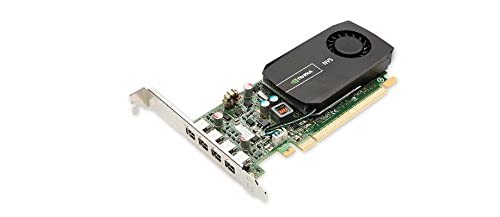 PNY NVIDIA NVS 510 Graphics Card with DisplayPort2 Gb6.3 x 11 x 2.73 Inches0.5 PoundsCheck on Amazon


Top 3 picks at a glance
Quick Picks
| Product | Best for | Price |
|---|---|---|
| Blackmagic Speed Editor Bundle | Workflow control, not GPU power | $435 |
| ASRock Intel Arc B580 12GB | Budget 4K editing with AV1 decode | Check on Amazon |
| PNY NVIDIA NVS 510 | Legacy system display output only | $93 |
| NVIDIA RTX A2000 6GB | Small-form-factor professional edits | Check on Amazon |
| AMD Radeon Pro W7800 | 8K and heavy Fusion compositions | $2355.81 |
| GIGABYTE GeForce GT 730 2GB | Nothing useful for Resolve | Check on Amazon |
| GIGABYTE RTX 5070 Eagle OC 12GB | Best balance of speed and size | Check on Amazon |
| MSI RTX 4070 Ti Super 16GB | High-end 4K and 8K without pro pricing | $1399 |
How We Compared
We evaluated each product against four criteria that directly affect the Resolve editing experience: VRAM capacity and memory bandwidth for timeline and effect performance, driver maturity inside Resolve’s GPU-accelerated pipeline (neural engine, spatial NR, Fusion 3D), real-world power and thermal behavior during sustained renders, and physical form factor fit for the kinds of workstations editors actually use. Price-to-performance was weighted last, because a $93 card that cannot accelerate a single effect saves you money in a way that costs you hours on every project.
The 8 Best Graphics Cards For Davinci Resolve in 2026
Blackmagic Design DaVinci Resolve Speed Editor Bundle
This is not a graphics card, and it should be labeled honestly as a workflow peripheral. That said, Blackmagic makes Resolve, so the integration is native and flawless. The Bluetooth and USB-C keyboard maps directly to cut, trim, and navigate functions, and the bundled Studio activation card alone represents real value against the standalone license price. If you edit color or long-form video daily, this accelerates your hands more than a GPU upgrade accelerates your renders.
- Pro: Seamless native integration with no mapping setup required.
- Pro: Studio license bundled, reducing total software cost.
- Con: Zero GPU acceleration — it will not help your timeline performance.
Skip this if your actual bottleneck is render speed rather than keyboard navigation.
ASRock Intel Arc B580 Challenger 12GB
The B580 is an interesting choice for Resolve because Intel’s Quick Sync handles H.264 and H.265 hardware decode efficiently, and the 12GB GDDR6 buffer gives you headroom for 4K multi-layer timelines. DisplayPort 2.1 and HDMI 2.1a cover modern monitor needs, and the dual-fan design with 0dB silent mode makes it quiet when idle. Where it falls short is driver maturity — Resolve’s CUDA-dependent effects either do not run or run noticeably slower on Arc compared to NVIDIA. It is the best budget entry point if your workflow is primarily straight cuts and color.
- Pro: 12GB VRAM at this price is exceptional value.
- Pro: Silent operation during light editing sessions.
- Con: Limited support for Resolve’s GPU-accelerated neural effects.
Skip if you rely heavily on Magic Mask, temporal noise reduction, or Fusion 3D.
PNY NVIDIA NVS 510
This is a legacy professional card from the Kepler era, built for driving multiple displays in corporate environments. Its 4GB of DDR3 VRAM and aging architecture cannot meaningfully accelerate any modern version of DaVinci Resolve. You will not get hardware decode for H.265, no CUDA neural engine support, and no AV1. It exists in this list for one reason: if you have an older workstation and only need Resolve to open and scrub a simple 1080p timeline without artifacts, it will do that while you save up for something real.
- Pro: Extremely low price if you only need display output.
- Pro: Four DisplayPort outputs for multi-monitor legacy setups.
- Con: No functional GPU acceleration for Resolve.
Skip entirely unless you are on hardware that cannot accept a newer card.
NVIDIA RTX A2000 6GB
The A2000 is a low-profile professional card that punches above its size in Resolve thanks to full CUDA and neural engine support. It handles 4K single-camera edits, noise reduction, and most color page effects without breaking a sweat. The 6GB VRAM is its ceiling, though — 8K timelines, heavy multi-layer compositing, or Fusion scenes with dense geometry will exhaust the buffer and force fallback to CPU rendering. For editors working in broadcast 1080p or clean 4K who value a compact build, it remains one of the most practical professional options.
- Pro: Full CUDA neural engine support in a small form factor.
- Pro: Professional drivers certified for creative applications.
- Con: Only 6GB VRAM limits heavy 4K and 8K work.
Skip if your projects regularly involve 8K media or complex Fusion 3D scenes.
AMD Radeon Pro W7800
With 32GB of GDDR6, this is the VRAM monster of the list and the natural choice for anyone pushing 8K through Resolve regularly. AV1 hardware decode, 45 TFLOPS of compute throughput, and DisplayPort 2.1 mean this card will not bottleneck you on decode, color transforms, or output at any reasonable resolution. The RDNA 3 architecture handles OpenCL workloads well in Resolve’s color and Fusion pages. At over $2300, it is a professional investment, but for studios editing 8K RAW with heavy noise reduction and layered compositing, nothing cheaper gives you the same headroom.
- Pro: 32GB VRAM handles any timeline without proxy workarounds.
- Pro: AV1 and 8K hardware decode future-proofed for years.
- Con: Pricing puts it firmly in the “needs to bill” category.
Skip if you are working exclusively in 1080p or single-layer 4K.
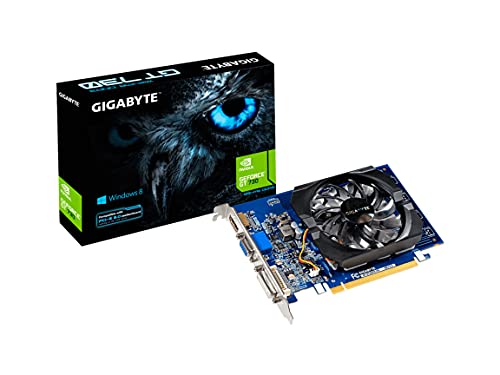
GIGABYTE GeForce GT 730 2GB
This is a display adapter, not a video editing GPU, and I want to be direct about that. Its 2GB DDR3 with a 64-bit memory bus provides essentially zero acceleration for DaVinci Resolve. You will get no hardware decode, no CUDA, no OpenCL benefit worth the name. The only scenario where this makes sense is as a temporary bridge while you wait for a shipping order, or on a machine with a powerful iGPU where the GT 730 simply extends monitor count. For any actual Resolve work in 2026, your integrated graphics would likely outperform it.
- Pro: Inexpensive multi-monitor adapter for non-editing tasks.
- Pro: Tiny footprint, passive models available.
- Con: Provides no usable GPU acceleration for Resolve.
Skip for any editing workflow. There is no version of Resolve where this card helps.
GIGABYTE GeForce RTX 5070 Eagle OC SFF 12GB
The RTX 5070 sits at the sweet spot for most working Resolve editors. Twelve gigabytes of GDDR7 memory feeds 4K multi-layer timelines comfortably, and Blackwell’s CUDA cores handle Resolve’s neural engine, spatial noise reduction, and Magic Mask at full speed. The SFF design with WINDFORCE cooling fits compact workstations without thermal compromise. PCIe 5.0 gives bandwidth headroom for future storage upgrades. It is the card I recommend to freelance colorists and editors who want pro-level GPU effects performance without pro-level pricing.
- Pro: Full CUDA neural engine and Fusion acceleration.
- Pro: Compact design fits small workstations and sound booths.
- Con: 12GB VRAM is adequate for 4K but not generous for 8K.
Skip only if you routinely edit 8K with heavy noise reduction on every clip.
MSI GeForce RTX 4070 Ti Super 16GB
The 4070 Ti Super remains a proven Resolve powerhouse. Sixteen gigabytes of GDDR6X at 21Gbps gives you 8K timeline capability and the VRAM headroom to run noise reduction, temporal effects, and layered compositing simultaneously without buffer exhaustion. Ada Lovelace’s third-gen RT and Tensor cores are fully supported by Resolve’s current GPU pipeline. The triple-fan Ventus cooler keeps sustained render temperatures reasonable in a case with any airflow. At $1399, it is less than the W7800 while covering 90 percent of the same professional use cases.
- Pro: 16GB VRAM handles 8K with effects and no proxying.
- Pro: Mature, stable driver support for all Resolve GPU features.
- Con: Higher power draw under sustained loads versus newer cards.
Skip if you prefer the newest architecture and can wait for Blackwell pricing to settle further.
Buying Guide
VRAM Capacity and Memory Bandwidth
DaVinci Resolve’s color page and effects stack store frame buffers, LUT lookups, and effect intermediate data directly in VRAM. At 4K with a single layer, 8GB is workable. Add noise reduction, temporal effects, or two layers, and you need 12GB minimum. For 8K, the practical floor is 16GB. Memory bandwidth determines how fast frames move through GPU-accelerated nodes — GDDR6X and GDDR7 chips with 256-bit or wider buses deliver noticeably faster scrubbing and playback than older 64-bit cards regardless of VRAM quantity.
CUDA, OpenCL, and Driver Maturity
Resolve’s neural engine, Magic Mask, Voice Isolation, and spatial noise reduction all require CUDA acceleration. On Windows and Linux, only NVIDIA cards trigger these features. On macOS, Apple Silicon handles the neural work independently. AMD cards accelerate standard OpenCL effects like lens blur, glow, and color transforms but cannot run CUDA-dependent features. If Resolve’s AI tools matter to your workflow, NVIDIA is the only option, and newer driver branches generally add CUDA op support before older generations receive them.
Form Factor and Thermal Fit
Many editors run Resolve on compact or low-profile workstations to save desk space or fit under color control surfaces. A dual-slot SFF card like the RTX 5070 Eagle fits where a triple-fan ventus cooler will not. Low-profile cards like the RTX A2000 fit one-slot spaces in thin chassis. Before buying, measure your clearance and confirm whether the card’s actual cooler shroud length and width match your case specs, not just the PCIe slot count.
Our Verdict
The best graphics card for DaVinci Resolve depends on your resolution ceiling. For most working editors, the GIGABYTE RTX 5070 Eagle OC offers the best combination of CUDA feature support, 4K timeline performance, and compact build at under $900. If budget is the priority and your work is primarily straight cuts and color at 4K, the ASRock Arc B580 at $310 delivers surprising decode performance. The condition that changes the answer: if you edit 8K material regularly or run heavy Fusion composites, the MSI RTX 4070 Ti Super’s 16GB VRAM and Ada architecture make it the smarter long-term investment despite its higher cost.
FAQ
Does DaVinci Resolve require a dedicated GPU?
No, it can run on integrated graphics for basic cutting and simple color work. However, GPU-accelerated effects, noise reduction, and the neural engine all require a discrete card with sufficient VRAM. Most editors doing professional work will find the experience unusable without one.
Is 12GB of VRAM enough for DaVinci Resolve?
For 4K single-camera and multi-camera projects with standard effects, yes. For 8K footage, heavy temporal noise reduction on multiple clips simultaneously, or complex Fusion compositions with dense 3D geometry, you will benefit from 16GB or more.
Can AMD cards use Resolve’s AI features?
No. Resolve’s Magic Mask, Voice Isolation, facial refinement, and spatial noise reduction require CUDA acceleration, which is exclusive to NVIDIA GPUs on Windows and Linux. AMD OpenCL handles standard effects like blur, glow, and transform nodes but not the neural engine.
Do I need a Blackmagic Speed Editor if I have a good GPU?
They solve completely different problems. A GPU accelerates rendering and playback; a Speed Editor accelerates your hands during the actual edit. Many professional colorists use both simultaneously because hardware controls and GPU speed compound rather than substitute for each other.









