
A cheap laptop in 2026 is usually a productivity or schooling machine, not a gaming rig. The budget options on the market rely on lightweight processors, modest memory, and storage that can be slow or limited, so the best purchase depends on matching the device to what you will run every day: web browsing, documents, video calls, or light office work.
The picks below include Chromebooks, a Windows business laptop, a budget Android tablet, and a small netbook-style machine. Several are listed as renewed, which means refurbished. Renewed units can deliver good value, but condition grades, warranty terms, and included accessories vary, so read each listing closely before buying.
As an Amazon Associate we earn from qualifying purchases at no extra cost to you.




Our Top Picks
- Lenovo 100E Chromebook 2ND Gen 81QB000AUS Laptop Computer11-11.99 inches11.42 x 8.03 x 0.8 Inches2.68 poundsCheck on Amazon
- Dell Latitude 5420 14" FHD Business Laptop Computeri5-1145G7-16-256-SV-Win1112.76 x 8.35 x 0.76 Inches3 poundsCheck on Amazon

Top 3 picks at a glance
How to Choose
- Operating system fit: Chrome OS suits web-based work and school apps. Windows runs traditional desktop software. Android tablets fit media and light tasks. Pick the platform your daily apps require.
- Memory and multitasking: Four gigabytes of RAM handles a few browser tabs and documents comfortably. Heavier multitasking benefits from more memory, so check the listing before buying.
- Storage type: Solid-state storage is faster and more responsive than eMMC. Check whether the listing says SSD or eMMC, and plan around the limited space that budget devices often have.
- Renewed condition: Renewed laptops are refurbished. Review the condition grade, battery health claims, warranty length, and return window before ordering.
- Screen and portability: A 11-inch screen is easy to carry, while 14- and 15-inch displays offer more workspace. Pick the size that matches how you will use the device.
The Best Picks Reviewed
Dell Chromebook 11 3100 11.6″ Chromebook (Renewed)
This compact Chromebook is suited to students and light users who mostly browse and write. Its small screen and lightweight build make it easy to carry between classes. Confirm the storage and memory figures, since the device is designed for cloud-based work rather than heavy local files.
Lenovo 100E Chromebook 2ND Gen Laptop Computer, 11.6″ HD Display (Renewed)
The Lenovo 100E is a budget Chromebook with an 11.6-inch display and a rugged-leaning design often favored in education settings. It handles web apps and documents well. Check the storage type and the renewed condition grade before purchase.
Dell Latitude 5420 14″ FHD Business Laptop, Intel Quad-Core i5, 16GB RAM, 256GB SSD, Windows 11 Pro (Renewed)
This Windows business laptop is the most capable option in the list for multitasking and desktop software. Its 16GB of memory and solid-state storage make it a practical choice for office work and spreadsheets. Renewed status means you should still verify the battery condition and warranty.
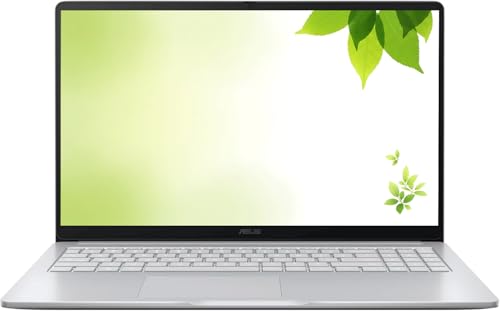
ASUS 2026 15″ FHD IPS Chromebook, Intel Processor, 4GB DDR4, 128GB Storage (Renewed)
The ASUS 15-inch Chromebook gives more workspace than the 11-inch models and uses a full-HD IPS display. It suits people who want a larger screen for document work and video calls. Confirm the storage size against how much you save locally.
10.1 Inch Mini Netbook, Quad-Core Processor, 2GB Memory, 64GB Storage, Android 12
This small Android netbook is the lowest-cost laptop-style option in the group. Its modest memory and storage limit what it can run at once, but it handles browsing, note-taking, and simple home-schooling tasks. Keep expectations realistic and plan to store files in the cloud.
Frequently Asked Questions
Can a budget laptop run modern games?
Not in a useful way. Integrated graphics and limited memory suit web games and light casual titles at most. Anyone who plans to game should look at dedicated gaming hardware instead.
Is a Chromebook enough for school or university?
Often, yes, if your courses rely on web apps and cloud storage. Check whether any required software needs Windows or macOS before buying.
Is a renewed laptop a safe purchase?
It can be, when the seller clearly states the condition grade, provides a warranty, and offers a return window. Read the listing carefully and confirm what is included in the box.
What about the IWEGGO Android tablet?
The IWEGGO 10-inch Android tablet, with its keyboard case and stylus, is an alternative if you mainly read, stream, and take notes. It is not a full laptop replacement, so consider it only if your tasks fit a tablet workflow.
Final Thoughts
For most buyers on a tight budget, the Dell Latitude 5420 offers the strongest all-round performance for Windows work, while the Chromebooks suit browser-based study and everyday tasks. The ASUS 15-inch model adds screen space, and the Android netbook covers the lowest budgets. Match the platform to your apps, check storage and renewed condition, and skip gaming expectations.


