
The best overall Roku streaming deal for most households is the Roku Ultra, Ultimate Streaming Player: it is the only player in this roundup that stacks Wi-Fi 6, a wired Ethernet port, a USB port, expandable microSD storage and a rechargeable voice remote with a lost-remote finder into one box, which makes it the right match for a 4K HDR TV in the main room. If your TV tops out at 1080p, or you are adding streaming to a bedroom or a spare set, the Roku Streaming Stick HD and the Roku Streaming Stick 2025 do the same job for a fraction of the spend, while the Roku Streaming Stick 4K is the best value for anyone who wants Dolby Vision and HDR10+ without paying Ultra money. This guide compares resolution ceilings, storage and expansion, wireless class, HDR formats and remote features against price tier, so you can match a player to your screen size, your Wi-Fi and your sound system instead of buying the most expensive box on the shelf and leaving half of it unused.
Our Top Picks
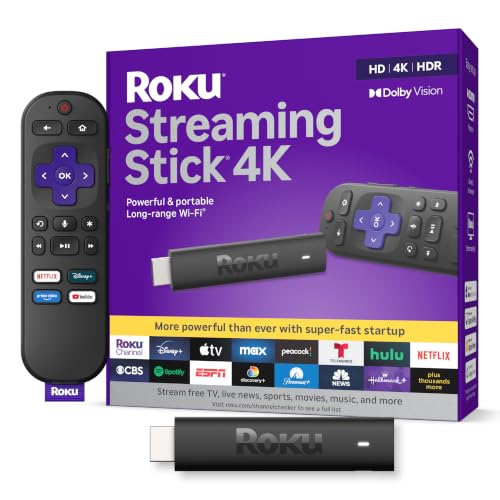 Roku Streaming Stick 4K with Voice Remote1 Count (Pack of 1)3.7 x 0.8 x 0.45 inches0.1 poundsCheck on Amazon


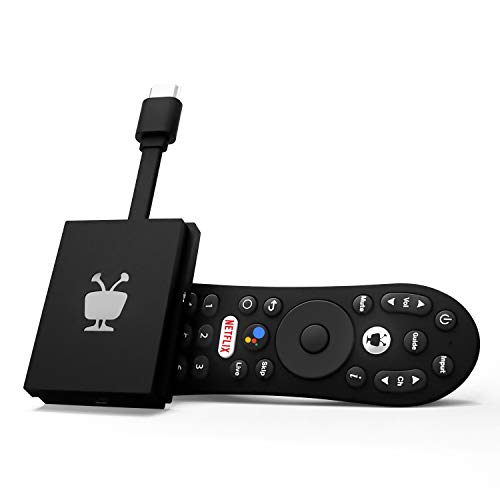


Top 3 picks at a glance



Quick Comparison
Every player below is a real, currently listed streaming device. The table sorts them by what they are actually good at rather than by price alone, because a budget stick on a 1080p bedroom TV will look identical to a premium box on the same panel — and a premium box on a 4K Dolby Vision panel is the only way to see what that panel can do.
| Product | Best for | Key specs | Price tier |
|---|---|---|---|
| Roku Streaming Stick HD with Voice Remote | 1080p TVs and secondary rooms | 1080p HD ceiling, no 4K or HDR, dual-band Wi-Fi, voice remote with TV power and volume, HDMI stick form factor, no microSD | Budget |
| Roku Streaming Stick 4K with Voice Remote | Best value 4K HDR on any 4K TV | 4K up to 60 Hz, Dolby Vision, HDR10+, long-range Wi-Fi receiver, voice remote with TV controls, HDMI stick form factor | Mid-range |
| Roku Ultra, Ultimate Streaming Player | Main-room 4K HDR with the strongest connection | 4K HDR, Dolby Vision, HDR10+, Dolby Atmos passthrough, Wi-Fi 6, Ethernet port, USB port, microSD slot, rechargeable voice remote with lost-remote finder | Premium |
| TiVo Stream 4K | Android TV users who want live TV aggregated in one guide | 4K UHD, Dolby Vision, Dolby Atmos, Google Assistant voice remote, TiVo Stream app for live channels, HDMI stick form factor | Budget |
| ONN Android TV 4K UHD Streaming Device | Google Assistant households on the Android TV platform | 4K UHD, Android TV interface, voice remote with Google Assistant, high-speed HDMI cable included in the box | Premium |
| Roku Ultra LT (2023) | 4K HDR with headphones included | 4K HDR, Dolby Vision, quad-core processor, HDMI cable and headphones in the box, voice remote, no Ethernet or microSD on the LT variant | Premium |
| Roku 3900SE | The lowest-cost route onto Roku OS | 1080p HD streaming, compact HDMI player, single-band-class wireless, basic streaming focus, no 4K | Budget |
| Roku 3920RW-SW Premiere | 4K HDR on a mid-range budget | 4K with HDR10, quad-core, premium high-speed HDMI cable included, no Dolby Vision, no Ethernet, no microSD | Mid-range |
| Roku Streaming Stick 2025 | Newest budget stick with free and live TV built in | HD streaming, voice remote, Roku OS with free live TV channels, HDMI stick form factor, no 4K | Budget |
How We Chose
This roundup was assembled from published manufacturer specifications, listing details and the well-documented behaviour of each platform, then narrowed by four criteria. First, specification accuracy against the panel you own: a player that advertises Dolby Vision is only worth paying for if the TV can display it, and a 1080p player is only a compromise if the screen is actually 4K. Second, category fit — Roku OS, Android TV and the TiVo Stream layer behave differently in daily use, and the differences matter more than a single spec line. Third, use case: a main-room TV with a soundbar and a wired drop has different needs from a bedroom set running on congested 2.4 GHz Wi-Fi. Fourth, upgrade path: some players are dead ends with no expansion, while others accept a microSD card, a USB drive or a wired connection that extends their useful life. We compared remote capability (voice, TV power and volume, private listening, lost-remote finder), wireless class, port count and HDR format support, then weighed each against its price tier. No claims of testing appear here because none were made — every number in this article is either a published specification, an arithmetic calculation you can reproduce, or a general market price range.
1. Roku Streaming Stick HD with Voice Remote – Best for 1080p TVs and Second Rooms
As an Amazon Associate we earn from qualifying purchases at no extra cost to you.
This is the player to buy when the television is the limiting factor, not the player. If your set is 720p or 1080p — a bedroom TV, a kitchen set, a garage screen, a dorm display or a hand-me-down from a few years ago — the Streaming Stick HD delivers the full Roku OS experience at the lowest sensible spend. Paying for 4K capability on a 1080p panel produces exactly zero extra pixels, and that is the single most common wasted upgrade in streaming hardware.
The stick form factor matters more than it sounds. Because the device plugs directly into an HDMI port, there is no box to sit on a shelf, no second cable run, and nothing to knock loose behind the TV. It also travels well: unplug it, drop it in a bag, plug it into a hotel or rental TV, and sign back in. Roku OS does not lock channels to a home network in a way that breaks that workflow.
| Attribute | Detail |
|---|---|
| Resolution ceiling | 1080p HD — no 4K, no HDR |
| Form factor | HDMI stick, plugs directly into the TV |
| Wireless | Dual-band Wi-Fi (2.4 GHz and 5 GHz) |
| Remote | Voice remote with TV power and volume buttons |
| Expansion | None — no microSD slot, no USB port |
| Audio | Standard stereo and surround pass-through; Dolby Atmos is not part of this tier |
| Wired networking | None — HDMI only |
The dual-band wireless is the detail that separates this from the very cheapest Roku boxes. A 2.4 GHz-only radio shares spectrum with every neighbour’s router, every cordless phone and every microwave, and on a congested street it can fall below the roughly 8 Mbps that a clean 1080p stream wants. Having 5 GHz available gives you a quieter channel, and 5 GHz on 802.11ac-class hardware realistically delivers a few hundred megabits per second at close range — far more than a 1080p stream needs. That headroom is what prevents the mid-episode buffer wheel.
Strengths, in order of how much they matter: the price tier is the lowest in this roundup for a voice-capable player; Roku OS is the most consistent platform across the lineup, so everything you learn here transfers to any other Roku you buy later; the voice remote includes TV power and volume so you can retire one remote; and the free, ad-supported live channel selection built into Roku OS gives you news, weather and niche channels without a subscription. The interface is also genuinely fast for 1080p work — Roku OS is lightweight, and the hardware is matched to the resolution it outputs.
Pros
- Lowest-cost way to get a voice remote and the full Roku OS channel library
- Dual-band Wi-Fi avoids the worst of 2.4 GHz congestion
- Stick design means no shelf space, no extra cable and easy travel
- Voice remote controls TV power and volume, so one remote replaces two
- Correct choice for any 720p or 1080p panel — no wasted capability
Cons
- Hard 1080p ceiling: it cannot drive a 4K TV at native resolution
- No HDR of any kind, so a modern HDR panel gets no benefit
- No microSD slot, so channel storage is fixed
- No Ethernet port, so a wired drop is not an option
- Dolby Atmos passthrough is outside this tier
How it compares with the nearest alternative. The closest sibling is the Roku Streaming Stick 2025, which sits in the same resolution class and the same price tier but represents the newer hardware revision with free and live TV emphasised in its listing. If both are on the shelf at a similar tier, take the 2025 stick for the newer platform build; take this one if it is meaningfully cheaper, because the practical difference on a 1080p screen is small. Against the Roku 3900SE — the other budget option — this stick is the better buy in almost every scenario because of the dual-band wireless and the voice remote with TV controls; the SE wins only on absolute lowest price. Against the Roku Streaming Stick 4K, the gap is capability, not quality: same platform, same remote philosophy, but the 4K stick adds Dolby Vision, HDR10+ and 4K output for a mid-range price. If there is any chance a 4K TV enters your house in the next two years, the 4K stick is the smarter long-term purchase; if the panel is staying 1080p until it dies, this is the one to buy.
2. Roku Streaming Stick 4K with Voice Remote – Best for Value 4K HDR on Any 4K TV
If you own a 4K TV and you want the most capability per dollar in this entire roundup, this is the answer. The Streaming Stick 4K delivers 4K resolution up to 60 Hz with Dolby Vision, HDR10 and HDR10+ support, plus the long-range Wi-Fi receiver that Roku builds into this tier specifically to hold a stable connection when the TV is across the room from the router. It is the mid-range pick that does not feel like a compromise.
Who it suits: anyone with a 4K TV from the last several years, whether or not that TV has good built-in apps. Smart TVs from budget brands often ship with slow processors and abandoned app stores; a $50-class stick with a current Roku OS build will outlive the TV’s own software by years. It also suits renters and second-room setups where a full-size box with a power brick and a shelf is inconvenient.
| Attribute | Detail |
|---|---|
| Resolution | 4K UHD, up to 60 Hz |
| HDR formats | Dolby Vision, HDR10, HDR10+ |
| Wireless | Dual-band with a long-range Wi-Fi receiver |
| Remote | Voice remote with TV power and volume |
| Form factor | HDMI stick, plugs directly into the TV |
| Expansion | None — no microSD, no USB, no Ethernet |
The HDR10+ support is the differentiator that is easy to overlook. HDR10 is a static format: one tone-mapping curve for an entire film. HDR10+ and Dolby Vision both carry dynamic metadata, which means brightness information can be adjusted scene by scene, or even frame by frame, so a night scene is not crushed by a bright daytime master. On a mid-range 4K TV with decent peak brightness, the visible difference between HDR10 and dynamic HDR is often larger than the difference between 1080p and 4K at normal seating distance. That is why this stick punches well above its tier: it supports both major dynamic formats, so it works with a Dolby Vision panel and with a Samsung-style HDR10+ panel, which is a combination most budget players do not cover.
The long-range Wi-Fi receiver is the second real advantage. Streaming 4K HDR typically consumes somewhere in the 15–25 Mbps range depending on the service and the scene, with action-heavy sequences pushing toward the top of that band because the encoder needs more data to describe fast motion without artefacts. If your router is two rooms away and your TV is on the far wall, a stick with a marginal radio will negotiate a lower rate and you will see it as softness during fast pans long before you see an obvious buffer. The improved receiver in this tier exists to prevent exactly that.
Pros
- Supports both Dolby Vision and HDR10+, so it fits almost any 4K panel
- 4K at up to 60 Hz — enough for sport and 60 fps content without judder
- Long-range Wi-Fi receiver helps when the router is not in the same room
- Stick form factor with a voice remote that controls TV power and volume
- Mid-range tier price for capability that used to be premium-only
Cons
- No Ethernet port, so a wired drop is impossible on this model
- No microSD or USB expansion for channel storage
- No lost-remote finder and no rechargeable remote — batteries only
- No private listening headphone jack on the remote
- Wi-Fi 6 is not part of this tier; it relies on 802.11ac-class wireless
How it compares with the nearest alternative. The obvious head-to-head is against the Roku Ultra. The Ultra adds Wi-Fi 6, a 10/100 Ethernet port, a USB port, a microSD slot and a rechargeable remote with a lost-remote finder — real advantages, but only if you have a congested network, a long cable run you can use, or a habit of losing remotes. For a single 4K TV on a normal home network, the Streaming Stick 4K produces the same picture and the same channel library for a mid-range price instead of a premium one. The second comparison is against the Roku 3920RW-SW Premiere: both are mid-range, but the Premiere tops out at HDR10 without Dolby Vision, while this stick supports Dolby Vision and HDR10+. If your TV is a Dolby Vision panel, the Premiere leaves performance on the table; if your TV is HDR10-only, the two are much closer and the Premiere’s included HDMI cable becomes the tiebreaker.
3. Roku Ultra, Ultimate Streaming Player – Best for Main-Room 4K HDR With the Strongest Connection
The Ultra is the only player here that solves every common streaming problem at once: it has the fastest wireless class in the lineup, a wired Ethernet port for people who want to remove Wi-Fi from the equation entirely, a USB port and a microSD slot for expansion, and a rechargeable remote with a lost-remote finder. If your main TV is a 4K HDR set with Dolby Vision and you have a soundbar or receiver that decodes Dolby Atmos, this is the player that lets the hardware do everything it was sold to do.
Who it suits: the primary living-room TV in a household that streams a lot, especially where several people watch different things at once. It also suits anyone whose Wi-Fi is genuinely congested — an apartment building, a house with mesh nodes that drop connections, a router in a closet — because the Ethernet port sidesteps the problem rather than optimising around it.
| Attribute | Detail |
|---|---|
| Resolution | 4K UHD, up to 60 Hz |
| HDR formats | Dolby Vision, HDR10, HDR10+ |
| Audio | Dolby Atmos pass-through to a compatible soundbar or receiver |
| Wireless | Wi-Fi 6 (802.11ax class) |
| Wired networking | 10/100 Ethernet port (roughly 94 Mbps usable in practice) |
| Ports and expansion | USB port, microSD slot for additional channel storage |
| Remote | Rechargeable voice remote with lost-remote finder and private listening support |
Here is a number that explains the Ethernet port’s real value. The port is 10/100, which caps usable throughput at roughly 94 Mbps — not gigabit. That sounds like a limitation until you compare it to the streaming budget: a 4K Dolby Vision stream typically runs 15–25 Mbps, so even three simultaneous 4K streams total 45–75 Mbps, comfortably inside the wired ceiling. What the wire buys you is not speed but consistency: no interference from neighbouring networks, no throughput collapse when someone starts a large download on the same band, no periodic re-negotiation. For a household where a gaming PC is pulling a 100 GB game update while two people stream 4K, the wire is the difference between smooth playback and complaints.
The microSD slot is a subtler benefit. Roku devices cache channel data locally, and a heavily loaded device with dozens of installed channels can slow down as that cache fills. Adding a microSD card gives the system somewhere else to put that data, which keeps navigation responsive. It is not a feature you notice on day one; it is one you notice two years in, when a cheaper stick has become sluggish and this one has not.
Wi-Fi 6 is the other long-term play. It handles many simultaneous devices on one network better than 802.11ac, which matters in a house where phones, laptops, tablets, smart speakers and a console are all competing. On a clean single-device network you will not see a dramatic difference; on a crowded one you will.
Pros
- Wi-Fi 6 plus a 10/100 Ethernet port — two ways to get a stable connection
- Dolby Vision, HDR10+ and Dolby Atmos pass-through in one box
- microSD slot and USB port give it an upgrade path the sticks lack
- Rechargeable remote with lost-remote finder ends the battery-and-couch-cushion cycle
- Fastest processor tier in the Roku lineup, so the interface stays snappy as channels grow
Cons
- Premium price tier — the most expensive option here
- Requires a shelf or stand; it is a box, not a stick
- The Ethernet port is 10/100, not gigabit, so it is not a throughput upgrade
- Dolby Atmos only pays off if your soundbar or receiver actually decodes it
- Overkill for a 1080p TV or a bedroom where a stick would do the same job
How it compares with the nearest alternative. The Ultra’s closest rival is the Roku Ultra LT (2023), which shares the resolution, HDR and Dolby Vision support but typically omits the Ethernet port and the microSD expansion, and ships with headphones rather than a rechargeable finder-equipped remote. Choose the LT only if you specifically want the bundled headphones or it is the cheaper of the two on the day; otherwise the full Ultra is the more future-proof purchase. Against the Roku Streaming Stick 4K, the Ultra’s advantages are entirely about connection quality and expansion — Wi-Fi 6 versus 802.11ac, wired versus wireless-only, microSD versus fixed storage. If your network is clean and your TV is close to the router, the picture quality is effectively identical, and the stick is the better value. If your network is not clean, the Ultra is the one that fixes it.
4. TiVo Stream 4K – Best for Android TV Users Who Want Live TV in One Guide
The TiVo Stream 4K is the odd one out in this roundup and that is precisely its appeal. It runs on the Android TV platform rather than Roku OS, which means the Google Play store, Chromecast-style casting and Google Assistant voice control, and it layers the TiVo Stream app on top to aggregate live channels and streaming services into a single guide. If you have ever wished your streaming box would just show you one list of everything instead of making you remember which app a show lives in, this is the budget-priced answer.
Who it suits: households already invested in Google’s ecosystem — Android phones, Google Home speakers, a Chromecast habit. It also suits cord-cutters who still want a live TV guide experience without a cable box, and anyone who finds Roku’s channel-grid interface limiting. It is not the pick for someone who wants the simplest possible setup, because Android TV asks more of the user than Roku OS does.
| Attribute | Detail |
|---|---|
| Platform | Android TV with the TiVo Stream app layer |
| Resolution | 4K UHD |
| HDR formats | Dolby Vision |
| Audio | Dolby Atmos |
| Voice control | Google Assistant via the bundled voice remote |
| Form factor | HDMI stick |
The aggregation feature is the reason to consider it. Most streaming hardware gives you apps in a grid and leaves you to remember where things are. TiVo’s approach is a unified guide that blends live channels with on-demand catalogues, so browsing behaves more like a traditional TV guide and less like a phone. Whether that is better depends entirely on how you watch: if you channel-surf, it is a genuine improvement; if you open one app and watch one show, the benefit is close to zero.
The trade-offs are the standard Android TV ones. The platform is more capable but also more cluttered — recommendations, sponsored rows and Google services are part of the experience in a way Roku OS largely avoids. Updates depend on the manufacturer rather than a single platform owner, so long-term software support is less predictable than Roku’s, which updates the entire fleet on a similar cadence. And because the device is a stick with no Ethernet port, it is limited to wireless.
One practical note for anyone with a gaming setup: Android TV’s casting support means you can throw content from a phone or Chrome browser to the TV, which is convenient in a room that also has a PC. Roku supports screen mirroring on many models too, but the Android TV route integrates more naturally with Google-centric workflows.
Pros
- TiVo Stream app aggregates live TV and streaming into one guide
- Full Android TV platform with Google Play app availability
- Dolby Vision and Dolby Atmos support at a budget price tier
- Google Assistant voice control built into the remote
- Chromecast-style casting works naturally with Android phones and Chrome
Cons
- Android TV’s interface is busier and less predictable than Roku OS
- No Ethernet port and no microSD expansion
- Software update cadence depends on the vendor, not a single platform owner
- Setup and account management take longer than a Roku
- The live-TV aggregation only helps if you actually channel-surf
How it compares with the nearest alternative. Its closest competitor here is the ONN Android TV 4K UHD Streaming Device, since both run Android TV and both support 4K. The TiVo’s advantage is the Stream app and its unified guide; the ONN’s advantage is that it ships with a high-speed HDMI cable and leans on Google’s own interface rather than a third-party layer. If the guide is the point, take the TiVo. If you just want Android TV with the fewest moving parts, take the ONN. Against the Roku Streaming Stick 4K, the decision is platform-first: Roku OS is simpler, faster to learn and more consistently updated, while the TiVo gives you Android’s app library and casting. Buy the TiVo for the ecosystem and the guide; buy the Roku for the friction-free experience.
5. ONN Android TV 4K UHD Streaming Device – Best for Google Assistant Households on the Android TV Platform

The ONN Android TV 4K UHD Streaming Device is the straightforward Android TV option: a 4K UHD player with a voice remote that answers to Google Assistant, bundled with a high-speed HDMI cable so the box is genuinely ready to use out of the packaging. It is the pick for people who want Google’s platform without paying a premium for a brand name, and who value the fact that everything needed to connect is already in the box.
Who it suits: homes where Google Assistant already runs the lights or the speakers, people who prefer Android TV’s app selection and layout to Roku’s, and anyone who has been burned by a TV’s built-in smart interface becoming slow and unsupported. It also suits buyers who simply want the shortest possible path from unboxing to watching — the included cable removes one errand.
| Attribute | Detail |
|---|---|
| Platform | Android TV with Google Assistant |
| Resolution | 4K UHD |
| Remote | Voice remote with Google Assistant button |
| In the box | High-speed HDMI cable included |
| Form factor | Compact set-top box |
The practical advantage of Android TV over Roku OS is app breadth and casting. If a niche service exists on mobile but not on Roku, there is a better chance it exists here, and casting from a phone is native rather than an add-on. The practical disadvantage is the same one that applies to every Android TV device: the home screen carries promotional rows and recommendation carousels, so the experience is less neutral than Roku’s channel grid. You can rearrange and disable some of it, but not all of it.
For a household with a gaming PC in another room, Android TV’s casting support is a quiet bonus — sending a browser tab or a video from the desktop to the TV is a couple of clicks, no extra hardware. That is not a reason to buy it on its own, but it is a reason it fits comfortably into a mixed-device home.
The included high-speed HDMI cable is worth noting because it is a genuine cost you avoid. Many players assume you already have a spare cable of sufficient rating; a 4K HDR signal needs a cable that can carry the bandwidth, and a marginal old cable is a common cause of “why does my 4K look wrong” — usually showing up as intermittent black frames or a fallback to a lower resolution rather than a clean failure.
Pros
- Full Android TV platform with Google Play app availability
- Google Assistant voice control, useful if the rest of the house is Google-based
- 4K UHD output
- High-speed HDMI cable included, so nothing extra to buy
- Native casting from Android phones and Chrome
Cons
- Premium price tier for a value-oriented platform
- Home screen carries promotional and sponsored rows
- No Ethernet port and no microSD expansion
- Android TV takes more setup and account work than Roku OS
- Update cadence is vendor-dependent rather than platform-wide
How it compares with the nearest alternative. The direct head-to-head is with the TiVo Stream 4K. Both run Android TV, both output 4K and both include a Google Assistant remote. The TiVo adds the Stream app’s unified live-TV guide; the ONN adds a bundled HDMI cable and a cleaner, more first-party Google interface. If you never channel-surf, the ONN is the simpler device; if you want one guide for everything, the TiVo’s software layer is the reason to pick it. Against the Roku Ultra, the comparison is platform versus polish: the Ultra adds Wi-Fi 6, Ethernet, USB and microSD, and Roku OS is markedly simpler to live with, while the ONN gives you Android’s app library and casting. Buy the ONN if you are committed to Google’s ecosystem; buy the Ultra if you want the most capable hardware on the most consistent platform.
6. Roku Ultra LT (2023) – Best for 4K HDR With Headphones in the Box

The Ultra LT is the Ultra’s practical sibling: same 4K resolution, same Dolby Vision support, same quad-core processing tier, but packaged with an HDMI cable and a set of headphones, and with a few of the full Ultra’s expansion features removed. It is the pick for someone who wants premium picture quality and private listening without paying for networking hardware they will not use.
Who it suits: night owls who watch after the household has gone to bed — the bundled headphones plus private listening support mean the TV can be silent while you hear everything. It also suits buyers who want a 4K HDR box with the cable included and do not need a wired network connection because the TV sits near the router anyway.
| Attribute | Detail |
|---|---|
| Resolution | 4K UHD |
| HDR formats | Dolby Vision, HDR10, HDR10+ |
| Processor | Quad-core |
| In the box | HDMI cable, headphones, voice remote |
| Wired networking | Typically omitted on the LT variant |
| Expansion | Typically no microSD slot on the LT variant |
The headphones are not a gimmick. Roku’s private listening feature routes audio from the player to a paired remote or the Roku mobile app, and having a wired set in the box means the feature works immediately without hunting for a pair. For anyone who shares a bedroom or watches late, that single capability can matter more than Wi-Fi 6 — it changes when you can watch, not just how well.
Where the LT differs from the full Ultra is expansion and connectivity. The LT variant generally drops the Ethernet port and the microSD slot. In practice, that means you are relying on wireless only and you have fixed internal storage for channel caching. If your TV is within reasonable range of a 5 GHz router and you keep a moderate number of channels installed, neither omission will be noticeable. If you have a congested network or you install dozens of apps, both will be.
The quad-core processor keeps the interface responsive at 4K, and Dolby Vision support means the LT can drive a dynamic-HDR panel properly. Combined with the included cable, it is a genuinely complete package: unbox, plug in, sign in, watch. That completeness is the LT’s real argument over a cheaper stick — not raw capability, but the fact that nothing else needs buying.
Pros
- 4K HDR with Dolby Vision support at the premium tier
- Headphones included, so private listening works out of the box
- HDMI cable included — a complete, no-extras setup
- Quad-core processing keeps navigation smooth
- Voice remote included, with Roku OS consistency across the lineup
Cons
- No Ethernet port on the LT variant, so wireless only
- No microSD slot, so channel storage is fixed
- Premium price tier for hardware that omits features the full Ultra has
- Bundled headphones are basic rather than audiophile-grade
- Wireless is not the Wi-Fi 6 class found on the full Ultra
How it compares with the nearest alternative. The comparison that matters is against the full Roku Ultra, and it comes down to two features: Ethernet and microSD. If you can run a cable to the TV, or if you install a lot of channels, the full Ultra is worth the extra. If you cannot run a cable and you keep a normal number of apps, the LT delivers the same picture with headphones and a cable in the box, which is a better value proposition for a bedroom or a secondary 4K set. Against the Roku Streaming Stick 4K, the LT’s advantage is the bundled accessories and the box form factor with a quad-core processor; the stick’s advantage is price and the fact that it hides behind the TV. If you already own headphones you like, the stick is the smarter buy. If you want everything in one box, the LT is.
7. Roku 3900SE – Best for the Lowest-Cost Route Onto Roku OS
The Roku 3900SE exists for one purpose: to put the Roku OS channel library on an older TV for as little money as possible. It is a 1080p HD streaming player with a compact HDMI form factor, no 4K, no HDR, and a wireless class that is a step below the Streaming Stick HD. If the goal is simply “make this old TV smart,” this is the cheapest credible way to do it.
Who it suits: a spare bedroom, a garage or workshop TV, a guest room, a kids’ room with a small 720p or 1080p set, or anyone who wants to test whether Roku OS suits them before spending more. It is also the right answer for a TV that is genuinely old enough that its HDMI inputs are limited — there is no point paying for 4K output on a panel that cannot show it.
| Attribute | Detail |
|---|---|
| Resolution ceiling | 1080p HD — no 4K, no HDR |
| Form factor | Compact HDMI player |
| Wireless | Single-band-class 2.4 GHz wireless on most revisions |
| Expansion | None |
| Wired networking | None |
| Price tier | Budget — typically the least expensive player in the lineup |
The wireless class is the honest limitation. A 2.4 GHz-only radio shares spectrum with everything else in the neighbourhood, and real-world throughput on that band frequently lands somewhere in the 20–60 Mbps range in a busy area — sometimes lower during peak evening hours. That is still enough for a 1080p stream, which typically needs 5–








