
The best 65 inch TV under $1,000 for most buyers is the TCL QM7K, because its Mini-LED backlight, strong HDR brightness, 144Hz gaming support, and four HDMI 2.1 inputs deliver more performance than most similarly priced LED TVs.
As an Amazon Associate we earn from qualifying purchases at no extra cost to you.


Our Top Picks
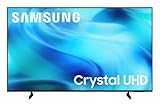
 Samsung 65-Inch Class Crystal UHD U8000H Series Samsung65 Inch8.7 x 56.9 x 34.7 Inches31.8 poundsCheck on Amazon
 Hisense 65" E7 Cinema Series Hi-QLED Mini-LED 4K65 Inch2.6 x 56.9 x 33 Inches38.4 PoundsCheck on Amazon


Top 3 picks at a glance
Best 65-Inch TVs Under $1,000 at a Glance
| Model | Typical market range | Panel and backlight | Native refresh rate | Best for | Main compromise |
|---|---|---|---|---|---|
| TCL QM7K | $700–$1,000 | QLED Mini-LED, full-array local dimming | Up to 144Hz | Overall picture quality and gaming | Some blooming around bright objects |
| Hisense U7N | $600–$900 | Mini-LED or full-array local dimming, quantum dot | Up to 144Hz | Bright rooms and sports | Motion processing can require adjustment |
| TCL QM6K | $500–$750 | QLED Mini-LED, full-array local dimming | Up to 144Hz | Value-focused gaming | Less HDR impact than the QM7K |
| Hisense U6N | $450–$700 | Mini-LED, quantum dot | Up to 60Hz | Affordable movie watching | No high-refresh-rate console gaming |
| LG B4 OLED | $900–$1,000 when discounted | OLED | 120Hz | Dark-room movies and contrast | Lower brightness and burn-in consideration |
Prices fluctuate throughout the year, so treat these as useful buying ranges rather than fixed prices. The right choice depends less on the brand name than on your room, seating distance, HDR expectations, and gaming hardware.
Our Top Pick: TCL QM7K
The TCL QM7K is the strongest all-round choice when it is available below $1,000. Its Mini-LED backlight uses many individually controlled zones to improve black levels, while its quantum-dot layer helps produce saturated colors in HDR content. Compared with a basic edge-lit LED television, it can make bright highlights, subtitles, and neon scenes look substantially more convincing.
It also suits current gaming hardware. The QM7K supports 4K at up to 144Hz from compatible sources, variable refresh rate, automatic low-latency mode, and HDMI 2.1 features. That matters for a gaming PC with a modern graphics card, although a console will generally top out at 4K 120Hz.
Why it wins at this price
- High brightness makes HDR visible rather than merely compatible.
- Mini-LED local dimming improves contrast in films and games.
- 144Hz support provides headroom for PC gaming above 120 frames per second.
- Four HDMI 2.1 inputs are useful if you connect a gaming PC, two consoles, and an eARC soundbar.
- Its large screen remains sharp at normal 65-inch viewing distances.
The limitation is that local dimming is not the same as OLED-level pixel control. You may see a halo around white text on a black background, especially when watching off-axis. For a mixed-use living-room TV, that is usually a worthwhile trade for the extra brightness.
Best Alternatives by Room and Use
Choose the Hisense U7N for a bright room
The Hisense U7N is a strong alternative when daylight, lamps, or reflections are the main problem. Its high-brightness picture and quantum-dot color are well suited to sports, daytime television, and games with bright outdoor scenes. It also supports 4K 144Hz gaming, VRR, and low-latency features.
Choose it over the TCL when it is meaningfully cheaper or when you prefer a particularly punchy daytime image. Spend time adjusting motion processing, though: overly aggressive smoothing can create an artificial look around fast-moving players or camera pans.
Choose the TCL QM6K for maximum value
The TCL QM6K is the value pick for buyers who want Mini-LED contrast and a high refresh rate without approaching the top of the budget. It is a good match for a bedroom, apartment living room, or gaming setup where the television is often used with SDR content.
Its HDR performance is not as forceful as the QM7K because brightness and backlight control are less ambitious. If the difference between the two models is only a modest amount, the QM7K is the better long-term purchase. If the QM6K is substantially cheaper, it remains a sensible 4K 144Hz option.
Choose the Hisense U6N for movies on a tighter budget
The Hisense U6N offers useful contrast and wide color at a lower price, making it attractive for streaming films and shows. However, its 60Hz panel is a decisive limitation for gaming. It can accept a 4K signal, but it cannot display 4K gameplay at 120Hz or 144Hz.
Buy the U6N if cinematic viewing matters more than competitive gaming, or if your console and PC usage is casual. Avoid it if you are specifically upgrading for PlayStation 5, Xbox Series X, or high-frame-rate PC gaming.
Choose the LG B4 OLED for dark-room picture quality
The LG B4 OLED can become the best 65 inch TV under $1,000 during aggressive discounts. OLED pixels switch off individually, producing exceptionally deep blacks without the haloing that can appear around subtitles on Mini-LED televisions. It also supports 4K 120Hz gaming, VRR, HDMI 2.1, and very low input lag.
Its disadvantages are lower full-screen brightness and the possibility of permanent image retention after prolonged display of static elements. It is best in a controlled or dim room, particularly for films and story-driven games. A bright living room usually favors the TCL QM7K or Hisense U7N.
Match the TV to Your Room
| Your situation | Best fit | Reason |
|---|---|---|
| Bright room with windows | TCL QM7K or Hisense U7N | Higher brightness keeps HDR and daytime images visible |
| Dark room for films | LG B4 OLED | Pixel-level black control eliminates most blooming |
| PC gaming above 120Hz | TCL QM7K, TCL QM6K, or Hisense U7N | Supports 4K high-refresh gaming with compatible hardware |
| Console gaming at 4K 120Hz | TCL QM7K, Hisense U7N, or LG B4 | Supports HDMI 2.1, VRR, and 120Hz input |
| Mostly streaming and cable | Hisense U6N or TCL QM6K | Lower cost without sacrificing 4K resolution |
| Frequent static news or desktop use | Mini-LED LCD model | Avoids the additional OLED image-retention concern |
How Far Away Should You Sit From a 65-Inch 4K TV?
A 65-inch 4K television works well from approximately 6.5 to 9 feet away. Around 7 to 8 feet is a practical target for most living rooms: close enough to resolve 4K detail, but not so close that compression artifacts and panel uniformity become distracting.
At 10 feet or farther, the visual benefit of 4K over a good 1080p source becomes harder to notice, although the larger screen can still improve immersion. At less than 6 feet, choose a model with strong upscaling if you watch broadcast television or low-bitrate streams, because flaws become easier to see.
What Refresh Rate and HDMI Features Do You Need?
A 60Hz television is adequate for films, most streaming, and casual console play. A 120Hz television is preferable for PlayStation 5, Xbox Series X, and PC gaming because it can display smoother motion and reduce latency at supported frame rates. A 144Hz set mainly benefits gaming PCs.
Resolution and refresh rate also determine the video bandwidth. Uncompressed 4K at 120Hz requires a very large data path, so modern televisions use HDMI 2.1 with up to 48Gbps capability. In practice, a gaming PC may use Display Stream Compression or chroma subsampling depending on the graphics card, color depth, and selected format.
For a practical setup, connect the gaming PC or console directly to a full-bandwidth HDMI 2.1 port, enable Game Mode, and use a certified Ultra High Speed HDMI cable. Connect a soundbar to the HDMI eARC port rather than assuming every HDMI input supports eARC.
Recommended Picture Settings
- Picture mode: Use Movie, Filmmaker, Cinema, or Game mode rather than Vivid for accurate color and lower processing delay.
- HDR: Leave the TV’s dynamic tone-mapping option enabled initially, then compare it with a more accurate static or HGIG-style option in games.
- Motion smoothing: Turn it off for games. For sports, use a low setting and disable artificial frame insertion if flicker bothers you.
- Sharpness: Start near the neutral midpoint or the manufacturer’s default. Excessive sharpness creates white outlines around text and objects.
- Local dimming: Use High in HDR for stronger contrast. If subtitles visibly bloom, reduce it to Medium before changing brightness or contrast.
- Energy saving: Disable automatic brightness limiting only when permitted and useful; energy modes can make HDR look unexpectedly dull.
For PC use, set the input label to PC if the television provides one, enable 4:4:4 chroma where available, and select the TV’s native resolution and refresh rate in the operating system. This keeps small text cleaner than a video-oriented input mode.
Frequently asked questions
Does the TCL QM7K support gaming on both consoles and PCs?
Yes, the TCL QM7K supports 4K gaming at up to 144Hz from compatible sources, along with variable refresh rate, automatic low-latency mode, and HDMI 2.1 features. A gaming PC with a modern graphics card can benefit from refresh rates above 120Hz, while consoles generally top out at 4K 120Hz.
Is OLED always better than Mini-LED for a 65-inch TV?
No, OLED is better for pixel-level black control and dark-room viewing, while Mini-LED is usually better suited to brighter rooms and high full-screen brightness. The LG B4 OLED avoids most blooming, but the TCL QM7K and Hisense U7N are stronger choices when daylight or room brightness is a major concern.
Can the Hisense U6N display 4K content?
Yes, the Hisense U6N can accept and display a 4K signal, making it suitable for streaming films and shows. However, its 60Hz panel cannot display 4K gameplay at 120Hz or 144Hz, so it is better suited to cinematic viewing and casual gaming than to high-frame-rate console or PC gaming.
How many HDMI 2.1 inputs does the TCL QM7K have?
The TCL QM7K has four HDMI 2.1 inputs. That can be useful when connecting a gaming PC, two consoles, and an eARC soundbar. For a practical setup, connect gaming devices directly to full-bandwidth HDMI 2.1 ports and connect the soundbar to the HDMI eARC port.
Should I use Vivid mode on one of these TVs?
No, use Movie, Filmmaker, Cinema, or Game mode instead of Vivid for more accurate color and lower processing delay. For games, turn motion smoothing off. For sports, a low motion-smoothing setting may help, but artificial frame insertion can be disabled if it causes distracting flicker.
Bottom Line
Buy the TCL QM7K if you want the best blend of HDR brightness, contrast, high-refresh gaming, and value. Choose the Hisense U7N for a particularly bright room, the TCL QM6K for a cheaper 144Hz setup, the Hisense U6N for inexpensive movie watching, or the LG B4 OLED if dark-room contrast matters more than peak brightness.
Before purchasing, verify the current price, HDMI 2.1 input count, panel refresh rate, and return policy. Those details determine whether a discounted 65-inch model is a true upgrade or simply a larger screen with features you cannot use.








