The best RGB fan kits for PC builds in 2026 are the Corsair iCUE LINK RX120 RGB starter kit for builders already in Corsair’s ecosystem, Lian Li’s UNI FAN SL-Infinity or TL kits for showcase builds with daisy-chained wiring, and Arctic’s P12 Pro A-RGB for the best airflow per dollar on plain motherboard headers. The right kit depends less on which fan looks brightest and more on how many cables, hubs and software apps you are willing to live with, so pick the ecosystem first and the fan second.
As an Amazon Associate we earn from qualifying purchases at no extra cost to you.



Our Top Picks
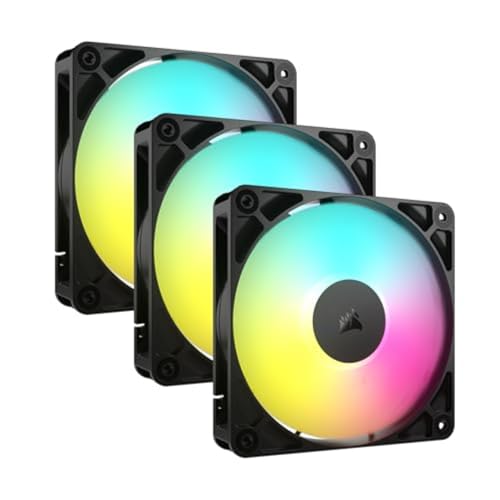


Top 3 picks at a glance
Pick an ecosystem before you pick a fan
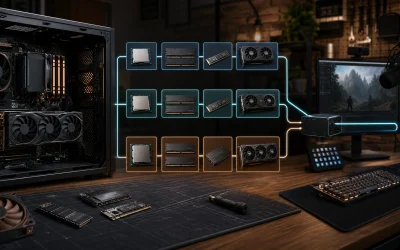
Every RGB fan kit falls into one of three wiring styles, and mixing them is where most builds turn into a mess of splitters and competing apps.
| Wiring style | Example kits | Cables per fan to the board | Software | Best for |
|---|---|---|---|---|
| Proprietary single-cable hub | Corsair iCUE LINK RX120 RGB | One shared cable chain to a hub | Corsair iCUE | Corsair AIO, case and RAM owners |
| Interlocking daisy-chain with controller | Lian Li UNI FAN SL-Infinity, UNI FAN TL | Fans snap together; one lead per group | Lian Li L-Connect 3 | Glass-panel showcase builds |
| Standard headers (4-pin PWM + 3-pin 5V ARGB) | Arctic P12 Pro A-RGB, Thermalright TL-C12C-S, Corsair RS120 ARGB, Phanteks D30-120 DRGB | Two per fan, or daisy-chained on some models | Motherboard software (Aura, Mystic Light, RGB Fusion) or BIOS | Budget builds and anyone avoiding extra apps |
The practical rule: if you already run Corsair iCUE for an AIO or keyboard, stay in iCUE LINK. If you are building a fishbowl-style case where every fan is visible, Lian Li’s interlocking designs give the cleanest look. If you want lighting that just works with your motherboard and no extra background app, buy standard ARGB fans.
The kits worth shortlisting
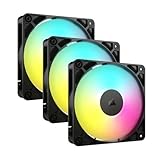
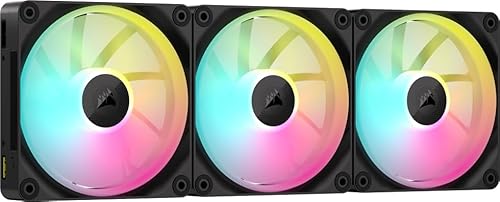
Corsair iCUE LINK RX120 RGB: best for Corsair builds
Rated up to 2,100 RPM, 73.5 CFM and 4.33 mmH2O, the RX120 RGB is a genuine performance fan with a lighting ring rather than a lighting fan that also spins. Fans connect to each other and to the included iCUE LINK System Hub with a single cable type, so a nine-fan build can run from one lead to the hub. The trade-offs are proprietary connectors, a hub you cannot skip, and iCUE’s relatively heavy software footprint. Starter kits typically sit in the $90–$130 range for three fans plus hub.
Lian Li UNI FAN SL-Infinity 120: best showcase lighting
The infinity-mirror effect is the reason people buy these, and the interlocking frames mean a row of three fans leaves a single cable. Airflow is moderate, so they are better as case and radiator fans in a well-ventilated chassis than as the only intake in a restrictive case. Three-packs with controller usually land around $90–$120.
Lian Li UNI FAN TL: best balance of lighting and airflow from Lian Li
The TL series pushes more air than the SL-Infinity and comes in 120 mm and 140 mm, black or white, standard or reverse-blade versions. One controller handles up to 16 TL fans. Note that LCD and non-LCD TL fans cannot share a chain on the same controller channel, so plan which positions get screens before buying.
Arctic P12 Pro A-RGB: best airflow per dollar
Rated up to 3,000 RPM, 77 CFM and an unusually high 6.9 mmH2O static pressure, with a fluid dynamic bearing and a zero-RPM mode that stops the fan below 5% PWM. It uses standard PWM and ARGB headers, so there is no hub or extra software. Lighting is simpler than Corsair or Lian Li, but cooling performance is class-leading for the price. Multi-packs are usually inexpensive.
Thermalright TL-C12C-S: best budget kit
Three-packs with reverse-blade options for bottom intake are among the cheapest ARGB kits that still use decent PWM motors. A sensible choice for filling a budget case with color without spending more on fans than on the cooler.
Corsair RS120 ARGB: best daisy-chain kit without a hub
Corsair’s RS series uses standard headers but lets fans daisy-chain their PWM and ARGB leads, so three fans need just one connection of each type. It is a good middle ground when you want tidy cables but do not want iCUE.
Phanteks D30-120 DRGB: best for thick-frame cooling
A 30 mm-thick frame gives more pressure at lower speeds than standard 25 mm fans, and the lighting wraps the frame edge. Check radiator and side-panel clearance before using them on an AIO, since the extra 5 mm adds up in tight cases.
Header math: how many fans before you need a hub
A typical motherboard 5 V ARGB header is rated around 3 A. Each ARGB fan draws a varying amount depending on LED count and color, often roughly 0.2–0.4 A at full white brightness. A worked example for a nine-fan build:
- 9 fans × 0.35 A (full white, mid-LED-count fan) = 3.15 A
- That exceeds a 3 A header, so split the fans across two ARGB headers or use a SATA-powered ARGB hub.
- Six fans × 0.35 A = 2.1 A, which one header handles with margin.
Fan motors work the same way: most 4-pin headers are rated around 1 A. Three fans at roughly 0.2–0.3 A each are fine on one header via a splitter; beyond that, use a powered PWM hub. Hubs and controllers in Corsair and Lian Li kits draw power from SATA, which sidesteps the issue entirely.
How many fans a typical build needs
| Case type | Sensible fan count | Suggested layout | Kit size to buy |
|---|---|---|---|
| Compact micro-ATX | 3–4 | 2 front intake, 1 rear exhaust | One 3-pack |
| Standard mid-tower | 5–6 | 3 front intake, 1 rear exhaust, 2 top exhaust (or 240 mm AIO) | 3-pack plus a 3-pack |
| Dual-chamber fishbowl case | 7–10 | 3 side intake, 3 bottom intake (reverse blade), 3 top exhaust, 1 rear | Three 3-packs plus a single |
| Large tower with 360 mm AIO | 6–9 | 3 front intake, 3 top radiator exhaust, 1 rear | Three 3-packs |
Aim for slightly more intake than exhaust airflow to keep dust out. In fishbowl cases where fans face you through glass, reverse-blade versions show the lighting side while still pulling air in.
Setup choices that avoid RGB headaches
- Run one lighting app. iCUE, L-Connect, Aura Sync, Mystic Light and SignalRGB all fight for control when installed together. Choose one and remove or disable the others.
- Set fan curves in BIOS when possible. Proprietary hubs need their software for curves, but standard PWM fans can run entirely from BIOS, so they behave the same if you reinstall Windows.
- Do not plug 5 V ARGB into 12 V RGB headers. The connectors look similar; the wrong header can burn out the LEDs instantly.
- Buy one kit for the whole build. Different brands’ “white” and color profiles rarely match, and a mixed set is visibly uneven behind glass.
- Keep brightness below 100%. Lower brightness looks cleaner through tinted glass and reduces header current.
Which kit to buy
| Your build | Best kit |
|---|---|
| Corsair AIO or other iCUE LINK parts | Corsair iCUE LINK RX120 RGB |
| Fishbowl showcase, lighting is the priority | Lian Li UNI FAN SL-Infinity or TL |
| Performance first, no extra software | Arctic P12 Pro A-RGB |
| Lowest cost for a full set | Thermalright TL-C12C-S |
| Tidy cables on standard headers | Corsair RS120 ARGB |
Frequently asked questions
Can I use these RGB fans without installing extra software?
Yes, standard PWM and ARGB fans such as the Arctic P12 Pro A-RGB, Thermalright TL-C12C-S, Corsair RS120 ARGB and Phanteks D30-120 DRGB can use motherboard software or BIOS controls. Corsair iCUE LINK and Lian Li kits rely on their respective controllers and software for their ecosystem features, while standard PWM fan curves can run from BIOS.
What is the difference between standard ARGB and proprietary fan systems?
Standard ARGB fans use a four-pin PWM connection and a three-pin 5V ARGB connection, allowing motherboard control. Proprietary systems use their own connectors and controllers, which can reduce cable clutter but limit compatibility. Corsair iCUE LINK requires its System Hub, while Lian Li fans use interlocking frames and a controller for grouped connections.
Can reverse-blade fans help in a glass-panel case?
Yes, reverse-blade fans show the lighting side while still pulling air into the case. They are particularly useful for bottom intake positions in fishbowl-style cases, where fans face the viewer through glass. The article specifically notes reverse-blade options for the Thermalright TL-C12C-S and Lian Li UNI FAN TL, which also comes in reverse-blade versions.
How can I prevent mismatched lighting across my build?
Buy one kit for the whole build and run one lighting app. Different brands’ white and color profiles rarely match, so mixed fans can look uneven behind glass. Avoid installing multiple control applications together because iCUE, L-Connect, Aura Sync, Mystic Light and SignalRGB can fight for control. Keeping brightness below 100% can also look cleaner through tinted glass.
What should I check before installing fans on an AIO radiator?
Check the available clearance, especially when using Phanteks D30-120 DRGB fans. Their frame is 30 mm thick rather than the standard 25 mm, so the extra 5 mm can create problems with an AIO or side panel in a tight case. The Lian Li TL is also available in standard and reverse-blade versions, so plan airflow direction before installation.