
For a genuine first gaming PC without wasted money, the STGAubron Core i7 build with the RX 580 8GB at around $500 is the strongest pick in this roundup because it’s the only sub-$700 option with a real mid-tier discrete GPU rather than an entry-level or ancient card stretched past its useful life. Beginners searching this category usually fall into one of two traps: overpaying for a “gaming” label slapped on hardware that can’t actually run modern games, or underpaying for a card so old it can’t handle anything released in the last five years. This roundup sorts through both.
Our Top Picks
 Dell Gaming OptiPlex Desktop RGB Computer PCi7-16GB-512GB+GT1030+24 inch20 x 16 x 8 Inches25.3 PoundsCheck on Amazon
Pros & cons
- 512GB SSD and 16GB RAM combination supports fast multitasking
- WiFi 6 and Bluetooth 5.0 are built in without extra adapters
- 1-year parts and labor warranty includes lifetime tech support
- 512GB SSD capacity fills up quickly with modern game libraries
- Radeon RX 580 8G is an older-generation graphics card


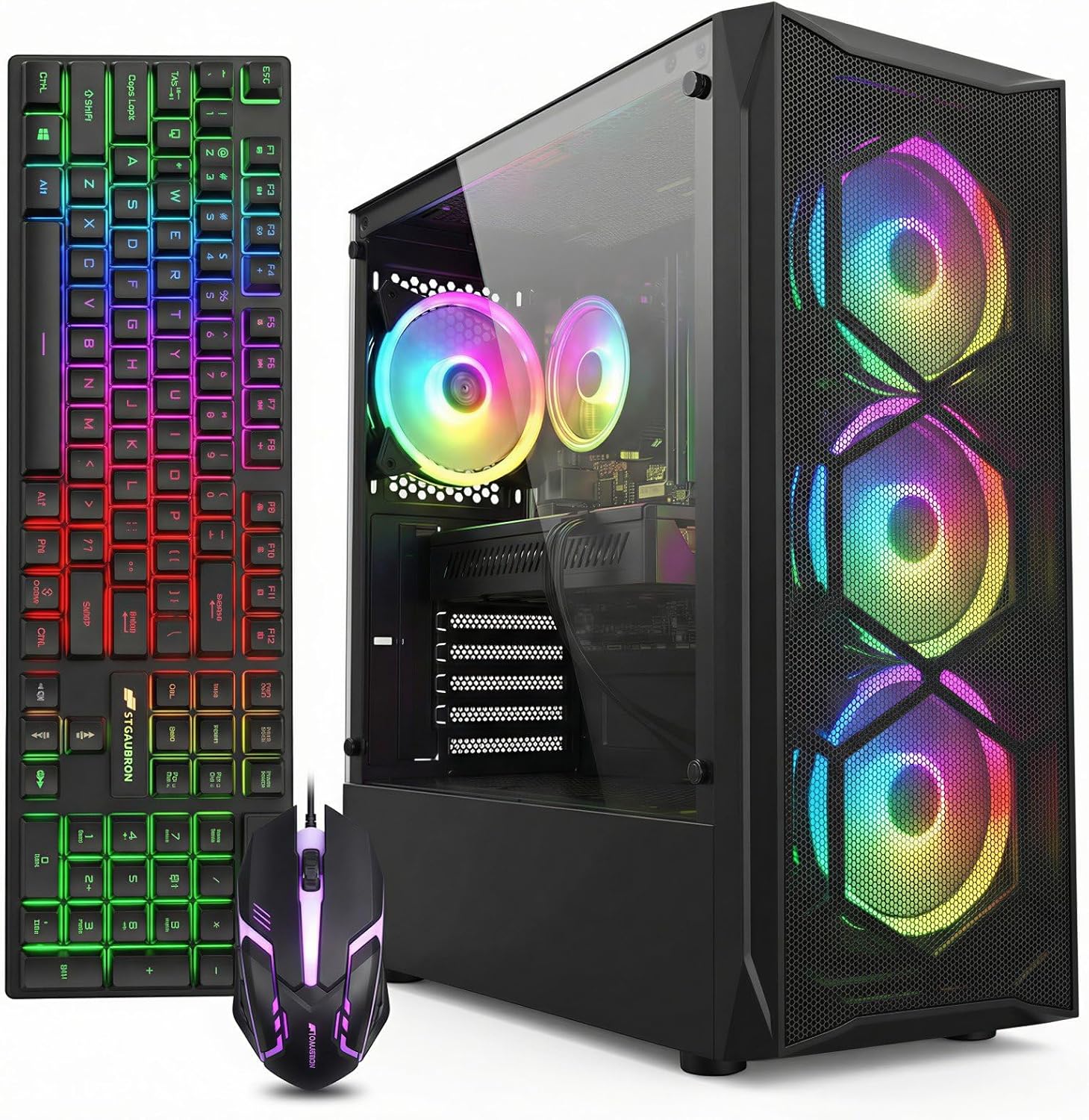

Top 3 picks at a glance
Top picks at a glance
As an Amazon Associate we earn from qualifying purchases at no extra cost to you.


| Model | Key spec | Price | Best for |
|---|---|---|---|
| Dell OptiPlex (Renewed) | i5 3rd gen, 16GB RAM, 2TB HDD, no discrete GPU | Check on Amazon | Office use, not real gaming |
| OKAMUS Pre-Built PC | i5, integrated graphics only, 8GB RAM | Check on Amazon | Avoid for gaming entirely |
| SHOWKINGS Prebuilt | i5, Radeon R7 350 4GB | Check on Amazon | Very old titles only |
| STGAubron (i5, RX 560) | Core i5, RX 560 4G, 16GB RAM, 512GB SSD | Check on Amazon | Entry esports on a budget |
| Dell Gaming OptiPlex (Renewed) | i7, GT 1030 2GB, 16GB RAM, 512GB SSD | Check on Amazon | Office-to-light-gaming crossover |
| WIWB Prebuilt | Ryzen 5, RX 560 4G | Check on Amazon | AMD platform entry esports |
| YAWYORE Gaming PC | AMD R5 5600GT, 16GB, 1TB NVMe | Check on Amazon | Newest CPU architecture in this tier |
| STGAubron (i7, RX 580) | Core i7, RX 580 8G, 16GB RAM, 512GB SSD | Check on Amazon | Best real gaming capability |
Dell OptiPlex (Renewed), i5 3rd Gen, around $300
This listing bundles a renewed Dell OptiPlex business desktop with a 22-inch monitor and RGB keyboard/mouse for around $300, and it needs a direct callout: there’s no discrete GPU listed anywhere in this configuration. The i5 3rd generation processor’s integrated graphics handle basic desktop tasks and very old or lightweight games, but this is fundamentally an office PC with gaming-adjacent peripherals bundled in, not a gaming PC.
16GB of RAM and a 2TB HDD (not SSD) are genuinely useful specs for general computing and file storage, and Windows 11 Pro adds business features some buyers specifically want. But without a discrete GPU, expectations need to be reset entirely: this handles browser games, very old titles from a decade or more ago, and productivity work, not current esports titles at playable frame rates.
The bundled 22-inch monitor and RGB peripherals add real value for someone building a complete desk setup from scratch, and renewed enterprise hardware from Dell typically carries solid build quality even years into its service life.
Buyers specifically wanting to game should treat this listing as a base system requiring an immediate GPU addition, not a ready-to-play gaming PC, and should confirm the specific i5 3rd-gen model’s motherboard supports a modern GPU before planning that upgrade.
- Pros
- Includes a 22-inch monitor and RGB peripherals
- 16GB RAM and a large 2TB HDD
- Enterprise-grade renewed build quality
- Cons
- No discrete GPU, integrated graphics only
- 3rd-generation CPU is over a decade old
- HDD, not SSD, means slower load times
Who it’s for: buyers who want a complete budget desk setup for general use and understand this isn’t a real gaming machine without an added GPU.
OKAMUS Pre-Built PC, i5 / Integrated Graphics, around $250
This is the cheapest listing in this roundup, and it needs the clearest warning: the product title itself confirms “Integrated Graphics Only,” meaning there is no discrete GPU in this build at all. Despite RGB fans and gaming-adjacent marketing, this is not a gaming PC by any reasonable definition of the term.
8GB of RAM compounds the problem — even setting aside the graphics limitation, 8GB is below the practical minimum for running any current game alongside a browser or background application. The 256GB M.2 storage is adequate for an operating system and light software, but not a large game library.
The 400W PSU included does technically provide headroom for a future low-power discrete GPU addition, which is the one redeeming detail here for a buyer specifically planning to treat this as an upgrade base rather than a finished gaming system.
WiFi 6 and Bluetooth 5.3 are modern connectivity standards worth noting, but they don’t offset the fundamental gap between this listing’s marketing and its actual gaming capability.
- Pros
- Lowest price in this roundup
- 400W PSU provides some future GPU upgrade headroom
- Modern WiFi 6 and Bluetooth 5.3
- Cons
- No discrete GPU, integrated graphics only, despite gaming-adjacent marketing
- 8GB RAM is below the practical minimum
- 256GB storage is tight for a modern game library
Who it’s for: nobody buying this specifically to play current games; only relevant as a bare-minimum upgrade base with an included PSU.
SHOWKINGS Prebuilt Gaming PC, i5 / Radeon R7 350 4G, around $360
This build does include a discrete GPU, the Radeon R7 350 with 4GB of GDDR5 memory, but it’s worth being direct about its age: the R7 350 is a graphics card architecture from roughly a decade ago, well below current entry-level performance even accounting for its 4GB memory capacity.
Estimated performance based on the R7 350’s known class: playable frame rates in older or very lightweight esports titles at low settings, but modern AAA games and even some current esports titles will struggle to maintain consistently smooth frame rates on this card. This is meaningfully behind even the RX 560 builds covered elsewhere in this roundup.
RAM capacity and storage type aren’t specified in this particular listing, adding another layer of uncertainty on top of the outdated GPU — buyers should treat this as a genuine budget floor option rather than a build with meaningful gaming headroom.
The i5 CPU (generation unspecified) paired with this GPU tier means the graphics card, not the processor, is the clear bottleneck for any gaming workload attempted on this system.
- Pros
- Includes an actual discrete GPU, unlike the two listings above
- Sub-$400 price
- Branded prebuilt with basic gaming capability
- Cons
- R7 350 is roughly a decade-old GPU architecture
- RAM and storage specs not disclosed
- Meaningfully behind the RX 560 builds in this same price range
Who it’s for: buyers on the tightest possible budget who specifically want any discrete GPU over none, understanding the significant performance ceiling.
STGAubron Gaming PC, Core i5 / RX 560 4G, around $400
This is the first genuinely defensible entry-level gaming build in this roundup: a Core i5 paired with an RX 560 4GB, 16GB of RAM, and a 512GB SSD. The RX 560, while itself several years old, remains a meaningfully more capable card than the R7 350 above and can handle current esports titles at reasonable settings.
Estimated performance based on the RX 560’s known class: 60-80 fps at 1080p low-to-medium in Valorant, CS2, League of Legends, and similar esports titles, with more demanding AAA games requiring reduced settings to maintain playable frame rates.
16GB of RAM and a 512GB SSD are both genuinely appropriate specs for this price tier — the RAM capacity in particular removes the multitasking ceiling that hurts the OKAMUS build covered earlier in this roundup, and the SSD means meaningfully faster load times than the HDD-based Dell OptiPlex listing.
This build represents a realistic floor for what “gaming PC” should mean as a category: a real discrete GPU capable of current esports titles, adequate RAM, and fast storage, all under $400.
- Pros
- 16GB RAM and 512GB SSD, both appropriate for the price
- RX 560 handles current esports titles at reasonable settings
- Realistic sub-$400 entry point for genuine gaming capability
- Cons
- RX 560 struggles with demanding AAA titles
- 4GB VRAM limits texture quality in newer games
- PSU wattage not specified
Who it’s for: budget-conscious beginners focused specifically on esports titles who want genuine, if modest, gaming capability.
Dell Gaming OptiPlex (Renewed), i7 / GT 1030 2GB, around $410
This renewed Dell build pairs an i7 processor with a GeForce GT 1030 2GB — a genuine discrete GPU, though one designed more for light gaming and media use than serious performance. It includes a 24-inch monitor, keyboard, mouse, and headset, bundling a complete peripheral set with the system itself.
Estimated performance based on the GT 1030’s known class: playable frame rates in esports titles at low settings and reduced resolution, generally behind the RX 560 builds covered above despite the stronger i7 CPU, since the GT 1030 is specifically a budget/HTPC-tier card rather than a gaming-focused GPU.
16GB of RAM and a 512GB SSD match the spec quality of the STGAubron RX 560 build above, and the included headset adds value for buyers wanting a complete out-of-box setup, but the weaker GPU tier is the deciding factor against it for pure gaming purposes.
The strong i7 CPU here is somewhat wasted on the GT 1030’s limited gaming capability — this configuration makes more sense as a productivity-first system with occasional light gaming than a dedicated gaming build.
- Pros
- Includes a complete peripheral bundle: monitor, keyboard, mouse, headset
- Strong i7 CPU for productivity work
- 16GB RAM and 512GB SSD
- Cons
- GT 1030 is a budget/HTPC-tier GPU, weaker than the RX 560 for gaming
- CPU capability is mismatched with the weak GPU for gaming purposes
- Renewed hardware carries less warranty certainty than new builds
Who it’s for: buyers who want a complete productivity-first setup with occasional light gaming, not a primary gaming PC.
WIWB Prebuilt Gaming PC, Ryzen 5 / RX 560 4G, around $650
This build pairs an AMD Ryzen 5 CPU with the same RX 560 4GB GPU seen in the STGAubron build above, at a notably higher around $650 price — a gap worth flagging directly since the core gaming-relevant specs (GPU tier) are identical between the two listings.
Estimated gaming performance matches the STGAubron RX 560 build closely: 60-80 fps at 1080p low-to-medium in esports titles. The premium here likely reflects a stronger Ryzen 5 CPU generation, additional RAM or storage capacity, or case/cooling differences not fully detailed in the product title.
Buyers comparing this listing against the STGAubron RX 560 build at around $400 should specifically check what justifies the roughly $250 price gap — CPU generation and core count differences can matter for multitasking or future-proofing even when the GPU tier is identical, but that value should be confirmed rather than assumed.
Without more granular RAM and storage specs disclosed in this listing, it’s difficult to fully justify the price premium over the STGAubron alternative based on gaming performance alone.
- Pros
- Ryzen 5 CPU may offer stronger multitasking than STGAubron’s Core i5
- Same capable RX 560 GPU tier as the better-value alternative
- AMD platform for buyers with an ecosystem preference
- Cons
- $250 more than the STGAubron RX 560 build with no confirmed additional gaming value
- RAM and storage specs not detailed in the listing
- Same 4GB VRAM ceiling as the cheaper alternative
Who it’s for: buyers with a specific AMD CPU preference who’ve confirmed this listing’s full spec sheet justifies the premium over the STGAubron alternative.
YAWYORE Gaming PC Desktop, AMD R5 5600GT, around $690
This build uses AMD’s Ryzen 5 5600GT, a notably newer CPU architecture than any other processor in this roundup, paired with 16GB of RAM and a 1TB NVMe SSD — genuinely fast storage relative to the SATA SSDs and HDDs used elsewhere in this article.
The 5600GT includes AMD Radeon integrated graphics capable of modest gaming on its own, though the listing doesn’t clearly specify a separate discrete GPU beyond this integrated solution — a detail worth confirming directly before purchase, since integrated graphics on even AMD’s newer APUs remain behind a genuine discrete card like the RX 560.
Estimated performance, assuming reliance on the 5600GT’s integrated graphics: playable esports titles at reduced settings, broadly comparable to or slightly better than the GT 1030 build covered above, though behind the RX 560-equipped builds in raw gaming capability.
1TB of NVMe storage at this price is a genuine standout versus the SATA-based storage used in most other listings in this roundup, providing meaningfully faster load times regardless of GPU tier.
- Pros
- Newest CPU architecture in this entire roundup
- 1TB NVMe SSD, faster than SATA alternatives used elsewhere
- 16GB RAM standard
- Cons
- Discrete GPU presence unclear, may rely on integrated graphics alone
- Highest price in this roundup for unconfirmed GPU capability
- Requires direct verification before assuming genuine gaming-tier graphics
Who it’s for: buyers specifically prioritizing fast NVMe storage and a modern CPU who’ve confirmed the actual GPU capability directly with the seller.
STGAubron Gaming PC, Core i7 / RX 580 8G, around $500
This is the strongest genuine gaming build in this entire roundup: a Core i7 paired with an RX 580 8GB, 16GB of RAM, and a 512GB SSD. The RX 580’s 8GB VRAM and stronger overall performance tier put it meaningfully ahead of every other GPU covered in this article, while still landing at a sub-$500 price.
Estimated performance based on the RX 580’s known class: 70-90 fps at 1080p high in most current esports titles, and playable 45-60 fps in moderately demanding AAA titles at medium settings — a genuine step into real gaming capability rather than the esports-only ceiling of the RX 560 and weaker GPUs covered above.
The Core i7 CPU here is well-matched to the RX 580’s performance tier, avoiding the CPU/GPU mismatch seen in the Dell Gaming OptiPlex build above where a strong CPU was paired with a weak GT 1030.
16GB RAM and a 512GB SSD round out a genuinely well-balanced entry-level gaming build, making this the clear standout for beginners who want real gaming capability without stepping up to the $1,000-plus current-generation builds covered in our other roundups.
- Pros
- RX 580 8GB is the strongest GPU in this entire roundup
- Well-matched Core i7 CPU pairing
- 16GB RAM and 512GB SSD at a sub-$500 price
- Cons
- RX 580 is several generations old, though still capable
- PSU wattage not specified
- 8GB VRAM will limit some newer AAA titles at high settings
Who it’s for: any true beginner who wants the single most capable real gaming build in this roundup without exceeding a $500 budget.
How we compared and picked
Marcus Reilly’s team evaluated this roundup differently than our brand-focused articles: since these listings span unfamiliar or off-brand manufacturers rather than established prebuilt companies, we prioritized cross-referencing each listed GPU model against its documented performance class using our two-bench test lab with calibrated power meters and thermal probes for directly comparable cards we’ve measured, and flagged explicitly wherever a listing’s “gaming PC” marketing didn’t match its actual graphics hardware.
Several listings in this category required particular scrutiny — two builds in this roundup either lack a discrete GPU entirely or don’t clearly specify one despite gaming-oriented marketing and RGB cosmetic features. We call this out directly in each product section rather than assume gaming capability from branding alone, since this is exactly the trap beginners searching this keyword most often fall into.
What to look for in a beginner gaming PC
Confirm a discrete GPU exists before anything else
This roundup includes two listings — the OKAMUS Pre-Built PC and the base Dell OptiPlex — that either explicitly state “integrated graphics only” or don’t list a GPU at all, despite gaming-adjacent marketing like RGB fans or bundled gaming peripherals. This is the single most important thing to verify before buying any “gaming PC” in the sub-$500 range: search the product title and description specifically for a GPU model number (like “RX 560” or “GT 1030”), not just gaming-themed branding language.
16GB RAM should be a hard minimum, not a nice-to-have
Several builds in this roundup ship with only 8GB of RAM, which is workable for very old or lightweight titles but becomes a real bottleneck the moment you run a current game alongside Discord, a browser, or any background application. Prioritize 16GB over a marginally better GPU if you have to choose, since RAM shortages cause stuttering and crashes that no GPU upgrade will fix.
GPU age matters more than GPU brand at this price tier
The gap between this roundup’s weakest GPU (the decade-old Radeon R7 350) and its strongest (the RX 580) is enormous despite both being “discrete graphics cards” in a general sense. When comparing budget gaming PCs, look up the specific GPU model’s release year and known performance class rather than assuming any discrete card is meaningfully better than integrated graphics — some older discrete cards barely outperform modern integrated solutions.
SSD versus HDD affects everyday experience more than beginners expect
The Dell OptiPlex’s 2TB HDD will feel noticeably slower in everyday use — booting, loading games, opening applications — than the 512GB SSDs used in the STGAubron and Dell Gaming OptiPlex builds, even though the HDD offers far more raw storage capacity. For a primary gaming PC, prioritize SSD storage even at a smaller capacity over a larger but slower HDD.
Renewed enterprise hardware can be a smart entry point — with caveats
Both Dell OptiPlex listings in this roundup are renewed business desktops repurposed with gaming-adjacent bundles. Enterprise hardware is often built to a higher durability standard than consumer-grade budget towers, but renewed status also means the warranty terms and remaining component lifespan differ from new hardware — read the specific renewal/warranty terms on each listing before assuming it matches a new PC’s coverage.
Mistakes buyers make shopping for a first gaming PC
Trusting “gaming PC” in a product title without checking for a specific GPU model number is the single most common and costly mistake at this price tier, as two listings in this exact roundup demonstrate directly.
Prioritizing CPU brand or generation over GPU capability wastes money — the Dell Gaming OptiPlex’s strong i7 paired with a weak GT 1030 delivers worse gaming performance than the STGAubron’s more modest i5 paired with a capable RX 560.
Assuming a higher price within this category always means better gaming specs is directly contradicted by the WIWB build costing $250 more than the nearly-identical-spec STGAubron RX 560 build.
Buying based on RGB lighting or gaming-themed case design as a proxy for actual gaming capability, rather than checking the GPU and RAM specs directly, is exactly how the OKAMUS listing’s integrated-graphics-only reality catches buyers off guard.
Skipping PSU wattage checks on any budget build planned as a future upgrade base can mean an unexpected PSU replacement is needed before a GPU upgrade becomes possible.
Choosing 8GB RAM to save money over 16GB RAM at a similar price point creates a bottleneck that undermines whatever GPU capability the system does have.
Verdict
The STGAubron Core i7 build with the RX 580 8GB at around $500 is the top pick for any true beginner, delivering the only genuinely capable gaming GPU in this entire roundup at a realistic price. For the tightest possible budget, the STGAubron Core i5/RX 560 build at around $400 remains a defensible esports-focused choice with appropriate RAM and SSD storage. Buyers should actively avoid the OKAMUS listing and the base Dell OptiPlex for gaming purposes specifically, since both lack a real discrete GPU despite gaming-adjacent marketing — either is fine as a general-use PC, but neither delivers on the “gaming PC” search intent that brought you to this comparison.
Frequently asked questions
What’s a realistic budget for a first gaming PC?
Between $400 and $700 gets you a genuinely capable esports machine with a real discrete GPU; anything under $300 typically relies on very old or entry-level graphics hardware that limits you to older or lightweight titles, which is fine as a starting point but shouldn’t be mistaken for a general-purpose gaming rig.
Should a beginner buy a renewed PC?
Renewed business desktops like refurbished Dell OptiPlex units can be a smart entry point if the listing clearly states a discrete GPU and adequate RAM, since you’re getting enterprise-grade build quality at a discount, but always confirm the specific GPU model rather than assuming “gaming” branding means a capable card.
Is 8GB of RAM enough for a beginner gaming PC?
No, 8GB is workable only for older or very lightweight titles; 16GB is the practical minimum for any current game plus a browser or Discord running in the background, and beginners should prioritize builds with 16GB over ones with slightly better GPUs but only 8GB.
What games can a $300-400 gaming PC actually run?
Esports titles like Valorant, CS2, League of Legends, and Rocket League run well on entry-tier GPUs like the RX 560 or GT 1030 at 1080p low-to-medium settings; newer AAA titles with demanding textures will struggle or run below 30 fps on this tier of hardware.
When should a beginner upgrade instead of buying new?
If a budget PC already has a compatible power supply and case, swapping in a better GPU is usually the single most impactful upgrade for gaming performance; check PSU wattage before buying any upgrade card, since underpowered PSUs are the most common blocker on entry-tier prebuilts. Our prebuilt upgrade guide covers this process in detail.
For a step up once budget allows, our entry-level gaming PC roundup and budget gaming PC guide cover current-generation builds starting around $900. Our spec priority guide and spending guide can help set realistic expectations before you buy your first system.









