
Building a high-performance computer inside a compact chassis is the ultimate test of spatial awareness. As home workspaces evolve toward minimalist, clean aesthetics, massive desktop towers are being replaced by small form factor (SFF) cases and compact mid-towers. However, cramming powerful hardware into a tight space creates a major engineering challenge: heat management.
If you are researching how to choose cpu cooler for small case builds, you have likely realized that standard PC building advice does not apply here. The most common mistake is buying a cooler based solely on glowing online reviews or raw thermal performance, only to find that the side panel won’t close, the fan blocks the RAM slots, or the mounting bracket collides with the motherboard heatsinks. In a small case, millimeters determine whether your build succeeds or fails.
As an Amazon Associate we earn from qualifying purchases at no extra cost to you.



To avoid costly return shipping fees and build-day frustration, you must approach your cooling setup with a clear, measurement-first strategy. This guide breaks down the exact specifications, physical constraints, and thermal dynamics that dictate success in tight quarters.
Our Top Picks
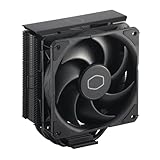
 Cooler Master Hyper 212 Black CPU Air Cooler4 Heat Pipes4.7 x 3.1 x 6.3 inches1.54 poundsCheck on Amazon



Top 3 picks at a glance
Decide These 3 Things First
Before browsing product catalogs or comparing fan speeds, you must establish three baseline parameters for your compact build. These decisions will instantly filter out 80% of the coolers on the market, saving you hours of research.
- Your Case’s Hard Clearance Limit: Every PC case manufacturer publishes a maximum CPU cooler height specification (measured in millimeters). Find this number in your case’s manual. SFF cases typically limit cooler heights to under 135mm, 70mm, or even 47mm, while compact mid-towers usually top out around 150mm to 155mm.
- Your Processor’s True Thermal Output: Do not rely solely on the manufacturer’s base Thermal Design Power (TDP) rating. A processor rated at 65W base can easily draw 120W to 150W under boost loads. You must choose a cooler rated to handle the peak wattage of your specific chip, especially since small cases have restricted ambient airflow.
- Air Cooling vs. Liquid Cooling (AIO): Liquid All-in-One (AIO) coolers require dedicated radiator mounting space and stiff tube routing, which can block airflow in tiny cases. Compact air coolers are simpler, have fewer points of failure, and do not risk pump noise or liquid leaks in tight configurations. For most small builds, a high-efficiency air cooler is the most reliable choice.
1. Height and Clearance Dimensions (The Millimeter Game)
In a small case, the Z-height—the distance from the CPU integrated heat spreader (IHS) to the side panel of the case—is your most rigid constraint. Air coolers generally fall into three height categories:
- Ultra-Low Profile (Under 50mm): Designed for extremely slim console-style or sandwich-style ITX cases. These coolers utilize a top-down fan layout and thin heatsinks. They are highly space-efficient but are generally limited to cooling CPUs with a maximum output of 65W to 90W.
- Compact Single-Tower (110mm to 135mm): These coolers use smaller 92mm fans. They offer a great balance of vertical clearance and thermal mass, making them ideal for wider ITX cases or specialized micro-ATX chassis. They can comfortably handle mid-range processors up to 150W.
- Standard Compact Tower (150mm to 155mm): This is the sweet spot for modern compact mid-towers. Coolers like the Thermalright Peerless Assassin 120 SE (standing at 155mm) or the Cooler Master Hyper 212 Black (at 152mm) push the absolute limit of small-case compatibility while offering performance that rivals massive dual-tower designs.
Beyond height, you must calculate RAM clearance. Many high-performance coolers overhang the memory slots. If you use RAM modules with tall, decorative heat spreaders (often 40mm to 45mm tall), you will need a cooler with cutouts in the aluminum fins or a fan that can be clipped higher up on the heatsink tower.
2. Heat Pipe Construction and Thermal Design
The efficiency of a compact air cooler relies heavily on its heat pipes. These hollow copper tubes contain a tiny amount of liquid that vaporizes at the hot CPU base plate, travels to the cool aluminum fins, condenses, and returns to the base. When physical space is limited, the quality and quantity of these pipes matter immensely.
Budget compact coolers, such as the ID-COOLING SE-903-XT V2, typically feature 3 copper heat pipes and are rated for up to 150W TDP. Moving up to 4 heat pipes, as seen on the Thermalright Assassin X120 Refined SE, provides a wider thermal transfer area suitable for mainstream gaming processors. For high-end or overclocked CPUs, dual-tower designs with 6 heat pipes are necessary to quickly draw heat away from the processor before the cramped air inside a small case begins to heat up.
Pay close attention to “Anti-Gravity” heat pipe technology (often labeled as AGHP). In small cases, the motherboard may be mounted horizontally, vertically, or even upside down. Traditional heat pipes rely heavily on gravity to return the condensed liquid to the base. AGHP designs use advanced capillary action wick structures inside the pipes, ensuring the cooler performs at 100% efficiency regardless of which way your case is oriented.
3. Baseplate Material and Heat Transfer
How the cooler physically connects to your CPU determines the speed of thermal transfer. There are two primary designs used in compact coolers:
- Direct Contact Heat Pipes (DTH): In this design, the copper heat pipes are flattened and ground smooth to sit directly against the CPU lid. This is highly efficient for budget and mid-range coolers because it eliminates an extra layer of metal interface. However, tiny gaps between the copper pipes and the aluminum mounting block require high-quality thermal paste to fill.
- Solid Copper Baseplates: Premium coolers use a solid, nickel-plated copper baseplate that acts as a heat buffer, distributing thermal energy evenly across all heat pipes. This design is highly recommended for CPUs with off-center heat sources (like multi-chiplet AMD processors), as it ensures no heat pipes are left underutilized.
Copper has a thermal conductivity of roughly 401 W/mK, nearly double that of aluminum (205 W/mK). Always opt for coolers that maximize copper usage at the base, even if the cooling fins themselves are made of lightweight aluminum to save weight and cost.
4. Acoustic Comfort and Fan Performance
Because small PC cases often sit directly on your desk rather than tucked away on the floor, fan noise is highly noticeable. Achieving a quiet workspace requires balancing fan size, rotational speed (RPM), and bearing type.
Smaller fans must spin faster to move the same volume of air as larger fans. A compact cooler with a 92mm fan might need to spin at 2,000 RPM or higher to keep a CPU cool, creating a high-pitched whine. Conversely, a 120mm fan running at a modest 1,500 RPM will move significantly more air (measured in Cubic Feet per Minute, or CFM) while operating at a much lower, more pleasant hum.
Look for fans equipped with Fluid Dynamic Bearings (FDB) or advanced Hydraulic Bearings. These designs minimize internal friction, preventing the clicking or rattling noises that cheap sleeve-bearing fans develop over time. Additionally, ensure the fan supports PWM (Pulse Width Modulation) control via a 4-pin connector, allowing your motherboard to dial down the fan speeds to near-silent levels when you are simply browsing the web or writing documents.
5. Pricing Tiers and What They Deliver
The market for compact CPU coolers is highly competitive, meaning you do not need to spend a fortune to get excellent thermal performance. Price tiers generally align with the physical complexity and material quality of the cooler:
- The Budget Tier ($12 to $22): Excellent for stock processor replacements and low-power builds. Coolers in this range typically feature 3 to 4 heat pipes, a single 92mm or slim 120mm fan, and direct-contact bases. They offer incredible value but may run louder under heavy workloads.
- The Mid-Range Tier ($23 to $45): The sweet spot for most PC builders. Here you will find highly optimized single-tower designs and even compact dual-tower options featuring 6 heat pipes and dual 120mm fans. These coolers handle modern gaming CPUs with ease while maintaining low noise profiles.
- The Premium Tier ($46 to $90+): This segment includes highly specialized low-profile coolers designed specifically for ultra-compact SFF enclosures, using premium fan technology, high-density fin arrays, and extensive nickel plating.
6. Installation, Socket Support, and Long-Term Value
Installing a CPU cooler inside a cramped enclosure can be a test of patience. The best compact coolers feature a robust metal backplate mounting system rather than flimsy plastic push-pins. A metal mounting kit distributes the weight of the cooler evenly across the motherboard, preventing warping and maintaining consistent mounting pressure over years of thermal expansion and contraction.
Furthermore, look for coolers that offer broad socket compatibility. As platform architectures change, a cooler with adaptable mounting brackets will save you money on future upgrades. Ensure the cooler supports current platforms, including AMD AM4/AM5 and Intel LGA 1700/1851. This ensures that your cooling investment remains viable well into the future, supporting next-generation hardware architectures emerging through 2026 and beyond.
A smart installation tip for small cases: Always pre-install your RAM, M.2 solid-state drives, and the CPU cooler’s mounting brackets onto the motherboard before securing the board inside the chassis. Once the motherboard is screwed into a tight SFF case, reaching the mounting screws or routing fan cables can be nearly impossible.
Spec Checklist
Use this reference table to match your case clearance and CPU power requirements to the appropriate cooler class:
| Specification | Budget Class | Mid-Range Class | Premium / SFF Specialized |
|---|---|---|---|
| Height Range | 110mm to 135mm | 150mm to 155mm | 37mm to 70mm (Low-Profile) or 150mm+ (Premium Dual-Tower) |
| Heat Pipe Count | 3 to 4 copper pipes | 4 to 6 copper pipes | 4 to 6 high-density sintered pipes |
| Fan Configuration | Single 92mm or basic 120mm | Single or Dual 120mm PWM | Premium slim 92mm or customized 120mm FDB fan |
| Target TDP Capacity | Up to 130W – 150W | 150W to 220W+ | 95W (Ultra-slim) to 240W+ (Premium dual-tower) |
| Base Construction | Direct contact copper | Direct contact or basic copper plate | Mirror-polished, nickel-plated solid copper base |
| Average Price Range | $12 to $22 | $23 to $45 | $46 to $90+ |
Red Flags
When shopping for a compact CPU cooler, avoid models that exhibit these warning signs:
- Proprietary Fan Mounts: Avoid coolers that use proprietary fan shapes or non-standard mounting clips. If the fan fails or becomes too loud, you want to be able to easily swap it out for a standard 92mm or 120mm aftermarket fan.
- Plastic Mounting Brackets: High-performance coolers exert significant pressure on the CPU socket. Plastic brackets can crack or warp under the constant heat cycles of a small case, leading to a sudden loss of mounting pressure and dangerous thermal spikes.
- Extremely Low Weight in Large Heatsinks: If a cooler looks large but weighs very little, it likely uses thin, poorly spaced aluminum fins with minimal thermal mass. A quality compact heatsink should feel dense and solid for its size.
- Unspecified RAM Clearance: Manufacturers who fail to publish clear diagrams showing the exact width and clearance measurements of their coolers are often hiding poor compatibility designs. Always check for dimensional schematics before buying.
FAQ
Can I use a liquid AIO cooler in a small form factor case?
Yes, but it depends entirely on your case design. Some SFF cases have dedicated brackets for 120mm or 240mm radiators. However, liquid coolers introduce extra bulk due to the stiff coolant tubes, which can block internal airflow. They also introduce more points of failure (pump failure, liquid permeation) compared to the mechanical simplicity of a compact air cooler.
How do I know if a cooler will block my RAM slots?
Check the cooler’s dimensional schematic for “clearance height” or “recessed fin design.” Many manufacturers design their heatsinks with asymmetrical offsets that tilt the cooler away from the RAM slots, or they cut away the bottom few aluminum fins to provide room for memory modules up to 45mm tall.
Is a 92mm fan cooler too loud for a quiet home office?
Not necessarily, but it requires careful fan curve tuning. A 92mm fan must spin faster to match the cooling performance of a 120mm fan, which can create a higher-pitched sound profile under heavy loads. If noise is a primary concern, look for a cooler that fits a 120mm fan, or manually cap your 92mm fan’s maximum RPM in your motherboard’s BIOS settings.
Does horizontal or vertical orientation affect cooler performance?
With older or low-quality coolers, gravity can affect the liquid-to-gas phase change inside the heat pipes when mounted sideways. However, modern compact coolers utilizing advanced capillary wick structures (such as AGHP technology) are designed to operate at maximum efficiency in any physical orientation, making them perfect for unique vertical or horizontal SFF cases.









