
Fortnite looks casual, but competitively it punishes any machine that can’t hold a rock-steady frame rate. The question most players ask is whether to grab a prebuilt or piece together a custom rig. For a game that rewards high refresh rates over cinematic eye-candy, the answer leans a specific way. This guide breaks down what a Fortnite-focused PC actually needs and where prebuilt and custom builds each win.
As an Amazon Associate we earn from qualifying purchases at no extra cost to you.


Our Top Picks

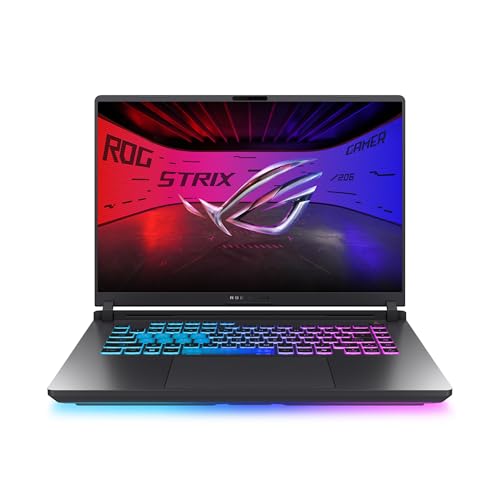
Top 3 picks at a glance
What Fortnite Actually Demands From a PC
Competitive Fortnite is played on low-to-medium settings with Performance Mode enabled, so it is far more sensitive to CPU speed and monitor refresh rate than to raw GPU muscle. On Performance Mode at 1080p, mid-range hardware can push 200-360 FPS, which is exactly what you want if you own a 240Hz or 360Hz panel.
The parts that move the needle
A modern 6-core or 8-core CPU with strong single-thread performance is the heart of a Fortnite machine. Pair it with 16GB of fast RAM (32GB if you also stream), a 1TB NVMe SSD, and a mid-tier GPU in the class that comfortably clears 240 FPS at 1080p Performance Mode. A 650W 80+ Gold power supply leaves headroom without overspending.
Prebuilt vs Custom: The Honest Comparison
| Factor | Prebuilt | Custom |
|---|---|---|
| Typical price (240Hz-ready) | $900-1,300 | $800-1,100 |
| Time to first match | Same day | A weekend |
| Part quality control | Varies by brand | You choose every part |
| Upgrade freedom | Sometimes limited PSU/case | Full freedom |
| Warranty | Single point of contact | Per-part RMA |
A custom build usually saves $100-200 and guarantees a quality power supply and airflow-focused case, both of which prebuilts sometimes cut to hit a price. A prebuilt, however, gets you into ranked the same day with one warranty to call.
When a prebuilt is the smart pick
If you value time over tinkering, or you are buying for a younger player who just wants to jump in, a reputable prebuilt in the $1,000 range with a quality PSU is a defensible choice. Just confirm it ships with an SSD and at least 16GB of RAM.
When custom wins
If you already own peripherals and want to squeeze every dollar into CPU and refresh-rate headroom, custom is the better value. You can also prioritize a fast single-thread CPU that many budget prebuilts skimp on.
A Sensible Fortnite-First Spec
Aim for an 8-core CPU, 16-32GB DDR RAM, a GPU that clears 240 FPS at 1080p Performance Mode, a 1TB NVMe drive, and a 650W 80+ Gold PSU. Cap total spend around $900-1,100 and put whatever is left toward a 240Hz monitor, since that display is what actually turns high FPS into a competitive edge.
Don’t Forget the Monitor and Peripherals
This is the mistake new competitive players make most: they spend every dollar on the tower and pair it with a 60Hz or 75Hz monitor. A machine pushing 240 FPS into a 60Hz panel throws away three-quarters of the frames it renders. If your budget is tight, it is better to run a mid-range GPU with a 240Hz display than a high-end GPU with a slow one. A wired mouse with a high polling rate and a mechanical keyboard round out the setup and matter more to your aim and edit speed than an extra tier of graphics card ever will.
Latency is the other quiet factor. Enable a low-latency mode in your GPU driver, cap your frame rate a few frames below your monitor’s refresh ceiling, and use a wired network connection. These free tweaks tighten the feel of the game far more than most hardware upgrades in this price range.
Frequently Asked Questions
Do I need a high-end GPU for competitive Fortnite?
No. Performance Mode is lightweight, so a mid-range GPU paired with a fast CPU will already push 240+ FPS at 1080p. Spend the savings on a high-refresh monitor and a better CPU instead.
Is 16GB of RAM enough for Fortnite?
For pure gaming, yes. Step up to 32GB only if you plan to stream, run Discord plus a browser with many tabs, or record gameplay while you play.
Bottom Line
For competitive Fortnite, the winning machine is a fast-CPU, mid-GPU rig feeding a 240Hz monitor. Custom builds edge out prebuilts on value and part quality, while prebuilts win on speed and simplicity. Decide based on whether your scarcest resource is money or time, then put any leftover budget into the display, not the graphics card.









