
A first PC build often starts with a space problem: a desk that cannot spare room for a full tower, a dorm setup that needs to stay compact, or a living-room workstation where a giant black box would dominate the furniture. Micro-ATX cases can be a practical middle ground, offering more component flexibility than the smallest desktop enclosures without asking for a massive footprint.
For 2026 first builds, the best choice is not automatically the smallest or cheapest case. New builders should prioritize clear component compatibility, straightforward cable routing, useful front-panel connections, and cooling support that matches the planned parts. The picks below range from around $39 to around $74 and include true micro-ATX-focused options as well as larger ATX-style cases worth considering if compactness is less important than extra room.
As an Amazon Associate we earn from qualifying purchases at no extra cost to you.


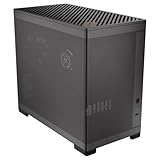

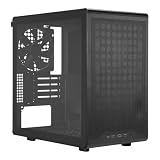
Our Top Picks
 DARKROCK EC2 ATX Mid Tower Gaming Computer PCATX/Micro-ATX/Mini-ITX17.6 x 8.6 x 15.2 InchesCheck on Amazon


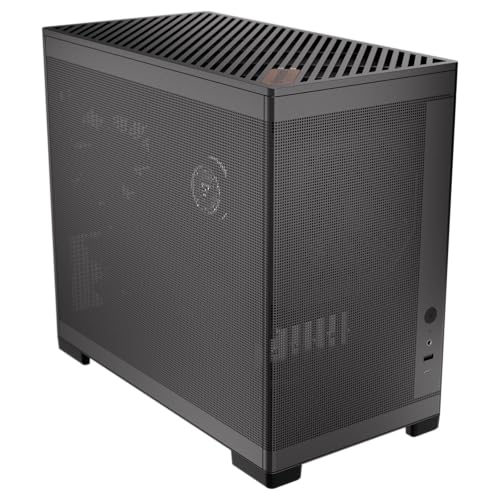
Top 3 picks at a glance
Cooler Master Q300L V1 Micro-ATX PC Case, High Airflow, Transparent PanelCheck price DARKROCK EC2 ATX Mid Tower Gaming Computer PC Case, Type-C ReadyCheck price
Quick Picks
| Product | Best for | Price |
|---|---|---|
| Cooler Master Q300L V1 Micro-ATX PC Case | Lowest-cost first micro-ATX build | Check on Amazon |
| Lian Li V100-ATX Mid-Tower PC Case | Builders who want a roomier ATX-style case | Check on Amazon |
| DARKROCK EC2 ATX Mid Tower Gaming Computer PC Case | Type-C-ready ATX-style setup | Check on Amazon |
| JONSBO D32 STD Micro-ATX PC Case | Compatibility-focused compact builds | Check on Amazon |
| Okinos Genuine Walnut Wood Micro ATX Case | Furniture-friendly desk aesthetics | Check on Amazon |
| Okinos MiniArt 4 Micro ATX PC Case | Compact builds with included fans | Check on Amazon |
| NZXT H5 Flow Compact ATX Mid-Tower PC Case | Buyers wanting a compact mid-tower format | Check on Amazon |
| Cooler Master Q300L V3 Micro-ATX PC Case | Value shoppers who want tempered glass | Check on Amazon |
How We Compared
We prioritized cases that make sense for an inexperienced builder: approachable pricing, a compact or space-conscious format, stated cooling provisions, and features that reduce the need to buy extras immediately. We also gave extra weight to clearly stated component limits, since these are especially useful when choosing a graphics card, CPU cooler, power supply, or radiator.
The list preserves the supplied product order and treats each listed specification as the deciding information. Several products are described as ATX mid-towers rather than micro-ATX cases. They can be sensible alternatives for first builders who have room for a larger enclosure, but shoppers should verify motherboard support and every component clearance before checkout.
The 8 Best Picks
1. Cooler Master Q300L V1 Micro-ATX PC Case — Best Budget Pick
The Cooler Master Q300L V1 is the straightforward choice for a first builder trying to keep the case budget low. At around $39, it leaves more of the budget available for core parts such as the processor, graphics card, storage, and power supply. Its high-airflow positioning is also reassuring for a build that will use air cooling, while the transparent panel lets a new builder see their finished cable work and components. It is best for practical setups where price matters more than premium materials or a refined display window.
- Pro: The lowest price in this roundup at around $39.
- Pro: High-airflow design and a transparent panel.
- Con: The listing does not state GPU, cooler, radiator, or power-supply clearance figures.
Skip it if you need confirmed fit measurements before selecting parts or specifically want tempered glass.
2. Lian Li V100-ATX Mid-Tower PC Case — Best for More Building Room
The Lian Li V100 is aimed at the beginner who would rather have a larger ATX mid-tower than squeeze components into a compact micro-ATX enclosure. At around $74, it is the most expensive pick here, but its mid-tower positioning may appeal to someone who values a less cramped assembly process and is willing to give up some desk space. This is a sensible direction for a first build with a larger visual presence or a future upgrade plan, provided the buyer confirms motherboard and component support from the manufacturer.
- Pro: ATX mid-tower format can suit builders who do not want a compact case.
- Pro: A black finish works easily with most desk setups.
- Con: At around $74, it is the highest-priced option listed.
Skip it if the goal is specifically a small micro-ATX case or if desk space is tight.
3. DARKROCK EC2 ATX Mid Tower Gaming Computer PC Case — Best Type-C-Ready Alternative
The DARKROCK EC2 is a value-minded ATX mid-tower alternative with Type-C-ready connectivity called out in its product description. At around $54, it costs only modestly more than the least expensive micro-ATX choices while offering a larger-case approach for builders who are not committed to a compact enclosure. It is a good fit for a first gaming PC buyer who wants a more traditional tower format and cares about having a Type-C-ready case. As with any case listed as ATX, confirm micro-ATX support and component limits before buying.
- Pro: Type-C-ready design is a useful modern connectivity feature.
- Pro: around $54 is competitive for an ATX mid-tower option.
- Con: Specific cooling, GPU, and CPU-cooler clearance figures are not provided.
Skip it if you want a case explicitly marketed as micro-ATX or need stated fit limits for every part.
4. JONSBO D32 STD Micro-ATX PC Case — Best for Confirmed Component Clearance
The JONSBO D32 STD is the most specification-forward micro-ATX pick for first builders planning components before they buy. It supports micro-ATX back-connect/BTF motherboards and lists room for a 365mm GPU, a 240mm AIO, and a 163mm air cooler. Power-supply support includes ATX, SFX-L, and SFX units, giving builders useful flexibility. At around $62, it is not the cheapest option, but its stated limits can help prevent the frustrating mistake of ordering parts that do not fit together. USB 3.2 support adds another practical touch for a modern desk build.
- Pro: Clearly states 365mm GPU, 240mm AIO, and 163mm air-cooler support.
- Pro: Supports ATX, SFX-L, and SFX power supplies.
- Con: At around $62, it costs more than several compact alternatives.
Skip it if your priority is the absolute lowest case price rather than detailed compatibility information.
5. Okinos Genuine Walnut Wood Micro ATX Case — Best-Looking Desk Case
The Okinos Genuine Walnut Wood Micro ATX Case is the standout for builders who want the PC to feel like part of the room rather than purely technical equipment. Its genuine walnut wood detail, tempered-glass side panel, and black finish give it a warmer furniture-oriented look than a typical gaming case. It also includes four pre-installed 120mm 3-pin non-PWM fans, a major convenience for a first build, and includes Type-C. At around $59, it offers a strong combination of visual character and included cooling hardware without reaching the top price in this group.
- Pro: Genuine walnut wood gives the case a distinctive furniture-friendly appearance.
- Pro: Includes four 120mm 3-pin non-PWM case fans.
- Con: Non-PWM fans may be less appealing for builders who specifically want PWM fan control.
Skip it if you prefer a plain all-metal look or require published GPU and cooler clearance measurements.
6. Okinos MiniArt 4 Micro ATX PC Case — Best Included-Fan Compact Build
The Okinos MiniArt 4 is a practical compact micro-ATX option for a first build that should not require immediately adding several case fans. It comes with two 120mm reverse 3-pin fans and one standard 120mm 3-pin fan pre-installed, for three included fans total. The case also supports a 240mm radiator, giving a new builder a stated cooling path beyond basic air cooling. Its front-mounted power supply is a defining layout choice to consider during planning. At around $54, it is an accessible middle-priced pick for builders who want included airflow hardware.
- Pro: Includes three 120mm fans: two reverse and one standard.
- Pro: Supports a 240mm radiator.
- Con: The front-mounted power-supply layout may not suit every build plan.
Skip it if you need a conventional power-supply placement or published graphics-card and CPU-cooler limits.
7. NZXT H5 Flow Compact ATX Mid-Tower PC Case — Best Compact Mid-Tower Option
The NZXT H5 Flow is for the buyer who likes the idea of a space-conscious case but is comfortable moving up to a compact ATX mid-tower. Its “Flow” designation makes it a natural candidate for builders prioritizing ventilation, and the black finish keeps the look restrained for a home office, bedroom, or gaming desk. At around $69, it is a premium-priced option in this list, so it makes the most sense when its compact mid-tower format fits the room and build plan. Confirm all motherboard and component compatibility before purchase.
- Pro: Compact ATX mid-tower positioning balances a traditional tower format with space awareness.
- Pro: Flow-focused naming aligns with airflow-conscious build planning.
- Con: At around $69, it is among the pricier options here.
Skip it if you need a purpose-built micro-ATX enclosure at a lower price.
8. Cooler Master Q300L V3 Micro-ATX PC Case — Best Tempered-Glass Value
The Cooler Master Q300L V3 is a strong fit for first builders who want a genuine micro-ATX case with high-airflow positioning and a tempered-glass panel. At around $50, it costs around $10 more than the Q300L V1, but the tempered-glass side panel may be worth that difference for a build meant to stay visible on a desk. This is a sensible middle-ground choice: it remains close to entry-level pricing while offering a more display-oriented panel material. It is especially appealing for builders who want their first PC to look finished without overspending on the enclosure.
- Pro: High-airflow design in a micro-ATX-focused case.
- Pro: Tempered-glass panel at around $50.
- Con: The supplied listing does not provide component clearance measurements.
Skip it if the V1’s around $39 price is more important than tempered glass.
Buying Guide
Start With Motherboard and Component Fit
Choose the motherboard first, then select a case that explicitly supports it. For a micro-ATX build, do not assume every compact-looking case has the layout you need. Also check graphics-card length, CPU-cooler height, radiator position, and power-supply format. The JONSBO D32 STD is especially helpful here because it lists support for a 365mm GPU, 240mm AIO, 163mm air cooler, and ATX/SFX-L/SFX power supplies.
Decide Whether Included Fans Matter
Included fans can make a meaningful difference to a first-build budget. The Okinos Genuine Walnut Wood case includes four 120mm 3-pin non-PWM fans, while the Okinos MiniArt 4 includes three 120mm fans. If a case does not list included fans, budget for cooling separately rather than assuming they are included. Also consider whether you want PWM control; a 3-pin non-PWM fan setup may not match every buyer’s preferences.
Match the Case to the Room
A compact case is not just a component decision; it is a furniture decision. A small desk, shared bedroom, or living-room console benefits from a micro-ATX-focused design. If the PC will sit in view, materials matter too: tempered glass offers a clearer showcase look, while walnut wood can better complement warm-toned furniture. ATX mid-towers may be easier to work in, but they deserve a careful measurement of the desk or floor area first.
Our Verdict
For most first-time micro-ATX builders, the JONSBO D32 STD is the best all-around pick because its stated compatibility numbers make planning easier. Choose the Cooler Master Q300L V1 when price is the deciding factor, or the Q300L V3 when tempered glass is worth the around $10 increase. The Okinos Genuine Walnut Wood case is the most compelling choice for a PC that needs to look at home beside real furniture, while the MiniArt 4 is especially attractive for its three included fans and 240mm radiator support.
FAQ
Is micro-ATX a good choice for a first PC build?
Yes. Micro-ATX can be a smart first-build format because it is typically more compact than a full tower while still allowing a more conventional build process than the smallest PC cases. The key is verifying every part’s fit before ordering.
What is the cheapest case in this roundup?
The Cooler Master Q300L V1 is the least expensive option at around $39. It is a micro-ATX case with high-airflow positioning and a transparent panel, making it a practical starting point for a budget-focused build.
Which case has the clearest stated compatibility limits?
The JONSBO D32 STD provides the most specific limits in this group: support for a 365mm GPU, 240mm AIO, 163mm air cooler, and ATX, SFX-L, or SFX power supplies. It also supports micro-ATX back-connect/BTF motherboards.
Do I need to buy extra fans?
That depends on the case and your cooling plan. The Okinos Genuine Walnut Wood case includes four 120mm fans, and the Okinos MiniArt 4 includes three 120mm fans. For other cases in this roundup, confirm what is included before setting a final budget.









