
If you are putting together a dedicated video editing build for your home office or studio, the choice between DDR4 vs DDR5 RAM for video editing build comes down to more than just speed on paper. It is about budget, platform longevity, and how demanding your actual workflow is. Are you cutting 1080p footage in Premiere Pro a few times a week, or are you grading 4K RAW, working with heavy After Effects compositions, and exporting daily on tight deadlines? That difference decides whether DDR4 still makes perfect sense or whether DDR5 is the smarter long-term investment.
In 2026, both memory types are widely available and both can handle serious editing, but they live on different platforms with different price structures. Here is how they really compare for a home video editing setup.
As an Amazon Associate we earn from qualifying purchases at no extra cost to you.


Our Top Picks
 CORSAIR Vengeance LPX DDR4 RAM 32GB2 count (pack of 1)5.32 x 0.28 x 1.32 inches0 poundsCheck on Amazon


Top 3 picks at a glance
Quick Verdict
Choose DDR4 if you want the lowest upfront cost, proven stability, and excellent performance for 1080p and light-to-moderate 4K editing. It is the value choice that lets you put more of your budget toward a better CPU, GPU, or fast NVMe storage.
Choose DDR5 if you are building a new system from scratch for heavy 4K/6K+ work, complex timelines with lots of effects, color grading, and multitasking between Premiere Pro, DaVinci Resolve, After Effects, and Photoshop. DDR5 offers higher bandwidth, better efficiency, and a clearer upgrade path for the next several years. For a future-proofed home studio that will stay in service for 5+ years, DDR5 is the better foundation.
Side by Side
| Feature | DDR4 for Video Editing | DDR5 for Video Editing |
|---|---|---|
| Comfort (System Comfort & Workflow Smoothness) | Very smooth for 1080p and standard 4K. Occasional slowdowns with heavy 4K effects, large RAW files, or multiple apps open. Preview playback is reliable with 32GB. | Noticeably smoother scrubbing and timeline responsiveness under load. Handles 4K with LUTs, noise reduction, and layered effects with fewer dropped frames when paired with a modern CPU. |
| Durability (Platform Lifespan) | Mature, stable platform. Motherboards and kits have years of refinement, but DDR4 is now a legacy platform with no future CPU generations planned. | Current standard for new Intel and AMD platforms. Will be supported through upcoming CPU generations, making it more durable as a long-term investment. |
| Price Range (32GB Kit) | $120 to $260. A kit like the CORSAIR Vengeance LPX DDR4 RAM 32GB (2x16GB) Up to 3200MHz CL16 at around $250 is typical for a quality 32GB DDR4 setup, while a 16GB kit like the CORSAIR Vengeance LPX DDR4 RAM 16GB (2x8GB) at around $140 covers entry-level builds. | $140 to $280. Entry 32GB kits (2x16GB) at 5600-6000MT/s run $150-$200, while faster CL30-CL36 kits like the Patriot Viper Venom DDR5 RAM 16GB (2X8GB) 6000MT/s CL36 at around $240 command a premium per gigabyte. |
| Maintenance (Stability & Upkeep) | Plug-and-play with Intel XMP. Low voltage at 1.35V, runs cool with low-profile heatsinks. Very little tuning needed. | Requires XMP/EXPO enabled in BIOS to hit advertised speeds. Slightly more sensitive to motherboard compatibility, but thermal and voltage management (1.25V-1.40V typical) is excellent on current boards. |
| Space Needed (Physical Footprint) | Standard DIMM size 133.35mm x 31.25mm. Low-profile kits like Vengeance LPX fit under large air coolers. No clearance issues in most mid-tower cases. | Same DIMM length, but heatsinks are taller on many kits (35mm-44mm). Check cooler clearance in compact cases. Needs a DDR5-compatible motherboard (cannot mix with DDR4 slots). |
| Look (Aesthetics for Home Setup) | Understated, professional look. Black or gray heat spreaders blend into a home office. Fewer RGB options on budget kits. | Modern designs with larger, more sculpted heat spreaders. Many kits offer RGB and silver/white options that suit a visible studio or living-room PC, such as the Viper Venom design. |
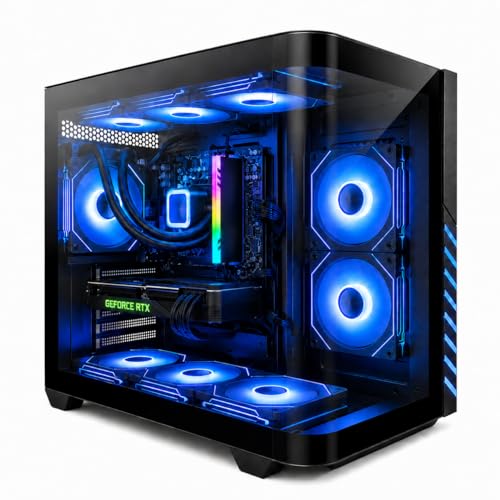
| Resale (Future Value) | Resale value is declining as the market shifts to DDR5. Good for use, less good for recouping cost in 3-4 years. | Higher resale demand. A DDR5 system like a Gaming PC Desktop Liquid Cooled Ryzen 7 8700F RTX 4060 Ti 16GB DDR5 RAM at $1158.88 will hold value better as a complete build than a DDR4 equivalent. |
| Best For | Budget-conscious editors, secondary home PCs, and 1080p/4K hobbyists who want to maximize CPU/GPU budget. | Full-time creators, 4K/6K professionals, and anyone building a primary home studio PC to last 5+ years. |
| Performance & Bandwidth | 3200MHz (PC4-25600) with bandwidth around 25.6 GB/s per channel. Latency CL16 is excellent, but peak throughput is capped. | 5600-6400MT/s typical, with bandwidth of 44.8-51.2 GB/s per channel. Latency is higher (CL30-CL36) but real-world bandwidth wins in editing exports and heavy multitasking. |
Where Ddr4 Wins
DDR4 wins on cost-efficiency and platform maturity, which still matters enormously for a home build where every dollar counts.
1. Lower total build cost. DDR4 motherboards (B550, B660, Z690 DDR4 versions) often cost $40 to $90 less than their DDR5 counterparts. When you pair that with cheaper RAM, you can save $100 to $200 overall. That savings can move you from a 1TB to a 2TB NVMe drive, or from 16GB to 32GB of memory, both of which have a bigger impact on editing than DDR5 alone.
2. Proven performance for most editors. For 1080p and compressed 4K (H.264/H.265 from mirrorless cameras), DDR4 3200MHz CL16 is not a bottleneck. With 32GB of DDR4, such as the CORSAIR Vengeance LPX DDR4 RAM 32GB (2x16GB) Up to 3200MHz CL16-20-20-38 1.35V kit, you can edit multi-track timelines, use proxy workflows, and export efficiently. You will not feel held back unless you are consistently pushing uncompressed RAW or heavy Fusion/After Effects composites.
3. Easier cooling and compatibility. DDR4 runs at a modest 1.35V and generates less heat under sustained loads. Low-profile modules weigh around 30-35 grams per stick and fit easily under large air coolers like the Noctua NH-D15 or be quiet! Dark Rock 4, which many home editors prefer for quiet operation. There is less need for active RAM cooling, which keeps noise low in a home office.
4. Ideal for budget extensions. If you already own a DDR4 system, adding another 16GB kit like the CORSAIR Vengeance LPX DDR4 RAM 16GB (2x8GB) Up to 3200MHz CL16 for around $140 is a simple, affordable way to reach the 32GB sweet spot for video editing without replacing your motherboard and CPU.
Where Ddr5 Ram for Video Editing Build Wins
DDR5 is not just a faster version of DDR4. It is a redesigned architecture built for the way modern editing software actually uses memory.
1. Higher bandwidth for heavy timelines. Video editing is bandwidth-hungry. When you stack 4K clips, add color correction, stabilization, and noise reduction, your CPU needs to move massive amounts of data quickly. DDR5 starts at 4800MT/s and mainstream kits now run at 5600 to 6000MT/s, roughly double the data rate of DDR4-3200. In real-world 4K exports and timeline rendering, that translates to less stutter when scrubbing and 5-15% faster export times when the CPU is not GPU-limited, especially on 13th/14th Gen Intel and Ryzen 7000/8000 series platforms.
2. Better capacity and efficiency. DDR5 modules have on-board power management (PMIC) and on-die ECC, which improves stability during long renders and overnight exports. They also scale to higher capacities more efficiently. A 32GB (2x16GB) or 64GB (2x32GB) DDR5 configuration is now common for serious editors, and the power draw remains modest at 1.25V to 1.35V for most 5600-6000MT/s kits. Wattage per module is typically 4-6W under load, similar to DDR4 despite the higher performance.
3. Multitasking without compromise. If your editing workflow involves having Premiere Pro, After Effects, Media Encoder, Chrome with 20 tabs, and Spotify open simultaneously, DDR5’s dual 32-bit sub-channels per module help keep everything responsive. This is where DDR5 feels more comfortable in daily use than the benchmarks suggest.
4. Platform future-proofing. All new performance platforms are DDR5-only. AMD’s AM5 and Intel’s LGA1700/1851 DDR5 boards will support next-generation CPUs, while DDR4 boards are at the end of their road. Building with a kit like the Patriot Viper Venom DDR5 RAM 16GB (2X8GB) 6000MT/s CL36 or a 32GB variant means you can carry your RAM forward to your next CPU upgrade. Prebuilt options already reflect this shift, as seen in systems like the Gaming PC Desktop Liquid Cooled Ryzen 7 8700F RTX 4060 Ti 16GB DDR5 RAM, which pairs DDR5 with current-gen graphics for a balanced editing and gaming home PC.
Cost Over 5 Years
The sticker price favors DDR4 today, but the five-year math often favors DDR5 for a primary home studio.
Year 0 – Initial Build: A 32GB DDR4 build (motherboard + RAM) typically costs $220 to $350. A comparable 32GB DDR5 build costs $300 to $450. The DDR5 premium is roughly $80 to $130.
Years 1-3 – Power and Stability: Both types are reliable with 3-5 year warranties. Power cost difference is negligible. At an average of 10W total for RAM under load for 4 hours per day, the annual electricity cost is under $3 for either type at around $0 per kWh. Maintenance is zero beyond keeping XMP/EXPO enabled.
Years 3-5 – Upgrade and Resale: This is where DDR5 pulls ahead. A DDR4 owner who wants to upgrade the CPU in year 3 or 4 will need a new motherboard and RAM anyway, effectively paying $300+ again. A DDR5 owner can often drop in a new CPU on the same board and keep the RAM, or add more DDR5. Resale also favors DDR5: a used DDR5 motherboard + 32GB kit retains about 45-55% of its value after 3 years, versus 25-35% for DDR4, based on current second-hand market trends.
Bottom line: If you plan to keep the PC unchanged for its entire life, DDR4 is cheaper overall. If you plan to upgrade the CPU or sell the system within 5 years, DDR5’s higher initial cost is usually recovered.
Which One for Your Home
Small Apartment or Compact Home Office
Space, noise, and heat matter. DDR4’s low-profile kits and mature, cool-running motherboards are ideal for small-form-factor or micro-ATX builds where clearance is tight and airflow is limited. A 32GB DDR4 setup gives you plenty of editing headroom without needing tall heatsinks or aggressive fan curves. If your desk is in a bedroom or living room and you need quiet, DDR4 is the comfortable, compact choice.
Family with Kids or Pets
Stability and low maintenance win here. DDR4 systems are less picky about BIOS versions and memory training, so you get fewer boot quirks after a power outage or move. The lower cost also means less financial stress if the PC needs to double as a family computer. Put the savings into a sturdy case with good dust filters and a reliable UPS. If the PC is shared and editing is part-time, 32GB of DDR4 is the sweet spot between performance and family budget.
Rental Home or Temporary Setup
If you may move in the next year or two, keep the build affordable and portable. DDR4 lets you build a capable mid-tower that is easy to transport and cheaper to replace if damaged during a move. You can also choose a DDR4 prebuilt or upgrade an existing DDR4 desktop with a kit like the CORSAIR Vengeance LPX 16GB (2x8GB) to 32GB total for under $150, rather than committing to a full new DDR5 platform before you are settled.
Long-Term Home or Dedicated Studio
This is where DDR5 is the clear recommendation. For a home you own and a studio you plan to use for years, invest in the platform with a future. A DDR5 foundation with 32GB at 5600-6000MT/s, like the Patriot Viper Venom DDR5 RAM 16GB (2X8GB) 6000MT/s CL36 doubled to 32GB, or a full 32GB (2x16GB) kit, will handle evolving codecs, higher resolutions, and more demanding software updates without requiring a complete rebuild. Pair it with a modern CPU and a 2TB NVMe drive, and you have a home editing station that stays competitive and holds its value.
FAQ
How much RAM do I need for video editing, DDR4 or DDR5?
For video editing at home, 32GB is the practical minimum for comfortable 4K work, regardless of DDR type. 16GB can handle 1080p and light 4K but will force you to close apps and use proxies more often. If you work with 4K RAW, 6K, or heavy After Effects compositions, 64GB is worth the investment. The type (DDR4 vs DDR5) matters less than having enough capacity.
Can I mix DDR4 and DDR5 in the same build?
No. DDR4 and DDR5 have different pin layouts, notch positions, and voltage requirements, and motherboards support one or the other, never both at the same time. You must choose a DDR4 motherboard for DDR4 RAM or a DDR5 motherboard for DDR5 RAM, and the CPU must support that memory type.
Will DDR5 make my exports dramatically faster?
It helps, but it is not a magic fix. For most H.264/H.265 exports, the GPU and CPU matter more than RAM speed. DDR5 typically trims 5-15% off export and timeline render times compared to DDR4-3200 when the system is CPU and bandwidth limited. You will notice the biggest difference in timeline smoothness, preview playback with effects, and multitasking, not just the final export clock.
Is it worth upgrading a DDR4 editing PC to DDR5 now?
If your current DDR4 system has 32GB and a recent CPU (Ryzen 5000 or Intel 12th Gen or newer), an upgrade to DDR5 is rarely worth the cost of a new motherboard and RAM alone. You are better off adding storage, upgrading your GPU, or waiting until your next full CPU upgrade. If you are building a new PC from scratch or moving from an older platform (4+ years old), build with DDR5 from the start.









