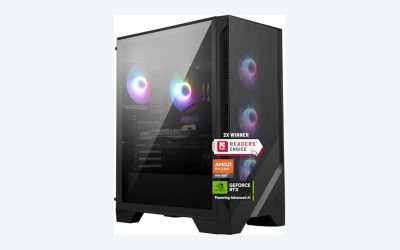
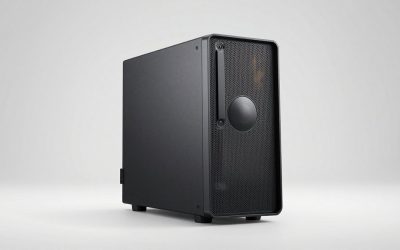
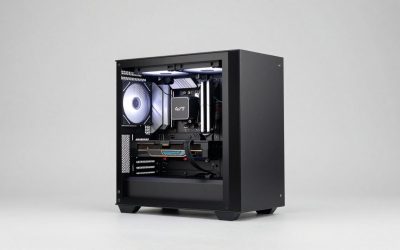
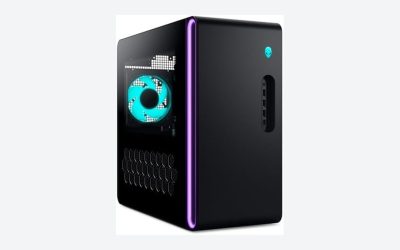
Most first-time builders obsess over the wrong things. They spend $180 on a case with tempered glass and RGB fans, then discover their triple-slot GPU doesn’t fit and their cable management looks like a bird’s nest. Or they buy a $45 budget box, skip buying quality case fans, and wonder why their CPU thermal throttles under load. The case is the one part you’ll touch on every upgrade for the next five to eight years, so it deserves about 10% of your total budget — typically $60 to $130 for a solid mid-tower. Here’s how to spend that money where it actually counts.
Our Top Picks
 Orionstar Metal First Aid Box with 3 Pill13.2x7.3x5.2 inches13.2 x 7.3 x 5.2 Inches3 PoundsCheck on Amazon


Top 3 picks at a glance

Decide These 3 Things First
1. Your motherboard size. Most first builds use a micro-ATX (9.6 × 9.6 inches) or ATX (12 × 9.6 inches) board. Check your board’s form factor before shopping — a micro-ATX board fits in almost any case, but an ATX board needs an ATX or larger chassis. If you already bought the motherboard, this decision is half made.
As an Amazon Associate we earn from qualifying purchases at no extra cost to you.



2. Your GPU length. Mid-range and high-end graphics cards run 280 to 340 millimeters long. Look at your specific card’s spec sheet, then pick a case with at least 30 to 40 millimeters of clearance beyond that. A “GPU clearance” number under 300 mm is a dealbreaker for most modern cards.
3. Your cooler height. A tower air cooler like a 160-millimeter dual-tower unit needs a case that supports at least 165-millimeter CPU cooler height. A 240 or 360 mm liquid AIO needs matching radiator mounts at the top or front. Write these three numbers down — they eliminate 70% of cases on the shelf.
Size: Why Mid-Tower Is the Sweet Spot
Full towers (supporting E-ATX boards, 22+ inches tall) are overkill for a first build and a pain to move. Mini-ITX cases (under 20 liters of volume) demand careful part selection and tight cable work — a bad first experience. A standard mid-tower measures roughly 18 to 20 inches tall, 8 to 9 inches wide, and 16 to 18 inches deep, supports ATX and smaller boards, and weighs 12 to 20 pounds empty. That size gives you room to work, decent airflow, and space for a 240 mm radiator plus three to six case fans. If you want a concrete target: a case around 19 × 8.5 × 17 inches with GPU clearance of 330 millimeters and cooler clearance of 165 millimeters will fit nearly every mainstream build through 2026 and beyond.
Material: Steel, Aluminum, and Tempered Glass
Nearly every case under $100 uses 0.8 to 1.0 millimeter SPCC steel panels. Thinner steel (0.5 to 0.6 mm) flexes when you press on it, rattles, and dents during assembly. Check the listed panel thickness — anything at 0.8 mm or above feels solid. Aluminum cases ($130 and up) cut weight to 8 to 10 pounds and look premium but dent easily. Tempered glass side panels are standard now; 4-millimeter glass is fine, but check that the panel mounts with thumbscrews rather than fragile plastic clips. Avoid acrylic panels entirely — they scratch if you look at them wrong and yellow over time.
Construction: Airflow Beats Aesthetics
The single biggest performance factor is airflow design. Look for a mesh front panel with fine perforations (1-millimeter or smaller holes), not a solid or partially blocked front. A case shipping with at least two or three included fans — ideally 120-millimeter or 140-millimeter PWM models — saves you a $25 to $45 add-on purchase. Check dust filtration: magnetic mesh filters on the front, top, and a pull-out filter under the power supply are what you want, since a bottom filter you have to disassemble the case to clean will never get cleaned. Finally, look at cable management: at least 15 to 25 millimeters of space behind the motherboard tray, two or three rubberized pass-through grommets, and tie-down points near the 24-pin connector cutout.
Comfort and Performance: Working Inside the Case
You’ll have your hands inside this box for two to six hours on build day, and again at every upgrade. Prioritize: tool-less or thumbscrew side panels, a removable motherboard tray or generous cutouts for the CPU cooler backplate (a square cutout behind the socket saves real frustration), and a PSU shroud that hides the cable mess and dead drives. Noise-wise, a well-designed mesh case with three quality fans running at 800 to 1,200 RPM is quieter than a closed-front case fighting for air — restricted airflow forces fans to spin harder. If you’re noise-sensitive, look for rubber fan mounts and a case rated well for low-load acoustics, but treat manufacturer decibel claims as marketing, not data.
Price Tiers: What Each Level Buys You
- Budget ($40 to $65): Steel panels, one or two included fans, basic dust filters, USB-A only on the front. Perfectly buildable if you add a $20 fan or two.
- Mid-range ($65 to $110): The sweet spot. Mesh fronts, three or four included fans, USB-C front port, 0.8 mm steel, proper cable channels, tempered glass.
- Premium ($110 to $200+): Thicker panels, better fans (often 1,500+ RPM PWM units), removable top panels, superior radiator support (360 mm top and side), and nicer finishes. Only worth it if your parts demand the cooling capacity or you care about the look.
As a rule, don’t spend less than $50 — sub-$40 cases almost always mean thin steel, no USB-C, and one anemic fan.
Warranty and Support
Case warranties range from one to ten years. Reputable manufacturers offer three to seven years on mid-range and premium models; budget brands sometimes cover only one. Since a case rarely fails electronically, the warranty mainly covers fan failures, broken glass, and cracked mounts — but a brand that answers support emails matters when a fan dies at year two. Check whether replacement tempered glass panels are sold separately; a $25 to $40 replacement panel beats replacing the whole case.
Delivery and Assembly Considerations
Cases ship in oversized boxes, and shipping damage is the most common complaint. Buy from a retailer with easy returns, and inspect the glass panels on arrival — hairline cracks count as damage even if the panel holds. Weight matters if you’ll move the PC: a loaded mid-tower with an AIO and a big GPU runs 30 to 40 pounds, so side handles or a compact footprint genuinely help. Assembly-wise, standoffs pre-installed for ATX, a standard I/O shield (integrated is even better), and thumbscrews everywhere cut an hour off your first build.
Spec Checklist
| Spec | Budget | Mid | Premium |
|---|---|---|---|
| Price range | $40–$65 | $65–$110 | $110–$200+ |
| Panel thickness | 0.6–0.8 mm | 0.8 mm | 1.0 mm steel or aluminum |
| Included fans | 1–2 | 3–4 | 4–6 |
| GPU clearance | 300 mm | 330 mm | 360–400 mm |
| Cooler clearance | 155 mm | 165 mm | 170+ mm |
| Radiator support | 240 mm front | 240/280 mm top | 360 mm top + front |
| Front I/O | 2× USB-A | USB-C + 2× USB-A | USB-C 20 Gbps + audio |
| Dust filters | Bottom | Front, top, bottom | Full, magnetic, tool-less |
| Warranty | 1–3 years | 3–5 years | 5–10 years |
Red Flags
- No listed GPU or CPU cooler clearance — if the manufacturer won’t publish the numbers, assume they’re bad.
- Solid or heavily restricted front panels paired with “airflow” marketing language.
- Only one included fan, or fans that use proprietary connectors.
- Acrylic instead of tempered glass on anything above $60.
- No bottom PSU dust filter, or a filter you can’t remove without unscrewing the power supply.
- Less than 15 millimeters behind the motherboard tray for cables.
- Reviews mentioning broken glass on arrival from multiple buyers over several months.
- Proprietary motherboard standoffs or nonstandard fan sizes you can’t replace.
FAQ
Does the case affect performance?
Yes, indirectly. A case with poor airflow can push CPU and GPU temperatures up 5 to 10°C versus a well-ventilated one, which triggers thermal throttling and fan noise. The case itself adds no performance, but it can cap what your components deliver.
Are the included fans good enough?
Often, yes — mid-range cases in 2026 commonly ship three decent 120-millimeter fans. If a budget case includes only one rear fan, budget $20 to $30 for two intake fans upfront. You don’t need six fans; two intakes and one exhaust cover most builds.
Mesh or glass front panel?
Mesh, for a first build. Glass-front cases look sleek but can run 3 to 8°C warmer unless you add extra fans. If you love the glass aesthetic, choose a model where the front panel is genuinely ventilated behind the glass, not a sealed showcase.
Can I reuse an old case for a new build?
Frequently, yes, if it’s a standard ATX mid-tower from the last decade. Check that it has USB 3.0 internal headers (or that you can live without the front ports), supports your cooler and GPU clearances, and has USB-C if your motherboard and devices need it. A deep cleaning and $25 in new fans can make an old case feel new.