
Finding a machine that can actually handle 1080p video editing without draining your savings account is one of the trickiest purchases in the PC world. Editing software like DaVinci Resolve and Adobe Premiere Pro is demanding — it eats RAM, thrashes storage drives, and leans heavily on the GPU during playback and rendering. Most budget desktops are built for gaming or office work first, with video editing treated as an afterthought, which means timeline scrubbing stutters and exports that drag on for hours.
We put together this roundup to solve that exact problem. Whether you’re a YouTube creator cutting talking-head videos in a spare bedroom, a student editing short films in a dorm, or a freelancer rendering client work from a home office, there’s a machine here that fits. Prices range from around $360 for an entry-level tower up to around $2,300 for a near-professional rig, and we’ve ranked them by real-world value for editors — not just raw gaming specs. If you’ve been putting off an upgrade because you assumed video editing required a $2,000 machine, this guide should change your mind heading into 2026.
As an Amazon Associate we earn from qualifying purchases at no extra cost to you.




Our Top Picks
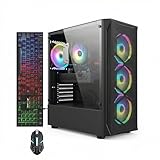
 iBUYPOWER Element Gaming PC Desktop Computer AMD Ryzen20 x 9.1 x 17.4 inches36 poundsCheck on Amazon


Top 3 picks at a glance
 STGAubron Gaming PC Desktop,Core I7,RTX 3050 6G,16G RAM,512G SSDCheck pricePrebuilt Gaming PC Desktop,Intel Core i5 Business Office Tower Computers PCCheck price
Quick Picks
| Product | Best for | Price |
|---|---|---|
| STGAubron Gaming PC Desktop, Core i7, RTX 3050 6G, 16G RAM, 512G SSD | Best overall budget editing build | Check on Amazon |
| Prebuilt Gaming PC Desktop, Intel Core i5 Business Office Tower | Tightest budgets and beginners | Check on Amazon |
| STGAubron Gaming PC Desktop, Core i5, RX 560 4G, 16G RAM, 512G SSD | Light 1080p editing projects | Check on Amazon |
| iBUYPOWER Element, Ryzen 9 7900X, RTX 5070 12GB, 32GB DDR5, 1TB NVMe | 4K editing and heavy renders | Check on Amazon |
| STGAubron Gaming PC Desktop, Core i7, RX 580 8G, 16G RAM, 512G SSD | Best GPU value under $450 | Check on Amazon |
| MOUGOL AMD Radeon RX 580 8GB GDDR5 Graphics Card | DIY builders upgrading an old tower | Check on Amazon |
| STGAubron Gaming PC Desktop, Intel i7 Xeon E5, RX 550 4G, 16G RAM, 512G SSD | Multi-core workloads on a budget | Check on Amazon |
| KAMRUI Hyper H2 Mini PC, Core i7 14650HX, 16GB RAM, 1TB SSD | Small spaces and mobile editing | Check on Amazon |
How We Compared
Video editing has different priorities than gaming or general office work, so we evaluated every machine against editor-specific criteria. First, RAM: 16GB is the realistic floor for 1080p timelines, while 32GB makes 4K work comfortable. Second, GPU capability: NVIDIA’s CUDA acceleration gives its cards an edge in Premiere Pro, though AMD and Intel integrated solutions are perfectly workable in DaVinci Resolve and Final Cut alternatives. Third, storage speed — an SSD is non-negotiable for editing, since spinning drives make preview playback unusable.
We also weighed total cost of ownership. A $400 tower that needs an immediate RAM and storage upgrade isn’t cheaper than a $620 machine that works out of the box. Prebuilt systems dominate this list because they include a warranty and assembled hardware at prices that often undercut DIY builds, but we included one standalone graphics card for buyers who already own a desktop worth upgrading. We avoided inventing performance numbers — everything here reflects published specifications and price-to-spec value, so you can verify each claim before buying.
The 8 Best Picks
1. STGAubron Gaming PC Desktop — Core i7, RTX 3050 6G, 16GB RAM, 512GB SSD — Best Overall Budget Build
This is the sweet spot for most editors. The Core i7 processor handles timeline scrubbing and encoding well, while the RTX 3050 6G brings NVIDIA CUDA acceleration — a genuine advantage in Premiere Pro and After Effects that AMD cards at this price can’t match. The 16GB of RAM covers 1080p projects comfortably, and the 512GB SSD keeps software and active projects snappy. At around $620, it’s the cheapest machine here that won’t fight you on a daily editing workload.
- Pros: CUDA acceleration for Adobe workflows; Core i7 CPU keeps exports moving
- Pros: Complete setup with 16GB RAM and fast SSD included
- Con: 512GB fills up fast with video footage — plan for an external drive
Skip it if you’re editing 4K regularly or want more than three GPU-enabled effects layers at once — step up to the iBUYPOWER instead.
2. Prebuilt Gaming PC Desktop — Intel Core i5 Business Office Tower — Best Ultra-Budget Option
At around $360, this is the entry point for editors who genuinely can’t spend more. The Core i5 processor and standard office-tower configuration won’t win render benchmarks, but paired with 16GB-class memory configurations and SSD storage, it will cut 1080p YouTube videos, vlogs, and social media content without constant frustration. It’s also a smart base platform — the standard tower chassis leaves room to add a graphics card and more RAM later as your budget allows.
- Pros: Lowest price on the list by a wide margin
- Pros: Standard tower case leaves a clear upgrade path
- Con: Integrated graphics will struggle with GPU-accelerated effects
Skip it if your projects involve multi-camera edits, heavy color grading, or any 4K footage — the i5 alone will bottleneck badly there.
3. STGAubron Gaming PC Desktop — Core i5, RX 560 4G, 16GB RAM, 512GB SSD — Best for Light Projects
This around $400 build occupies a useful middle ground: dedicated graphics in the form of the RX 560 4G, without the premium of faster cards. The 4GB of VRAM is modest, but it’s enough to enable GPU processing in DaVinci Resolve and take some load off the Core i5 during playback. For editors working mostly with 1080p footage from phones, mirrorless cameras, or screen recordings, this machine delivers a noticeably smoother experience than integrated-graphics systems at similar prices.
- Pros: Dedicated GPU for smoother timeline playback under $400
- Pros: 16GB RAM and 512GB SSD included at this price
- Con: 4GB VRAM limits heavy effects stacks and any 4K ambitions
Skip it if you can stretch $40 more — the RX 580 model below is a meaningfully better long-term buy.
4. iBUYPOWER Element — Ryzen 9 7900X, RTX 5070 12GB, 32GB DDR5, 1TB NVMe — Best for 4K and Pro Work
Yes, it’s around $2,300 — more than the other machines combined. But if editing pays your bills, this is the one that eliminates waiting. The 12-core Ryzen 9 7900X tears through exports, the RTX 5070’s 12GB of VRAM handles 4K and even 6K timelines with noise-reduction and stabilization applied, and 32GB of DDR5 keeps large projects from choking. The 1TB NVMe SSD holds a real working project library, and the included keyboard and mouse mean it’s genuinely turnkey. It’s also the most future-proof machine here, with modern DDR5 and current-generation components.
- Pros: 12-core CPU and 12GB GPU handle 4K timelines without preview lag
- Pros: 32GB DDR5 and 1TB NVMe SSD as standard
- Con: The price is roughly four times the rest of this list
Skip it if you edit 1080p occasionally — you’d be paying for capability you’ll never touch.
5. STGAubron Gaming PC Desktop — Core i7, RX 580 8G, 16GB RAM, 512GB SSD — Best GPU Value Under $450
The RX 580 with 8GB of VRAM is the standout spec here. At around $440, you’re getting double the graphics memory of the RX 560 model, and 8GB is enough headroom for GPU-accelerated effects, LUT-heavy color work, and even careful 4K editing with proxy workflows. Combined with a Core i7 and the usual 16GB/512GB configuration, this is arguably the best price-to-editing-performance ratio under $500 — and it doubles as a capable 1080p gaming machine when you close the timeline.
- Pros: 8GB VRAM is rare at this price point
- Pros: Core i7 handles encoding and multitasking well
- Con: 512GB SSD still requires external storage for footage archives
Skip it if you’re locked into CUDA-dependent plugins in your Adobe workflow — NVIDIA support matters there.
6. MOUGOL AMD Radeon RX 580 8GB GDDR5 Graphics Card — Best Upgrade for Existing Towers
Not everyone needs a whole new machine. If you already own a desktop with a decent CPU but weak or integrated graphics, dropping around $130 on this RX 580 with 8GB of GDDR5 memory can transform its editing performance. It offers HDMI, DisplayPort, and DVI outputs for flexible monitor setups, and the 8GB of VRAM enables GPU acceleration in Resolve and lightens the CPU’s effects load in Premiere. It’s the classic “make your old PC useful again” move.
- Pros: Cheapest route to 8GB of VRAM on this list
- Pros: HDMI, DP, and DVI outputs cover virtually any monitor
- Con: Requires a compatible case, PSU, and PCIe slot — verify before buying
Skip it if your current machine has an old dual-core CPU — the processor, not the GPU, will be the bottleneck.
7. STGAubron Gaming PC Desktop — Intel i7 Xeon E5, RX 550 4G, 16GB RAM, 512GB SSD — Best Multi-Core Value
Xeon E5-class processors are the quiet workhorses of the budget editing world. Derived from server silicon, they bring more cores and threads than typical consumer chips at the same price, and video encoding scales well with core count. At around $420, this machine trades single-core speed for rendering throughput — meaning scrubbing a timeline may feel slightly less snappy than the standard i7 build, but final exports of longer projects benefit from the extra threads. The RX 550 4G provides basic GPU acceleration.
- Pros: High thread count speeds up final renders and exports
- Pros: Strong value at around $420 for editing-focused workloads
- Con: RX 550 is the weakest dedicated GPU on this list
Skip it if your work is playback-heavy — live scrubbing favors faster single-core performance over thread count.
8. KAMRUI Hyper H2 Mini PC — Core i7 14650HX, 16GB RAM, 1TB SSD — Best Compact Option
If your editing space doubles as a living room, bedroom, or shared desk, the KAMRUI Hyper H2 packs a modern Core i7 14650HX processor, 16GB of RAM, and — unusually for a mini PC at this price — a full 1TB PCIe 4.0 SSD into a chassis measured in inches rather than feet. It weighs only a couple of pounds, mounts behind a monitor, and sips power compared to full towers. The 14650HX is a genuinely capable editing chip, making this a legitimate portable workstation for 1080p work and careful 4K projects.
- Pros: Full 1TB SSD and modern i7 in a tiny footprint
- Pros: Low power draw and near-silent operation for small spaces
- Con: No discrete GPU, so heavy effects rely on integrated graphics
Skip it if you do GPU-intensive work like noise reduction at 4K — a tower with a real graphics card will serve you better.
Buying Guide
Match the Specs to Your Footage
Be honest about what you actually shoot. 1080p editing with light effects runs comfortably on a Core i5, 16GB of RAM, and any dedicated GPU — that’s the $360–$450 tier. 4K editing changes the math dramatically: you want a modern 8-plus-core CPU, 32GB of RAM, and a GPU with at least 8–12GB of VRAM, which puts you in the $600–$2,300 range depending on how much preview smoothness you demand. Buying below your footage’s requirements means fighting proxy workflows and stuttering previews every single session.
Storage Is Where Budget Builds Fall Short
Almost every sub-$650 machine here ships with a 512GB SSD, and one hour of 4K footage can consume 40–100GB or more depending on the codec. Budget for external storage from day one: a 2TB external SSD typically runs $100–$150, and keeping your media library off the system drive also keeps it fast. The KAMRUI and iBUYPOWER are the only picks with 1TB onboard — that alone is worth factoring into the true cost comparison.
Prebuilt vs. Upgrading Your Existing Tower
If your current desktop has a quad-core or better CPU, 16GB of RAM, and an SSD, a around $130 GPU like the MOUGOL RX 580 may deliver 80% of a new machine’s editing performance for a fraction of the price. Check that your power supply has a PCIe power connector and at least 400–450W of capacity before buying. If your machine is older than that, a prebuilt is the safer bet — you get matched components, Windows licensing, and a warranty instead of troubleshooting mismatched parts.
Our Verdict
For most creators, the STGAubron with the Core i7 and RTX 3050 6G at around $620 is the right answer: CUDA acceleration, adequate RAM, and fast storage in one box under $650. If every dollar counts, the around $440 STGAubron with the RX 580 8G offers the best raw spec value under $450, and the around $360 i5 tower gets beginners started. Professionals and 4K editors should simply buy the iBUYPOWER Element and stop thinking about hardware for years. And if you already own a tired tower, the around $130 MOUGOL RX 580 is the cheapest meaningful upgrade in video editing, period.
FAQ
How much RAM do I really need for video editing?
16GB is the practical minimum for 1080p work and is standard across most picks here. For 4K timelines, motion graphics, or running editing software alongside browsers and other apps, 32GB — as found in the iBUYPOWER — prevents slowdowns on complex projects. RAM is also one of the easiest and cheapest upgrades later, so starting at 16GB isn’t a dead end.
Do I need a dedicated graphics card for editing?
For 1080p editing with basic cuts and color work, not strictly — the KAMRUI’s integrated graphics can manage. But dedicated GPUs accelerate effects, color grading, and exports in most editing software, and NVIDIA cards add CUDA support that Adobe workflows lean on heavily. VRAM matters too: 4GB handles 1080p, while 8GB or more is worth having for 4K or heavy LUT use.
Is 512GB of storage enough for video editing?
For the software and current projects, yes — but not for a footage library. Video files accumulate fast, so pair any 512GB system with a 2TB-plus external SSD for media. Only the KAMRUI and iBUYPOWER ship with 1TB drives, and even editors on those machines typically add external storage within their first few projects.
Are budget prebuilt PCs reliable for editing work?
Yes, with realistic expectations. Editing is a sustained but predictable workload — not the constant peak stress of competitive gaming — and modern components handle it well. The main caveats are thermals in compact cases and the fixed configurations: check that a prebuilt includes an SSD (all of ours do) and plan upgrades like extra RAM or external storage as your projects grow. Warranties on prebuilts also beat piecing together parts yourself at this price range.









