
When designing a modern home office or setting up a family media center, the physical presence of your technology matters just as much as its processing speed. The days of tucking a dusty, roaring grey tower under a beautiful hardwood desk are over. Today, homeowners are looking for a balance between aesthetic harmony, physical space, noise control, and functional performance.
This design dilemma brings us to a crucial hardware fork in the road: the choice of integrated graphics barebones vs dedicated gpu prebuilt systems. On one side, you have ultra-compact, whisper-quiet barebones kits that mount discretely behind a monitor or tuck into a bookshelf. On the other, you have self-contained, high-performance prebuilt towers equipped with dedicated graphics cards that demand their own physical footprint. Selecting the right path requires looking beyond raw benchmarks to consider how a machine fits into your living space, your daily routine, and your home energy budget.
As an Amazon Associate we earn from qualifying purchases at no extra cost to you.


Below, we break down how these two computing philosophies compare, examining how they impact your home’s aesthetics, organization, and wallet over the long haul.
Our Top Picks


Top 3 picks at a glance
Quick Verdict
For most households prioritizing a clean, minimalist aesthetic, low power bills, and silent operation, an integrated graphics barebones system is the superior choice. It keeps your desk clutter-free while offering more than enough power for daily productivity, streaming, and light creative tasks. However, if your home serves as a hub for high-end gaming, professional 3D design, or heavy video editing, a dedicated GPU prebuilt is indispensable, trading a larger physical footprint and higher power draw for unmatched graphical muscle.
Side by Side
To understand how these systems differ in a home environment, let us look at their physical, practical, and financial characteristics side by side.
| Feature | Integrated Graphics Barebones | Dedicated GPU Prebuilt |
|---|---|---|
| Comfort & Noise | Virtually silent; low thermal output keeps workspaces cool. | Audible fan noise under load; can warm up small rooms. |
| Durability & Lifespan | Highly modular for RAM and storage; chassis can last for years. | Components are long-lasting, but GPUs age out faster for modern tasks. |
| Price Range | $300 to $900 (plus the cost of RAM, SSD, and OS). | $800 to $7,000+ for high-end workstation systems. |
| Maintenance | Very low; minimal dust accumulation due to small intake vents. | Moderate to high; requires regular internal dusting and fan cleaning. |
| Space Needed | Extremely small footprint (often under 5″ x 5″ x 2″). | Significant; requires dedicated desk space or floor clearance. |
| Aesthetic & Look | Minimalist, stealthy, easily hidden or VESA-mounted. | Prominent; ranges from industrial metal to flashy RGB lighting. |
| Resale Value | Holds steady for home server/office use; easy to clear data. | Depreciates quicker as graphics card generations advance. |
| Best For | Home offices, media centers, tight spaces, and energy-conscious users. | Hardcore gaming, 3D rendering, machine learning, and VR. |
Where Integrated Graphics Barebones Wins
The primary appeal of an integrated graphics barebones system lies in its physical modesty and efficiency. Because these machines rely on the processor’s built-in graphics (such as Intel Iris Xe or AMD Radeon graphics), they do not require massive cooling shrouds, heavy heatsinks, or high-wattage power supplies. This allows manufacturers to shrink the chassis down to the size of a paperback novel.
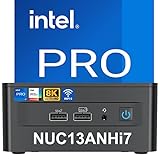
For home design enthusiasts, this form factor is a revelation. A system like the Intel NUC 13 Pro (priced around $820) can easily be mounted directly to the back of a VESA-compatible monitor. This completely eliminates computer clutter from the surface of your desk, leaving only your keyboard, mouse, and display visible. Operating at a fraction of the power of a full-size tower, these units typically draw between 15 and 65 watts under load, keeping your electricity bills low and your workspace cool.
Furthermore, barebones kits offer a unique sense of ownership without requiring a degree in electrical engineering. When you buy a barebones kit, it arrives with the processor and motherboard pre-installed, but without memory (RAM), storage (SSD), or an operating system. This allows you to hand-select high-quality components based on your budget, rather than accepting whatever cheap, generic drives a prebuilt manufacturer might use to cut corners.
Where Dedicated GPU Prebuilt Wins
While integrated systems excel at keeping a low profile, they hit a hard thermal wall when tasked with complex visual computations. This is where the dedicated GPU prebuilt claims its territory. By housing a separate graphics card with its own dedicated high-speed video memory (VRAM) and cooling fans, these machines handle tasks that would cause an integrated system to stutter or freeze entirely.
If your home activities include playing modern video games at high resolutions, editing 4K footage, or working with local AI models, a dedicated GPU is non-negotiable. Prebuilt systems offer a hassle-free, plug-and-play experience. You simply unbox the tower, plug in the power and display cables, and turn it on. There is no need to source separate RAM sticks, install a solid-state drive, or navigate BIOS screens to install Windows.
These systems scale from mid-sized family gaming towers to massive, professional-grade workstations. For example, the ultra-premium Lenovo ThinkStation P8 Workstation (priced around $6,850) represents the absolute pinnacle of this category. Equipped with an enterprise-grade AMD Ryzen Threadripper PRO processor and professional-grade dedicated graphics, this machine is designed to sit in a dedicated studio or home office, handling massive architectural renders, complex data sets, and non-stop heavy workloads.
For those who want a middle ground, some modular barebones kits bridge the gap. The BRENUC NUC 11 Extreme Kit Beast Canyon (priced around $599) is a larger barebones system that actually supports a full-sized dedicated video card up to 12 inches in length. This hybrid approach lets you build a highly compact gaming rig while maintaining the modular, customizable nature of a barebones kit.
Cost Over 5 Years
When choosing between an integrated graphics barebones vs dedicated gpu prebuilt, looking only at the initial purchase price is a common mistake. The true cost of ownership unfolds over several years of daily use, driven by configuration costs, upgrades, and energy bills.
Let us look at a typical five-year scenario for both options:
- The Integrated Graphics Barebones Path: You buy a high-quality barebones unit like the Intel NUC 13 Pro for around $820. To complete the build, you spend an additional $120 on 32GB of DDR4/DDR5 RAM, $80 on a fast 1TB NVMe SSD, and $120 on a retail Windows license, bringing your initial investment to roughly $1,140. Because it draws an average of just 30 watts during daily use, running it for 6 hours a day at an average US utility rate of around $0 per kWh will cost you about $10 a year, or around $52 over five years. With no expensive graphics cards to upgrade, your total five-year cost remains around .
- The Dedicated GPU Prebuilt Path: You purchase a mid-to-high-range prebuilt gaming or creative tower for $1,800, which comes fully configured with a dedicated graphics card, RAM, and storage. However, because a dedicated GPU draws significant power, the system averages roughly 250 watts during mixed use. Running this system for the same 6 hours a day costs approximately $87 per year in electricity, totaling $438 over five years. Additionally, to keep up with evolving software demands, you may find yourself upgrading the graphics card or adding storage around year three, costing an extra $350. This brings your total five-year cost to approximately .
Ultimately, the integrated barebones system is far cheaper to run, maintain, and support over its lifetime, while the dedicated GPU system demands a premium for its high-performance capabilities.
Which One for Your Home?
Every home has its own physical layout, noise tolerance, and aesthetic goals. Here is how to choose the right system for your specific living situation.
Small Apartment or Studio
In a small apartment or studio, space is at an absolute premium. Your living room often doubles as your bedroom, and your dining table might double as your desk. In these tight quarters, a large, heavy desktop tower creates visual clutter and takes up valuable surface area. An integrated graphics barebones system is the ideal choice here. Its tiny footprint allows you to reclaim your desk space, and its silent operation ensures that your computer won’t disrupt your sleep or movie nights.
Family with Kids and Pets
Homes with children and pets require hardware that is durable, safe, and out of reach. Large desktop towers sitting on the floor are prime targets for spilled drinks, curious toddlers, and shedding pet hair, which can quickly clog intake fans and cause overheating. An integrated barebones unit can be mounted securely to the back of a monitor or tucked away inside a ventilated cabinet, keeping it completely out of harm’s way. If you do need a gaming system for the kids, a hybrid barebones like the BRENUC NUC 11 Extreme Kit can be placed safely on a high shelf due to its compact chassis design.
Rental or Temporary Living
If you rent your home or move frequently, portability is a major factor. Packing up a heavy glass-paneled prebuilt desktop tower is stressful, requiring custom packaging to prevent the internal graphics card from snapping off the motherboard during transit. A mini PC barebones kit can easily slide into a backpack or a small box alongside your clothes, making moves completely stress-free.
Long-Term Home or Dedicated Office
If you live in a long-term home with a dedicated office room, you have the physical space to support a larger setup. If your career or hobbies involve demanding digital work, investing in a powerful, dedicated GPU prebuilt workstation like the Lenovo ThinkStation P8 is highly justified. Placed on a sturdy desk or a dedicated rolling stand, it serves as a reliable production powerhouse that will comfortably handle any task you throw at it well into 2026 and beyond.
FAQ
Can I add a dedicated graphics card to a standard mini PC barebones later?
In most standard, ultra-compact barebones systems, you cannot add a dedicated graphics card because the chassis is physically too small and lacks the necessary PCIe slots and power connectors. However, specialized larger barebones kits, such as the BRENUC NUC 11 Extreme, are specifically designed with enough physical clearance and power delivery to support full-sized dedicated graphics cards.
Do barebones PCs come with Windows pre-installed?
No, barebones systems do not come with an operating system pre-installed. Because they do not include a hard drive or solid-state drive out of the box, you must install your own storage drive, purchase an operating system license (such as Windows or Linux), and install it yourself using a bootable USB drive.
Is integrated graphics powerful enough for casual home gaming?
Yes, modern integrated graphics, such as Intel Iris Xe or AMD Radeon graphics, are highly capable. They can easily handle casual games, older titles, and popular online multiplayer games (like Minecraft, League of Legends, or indie titles) at 1080p resolution with moderate graphic settings. They are not, however, suited for demanding, modern triple-A games at high frame rates.
Which option is quieter for a shared living room or bedroom?
The integrated graphics barebones system is significantly quieter. Because it uses highly efficient mobile-class processors that generate very little heat, its internal cooling fan rarely needs to spin at high speeds, resulting in near-silent operation. Dedicated GPU prebuilts require multiple high-speed fans to cool both the processor and the graphics card, which can produce audible fan noise under heavy loads.
Related guides
- Best Gaming PC for Fortnite: Eight Prebuilt Desktops Sorted by Refresh Rate Goal (2026)
- Best RX 9070 XT Prebuilt Gaming PCs: Seven Desktops and Three Cards Compared: 10 Compared (2026)
- CyberPowerPC vs iBUYPOWER Gaming PC: How the Two Brands Compare
- Best RX 9070 XT Prebuilt Gaming PC (2026): 5 Picks Compared









