
Intel changed how it names desktop processors, and the shift from the familiar Core i5 and i7 badges to the new Core and Core Ultra scheme has confused a lot of builders. If you are shopping for a CPU and cannot tell whether a chip is new, old, high-end, or budget, this guide clears it up so you can compare processors with confidence.
As an Amazon Associate we earn from qualifying purchases at no extra cost to you.


Our Top Picks


Top 3 picks at a glance
The Old System: Core i3, i5, i7, i9
For years Intel used a simple ladder. Core i3 was entry level, i5 mainstream, i7 high performance, and i9 flagship. A name like “Core i7-14700K” meant i7 tier, 14th generation, a specific model, and a “K” suffix for unlocked overclocking. Many chips on the market still use this scheme, so it is not going away overnight.
The New System: Core and Core Ultra
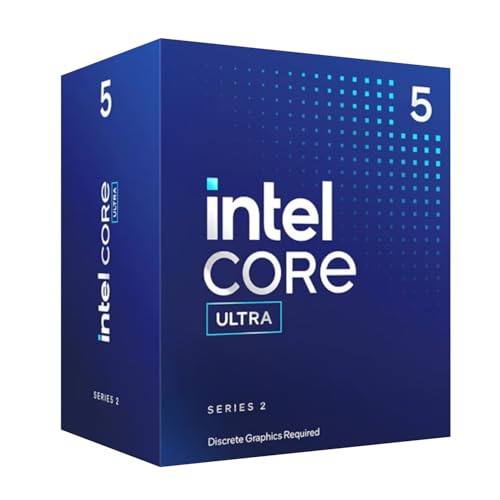
Intel now splits its lineup into two families. Plain “Core” (Core 3, Core 5, Core 7) covers mainstream and value chips, while “Core Ultra” (Ultra 5, Ultra 7, Ultra 9) covers the newer, higher-performance parts with updated architecture. The tier numbers still map to the same rough positions you already know.
Reading a Core Ultra Name
A name like “Core Ultra 7 265K” breaks down as family (Core Ultra), tier (7), series/generation, model number, and suffix. The “K” still means an unlocked chip suited to overclocking and paired with a higher-end motherboard.
| Old badge | New equivalent | Typical role |
|---|---|---|
| Core i3 | Core 3 | Basic desktops, light gaming |
| Core i5 | Core 5 / Ultra 5 | Mainstream 1080p-1440p gaming |
| Core i7 | Core 7 / Ultra 7 | High-FPS gaming, content work |
| Core i9 | Ultra 9 | Flagship, heavy multitasking |
What the Suffixes Still Tell You
Intel kept most of its letter suffixes, and they matter for build planning.
Common Desktop Suffixes
“K” means unlocked for overclocking and usually no bundled cooler, so budget for aftermarket cooling. “F” means no integrated graphics, saving a little money if you already have a discrete GPU. A chip with no suffix runs at standard clocks and often includes a basic cooler, which suits value builds.
Which Family Should You Buy?
If you want the newest architecture and features, Core Ultra is the current direction. If you are shopping value and find an older Core i5 or i7 at a discount, it can still be an excellent gaming chip, especially since games rarely use more than 8 cores. Focus on real benchmarks for the exact model rather than assuming the newer name is always faster in games.
Don’t Forget the Platform Cost
A newer CPU family often needs a newer motherboard socket and sometimes faster memory. When you compare a Core Ultra chip to an older Core i7, add the motherboard and RAM difference to the total. Sometimes the older platform wins on price-to-performance for a pure gaming build.
Efficiency Cores and What They Do
Modern Intel chips mix performance cores with smaller efficiency cores. The performance cores handle demanding work like games, while efficiency cores take on background tasks. This hybrid design means a high core count on the box does not translate directly to gaming muscle, since games lean mainly on the performance cores.
Reading the Core Count Honestly
When a listing advertises a large total core count, check how many are performance cores versus efficiency cores. For gaming, the performance core count matters most. For heavy multitasking, streaming, or rendering, the efficiency cores add real value by absorbing background load and keeping the main cores free.
FAQ
Is Core Ultra always faster than an older Core i7?
In multithreaded and efficiency tasks, often yes. In games the gap can be small, and a well-priced older Core i7 or i5 sometimes offers better value. Check gaming benchmarks for your resolution before deciding.
Do I need a “K” chip to game well?
No. Non-K chips deliver nearly all the gaming performance of their K counterparts without the need for premium cooling or a high-end board. K chips make sense mainly if you plan to overclock or want the highest sustained clocks.
Bottom Line
Intel’s new Core and Core Ultra names map cleanly onto the old i3-through-i9 ladder, with Ultra marking the newer, faster parts. Read the tier number for position, the series for generation, and the suffix for overclocking and graphics. Compare total platform cost and real gaming benchmarks, and the naming change stops being intimidating.

