
The best gaming PC build for your budget in late 2026 comes down to where you put the graphics card money, because memory prices have changed the old rules. Here is the short version, with budgets in US dollars: around 800 buys a capable 1080p machine with 16GB of RAM and an Arc B580 or RX 9060 XT 8GB; around 1,000 adds a Ryzen 5 7600X3D or a 16GB card; around 1,500 reaches strong 1440p with a Ryzen 7 7800X3D and an RX 9070 GRE or RX 9070; around 2,000 buys the RTX 5070 Ti or RX 9070 XT sweet spot; around 3,000 gets you an RTX 5080 with a Ryzen 7 9850X3D; and around 5,000 is RTX 5090 territory, if you can find one near list price. This hub walks through each tier, what to expect in games, and where people waste money.
Our Top Picks
 GIGABYTE Radeon RX 9070 XT Gaming OC 16GRADEON9070XT11.34 x 5.2 x 2.2 inches3.9 poundsCheck on Amazon



Top 3 picks at a glance

Verdict at a glance
- Best overall value tier: around 2,000. RTX 5070 Ti or RX 9070 XT plus a Ryzen 7 9800X3D is the sweet spot for 1440p high refresh and entry 4K.
- Best budget tier: around 1,000. A Ryzen 5 7600X3D with an RTX 5060 Ti or RX 9060 XT 16GB delivers excellent 1080p and solid 1440p.
- Best for 1440p: around 1,500. Ryzen 7 7800X3D with an RX 9070 GRE or RX 9070.
- Best for 4K: around 3,000. RTX 5080 with a Ryzen 7 9850X3D.
- No-compromise tier: around 5,000. RTX 5090, but only if street pricing cooperates.
- Skip: 8GB graphics cards above the entry tier, and expensive motherboards in any tier.
Why 2026 builds look different
Two things reshaped PC building this year. First, memory. Tom’s Hardware’s RAM price index shows a standard 32GB DDR5-6000 kit sitting several times above its all-time low, with broad DDR5 increases of 372 to 485 percent depending on speed and capacity. Wccftech’s sources expect shortages to last until at least late 2027. That means RAM, once an afterthought, is now one of the biggest line items in every build.
Second, there are no new graphics cards coming. Tom’s Hardware notes that apart from the global release of the RX 9070 GRE, the GPU market has barely changed for more than a year. NVIDIA’s RTX 50 Super refresh has been reported as delayed indefinitely or cancelled, and next-generation cards are not expected until 2027 at the earliest. Tom’s buying advice is that with no launches on the horizon, waiting is unlikely to save money.
One more twist: Tom’s Hardware and Tom’s Guide both point out that component price hikes are filtering through to prebuilt desktops more slowly than to DIY parts, so a well-specced prebuilt can be the better deal right now. We cover how to decide at the end of this guide.
Build tiers at a glance
| Budget tier (USD) | CPU | Graphics card | RAM | Storage | Target |
|---|---|---|---|---|---|
| Around 800 | Ryzen 5 7600 or 7500F | Intel Arc B580 12GB or RX 9060 XT 8GB | 16GB DDR5-5600 (2 x 8GB) | 1TB NVMe | 1080p high, esports at high refresh |
| Around 1,000 | Ryzen 5 7600X3D | RTX 5060 Ti 8GB or 16GB, or RX 9060 XT 16GB | 16GB to 32GB DDR5 | 1TB NVMe | 1080p ultra, 1440p medium-high |
| Around 1,500 | Ryzen 7 7800X3D | RX 9070 GRE, RX 9070 or RTX 5060 Ti 16GB | 32GB DDR5-6000 | 1TB to 2TB NVMe | 1440p high refresh |
| Around 2,000 | Ryzen 7 9800X3D | RTX 5070 Ti or RX 9070 XT | 32GB DDR5-6000 | 2TB NVMe | 1440p ultra, 4K with upscaling |
| Around 3,000 | Ryzen 7 9850X3D | RTX 5080 | 32GB DDR5-6000 | 2TB Gen4 or Gen5 | 4K high, 1440p 240Hz |
| Around 5,000 | Ryzen 7 9850X3D or Ryzen 9 9950X3D | RTX 5090 | 32GB to 64GB DDR5 | 2TB to 4TB Gen5 | 4K max with path tracing |
GPU performance by tier
The graphics card decides most of your frame rate, so it helps to see how the cards in these builds relate. Tom’s Hardware’s GPU Benchmarks Hierarchy, which tests at native resolution with no upscaling or frame generation on a Ryzen 7 9800X3D system, gives the following 1440p ultra rasterization scores relative to the RTX 5090:
| Graphics card | 1440p ultra raster (RTX 5090 = 100%) | 1440p ultra ray tracing (RTX 5090 = 100%) | VRAM |
|---|---|---|---|
| RTX 5090 | 100% | 100% | 32GB |
| RTX 5080 | 76.7% | 73.4% | 16GB |
| RTX 5070 Ti | 69.8% | 65.7% | 16GB |
| RX 9070 XT | 69.7% | 55.1% | 16GB |
| RTX 5060 Ti 16GB | 43.9% | Not listed here | 16GB |
| RX 9060 XT 16GB | 40.2% | Not listed here | 16GB |
Tom’s notes the RTX 5070 Ti and RX 9070 XT are statistically tied in raster, roughly 12 percent ahead of the RX 9070 and 21 percent ahead of the RTX 5070. Turn on ray tracing and the 5070 Ti pulls about 19 percent ahead of the 9070 XT. Percentages for some mid-range cards come from Tom’s tables as reproduced by Newegg and other outlets.
The 800 tier: entry 1080p
At this level every part has to justify itself. A Ryzen 5 7600 or 7500F on an entry B650 board keeps you on AM5, which AMD says will support Zen 6. Pair it with Intel’s Arc B580 12GB or an RX 9060 XT 8GB, a single 1TB NVMe drive, a 650W Gold power supply and a budget airflow case.
The painful part is memory. At 2026 prices, 16GB in a 2 x 8GB kit is the realistic choice here; Tom’s Hardware’s own budget build in its current guide uses exactly that. It is enough for most games at 1080p, with 32GB as an upgrade later.
Reasons to pick: modern platform with an upgrade path; plays esports and most current games at 1080p high.
Reasons to skip: 16GB RAM and an 8GB or 12GB card will need settings compromises in the heaviest new releases.
The catch: a prebuilt at this tier may include more RAM for the same money, so compare before buying parts.
The 1,000 tier: the budget sweet spot
This is where gaming gets comfortable. Tom’s Hardware’s current budget build centers on the Ryzen 5 7600X3D, a 6-core chip with 96MB of L3 cache that is excellent for 1080p gaming, paired with an RTX 5060 Ti 8GB. In June, Tom’s also showed a 1080p build around this tier with a Core i5-12600KF, an RTX 5060 Ti 8GB and 32GB of RAM using sale pricing.
If you can stretch, the RTX 5060 Ti 16GB or RX 9060 XT 16GB are safer long-term choices, because 8GB cards struggle more each year with texture-heavy games. Recent releases with high-resolution texture packs can exceed 8GB at 1440p, which causes stutter or forces you to lower texture quality even when the GPU core has power to spare. In Tom’s 1440p data, the 5060 Ti 16GB edges the 9060 XT 16GB.
Reasons to pick: X3D gaming performance at a budget tier; DLSS 4 or FSR 4 upscaling makes 1440p workable.
Reasons to skip: 8GB cards are a short-term choice; RAM eats a big share of this budget.
The catch: Tom’s notes its build totals exclude RAM because pricing is so volatile, so the real cost runs higher than the headline figure.
The 1,500 tier: strong 1440p
Step up to a Ryzen 7 7800X3D, a B850 board, 32GB of DDR5-6000 and a proper 1440p card. AMD’s RX 9070 GRE launched globally on June 1, 2026 with 12GB of GDDR6 on a 192-bit bus, and Tom’s Hardware called it a reasonably affordable way into high-refresh 1080p and 1440p raster gaming, while noting the 12GB and cut-down chip hold it back in ray tracing above 1080p. BabelTechReviews found it about 16 percent slower than the RX 9070, so if the 9070 is close in price, it is the better buy; Tom’s names the RX 9070 its 1440p raster value champion.
Tom’s Hardware’s mid-range build at roughly this level uses the 7800X3D with an RTX 5060 Ti 16GB, a pairing that favors NVIDIA’s DLSS and lower power over raw raster speed.
Reasons to pick: 1440p at high refresh rates; a CPU that will not bottleneck for years.
Reasons to skip: ray tracing at 1440p is still limited at this tier.
The catch: 32GB of RAM is now one of the most expensive parts here, so look for CPU and memory bundles.
The 2,000 tier: the best overall value
This tier hits the sweet spot of the current market. A Ryzen 7 9800X3D, an RTX 5070 Ti or RX 9070 XT, 32GB of DDR5-6000, a 2TB NVMe drive, a 750W to 850W Gold power supply and a 240mm or 360mm cooler. Tom’s Hardware covered a bundle around this tier earlier in the year built on a Ryzen 7 9850X3D, an RTX 5070 Ti and a 2TB Samsung 9100 Pro.
Choose the RTX 5070 Ti if you care about ray tracing, path tracing or DLSS; choose the RX 9070 XT if you mainly play rasterized games and want to save. Tom’s measured them tied in raster and the 5070 Ti about 19 percent ahead with ray tracing at 1440p.
Reasons to pick: 1440p ultra at high refresh; 4K playable with upscaling; 16GB VRAM.
Reasons to skip: 4K native with ray tracing still wants an RTX 5080 or better.
The catch: the 9800X3D and 9850X3D are so close in games that the cheaper of the two is usually the smarter buy.
The 3,000 tier: 4K gaming
Here you add an RTX 5080 and the Ryzen 7 9850X3D, which reviewers name as the fastest gaming CPU available. TechSpot measured it 5 percent faster than the 9800X3D across 14 games, Tom’s Hardware found 3.2 percent, and TechPowerUp saw just 0.5 percent at 4K. Pair it with an X870 board, 32GB of fast DDR5, a 2TB Gen4 or Gen5 SSD, an 850W to 1,000W ATX 3.1 power supply and a high-airflow case.
Tom’s Hardware’s Best GPUs guide puts the RTX 5080 8 to 16 percent ahead of the 5070 Ti, with the biggest gap at 4K. It also supports DLSS 4.5 with Multi Frame Generation up to 6X.
Reasons to pick: 4K high settings; excellent 1440p at 240Hz; full DLSS 4.5 feature set.
Reasons to skip: 16GB VRAM on a top-tier card; the step from the 2,000 tier is expensive for a modest uplift.
The catch: at 4K the CPU barely matters, so a 7800X3D would game almost identically here and free money for the GPU.
The 5,000 tier: no compromises
The RTX 5090 is the fastest gaming card made, with 32GB of GDDR7. Tom’s Hardware measured it about 30 percent ahead of the RTX 5080 at 1440p ultra raster. The problem is price: Tom’s August price snapshot showed the 5090’s best US street price at more than double its launch MSRP. At that level, the card alone can consume most of this budget, leaving little for the rest of the build.
We cover this tier in detail in our dedicated under-5,000 build guide, including an RTX 5080 alternative that buys more of everything else.
Reasons to pick: the best possible 4K and path-traced performance; 32GB VRAM also suits local AI.
Reasons to skip: 575W card needs a strong PSU and case airflow; terrible value per frame.
The catch: if you cannot find a 5090 near list price, an RTX 5080 build with better everything else is the saner choice.
Where to save and where to spend
- Spend on the GPU. In almost every game it decides your frame rate. Moving one GPU tier up beats any CPU upgrade at 1440p and 4K.
- Save on the motherboard. A solid B650 or B850 board runs a 9800X3D perfectly. X870E is only worth it if you need the extra USB4 and PCIe lanes.
- Do not skimp on the power supply. Buy a reputable Gold-rated ATX 3.1 unit with a native 12V-2×6 cable for modern NVIDIA cards.
- Buy 2 x 16GB, not 4 x 8GB. Two sticks run faster and leave room to upgrade.
- Do not overspend on Gen5 SSDs for gaming. Load times barely change versus a good Gen4 drive.
- Get a case with real airflow. Mesh fronts keep GPUs and X3D chips cool and quiet.
Upgrade paths by tier
A good build is one you can improve later without starting over. Every build in this guide uses AM5, which AMD has said will support its Zen 6 desktop chips, expected in 2027. That gives each tier a clear upgrade path:
- 800 tier: add a second 2 x 8GB or replace with 2 x 16GB when memory prices ease, then move to a 16GB graphics card. The Ryzen 5 7600 can later be swapped for an X3D chip.
- 1,000 tier: the 7600X3D is a strong gaming chip already, so the first upgrade should be the GPU, ideally to the RX 9070 or RTX 5070 Ti class.
- 1,500 tier: the 7800X3D will not bottleneck any current card at 1440p, so upgrade the GPU first and keep the CPU for years.
- 2,000 tier: add storage as your library grows; the next meaningful jump is a next-generation GPU in 2027 or later.
- 3,000 and 5,000 tiers: these are end-game builds. Upgrade the monitor before anything else to get the most from the hardware.
Buy a power supply with headroom from the start. A quality 750W to 850W unit in the mid tiers lets you drop in a faster card later without replacing the PSU too.
Prebuilt or DIY in 2026?
Building is still the best way to get exactly the parts you want, but the math has shifted. Tom’s Hardware has highlighted prebuilt deals with an X3D CPU, an RTX 5070, 32GB of DDR5 and a 2TB SSD at prices DIY builders struggle to match, because system builders locked in memory and GPU contracts before the latest increases. Our advice: price out your DIY list, then compare it with two or three prebuilts with the same CPU, GPU and RAM. If a prebuilt is close, check the power supply brand, motherboard and cooler before deciding.
Common mistakes
- Pairing a flagship CPU with a mid-range GPU. A 9850X3D with an RTX 5060 Ti wastes money that should go to the card.
- Buying an 8GB GPU above the entry tier. Texture budgets keep growing; 12GB to 16GB is the safe minimum from the 1,000 tier up.
- Forgetting the RAM line. Many online build lists still show old RAM prices; at current rates those builds run hundreds over budget.
- Waiting for the RTX 50 Super. Reports point to an indefinite delay or cancellation, so waiting likely means paying more.
- Ignoring upscaling. DLSS 4.5 and FSR 4 make a mid-range card feel a tier higher. Choose a GPU that supports the modern versions.
Products Mentioned in This Guide
These are the specific CPUs and graphics cards at the heart of the 1,000, 1,500 and 2,000 build tiers above.
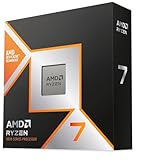
AMD Ryzen 7 9800X3D 8-Core Desktop Processor
As an Amazon Associate we earn from qualifying purchases at no extra cost to you.
The CPU for our best overall value tier at around 2,000, the sweet spot for 1440p high refresh and entry 4K.
PNY GeForce RTX 5070 Ti OC Triple-Fan
The 2,000 tier GPU to choose if you care about ray tracing, path tracing or DLSS, where it runs about 19 percent ahead of the RX 9070 XT at 1440p.
GIGABYTE Radeon RX 9070 XT Gaming OC 16G

The 2,000 tier alternative for mostly rasterized games, statistically tied with the RTX 5070 Ti in raster and usually cheaper.
AMD Ryzen 7 7800X3D 8-Core Desktop Processor

The CPU for the 1,500 tier, strong 1440p at high refresh, and a chip that will not bottleneck any current card at that resolution for years.
ASRock Radeon RX 9070 Challenger 16GB OC

The 1,500 tier card that Tom’s Hardware names its 1440p raster value champion, and the better buy than the RX 9070 GRE when prices are close.
AMD Ryzen 5 7600X3D 6-Core Processor

The heart of the 1,000 budget sweet spot tier: six cores with 96MB of L3 cache, excellent for 1080p gaming. The boxed chip does not include a cooler.
How we compared
We compared these using manufacturer specifications, independent lab measurements from the sources named above, and owner reports. We did not bench-test these units ourselves. Budget tiers are approximate and assume US retail pricing; component prices have moved quickly in 2026, so check current prices before you buy.
Sources
- Tom’s Hardware, Best PC builds for gaming 2026
- Tom’s Hardware, GPU Benchmarks Hierarchy 2026
- Tom’s Hardware, Best Graphics Cards for Gaming 2026
- Tom’s Hardware, RAM price index and DDR5 pricing coverage
- Tom’s Hardware, AMD Radeon RX 9070 GRE review
- Tom’s Hardware, Ryzen 7 9850X3D vs Ryzen 7 9800X3D
- Tom’s Guide, best gaming PC of 2026
- TechSpot, AMD Ryzen 7 9850X3D review
- TechPowerUp, AMD Ryzen 7 9850X3D review
- BabelTechReviews, AMD Radeon RX 9070 GRE review
- Wccftech, memory shortage outlook and RTX 50 Super delay reports
- PC Gamer, RTX 50 Super delay coverage
- Newegg Insider, best graphics cards for 1440p gaming in 2026
Frequently Asked Questions
What is the best budget for a gaming PC in 2026?
Around 2,000 US dollars offers the best balance, with an RTX 5070 Ti or RX 9070 XT and a Ryzen 7 9800X3D. Around 1,000 is the best budget option for 1080p and light 1440p.
Can you still build a good gaming PC around 800?
Yes, for 1080p. Expect 16GB of RAM and an Arc B580 or RX 9060 XT 8GB, and some settings compromises in the newest games.
Is 16GB of RAM enough for gaming in 2026?
It is enough for most games, but 32GB is the comfortable target. Given current memory prices, starting with 16GB and upgrading later is a reasonable plan for budget builds.
Should I buy an RTX 5070 Ti or RX 9070 XT?
They tie in raster performance in Tom’s Hardware’s testing data. The 5070 Ti is about 19 percent faster with ray tracing at 1440p and has DLSS; the 9070 XT is usually cheaper.
Is the Ryzen 7 9850X3D worth it over the 9800X3D?
Only if prices are close. Reviews measured it between 0.5 and 5 percent faster in games depending on resolution and test suite.
Should I wait for new graphics cards?
Probably not. Reports indicate no new NVIDIA gaming GPUs in 2026 and next-generation cards from both AMD and NVIDIA in 2027 or later.
Is a prebuilt cheaper than building in 2026?
Sometimes. Tom’s Hardware and Tom’s Guide both found prebuilts absorbing component price rises more slowly, so compare carefully before buying parts.
