
Our Top Picks


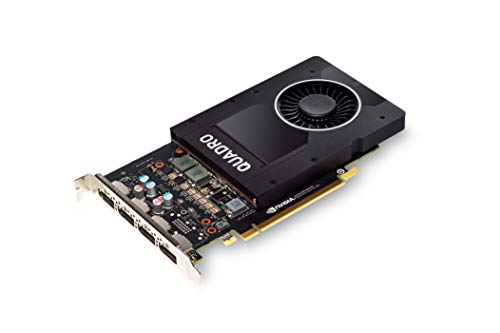
Top 3 picks at a glance

The Short Answer
To render 3D scenes efficiently without system slowdowns or software crashes, you need a minimum of 8GB of VRAM for entry-level modeling and lightweight scenes. For professional 3D rendering, architectural visualization (ArchViz), and detailed texturing, 12GB to 16GB of VRAM is the recommended standard in 2026. High-end film production, complex particle simulations, and dense 4K/8K texture workflows demand 24GB or more.
When selecting a graphics processing unit (GPU) for your home office or studio workstation, you must consider both memory capacity and physical dimensions. Larger memory cards often come on full-height, double-slot physical boards ranging from 9.5 to 12 inches (24.1 to 30.5 cm) in length, requiring adequate chassis clearance, dedicated power cabling, and proper thermal spacing on your desk setup.
As an Amazon Associate we earn from qualifying purchases at no extra cost to you.

Standard Sizes
Graphics cards used for 3D rendering span several distinct physical form factors and VRAM capacity classes. Below is a breakdown comparing VRAM capacity, physical card dimensions in inches and centimeters, slot width, power draw, and typical price ranges.
| GPU Workstation Tier | VRAM Capacity | Physical Dimensions (Inches) | Physical Dimensions (CM) | Slot Width | Power Draw (TDP) | Price Range |
|---|---|---|---|---|---|---|
| Entry-Level / CAD Drafting | 2GB – 5GB | 5.7″ L x 2.7″ H to 7.9″ L x 4.4″ H | 14.5 cm x 6.9 cm to 20.1 cm x 11.2 cm | Single Slot (Low/Full Height) | 40W – 75W | $65 – $170 |
| Mid-Range Modeling & ArchViz | 8GB – 12GB | 9.5″ L x 4.4″ H to 10.5″ L x 4.4″ H | 24.1 cm x 11.2 cm to 26.7 cm x 11.2 cm | Dual Slot | 115W – 180W | $200 – $350 |
| High-End Workstation | 16GB | 10.5″ L x 4.4″ H | 26.7 cm x 11.2 cm | Dual Slot (Full Height) | 180W – 230W | $380 – $600 |
| Ultra Production & VFX | 24GB+ | 10.5″ L x 4.4″ H to 12.5″ L x 5.5″ H | 26.7 cm x 11.2 cm to 31.8 cm x 14.0 cm | Dual to Triple Slot | 250W – 450W+ | $750 – $2,000+ |
How to Measure Your Space
Before buying a graphics card based strictly on its VRAM specs, you must measure your physical PC case interior, desktop spatial clearance, and power delivery setup to ensure a seamless installation.
- Estimate Your VRAM Scene Load: Calculate your average scene size. Sum up the file sizes of your polygon geometry, displacement maps, sub-surface scattering materials, and texture maps (1K, 2K, or 4K). A scene with 10 million polygons and multiple 4K texture sets easily consumes 10GB to 14GB of VRAM during GPU path tracing.
- Measure Internal Case Length (GPU Clearance): Open your PC chassis and use a tape measure to check the distance from the rear expansion slot bracket to the front fans or drive cage. Ensure you have at least 11 inches (28 cm) of horizontal clearance for mid-to-high-tier cards like the PNY NVIDIA Quadro P5000 16GB (10.5 inches / 26.7 cm long).
- Check Slot Depth and Height: Measure the vertical distance between your motherboard’s primary PCIe x16 slot and neighboring expansion cards or the side panel. Compact cards like the PNY NVIDIA Quadro P600 (5.7 inches / 14.5 cm long) only require a single low-profile slot, whereas professional 16GB cards require two full-height expansion slots.
- Account for Power Cables and PSU Footprint: Ensure your PC case has an additional 1 to 1.5 inches (2.5 to 3.8 cm) of clearance beyond the card’s edge for PCIe power connectors. Check that your power supply unit (PSU) meets the required wattage (ranging from 300W for entry-level boards up to 650W–850W for 16GB–24GB workstation GPUs).
- Verify Desk Airflow and Thermal Footprint: Dedicated 3D rendering GPUs produce sustained heat during long render passes. Leave at least 4 to 6 inches (10 to 15 cm) of open space around your PC tower exhaust vents on your desk to prevent thermal throttling.
By Room or Use Case
Compact Home Office & Architectural Drafting Desk
For small desk setups, student bedrooms, or tight home offices dedicated primarily to 2D drafting, CAD work, and light 3D viewport navigation, low-profile GPUs are ideal. Entry-level boards like the PNY NVIDIA Quadro P600 Professional Graphics Board (2GB VRAM, priced around $69) measure just 5.7 inches (14.5 cm) in length and draw under 40 watts of power. Alternatively, options like the NVIDIA Quadro P2000 (5GB VRAM, priced around $167) offer a single-slot footprint at 7.9 inches (20.1 cm) long, making them an excellent fit for small form factor (SFF) desktop cases that sit directly on a small writing desk.
Dedicated Studio Workstation & ArchViz Bay
If your primary focus is interior design visualization, photorealistic product rendering, or character animation in Blender, OctaneRender, V-Ray, or Unreal Engine, you need a full-sized workstation configuration. Cards such as the PNY Quadro P5000 VCQP5000-PB 16GB or the PNY NVIDIA Quadro P5000 16 GB VR Ready Graphics Card in Black (both priced around $399) offer 16GB of GDDR5x memory on a 256-bit bus. These cards measure 10.5 inches (26.7 cm) in length and require a full-height, dual-slot computer chassis with a 500W to 600W power supply. This extra physical hardware real estate delivers the memory capacity needed to hold dense lighting caches and complex 3D geometry in local VRAM without overflowing to system RAM.
Production Suite & Multi-GPU Render Closet
For film production studios, VFX suites, and dedicated render rooms dealing with heavy cinematic assets, 24GB or more of VRAM per card is standard. These enterprise-class graphics cards often measure up to 12.5 inches (31.8 cm) in length, weigh 3 to 4.5 pounds (1.36 to 2.04 kg), and take up three full expansion slots. Because multi-GPU rendering rigs emit substantial heat and fan noise under full load, these chassis are best positioned under heavy-duty standing desks or housed in dedicated, air-conditioned server closets.
Common Sizing Mistakes
- Confusing System RAM with GPU VRAM: System RAM (e.g., 32GB or 64GB DDR4/DDR5) hosts your operating system and application data, while VRAM (Video RAM) is high-speed memory physically mounted on the graphics card board. System RAM cannot replace VRAM during GPU rendering without incurring severe performance penalties.
- Ignoring PC Case Clearance Dimensions: Purchasing a 16GB full-height workstation GPU (10.5 inches / 26.7 cm long) without measuring your case interior can result in the card colliding with front intake fans or drive bays.
- Underestimating Power and Thermal Requirements: High-VRAM rendering cards draw significantly more wattage under sustained render workloads. Pairing a 16GB or 24GB GPU with a low-wattage or poorly ventilated PC case can trigger thermal throttling and unexpected computer shutdowns.
- Assuming VRAM Capacity Pools Automatically in Multi-GPU Rigs: Placing two 16GB graphics cards in a single workstation does not automatically grant you 32GB of usable render VRAM. Unless linked via specialized high-speed bridges (like NVLink) supported by your software, each GPU must load a full copy of the scene into its own independent 16GB memory space.
FAQ
What happens if a 3D scene exceeds my GPU’s VRAM capacity?
When a scene’s textures, geometry, and light maps exceed your card’s available VRAM, the render engine either aborts with an “Out of Memory” (OOM) error or drops into “out-of-core” rendering mode. Out-of-core rendering uses your system’s main RAM to hold the extra data, which drastically slows down render times.
Is 8GB of VRAM sufficient for Blender and Unreal Engine 5?
An 8GB VRAM capacity is sufficient for basic to intermediate scenes in Blender Cycles and light environment editing in Unreal Engine 5. However, if you activate heavy Nanite geometry, high-resolution displacement maps, or multiple 4K texture sets, 8GB will quickly become a bottleneck, making 12GB to 16GB a safer investment.
How do workstation cards like the Quadro P5000 compare physically to consumer cards?
Workstation GPUs like the PNY Quadro P5000 16GB ($399) stick closely to standardized dual-slot full-height dimensions (10.5 inches / 26.7 cm long) and utilize rigid blower-style coolers that push hot air directly out the rear PCI bracket. Many consumer GPUs with similar VRAM amounts feature oversized triple-slot heat sinks measuring over 12 inches (30.5 cm) long, requiring much larger chassis environments.
Can I add a second GPU to double my available VRAM for rendering?
Adding a second graphics card doubles your total raw GPU compute performance for rendering engines that scale across multiple devices (such as Redshift, V-Ray, and OctaneRender). However, it does not double your total usable VRAM unless both cards are connected via a supported high-speed hardware bridge that enables unified memory access.









