
Our Top Picks

The Short Answer
No, you do not need liquid cooling for a 3D rendering PC unless you are running sustained all-core loads on a high-wattage CPU or GPU that consistently hits thermal throttling on air. For most solo artists, freelancers, and small studio users doing rendering in Blender, Cinema 4D, Maya, or KeyShot on a mid-range to upper mid-range system, a large dual-tower air cooler or a basic 240mm closed-loop cooler is more than enough, cheaper, and easier to live with. You should only choose a 280mm or 360mm liquid cooler if your CPU draws over 200 watts under load, you render for hours at a time, you overclock, or your case has limited cooler height but can fit a large radiator.
If you are building around something like a Ryzen 7 9800X3D, Core i7-14700K, or RTX 4080/5080 class GPU and your renders are typically under an hour, save your money. If you are building a Threadripper, Core i9-14900K/285K, Ryzen 9 9950X, or dual-GPU workstation that will sit at 100 percent for 3 to 12 hours overnight, liquid cooling starts to make real sense for noise and sustained boost clocks.
As an Amazon Associate we earn from qualifying purchases at no extra cost to you.

What You Actually Get
Liquid cooling for a rendering PC usually means an all-in-one (AIO) closed-loop cooler, not a custom open loop. An AIO circulates coolant from a cold plate on your CPU through flexible tubing to a radiator where fans dissipate the heat outside the case. Most rendering builds use a 240mm, 280mm, or 360mm radiator, which refers to the radiator length and fan capacity. A 240mm unit holds two 120mm fans, a 280mm holds two 140mm fans, and a 360mm holds three 120mm fans. Radiators are typically 27mm to 30mm thick for standard AIOs and up to 45mm for performance models, with the full assembly weighing 2 to 4 pounds when filled.
What you are paying for is thermal headroom over time. 3D rendering is different from gaming. Gaming spikes the CPU and GPU for seconds at a time. Rendering pins all cores and often the GPU at 90 to 100 percent utilization for minutes or hours. That sustained heat soak overwhelms small coolers. A larger liquid cooler has more surface area and coolant volume to absorb that heat and more radiator area to exhaust it, which lets the processor hold its boost frequency longer without throttling.
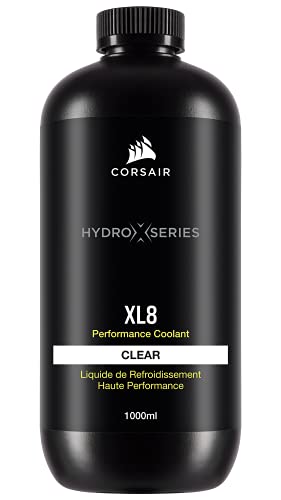
A custom loop, like one built with components such as CORSAIR Hydro X Series XL8 Performance Coolant, is a separate category. That coolant itself runs around $24 per liter, but the full loop with pump, reservoir, fittings, tubing, and blocks typically costs $400 to $700 on top of the PC. It looks excellent and can cool both CPU and GPU in one loop, but it requires maintenance, leak testing, and draining every 12 to 18 months. For a production rendering machine where uptime matters, most professionals avoid custom loops unless they are experienced builders.
For context, a high-end air cooler like a Noctua NH-D15 or DeepCool AK620 costs $85 to $115, stands about 158mm to 165mm tall, and weighs around 2.8 to 3.2 pounds including fans. A 360mm AIO costs $130 to $210, plus the case space to mount it. A complete prebuilt rendering workstation with liquid cooling, such as the STORMCRAFT Phantom RTX 5080 Gaming PC with a Ryzen 7 9800X3D, 32GB DDR5, and 2TB SSD at around $3199.99, bakes that cooler cost into the total system price for convenience and thermal management under load.
In early 2026, the practical choice has not changed much. Modern CPUs are more efficient but also push higher wattage when all cores are loaded. A Ryzen 7 or Core i7 rendering build might draw 120 to 180 watts from the CPU alone, while a Core i9 or Ryzen 9 can draw 220 to 320 watts when overclocked or under an all-core render. GPUs add another 250 to 450 watts. Your cooler choice needs to match that combined heat output and your room temperature, not just the brand name on the box.
Pros
- Better sustained performance under long renders: A 280mm or 360mm AIO provides more thermal mass and radiator surface than even the best air cooler, so it can delay or prevent thermal throttling during multi-hour renders. That helps maintain higher all-core frequencies when every minute counts on a deadline.
- Lower noise at high wattage: When cooling 200 watts or more, a large radiator can move the same amount of heat with three fans at 900 to 1100 RPM as a dual-tower air cooler does with fans at 1400 to 1600 RPM. For artists who render while working in the same room, the difference is noticeable.
- Fits in cases where tall air coolers do not: If your case has a CPU cooler height limit of 155mm or less but supports a 240mm or 360mm radiator on top or front, an AIO is often the only way to get high-end cooling without changing the case. This is common in compact mid-tower and micro-ATX builds.
- Clears RAM and motherboard access: Air towers overhang RAM slots and the top VRM heatsinks. An AIO cold plate is only about 55mm tall and leaves the area around the socket open, making it easier to install tall RGB memory or swap components.
- Improved GPU thermals in some layouts: Front-mounted radiators as intake can feed cool outside air directly through the radiator, and top-mounted exhaust radiators pull hot CPU heat straight out of the chassis instead of dumping it onto the GPU. In airflow-restricted cases this can lower system ambient temperature by a few degrees.
Cons
- More points of failure: An AIO adds a pump, coolant, tubing, and seals. Pumps typically last 5 to 7 years and then become noisier or fail. Air coolers have only fans to replace, and a good fan lasts 7 to 10 years. For a workstation that needs to render unattended overnight, reliability matters.
- Higher cost for similar performance at moderate wattage: Below about 180 watts, a $95 dual-tower air cooler performs within 2 to 4 degrees of a $160 240mm AIO. You pay 60 to 100 dollars more for aesthetics and a few degrees you will not see in render times.
- Installation and maintenance complexity: You must plan radiator placement, tube routing, and case clearance for a radiator that is 277mm to 403mm long depending on size. Over time, coolant slowly permeates through tubing, and dust buildup on the radiator requires more thorough cleaning than a simple heatsink fin stack.
- Potential for leaks and pump noise: Leaks are rare with reputable closed-loop units, but the risk is not zero, and any leak near a $1000 to $1600 GPU is costly. Some pumps also produce a faint whine or buzz at 2000 to 3000 RPM, especially at idle.
- Does not make your renders faster by itself: Cooling only prevents slowdowns from throttling. If your CPU already stays under 85 to 90 degrees on air during a full render, switching to liquid will not shorten render times. You are paying to maintain performance you already have, not to add new performance.
Who Should Buy It
You should buy liquid cooling if you meet one or more of these conditions. You run a CPU with a sustained all-core power draw above 200 watts, such as an Intel Core i9-14900K, Core Ultra 9 285K, AMD Ryzen 9 9950X, or Threadripper 7000 series, and you see temperatures of 95 degrees or higher on air. You render animations or high-resolution sequences that keep the system at 100 percent for 4 hours or longer, where even a 2 to 3 percent thermal boost over that period saves real time. You overclock or enable unlimited power limits in BIOS to squeeze out extra performance and need the headroom to keep it stable. You have a case with 155mm or less CPU clearance but room for a 280mm or 360mm radiator, or you want the quietest possible system while working next to it during the day.
It also makes sense if you are buying a prebuilt workstation that already includes a properly sized AIO. In that scenario the integration, warranty, and fan tuning are handled for you, and the premium is usually $75 to $150 over an air-cooled version, which is reasonable for a machine that will earn money.
Who Should Skip It
Skip liquid cooling if you are building a mainstream rendering PC with a 65 to 140 watt CPU, such as a Ryzen 7 7700, Ryzen 7 9800X3D, Core i5-14400, or Core i7-14700 without power limit overrides, and your typical renders last 10 to 60 minutes. A quality air cooler for $75 to $110 will handle that load quietly and reliably. Skip it if your case already has excellent airflow with 3 to 4 large case fans and you prefer set-and-forget reliability for overnight renders. Skip it if you are on a tight budget and every $100 is better spent on more RAM, a larger SSD, or stepping up from 16GB to 32GB or 32GB to 64GB of memory, which will improve scene handling and render capacity far more than a cooler upgrade. And skip a custom open loop unless you enjoy PC building as a hobby and accept the maintenance.
Cheaper Alternatives
| Option | Cost | Trade-off |
|---|---|---|
| Dual-tower air cooler (e.g., 158-165mm height, 2x 120-140mm fans) | $75 – $115 | Excellent reliability and value; slightly louder above 200W and needs tall case clearance |
| 240mm AIO closed-loop cooler | $95 – $150 | Balanced price and performance; less headroom than 360mm for all-day rendering |
| High-airflow case upgrade + 2 extra 140mm fans | $90 – $160 | Lowers overall system temps 3-6 degrees by improving exhaust; does not increase cooler capacity itself |
| Undervolt / power limit tune in BIOS | $0 | Drops CPU temps 8-15 degrees with minimal render time impact; requires stability testing |
| 280mm or 360mm AIO (for high-wattage builds) | $135 – $210 | Best for sustained 200W+ loads; higher upfront cost and pump is eventual wear item |
FAQ
Will liquid cooling make my 3D renders finish faster?
Only if your current cooler lets the CPU or GPU thermal throttle. Check your temperatures during a full render with HWInfo or similar monitoring. If your CPU stays at or near its thermal junction limit, typically 95 to 100 degrees, and clock speeds drop by 100 to 300 MHz, a larger cooler can recover that lost performance. If you are already running at 75 to 85 degrees under load with no throttling, a bigger cooler will not reduce render times.
Is air cooling enough for GPU rendering?
Yes, in most cases. Founders Edition and partner cards with 2.5 to 3.5 slot coolers are designed to cool 250 to 350 watt GPUs on air, even under sustained load. Ensure your case has adequate intake and exhaust so hot GPU air leaves the case instead of recirculating. Liquid cooling the GPU helps most for multi-GPU rigs in tight cases or for reducing fan noise, not for single-GPU workstations with good airflow.
How long does an AIO liquid cooler last in a rendering workstation?
Expect 5 to 7 years of service from a quality closed-loop unit before pump performance degrades or noise increases. Fans may need replacement after 4 to 6 years of heavy use. Coolant permeation over 3 to 5 years can slightly reduce thermal performance. For a machine that runs overnight renders several times per week, plan to inspect dust filters monthly, clean the radiator every 3 to 4 months, and budget for a cooler replacement at the 6-year mark.
What size liquid cooler do I need for a 3D rendering PC?
Match the radiator size to your CPU wattage and case support. For 65 to 140 watts, a dual-tower air cooler or 240mm AIO is sufficient. For 150 to 220 watts, choose a 280mm or 360mm AIO. For 220 watts and above, use a 360mm AIO or 420mm if your case supports it, and verify radiator thickness, fan clearance, and motherboard VRM heatsink interference before buying. Always check your case manual for radiator support, as a 360mm radiator needs about 400mm of clearance along the top or front panel.
Related guides
- Best Gaming PC for Fortnite: Eight Prebuilt Desktops Sorted by Refresh Rate Goal (2026)
- Best RX 9070 XT Prebuilt Gaming PCs: Seven Desktops and Three Cards Compared: 10 Compared (2026)
- CyberPowerPC vs iBUYPOWER Gaming PC: How the Two Brands Compare
- Best RX 9070 XT Prebuilt Gaming PC (2026): 5 Picks Compared









