
If you’ve ever set up a battlestation in a bright bedroom, home office, or living room, you already know the problem: black towers on white desks look like office equipment that wandered in from a cubicle. A white prebuilt PC with a glass panel flips that. The tempered glass side shows off your components and RGB lighting, the white chassis blends into light walls, light desks, and the pastel-and-cream setups that dominate gaming rooms right now. The catch is that the market is crowded, and “white case with a window” describes everything from $103 empty enclosures to $1,700 flagships with liquid cooling. Pick wrong and you either overpay for a case with no computer inside it, or you get a white shell hiding a weak integrated-graphics build that can’t run the games you bought it for.
We’ve sorted through the confusion. Below you’ll find eight picks that fit the white-and-glass aesthetic, spanning full gaming desktops, budget starter towers, and premium DIY cases if you’d rather build your own. Each one has been evaluated on real specs, real pricing, and what it actually delivers for the money, so you can match the machine to your budget and your games instead of guessing from product photos.
As an Amazon Associate we earn from qualifying purchases at no extra cost to you.

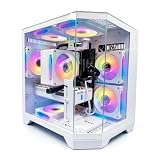


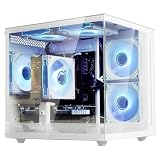


Our Top Picks
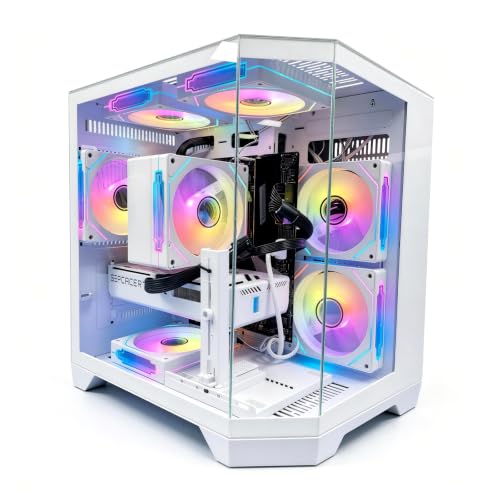
 MONTECH King 95 PRO Curved Dual-Chamber ATX PCKing 95 Pro17.4 x 11.81 x 18.7 Inches26.1 PoundsCheck on Amazon


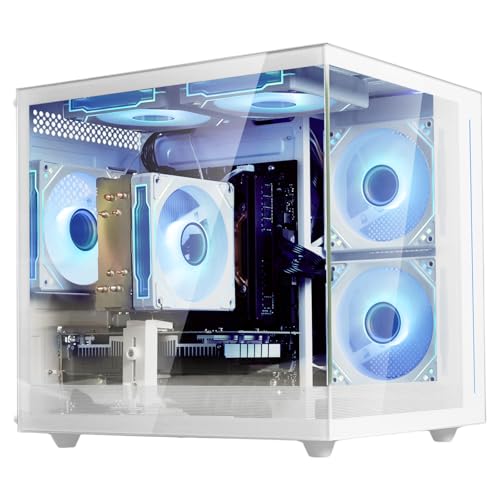
Top 3 picks at a glance
Quick Picks
| Product | Best for | Price |
|---|---|---|
| MONTECH King 95 PRO Curved Dual-Chamber ATX PC Case | Best white case for custom builders | $169 |
| LXZ Prebuilt Gaming PC Ryzen 7 8700F RTX 5060 | Best overall 1080p/1440p gaming value | Check on Amazon |
| Thermaltake LCGS Quartz i1460 Gaming Desktop | Best budget RTX 5060 prebuilt | Check on Amazon |
| FSP CUT593 Series Full Tower Computer Case | Best full-tower shell for big builds | Check on Amazon |
| LXZ Gaming PC Ryzen 7 5700G White Tempered Glass | Best under $700 for home office and school | Check on Amazon |
| suevery Prebuilt Gaming PC R5 White Tower | Best mid-range all-rounder around $740 | Check on Amazon |
| NZXT H6 Flow RGB Mid-Tower Airflow Case | Best airflow-focused glass case on a budget | Check on Amazon |
| Poseidon Prebuilt White Gaming PC RTX 5060 32GB DDR5 | Best high-end white gaming prebuilt | Check on Amazon |
How We Compared
Every product here had to pass one non-negotiable filter: it contributes to a white, glass-panel aesthetic, either as a complete white prebuilt tower or as a white or glass-forward case you can build into. From there we compared what buyers at each price point actually need. Under $750, that means prioritizing reliability and everyday performance over frame rates. Between $1,000 and $1,400, it means real dedicated graphics — specifically the RTX 5060, which is the value card of this generation for 1080p and entry 1440p gaming. Above $1,600, you should be getting extra RAM, better cooling, and a more powerful CPU, not just a prettier shell.
We also weighed practical details that product pages gloss over: PSU wattage adequacy for the installed GPU, whether memory is DDR4 or DDR5, storage speed (NVMe versus SATA), included fans and their wattage draw, and whether the case layout supports future upgrades like longer graphics cards or larger coolers. Prices reflect what these systems and cases actually sell for as of early 2026, and we note where a price-to-spec ratio is unusually good — or unusually thin.
The 8 Best Picks
1. MONTECH King 95 PRO Curved Dual-Chamber ATX PC Case, 6 ARGB Fans, White — $169
This is the case you buy when you already have (or plan to buy) the components and want a showpiece. The dual-chamber layout hides the power supply and cables behind the motherboard tray, so the glass side shows nothing but clean components. A curved glass front panel and six included ARGB fans — three of them typically mounted on the side intake — deliver both looks and genuine airflow. At $169 with six fans included, the value proposition against buying a case and fans separately is strong; those fans alone often cost $60 to $100.
- Pros: Six ARGB fans included, dual-chamber cable management that makes any build look professional
- Pros: Curved glass front panel is a genuine visual step above flat glass
- Con: Dual-chamber cases run slightly warmer than conventional layouts, so plan fan curves carefully
Skip it if you want a plug-and-play computer — this is a case only, with no CPU, GPU, or PSU included.
2. LXZ Prebuilt Gaming PC Ryzen 7 8700F RTX 5060 16GB DDR5 1TB SSD — around $1,300
This is our best-overall pick because the spec sheet is unusually coherent for the price. The Ryzen 7 8700F is an eight-core processor that pairs cleanly with the RTX 5060, meaning the CPU won’t bottleneck the GPU in most games. You also get 16GB of DDR5 — the faster memory standard that pairs properly with Ryzen 7000-series and newer chips — and a 1TB SSD. In practice this configuration targets high-refresh 1080p gaming and solid 1440p performance, and the white tower with glass panel means you’re not sacrificing looks for specs.
- Pros: Balanced CPU/GPU pairing with no obvious weak link, proper DDR5 memory
- Pros: 1TB SSD is roomy enough for several large modern games at once
- Con: 16GB of RAM is fine today but will feel tight as games push past 16GB usage
Skip it if you need 32GB for streaming, heavy multitasking, or production work — the Poseidon below is better suited there.
3. Thermaltake LCGS Quartz i1460 Gaming Desktop — around $1,000
The Quartz i1460 is the cheapest way into a genuine RTX 5060 white prebuilt, undercutting most competitors by a couple hundred dollars. The Intel Core i5-14400F is a ten-core CPU that handles modern games comfortably, though the ToughRam DDR4 3600MHz 16GB is a generation behind the DDR5 in pricier builds — in real-world gaming the difference is a few percent, not a dealbreaker. You also get a 1TB NVMe drive, Wi-Fi, and Windows 11 preinstalled, so it’s genuinely ready out of the box.
- Pros: Sub-$1,000 price for an RTX 5060 system is outstanding value
- Pros: Complete package with Wi-Fi and Windows 11, no assembly needed
- Con: DDR4 memory limits future CPU upgrade paths on this platform
Skip it if you want maximum longevity and plan to upgrade the CPU later — the DDR4 platform will hold you back.
4. FSP CUT593 Series Full Tower Computer Case — around $150
For builders with big ambitions — triple-slot graphics cards, 360mm radiators, oversized air coolers — the CUT593 full tower provides the room most mid-towers can’t. It’s a case only, so pair it with your own components, but at around $150 the price of admission for a full white tower with glass is very reasonable. The generous interior makes first-time builds easier too, since you’re never fighting for clearance around the motherboard.
- Pros: Full-tower clearance accommodates large GPUs and big radiators
- Pros: Strong price for a full-tower white enclosure
- Con: No fans included in the base configuration, so budget another $40 to $80 for cooling
Skip it if desk or floor space is tight; a full tower is physically imposing and won’t disappear into a small room.
5. LXZ Gaming PC Ryzen 7 5700G, 16GB DDR4, 1TB NVMe SSD, White Tempered Glass Case — around $700
This is the pick for students, home offices, and anyone whose “gaming” is esports titles at modest settings. The Ryzen 7 5700G’s integrated Radeon graphics handle Valorant, League of Legends, Minecraft, and older AAA games at 1080p, and the eight cores keep productivity work snappy. The white tempered glass case and RGB cooling fans make it look far more expensive than its around $700 price. There’s no discrete GPU, and there’s no way to pretend otherwise — but as a do-everything starter tower, it’s honest value.
- Pros: Eight cores and 1TB NVMe storage for well under $700
- Pros: Attractive white glass chassis with RGB fans included
- Con: Integrated graphics only — modern AAA gaming is off the table without adding a GPU later
Skip it if you want to play current AAA releases; put that budget toward the Thermaltake instead.
6. suevery Prebuilt Gaming PC Desktop R5 White Tower — around $740
Sitting just above the budget tier, the suevery R5 targets buyers who want a white glass tower with gaming intent but can’t stretch past $750. It’s positioned as a step up from integrated-graphics builds, and it makes sense for buyers upgrading from a laptop who want something that looks the part on a desk. As with any boutique-brand prebuilt, check the exact configuration at purchase time, since small-batch builders sometimes revise components between runs.
- Pros: White glass aesthetic and tower form factor at an accessible price
- Pros: Good fit for buyers upgrading from integrated-graphics machines
- Con: Lesser-known brand means longer support lines and thinner documentation than Thermaltake or NZXT
Skip it if brand support and warranty infrastructure matter most to you — pay a bit more for an established name.
7. NZXT H6 Flow RGB Mid-Tower Airflow Case with 3 RGB Fans — around $100
Note the color: this H6 Flow is black, not white, but it earns its place because the panoramic glass panels and three included RGB fans deliver the glass-and-lighting showcase at the lowest price in this roundup. At around $100, it’s the budget builder’s canvas — pair it with white components inside and you get the full aesthetic effect through the wraparound glass. The airflow-first front panel design keeps thermals healthy, and NZXT’s cable management channels make even a first build look tidy.
- Pros: Panoramic glass panels and three RGB fans for barely over $100
- Pros: Excellent airflow-oriented design from a case maker with a strong reputation
- Con: Black exterior won’t match a white-themed build
Skip it if the white exterior is the entire point — go with the MONTECH King 95 PRO instead.
8. Poseidon Prebuilt White Gaming PC, Ryzen 5 9600X, RTX 5060 8G, 32GB DDR5 — around $1,650
The Poseidon is the no-compromises pick. The Ryzen 5 9600X is a strong six-core Zen 5 gaming CPU, and pairing it with 32GB of DDR5, a 1TB PCIe SSD, a 650W PSU, and liquid cooling plus seven ARGB fans means nothing here needs an early upgrade. The 32GB of RAM is the headline difference over the LXZ: streaming, Discord, browsers, and modern games simultaneously won’t cause stutter. At around $1,650 you pay a premium over the LXZ, but you’re getting memory, cooling, and headroom, not just the same GPU in a shinier box.
- Pros: 32GB DDR5 and water cooling — specs you won’t need to touch for years
- Pros: Seven ARGB fans with software control make the glass panel worth showing off
- Con: Still an RTX 5060 at the heart of it, so GPU-bound performance matches cheaper systems
Skip it if raw frame rates per dollar matter more than longevity and aesthetics — the LXZ at around $1,300 delivers the same GPU for $370 less.
Buying Guide
Match the GPU to your monitor, not the marketing
The RTX 5060 with 8GB of VRAM, found in the LXZ, Thermaltake, and Poseidon, is the sweet spot for 1080p high-refresh gaming and competent 1440p play. If your monitor is 1080p at 144Hz or below, the around $1,000 Thermaltake gets you there for the least money. If you’re at 1440p or want max settings in demanding titles, expect to spend more than any RTX 5060 system costs here. And if you genuinely don’t game, the integrated-graphics LXZ 5700G at around $700 saves you $300 to $970 over machines with GPUs you’d never use.
Don’t ignore memory generation and capacity
DDR4 versus DDR5 is the quiet spec that determines upgrade paths. The Thermaltake and the budget LXZ use DDR4; the LXZ 8700F and Poseidon use DDR5. DDR5 is faster and is the only option on the newest CPU platforms, so DDR5 builds — especially the Poseidon’s 32GB — will age better. For pure gaming, 16GB remains adequate; for streaming, content creation, or heavy multitasking, 32GB is worth the premium. Also confirm storage is NVMe rather than SATA: all the SSDs in this roundup are NVMe, which loads games roughly two to three times faster than older SATA drives.
Case-only picks: check wattage, clearance, and fan budget
If you go the DIY route with the MONTECH King 95 PRO ($169), FSP CUT593 (around $150), or NZXT H6 Flow (around $100), remember the case is a fraction of the total cost. Budget for a quality PSU — 650W is the practical minimum for an RTX 5060-class system, as the Poseidon ships with. Verify GPU clearance (large triple-fan cards run 300mm or longer) and cooler height support before buying. And count the included fans: the MONTECH includes six ARGB fans, the NZXT three, and the CUT593’s base configuration includes none, which can add $40 to $80 you didn’t plan for.
Our Verdict
For most buyers searching for a white prebuilt PC with a glass panel, the LXZ Ryzen 7 8700F / RTX 5060 at around $1,300 is the smartest purchase: a well-balanced gaming system with DDR5 memory, a fast 1TB SSD, and the aesthetic you want, at a mid-tier price. If budget rules, the Thermaltake Quartz i1460 at around $1,000 gets you the same RTX 5060 experience for $300 less, with the tradeoff of older DDR4 memory. Builders who want to control every component should pick the MONTECH King 95 PRO at $169, which is arguably the best-looking enclosure in the group with six fans included. And for buyers who want the machine to outlast everything else on the desk, the Poseidon at around $1,650 — with 32GB of DDR5 and liquid cooling — is the long-haul choice, just understand that its GPU matches the cheaper LXZ.
FAQ
Are white prebuilt PCs harder to keep clean?
White shows dust and fingerprints more readily than black, but tempered glass panels wipe clean in seconds and most white finishes are coated to resist yellowing. A microfiber cloth every week or two keeps a white tower looking new. Keep the tower off carpet and clean intake fan filters monthly and the interior itself stays presentable for years.
Is a glass panel case worse for airflow than a solid case?
Not meaningfully in modern designs. Cases like the MONTECH King 95 PRO and NZXT H6 Flow are engineered with mesh intakes and multiple included fans specifically to offset any airflow restriction from glass panels. With six fans in the MONTECH or three in the NZXT, thermals are more a function of fan count and placement than the glass itself.
Can I add a graphics card to a budget prebuilt later?
Often yes, but verify three things first: the PSU wattage (you’ll want 550W to 650W for an RTX 5060-class card), physical clearance inside the case for the card’s length, and whether the prebuilt’s warranty allows opening the case. The LXZ 5700G build at around $700 is a reasonable candidate, but confirm its PSU specification before buying a GPU for it.
Should I buy a prebuilt or build my own white PC?
If you value your time, a prebuilt is usually cheaper right now — component prices mean the Thermaltake’s around $1,000 spec is hard to replicate part-for-part at that price. Building your own makes sense if you want specific components, enjoy the process, or are spreading the cost over months. The case-only picks here (MONTECH at $169, CUT593 at around $150, NZXT at around $100) are the starting point for that route, with total DIY builds typically landing between $1,000 and $1,800 for comparable performance.
Related guides
- Best Gaming PC for Fortnite: Eight Prebuilt Desktops Sorted by Refresh Rate Goal (2026)
- Best RX 9070 XT Prebuilt Gaming PCs: Seven Desktops and Three Cards Compared: 10 Compared (2026)
- CyberPowerPC vs iBUYPOWER Gaming PC: How the Two Brands Compare
- Best RX 9070 XT Prebuilt Gaming PC (2026): 5 Picks Compared









