
Building a streaming setup in white is harder than it looks. The desk, the peripherals, and the lighting all coordinate, and then a black tower breaks the entire aesthetic. Beyond looks, streaming adds real pressure on a PC: you need stable CPU performance for encoding, enough RAM to keep your game, browser sources, and chat bots running, and a GPU that can handle your title without dropping frames for your viewers.
A white prebuilt solves both problems at once when it is configured correctly. You get a clean, camera-ready case that bounces light well on stream, plus Wi-Fi, storage speed, and thermals that are already sorted out of the box. We focused on white towers that balance gaming performance with streaming essentials like multitasking headroom, quiet cooling, and dependable connectivity, and ranked them by who they actually serve best.
As an Amazon Associate we earn from qualifying purchases at no extra cost to you.


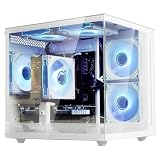
Our Top Picks
 iBUYPOWER Element Gaming PC Desktop Computer AMD Ryzen20 x 9.1 x 17.4 inches36 poundsCheck on Amazon


Top 3 picks at a glance
Quick Picks
| Product | Best for | Price |
|---|---|---|
| HELLOLAND King White Prebuilt Gaming PC – Ryzen 5 5500 (6-Core) CPU, RX 6500 XT 4GB GPU- 16GB DDR4 3200MHz RAM- 1TB PCIe SSD- 5 RGB Fans with Software, WiFi & Bluetooth- Windows 11 Desktop Computer | Best Overall White Streaming Starter | Check on Amazon |
| LXZ Gaming PC Desktop Computer Ryzen 5 4500 RX 6500XT 16GB RAM 512GB SSD | Best Budget White Build for Light Streaming | Check on Amazon |
| suevery Ryzen7 Prebuilt Gaming PC Bundle Desktop Computer White | Best Bundle Value | Check on Amazon |
| HOENGAGER Panorama Prebuilt Gaming PC, AMD Ryzen 7 5700X, GeForce RTX 5060, 32GB DDR4 RAM, 1TB NVMe + 1TB SATA SSD, 240mm AIO & Software Controlled ARGB Fans, Windows 11 Desktop Computer, White | Best Premium Airflow and Presentation | $1529.99 |
| iBUYPOWER Element Gaming PC Desktop Computer AMD Ryzen 9 7900X CPU, NVIDIA GeForce RTX 5070 12GB GPU, 32GB DDR5 RAM, 1TB NVMe SSD, Windows 11 Home, Gamer Keyboard and Mouse – EWA9N5702 | Best High-End Performance for Growth | $2299.99 |
| suevery Prebuilt Desktop PC Tower Computer AMD Ryzen5 WiFi6 | Best Entry Price for White Aesthetic | Check on Amazon |
| STGAubron Gaming PC Desktop,R5 5500,RTX 3060 12G,16G DDR4,1T SSD | Best GPU Memory for the Price | Check on Amazon |
| suevery Prebuilt Gaming PC Desktop Computer R5 White Tower | Best Mid-Range White Tower Alternative | Check on Amazon |
How We Compared
We evaluated white prebuilt PCs specifically for streaming setups, not just gaming frame rates. That means we prioritized CPUs with enough cores for x264 or hardware encoding while running Discord, OBS, and browser sources, plus RAM capacity that prevents stutters during long sessions. Storage speed and capacity mattered too, since streamers juggle large game installs, recordings, and VODs.
For the streaming environment itself, we looked at case design and cooling. White cases with tempered glass and controllable RGB photograph well and keep thermals visible. Software-controlled fans, all-in-one liquid cooling, and included Wi-Fi and Bluetooth reduce cable clutter and make the setup look clean on camera. In early 2026, DDR5 and newer RTX GPUs offer more headroom for future titles, but DDR4 systems at lower prices remain practical for 1080p streaming, so we included both ends of the market.
The 8 Best Picks
1. HELLOLAND King White Prebuilt Gaming PC – Ryzen 5 5500 (6-Core) CPU, RX 6500 XT 4GB GPU- 16GB DDR4 3200MHz RAM- 1TB PCIe SSD- 5 RGB Fans with Software, WiFi & Bluetooth- Windows 11 Desktop Computer
This HELLOLAND King is the most balanced white streaming starter in the roundup. The 6-core Ryzen 5 5500 handles 1080p gaming while encoding, and the RX 6500 XT 4GB is well matched for esports titles, Valorant, Fortnite, and League at high frame rates. With 16GB of DDR4 at 3200MHz and a 1TB PCIe SSD, you have enough memory for OBS scenes and fast load times. The five software-controlled RGB fans give you airflow and on-camera polish, while integrated WiFi and Bluetooth keep your desk wireless and tidy with Windows 11 ready to go.
- Pro: Complete streaming-ready spec with 1TB SSD and WiFi/Bluetooth included
- Pro: Five software-controlled RGB fans offer strong cooling and customizable white aesthetic
- Con: 4GB GPU limits texture settings in demanding AAA games at higher resolutions
When to skip: If you plan to stream graphically heavy AAA games at 1440p or want more VRAM for future-proofing, step up to a 12GB GPU option.
2. LXZ Gaming PC Desktop Computer Ryzen 5 4500 RX 6500XT 16GB RAM 512GB SSD
The LXZ pairs a Ryzen 5 4500 with an RX 6500XT, 16GB of RAM, and a 512GB SSD at around $660, making it a smart entry point for light streaming. It is ideal for creators who focus on less demanding games, Just Chatting, or console capture streaming where the PC is not doing all the heavy lifting. You still get 16GB to keep browser sources and chat tools open without constant closing and reopening apps. The 512GB SSD keeps boot and game load times quick, though you will manage storage more actively than with a 1TB drive.
- Pro: Affordable white build that keeps the core 16GB RAM spec for multitasking
- Pro: RX 6500XT delivers smooth 1080p performance in esports and lightweight titles
- Con: 512GB storage fills up fast with large games and local recordings
When to skip: If you keep a large library installed or archive VODs locally, choose a 1TB or dual-drive system instead.
3. suevery Ryzen7 Prebuilt Gaming PC Bundle Desktop Computer White
Priced at around $890, this white suevery Ryzen 7 bundle is aimed at streamers who want to unbox and go live without hunting for accessories. The Ryzen 7 platform gives you extra threads for multitasking, which helps when you are gaming, encoding, monitoring chat, and running alerts simultaneously. As a bundle, it is designed to cover the tower plus the basics so your setup looks coordinated from day one. That convenience is valuable if you are building a white aesthetic from scratch and want matching peripherals without piecing them together.
- Pro: Ryzen 7 class CPU offers more multitasking headroom for streaming workflows
- Pro: Bundle approach saves time and keeps the white theme consistent
- Con: Listed specs are minimal, so verify included accessories and ports before buying
When to skip: If you already own quality peripherals or need detailed component specs up front, a fully detailed single-tower listing may suit you better.
4. HOENGAGER Panorama Prebuilt Gaming PC, AMD Ryzen 7 5700X, GeForce RTX 5060, 32GB DDR4 RAM, 1TB NVMe + 1TB SATA SSD, 240mm AIO & Software Controlled ARGB Fans, Windows 11 Desktop Computer, White
The HOENGAGER Panorama is built for presentation and endurance at $1529.99. You get a Ryzen 7 5700X, RTX 5060, and 32GB of DDR4 RAM, which is a strong streaming combination for handling modern games plus encoding without closing background apps. Storage is generous with a 1TB NVMe plus 1TB SATA SSD, so you can keep games and recordings separate. The 240mm AIO and software-controlled ARGB fans keep temperatures and noise low during long broadcasts, and the panorama-style white case looks exceptional on camera.
- Pro: 32GB RAM and dual 1TB drives provide real multitasking and storage flexibility
- Pro: 240mm AIO and ARGB fan control improve thermals, acoustics, and lighting control
- Con: Premium price for the aesthetic and cooling upgrades
When to skip: If you are budget focused or stream lightweight titles, a lower cost 16GB system will cover your needs.
5. iBUYPOWER Element Gaming PC Desktop Computer AMD Ryzen 9 7900X CPU, NVIDIA GeForce RTX 5070 12GB GPU, 32GB DDR5 RAM, 1TB NVMe SSD, Windows 11 Home, Gamer Keyboard and Mouse – EWA9N5702
At $2299.99, the iBUYPOWER Element is the growth pick for serious streamers. The Ryzen 9 7900X and RTX 5070 12GB pairing gives you substantial overhead for high refresh gaming, hardware encoding, and heavy multitasking, while 32GB of DDR5 keeps everything responsive. A 1TB NVMe SSD delivers fast game loads and quick scrubbing through recordings. It includes a gamer keyboard and mouse and runs Windows 11 Home, so you can start streaming with fewer extra purchases. For a white setup that needs to stay relevant through several upgrade cycles, this is the most future-ready choice here.
- Pro: High-end CPU/GPU and DDR5 platform built for demanding games and encoding
- Pro: 12GB VRAM and 32GB system RAM support higher settings and heavier scenes
- Con: Highest price in the roundup and more power than casual streamers need
When to skip: If you primarily stream esports or casual games at 1080p, the value picks will deliver a better cost to performance ratio.
6. suevery Prebuilt Desktop PC Tower Computer AMD Ryzen5 WiFi6
This suevery tower at around $520 is the most affordable way to get a white aesthetic with modern connectivity. The Ryzen 5 foundation is suitable for entry-level gaming and streaming, especially for variety or community streams that do not rely on maxed-out settings. WiFi 6 is a practical win for streamers who cannot run Ethernet to their desk, offering more stable wireless performance when your router supports it. It is a straightforward, clean-looking tower for a small room or second streaming station where budget and appearance matter equally.
- Pro: Lowest price to achieve a white streaming look with WiFi 6 included
- Pro: Ryzen 5 platform keeps the door open for lightweight 1080p streaming
- Con: Limited listed specs mean you should confirm RAM, storage, and GPU details for your games
When to skip: If you need a known GPU or larger SSD out of the box for AAA games, choose a more fully specified system.
7. STGAubron Gaming PC Desktop,R5 5500,RTX 3060 12G,16G DDR4,1T SSD
The STGAubron stands out for streamers who want more graphics memory without jumping to premium prices. For around $880 you get an R5 5500, RTX 3060 with 12GB VRAM, 16GB DDR4, and a 1TB SSD. The 12GB GPU is useful when you run higher textures or stream at higher bitrates while keeping visual quality up, and it helps with creative tasks like video editing between streams. The 16GB RAM and 1TB SSD match what most 1080p streamers need for smooth scene switching and reasonable local storage.
- Pro: RTX 3060 12GB offers extra VRAM for textures and future titles
- Pro: Balanced 16GB RAM and 1TB SSD cover streaming multitasking and game storage
- Con: Older GPU generation than RTX 5060/5070 options despite larger VRAM
When to skip: If you prioritize the latest architecture and power efficiency over VRAM capacity, consider an RTX 5060 or 5070 system.
8. suevery Prebuilt Gaming PC Desktop Computer R5 White Tower
This suevery R5 White Tower at around $740 slots into the middle of the market for streamers who want a clean white case and a Ryzen 5 base without paying for bundle extras. It competes directly with similarly priced white builds, giving you a camera-friendly tower that blends with white desks, key lights, and mic arms. For typical streaming tasks like 1080p gaming, webcam, overlays, and music, a Ryzen 5 system provides a reliable baseline. As with other minimally detailed listings, double check the exact GPU, RAM, and storage configuration to match your target games.
- Pro: Mid-range price keeps the white aesthetic accessible
- Pro: Ryzen 5 platform is proven for 1080p streaming workflows
- Con: Specifications are not fully detailed in the listing title
When to skip: If you need verified GPU VRAM or dual-drive storage confirmed before purchase, opt for a listing with exhaustive specs.
Buying Guide
What Matters Most for Streaming Performance
Streaming taxes your CPU and RAM more than gaming alone. A 6-core Ryzen 5 is the practical minimum for 1080p streaming, while Ryzen 7 and Ryzen 9 give you breathing room for browser sources, chat bots, and video playback during a live show. Aim for 16GB RAM as your baseline and 32GB if you run many plugins or edit video on the same machine. For storage, 1TB is the sweet spot, and dual-drive setups let you record to a second drive without impacting game performance.
Nailing the White Setup Look and Thermals
A white case reflects key lights and makes your background look brighter on camera, but color alone does not guarantee good thermals. Look for mesh or panorama airflow, multiple controllable RGB fans, and options like a 240mm AIO if you stream for hours. Software-controlled lighting lets you match your brand colors without extra hardware. Also confirm front panel ports, WiFi and Bluetooth for a clean desk, and that the case fits your space before you buy.
Budgeting and Future Proofing
Prices in this roundup range from around $520 to $2299.99. Entry systems are fine for esports and capture-card streaming, mid-range towers around $740 to $880 hit the value zone for most 1080p creators, and premium builds over $1500 make sense if you play demanding AAA titles or want DDR5 and larger GPU memory. If you plan to grow, favor 32GB RAM and GPUs with more VRAM, since those are harder to upgrade cheaply later than storage.
Our Verdict
For most streamers building a white setup, the HELLOLAND King at around $750 is the best starting point. Its Ryzen 5 5500, RX 6500 XT, 16GB DDR4, and 1TB PCIe SSD cover the core streaming needs, and the five software-controlled RGB fans plus WiFi and Bluetooth deliver both looks and convenience. If you want more graphics memory on a budget, the STGAubron with the RTX 3060 12GB at around $880 is the value alternative, while the HOENGAGER Panorama at $1529.99 is worth the stretch for 32GB RAM, dual 1TB drives, and a 240mm AIO that stays quiet on long streams.
FAQ
Is 16GB RAM enough for streaming?
Yes for most 1080p streaming, including OBS, Discord, and browser sources. If you run heavy overlays, many Chrome tabs, or edit video while streaming, 32GB gives you more headroom and fewer slowdowns during long sessions.
Do I need a high-end GPU to stream?
Not necessarily. For esports and lighter titles, an RX 6500 XT or similar is sufficient, especially when you use hardware encoding. A GPU with more VRAM, like a 12GB RTX 3060 or RTX 5070 12GB, helps if you play AAA games at higher settings or want more future proofing.
Is WiFi good enough for streaming or do I need Ethernet?
Ethernet is always more stable for streaming, but WiFi 6 and newer standards are workable when your router is close and uncongested. If you must use WiFi, place your PC near your router, use the 5 GHz band, and test your upload stability before you go live.
What storage should a streaming PC have?
A 1TB SSD is the practical baseline for your operating system, games, and recordings. Dual-drive setups, like a 1TB NVMe plus 1TB SATA SSD, let you keep recordings separate from your game drive and reduce the need to constantly delete files.
Related guides
- Best Gaming PC for Fortnite: Eight Prebuilt Desktops Sorted by Refresh Rate Goal (2026)
- Best RX 9070 XT Prebuilt Gaming PCs: Seven Desktops and Three Cards Compared: 10 Compared (2026)
- CyberPowerPC vs iBUYPOWER Gaming PC: How the Two Brands Compare
- Best RX 9070 XT Prebuilt Gaming PC (2026): 5 Picks Compared









