
A quiet streaming PC matters most when your desk shares space with a microphone, a bedroom, or a living room. Fan noise can creep into a stream between sentences, compete with game audio, and make an otherwise comfortable setup feel distracting during long sessions. The best approach is to prioritize a capable GPU and CPU without assuming that more RGB fans or a higher price automatically means a quieter machine.
This roundup focuses on prebuilts that make sense for streamers in 2026, from affordable starter desktops to high-end systems intended for demanding games and multitasking. Noise measurements, case dimensions, system weights, and power-supply wattage were not provided for these listings, so shoppers should confirm those details before buying—especially if the PC will sit close to a USB microphone. The rankings weigh the listed processor, graphics card, memory, storage, cooling clues, and price.
As an Amazon Associate we earn from qualifying purchases at no extra cost to you.


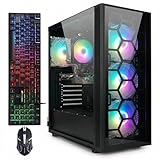
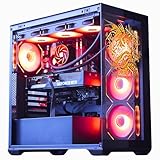


Our Top Picks


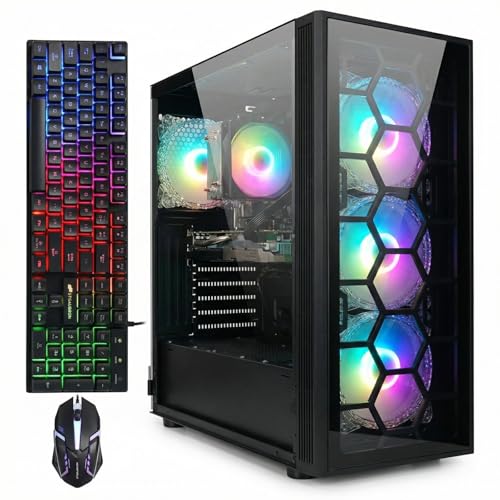

Top 3 picks at a glance
Quick Picks
| Product | Best for | Price |
|---|---|---|
| Alienware Aurora Gaming Desktop, RTX 5070, Intel Core Ultra 7 265F | Polished mainstream streaming and gaming | $1999.99 |
| LXZ Gaming PC Desktop Ryzen 5 4500, Radeon RX 560 4GB, 16GB DDR4 RAM | Basic desktop and very light streaming | Check on Amazon |
| ZOTAC MEK Gaming PC Desktop, Ryzen 7 9700X, NVIDIA GeForce RTX 5060 Ti 16GB | Balanced game streaming with ample graphics memory | $1999.99 |
| ZOTAC MEK Gaming PC Desktop, Ryzen 7 9700X, NVIDIA GeForce RTX 5070 Ti 16GB | High-performance streaming and demanding games | $2599.99 |
| STGAubron Gaming PC Desktop, R7 5700X, RTX 3050 6G, 16G DDR4, 1T SSD | Value-focused entry-level game streaming | Check on Amazon |
| The Horizon Autherium Dragon RGB I9 RTX Gaming PC | Memory-heavy multitasking and premium cooling hardware | $3199.99 |
| STGAubron Gaming PC Computer Desktop, Intel Core i7, Radeon RX 580 8G | Low-cost casual gaming and older titles | Check on Amazon |
| STGAubron Gaming PC Desktop, Core I5, RTX 2060 6G, 16G RAM, 512G SSD | Budget NVIDIA-based starter streaming setup | Check on Amazon |
How We Compared
For a streaming desktop, the graphics card and processor are the starting point: they affect game performance while handling encoding, browser tabs, chat, alerts, and capture software. We also favored systems with 16GB of RAM or more, since streaming alongside a game can make a modest memory configuration feel cramped. Storage matters as well when recordings, clips, and game libraries live on the same machine.
Quiet operation was considered carefully, but not treated as a promise where listings do not supply acoustic specifications. A 360MM AIO is a meaningful cooling feature on the Horizon model, while the STGAubron Radeon RX 580 listing’s six RGB fans suggest airflow hardware but do not establish how loud it is. Before purchase, verify fan controls, case airflow, return policies, dimensions, weight, and any stated noise rating.
The 8 Best Picks
1. Alienware Aurora Gaming Desktop, RTX 5070, Intel Core Ultra 7 265F
The Alienware Aurora is the straightforward pick for a streamer who wants a modern, recognizable prebuilt with strong listed gaming hardware and minimal comparison shopping. Its RTX 5070 is the key attraction for gaming while broadcasting, and the Intel Core Ultra 7 265F adds a current high-performance CPU platform. At $1999.99, it sits in premium territory, so its appeal is strongest for buyers who value the complete branded-desktop experience rather than chasing the lowest price.
- Pro: RTX 5070 graphics are well suited to a gaming-and-streaming-focused build.
- Pro: Intel Core Ultra 7 265F gives the system a strong processor foundation.
- Con: The listing does not provide verified noise, dimensions, weight, or wattage details.
Skip it if you need confirmed acoustic specifications before placing an order.
2. LXZ Gaming PC Desktop Ryzen 5 4500, Radeon RX 560 4GB, 16GB DDR4 RAM
The LXZ is for the buyer whose streaming ambitions are modest: think basic desktop use, lightweight games, webcam chat, and learning streaming software before investing in a more powerful setup. Its 16GB DDR4 RAM is a practical baseline for everyday multitasking, while the Ryzen 5 4500 is more reassuring than an unspecified processor. The Radeon RX 560 4GB is the limiting component, however, and makes this a cautious choice for modern game streaming rather than a broadly capable one.
- Pro: 16GB DDR4 RAM supports everyday multitasking better than lower-memory systems.
- Pro: At around $600, it keeps the upfront cost relatively contained.
- Con: Radeon RX 560 4GB graphics are a restrictive fit for demanding current games.
Skip it if you plan to stream graphically intensive games or record substantial local footage.
3. ZOTAC MEK Gaming PC Desktop, Ryzen 7 9700X, NVIDIA GeForce RTX 5060 Ti 16GB
This ZOTAC MEK configuration is our balanced recommendation for streamers who want a strong CPU-and-GPU pairing without stepping up to the most expensive graphics option here. The Ryzen 7 9700X should suit gaming, streaming software, and background tasks, while the NVIDIA GeForce RTX 5060 Ti includes 16GB of graphics memory. That 16GB figure is especially appealing for shoppers who want more headroom than an entry-level GPU configuration suggests. Its $1999.99 price places it directly against the Alienware.
- Pro: Ryzen 7 9700X is a compelling processor for multitasking.
- Pro: RTX 5060 Ti includes 16GB of graphics memory.
- Con: No memory, storage, noise, dimensions, or wattage details are listed.
Skip it if you need a fully specified configuration before you can compare value.
4. ZOTAC MEK Gaming PC Desktop, Ryzen 7 9700X, NVIDIA GeForce RTX 5070 Ti 16GB
Choose the higher-end ZOTAC MEK if your priority is a more ambitious gaming-and-streaming machine and you can accommodate its $2599.99 price. It retains the Ryzen 7 9700X found in the other MEK system but upgrades to an RTX 5070 Ti with 16GB of graphics memory. That makes it the stronger ZOTAC option for buyers who expect demanding game workloads while keeping stream tools, voice chat, and browser windows open. It is a performance-led pick, not a verified quiet-PC pick.
- Pro: RTX 5070 Ti 16GB is the most capable listed ZOTAC graphics option.
- Pro: Ryzen 7 9700X supports a serious multitasking setup.
- Con: It costs $600 more than the RTX 5060 Ti ZOTAC MEK.
Skip it if your stream centers on lighter games or your budget is closer to $1999.99.
5. STGAubron Gaming PC Desktop, R7 5700X, RTX 3050 6G, 16G DDR4, 1T SSD
The STGAubron Ryzen 7 5700X model is a sensible middle-ground starter PC for someone moving beyond a basic desktop but not ready for a $1999.99 system. It combines 16G DDR4 memory with a 1T SSD, two practical specifications for a streamer who needs room for games and saved clips. The RTX 3050 6G is more appropriate for entry-level streaming expectations than high-end ambitions, but the listed configuration is reasonably well rounded at around $830.
- Pro: Ryzen 7 5700X offers a stronger multitasking focus than the lowest-cost options.
- Pro: 1T SSD gives buyers more storage than the 512G SSD alternative.
- Con: RTX 3050 6G is not the right match for buyers seeking top-tier game settings.
Skip it if you want the newer RTX 50-series graphics listed in the premium picks.
6. The Horizon Autherium Dragon RGB I9 RTX Gaming PC
The Horizon Autherium Dragon is aimed at the creator who treats a gaming PC as a heavy multitasking workstation. Its standout specifications are 64GB RAM, 5TB storage, an RTX 5070 OC, Windows 11 PRO, and a 360MM AIO. The liquid cooler is the clearest listed feature related to heat management, though it should not be mistaken for a guaranteed noise result. At $3199.99, this is the luxury pick for buyers who genuinely need expansive memory and storage rather than simply a capable stream.
- Pro: 64GB RAM is the largest listed memory configuration in this roundup.
- Pro: 5TB storage and a 360MM AIO suit a content-heavy desktop role.
- Con: It is the most expensive system at $3199.99.
Skip it if your streams are straightforward and you do not need 64GB RAM or 5TB storage.
7. STGAubron Gaming PC Computer Desktop, Intel Core i7, Radeon RX 580 8G
This STGAubron desktop is a low-cost option for casual gamers, older game libraries, and buyers who need a complete Windows 11 Home machine with useful connectivity listed up front. It includes 16GB RAM, a 1TB SSD, WiFi 6, BT 5.0, and six RGB fans. Those six fans may be relevant to airflow, but there is no sound-level claim, so microphone-focused streamers should investigate fan behavior before buying. The Radeon RX 580 8G makes it a value pick with clear limits.
- Pro: 1TB SSD and 16GB RAM are practical at around $570.
- Pro: WiFi 6 and BT 5.0 are explicitly listed.
- Con: Six RGB fans do not confirm quiet operation.
Skip it if you want a newer GPU platform for demanding games and long-term streaming growth.
8. STGAubron Gaming PC Desktop, Core I5, RTX 2060 6G, 16G RAM, 512G SSD
At around $540, this STGAubron Core I5 desktop is the budget NVIDIA option for a first streaming station. The RTX 2060 6G makes it more attractive than a very basic graphics configuration for buyers who want to explore game streaming, while 16G RAM provides a usable multitasking baseline. Its 512G SSD is the tradeoff: it can fill quickly once games, recordings, and editing assets accumulate. The processor is identified only as Core I5, so shoppers should seek the full CPU generation and model before committing.
- Pro: RTX 2060 6G provides an NVIDIA graphics option at the lowest listed price.
- Pro: 16G RAM is appropriate for a starter streaming workflow.
- Con: 512G SSD leaves less room for recordings and game installs.
Skip it if you need detailed processor information or a larger listed storage capacity.
Buying Guide
Prioritize the GPU and CPU Together
A streaming PC runs a game and broadcast tools at the same time, so do not shop by processor or graphics card alone. For higher-end buyers, the RTX 5070, RTX 5070 Ti 16GB, RTX 5060 Ti 16GB, and Ryzen 7 9700X combinations stand out. Budget buyers should set realistic expectations around the RTX 3050 6G, RTX 2060 6G, Radeon RX 580 8G, and Radeon RX 560 4GB.
Check Noise Information Before You Order
None of these listings provides a verified acoustic measurement. Ask whether fan curves can be adjusted, whether the case has room for airflow, and whether the retailer publishes noise or cooling information. Confirm dimensions and weight if the desktop must fit inside furniture or on a compact desk. Keep a microphone away from exhaust paths whenever possible.
Buy Enough Memory and Storage for Clips
Every listed system with 16GB RAM can serve as a baseline for everyday streaming. The Horizon’s 64GB RAM is best suited to unusually demanding multitasking. For storage, 512G is the leanest listed capacity, while 1T is more comfortable for games and clips. The Horizon’s 5TB configuration is the clear choice for creators retaining substantial local media.
Our Verdict
The ZOTAC MEK with Ryzen 7 9700X and RTX 5060 Ti 16GB is the best balanced pick for serious streamers, pairing a capable processor with 16GB of graphics memory at $1999.99. Choose the Alienware Aurora if you prefer its RTX 5070 and established gaming-desktop positioning. For a budget-minded starting point, the STGAubron Ryzen 7 5700X, RTX 3050 6G, 16G DDR4, and 1T SSD configuration is the most rounded option under $1000. If quiet operation is nonnegotiable, verify acoustic information before selecting any model.
FAQ
What is the best quiet prebuilt for streaming overall?
The ZOTAC MEK with Ryzen 7 9700X and RTX 5060 Ti 16GB is the best overall balance of listed streaming-oriented hardware and price. However, its listing does not provide a noise rating, so it is not possible to certify it as the quietest.
Which option has the most memory and storage?
The Horizon Autherium Dragon has 64GB RAM and 5TB storage, the largest listed capacities in this roundup. It also includes a 360MM AIO and an RTX 5070 OC.
Is 16GB RAM enough for streaming?
For many starter and mainstream streaming setups, 16GB RAM is a practical baseline. Streamers running especially demanding games, extensive browser tabs, editing software, or multiple production tools may prefer the Horizon system’s 64GB RAM.
What should I verify for a quiet setup?
Check for stated noise levels, fan-control options, cooling details, return terms, dimensions, and weight. Also confirm where the PC will sit relative to your microphone. The available listings do not provide enough acoustic data to rank these systems by measured fan noise.
Related guides
- Best Gaming PC for Fortnite: Eight Prebuilt Desktops Sorted by Refresh Rate Goal (2026)
- Best RX 9070 XT Prebuilt Gaming PCs: Seven Desktops and Three Cards Compared: 10 Compared (2026)
- CyberPowerPC vs iBUYPOWER Gaming PC: How the Two Brands Compare
- Best RX 9070 XT Prebuilt Gaming PC (2026): 5 Picks Compared









