The phrase water cooling on a motherboard listing covers two very different products. At one end sits a board with a built-in water block plumbed into its voltage regulators, ready to join a custom loop. At the other sits an ordinary board whose entire claim is a single pump header. Both get marketed with the same words, and the gap between them is wide, so the real decision is working out which kind of cooling your build actually uses before paying for features that assume the other.
This roundup is for custom-loop builders who want a board that participates in the loop, and for AIO users who simply need a proper pump header on Intel or AMD. Every pick was chosen from what its Amazon listing actually states: a named water block, water in, out and flow headers, or at minimum a dedicated pump header. Where the evidence is only a header, the article says so plainly instead of dressing the board up as a loop flagship.
Our Top Picks


Top 3 picks at a glance

Quick Picks
As an Amazon Associate we earn from qualifying purchases
| Product | Best for | Key spec from title |
|---|---|---|
| ASUS ROG Maximus Z790 Formula | A custom loop that cools the VRMs too | HybridChill water block and ROG Water-Cooling Zone |
| ASUS ROG Crosshair X870E Hero BTF | An AM5 loop build with strong pump headers | W_PUMP+ and AIO pump headers |
| ASUS ROG Strix Z790-E Gaming WiFi II | An Intel build cooled by an AIO | Dedicated AIO pump header |
| MSI MAG B650 Tomahawk WiFi | A mainstream AM5 build adding a loop | Dedicated pump-fan header |
How to Choose
A Water Block Is Not a Pump Header
Everything else in this guide follows from one distinction. A water block is a cold plate with channels and fittings that becomes part of your loop, carrying coolant across the components it touches. A pump header is an electrical connector: it powers and controls a pump or an AIO unit, but it cools nothing by itself. Only one board below has a block. The rest offer headers of varying strength, which is genuinely useful, but it is a different purchase. Decide which of the two you are shopping for first, because the boards, and the budgets, barely overlap.
The Headers a Loop Actually Uses
A custom loop asks more of a board than a single fan connector. A W_PUMP+ header is built to drive a standalone pump, while an AIO pump header suits the smaller pump inside a sealed cooler. Beyond power, sensor headers matter: water in and water out headers accept temperature probes at the loop’s entry and exit points, and a flow header reports whether coolant is actually moving. With those inputs, fan and pump curves can follow coolant temperature instead of guessing from CPU load alone. Count the headers a listing names, and treat unnamed ones as absent.
Socket and Chipset Come First
No cooling feature rescues a board that does not fit your processor. The Intel picks here are LGA1700 boards whose listings name 14th, 13th and 12th generation support, while the AMD picks are AM5. Start from the CPU you own or plan to buy, then look at cooling evidence inside that platform. Form factor and layout deserve the same early attention: the Crosshair below uses a hidden-connector BTF design that moves its plugs to the rear of the board, which only works in a case with the matching cutouts. Cooling is the last filter, never the first.
Check Availability and the Exact Listing
Halo boards sell in small numbers, and their listings drift. Codes conflict between mirrors, variants multiply, and an offer can be a lone third-party seller rather than a stocked product. Before ordering, open the live listing and confirm three things: the model name and variant match the pick exactly, the header list on the page matches what the review promised, and the seller and stock state are ones you accept. Fittings deserve the same care. The one true water-block board here uses G1/4-inch threads, the common standard, but your loop’s fittings still need to match it.
The 4 Best Options
ASUS ROG Maximus Z790 Formula

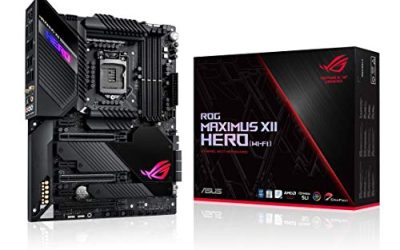
This is the only board in the group whose own listing claims a water block. Its HybridChill VRM block is described in the listing copy as a water block with copper water channels and G1/4-inch threaded fittings, and the listing title adds a ROG Water-Cooling Zone: an AIO pump header, a W_PUMP+ header, plus water in, water out and water flow headers for loop monitoring. Around that sits a flagship Z790 spec for 14th, 13th and 12th generation Intel chips. If your loop is meant to cool the power delivery as well as the CPU, this is the board the evidence points to.
Specs
- Socket: LGA1700, for Intel 14th, 13th and 12th generation processors as listed
- Chipset: Intel Z790
- Form factor: ATX
- Memory: DDR5
- Wireless: Wi-Fi 7
- Storage: five M.2 slots
- Expansion: PCIe 5.0
- Power design: 20+1+2 power stages as listed
- Water block: HybridChill VRM block with copper water channels and G1/4-inch threaded fittings
- Loop headers: 1 x AIO Pump header, 1 x W_PUMP+ header, 1 x Water In header, 1 x Water Out header, 1 x Water Flow header
Best for: A custom-loop Intel build where the VRM section joins the loop.
Watch out for: Availability is thin. Tracker data showed no current Amazon-sold offer, only third-party used movement, and mirrors disagree on the listing code, so confirm both the ASIN and real stock on the live listing before ordering.
ASIN: B0CJMVW7FV
ASUS ROG Crosshair X870E Hero BTF
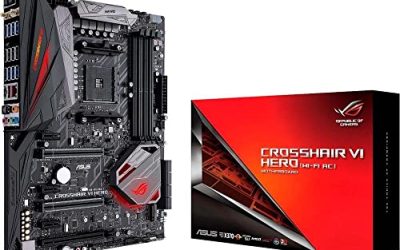
The Crosshair is an AM5 flagship with a hidden-connector layout, and its water-cooling evidence is pump headers, full stop: one 4-pin AIO pump header and one W_PUMP+ header alongside the usual CPU and chassis fan headers. The captured listing copy never uses the words water cooling, so this board is presented for exactly what the record shows, a high-end AMD board that can power a serious pump. Its VRMs stay on heatsinks. Buy it for the platform, the power design and the cabling concept, with the pump headers as a genuine but secondary strength.
Specs
- Socket: AM5
- Chipset: AMD X870E
- Form factor: ATX
- Memory: DDR5
- Wireless: Wi-Fi 7
- Storage: five M.2 slots
- Expansion: PCIe 5.0
- Connectivity: USB4
- Power design: 18+2+2 power stages as listed
- Design: hidden-connector (BTF) layout as listed
- Pump headers: 1 x 4-pin AIO Pump header and 1 x W_PUMP+ header, alongside CPU, CPU OPT and four chassis fan headers
Best for: An AM5 custom-loop build that needs proper pump headers inside a hidden-cable layout.
Watch out for: This pick is the BTF variant specifically; the standard Crosshair X870E Hero is a different listing, and the rear-connector layout needs a case with matching cutouts. The listing claims no water block.
ASIN: B0FP3XLWXL
ASUS ROG Strix Z790-E Gaming WiFi II
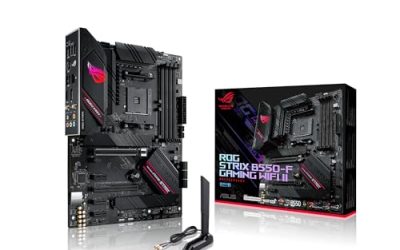
The Strix carries the weakest water-cooling evidence in this group: a single 4-pin AIO pump header, recorded from spec mirrors of the model’s specification summary rather than the captured listing bullets. That makes it an AIO board, and judged that way it is a strong one, with an 18+1+2 power design, Wi-Fi 7 and five M.2 slots behind 14th, 13th and 12th generation Intel processors. A sealed cooler needs nothing more than that header. A custom loop, however, gets no sensor headers and no block here, so loop builders should read this pick as the group’s honest boundary line.
Specs
- Socket: LGA1700, for Intel 14th, 13th and 12th generation processors as listed
- Chipset: Intel Z790
- Form factor: ATX
- Memory: DDR5
- Wireless: Wi-Fi 7
- Storage: five M.2 slots
- Expansion: PCIe 5.0
- Power design: 18+1+2 power stages as listed
- Cooling headers: 1 x 4-pin AIO Pump header, alongside CPU, CPU OPT and five chassis fan headers
Best for: An Intel build cooled by an all-in-one liquid cooler.
Watch out for: The pump-header evidence comes from spec mirrors, not the captured listing bullets, so confirm the AIO pump header on the live listing. Do not buy this board expecting any custom-loop water block.
ASIN: B0CJMQ2S5M
MSI MAG B650 Tomahawk WiFi
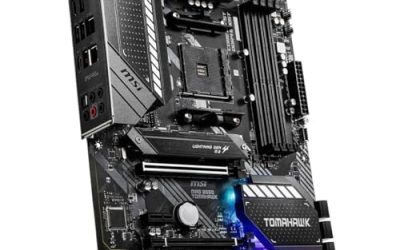
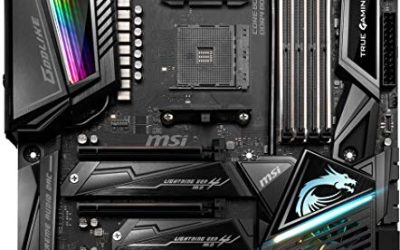
The Tomahawk is the mainstream entry, an AM5 board on the B650 chipset whose listing-derived content records one dedicated pump-fan header for custom water cooling loops. That single header is the whole of its claim, the weakest evidence in this group, and the article treats it accordingly: this is a well-rounded everyday board that can run a pump, not a water-cooling flagship. For a builder who wants the option of a simple loop later without paying flagship money now, that may be enough. Everyone else should weigh how much loop hardware a lone header really adds.
Specs
- Socket: AM5
- Chipset: AMD B650
- Form factor: ATX
- Memory: DDR5
- Cooling: dedicated pump-fan header for custom water cooling loops, as recorded from listing-derived content
Best for: A value AM5 build that may grow into a simple custom loop.
Watch out for: The evidence is one pump header, and this model’s listing tie is carried over from an earlier check, so confirm the ASIN, the header and current stock on the live listing before ordering.
ASIN: B0BHCCNSRH
Which One Fits Your Situation
You Are Building a Full Custom Loop
Choose the Maximus Z790 Formula. It is the only pick with a water block, and its water in, out and flow headers let the board monitor the loop it belongs to. No other board here cools its own voltage regulators. The one condition is patience: stock is thin, so be ready to verify the listing carefully and possibly to wait for a trustworthy offer.
You Run an AIO and Nothing More
Choose the Strix Z790-E Gaming WiFi II. A sealed cooler needs a pump header and nothing else from this list, and paying for sensor headers or a VRM block buys an AIO build literally nothing. The Strix pairs that header with a strong general specification, which is where your money actually shows. Just confirm the header on the live listing first, since the evidence came from spec mirrors.
Your Loop Is AMD and Cable-Free
Choose the Crosshair X870E Hero BTF. Its W_PUMP+ header can drive a standalone pump, the AIO pump header covers a simpler setup, and the hidden-connector design suits a showcase loop build where cabling disappears behind the board. Remember its limits: the VRMs are air-cooled, and the BTF layout only works in a compatible case, so settle the case question before ordering.
You Want Loop Options on a Mainstream Budget
Choose the MAG B650 Tomahawk WiFi. Its single pump-fan header keeps a simple future loop possible on an AM5 board that makes sense for ordinary builds today. Go in with the right expectation, though: one header is an invitation, not a platform, and a growing loop will lean on an external controller sooner than the flagship boards would.
Common Mistakes
- Assuming any board with a pump header also has a water block, when only one board in this group does.
- Paying flagship money for loop sensor headers that an AIO build will never connect to anything.
- Ordering the standard Crosshair X870E Hero when the pick is the BTF variant, or the other way round.
- Forgetting that the Formula’s block still needs fittings, tubing, a pump and radiators before it cools anything.
- Skipping the live-listing check on low-stock halo boards, where codes, sellers and offers change quietly.
Frequently Asked Questions
Does an AIO cooler need a special motherboard?
No. A sealed all-in-one cooler needs a header that can run its pump at a steady speed, and a dedicated AIO pump header is the tidy way to do it. The Strix Z790-E in this roundup is included for exactly that reason. Anything beyond the header, such as water temperature sensors, serves custom loops and adds nothing to an AIO build.
What does a W_PUMP+ header actually do?
It is a fan-style header built with the higher current capacity a standalone loop pump demands, so the motherboard can power the pump and control its speed directly. In this group it appears on the Maximus Z790 Formula and the Crosshair X870E Hero BTF. A pump run from an ordinary fan header risks being underpowered, which is why loop boards separate the two jobs.
Can the Strix Z790-E Gaming WiFi II run a custom loop?
Only in the narrowest sense. Its recorded evidence is one AIO pump header; nothing in its record shows water in, out or flow headers, and there is no block. A determined builder could power a pump from it and manage the rest elsewhere, but the board contributes nothing else to the loop. The Formula is the genuine loop board in this group.
Why does the Formula list water in, out and flow headers?
Those headers accept sensors that report coolant temperature where it enters and leaves, plus whether coolant is moving at all. With that data the board can tie fan and pump behaviour to the loop itself instead of reacting only to processor heat. They are part of why the Formula counts as a water-cooling board rather than merely a board with a pump header.
Related guides
More from Amazon
Programs that pair well with the guide above. Offers and eligibility are set by Amazon and may change.
Free shipping on eligible items, Prime Video and more. Eligible new members can start with a free trial.
Start a Prime free trialAd-free music streaming. Eligible new subscribers can start with a free trial.
Try Music Unlimited freeA Prime membership for ages 18-24 with a trial period. Eligibility is set by Amazon.
See Prime for Young AdultsAudiobooks and podcasts to listen to on the go. Eligible new members can start with a free trial.
Try Audible freeAs an Amazon Associate we earn from qualifying purchases.