
A 512GB SSD sits in an awkward spot. It is the smallest capacity worth buying in 2026 if you are patching together a gaming rig on a budget, yet it disappears fast once you install a handful of modern titles that each demand 100GB or more. The real question is not whether 512GB is enough — it almost never is — but which drive squeezes the most performance and reliability out of a tight budget while you wait for that second drive.
The difference between a good pick and a bad one here is not headline read speed. Every SATA drive in this class hovers around 500–550 MB/s. What separates them is sustained write performance under load, thermal consistency on M.2 drives, and whether the controller throttles after the SLC cache exhausts during a large game install. A drive that benchmarks beautifully on empty but crawls to 80 MB/s when your library fills up is a trap.
As an Amazon Associate we earn from qualifying purchases at no extra cost to you.




Our Top Picks


Top 3 picks at a glance
Quick Picks
| Product | Best for | Price |
|---|---|---|
| TEAMGROUP T-Force Vulcan Z | Reliable SATA upgrade | Check on Amazon |
| Patriot P320 | Budget NVMe on older boards | Check on Amazon |
| Timetec 512GB SATA | Lowest price SATA | Check on Amazon |
| KingSpec 2.5 SATA | Balanced SATA value | Check on Amazon |
| JOIOT 512GB SATA | Absolute cheapest usable drive | Check on Amazon |
| KingSpec M.2 NVMe | Fastest option here | Check on Amazon |
| fanxiang S101 | Basic laptop swap | Check on Amazon |
| Patriot P220 | Proven brand SATA | Check on Amazon |
How We Compared
We evaluated these drives on four criteria: real-world sustained write performance after the SLC cache fills, controller quality and thermal behavior during extended transfers, brand reliability track record and firmware support, and price per gigabyte relative to the interface being used. SATA drives were compared against each other on value, while M.2 Gen3 drives were judged on whether the speed premium justified the price gap over the best SATA options.
The 8 Best 512Gb Ssds in 2026
TEAMGROUP T-Force Vulcan Z
TEAMGROUP has built a reputation for honest mid-range drives, and the Vulcan Z continues that pattern. The SLC cache implementation keeps write speeds above 300 MB/s for larger transfers better than many competitors in this bracket, which matters when installing a 150GB game file. Build quality on the 2.5-inch shell feels solid, and the 7mm height clears slim laptop trays without adapters. The trade-off is that at around $75 you are paying near the top of the SATA pile without a meaningful speed advantage over cheaper options. Skip this one if every dollar counts and a 10 MB/s difference in sequential throughput does not move the needle for your use case.
Patriot P320
The P320 is for the person whose motherboard has an M.2 slot but no NVMe Gen4 support, and who wants that form factor convenience without paying Gen4 prices. Patriot is a known quantity in the SSD space, and the P320 benefits from their mature firmware and warranty infrastructure. Gen3x4 still delivers roughly four times the sequential throughput of any SATA drive here, which makes large file operations feel snappy. The con is that at around $84 it costs 25% more than the best SATA drive for a speed difference you will not notice during actual gameplay. Skip it if you are on a tight budget and already have an open 2.5-inch bay.
Timetec 512GB SATA
Timetec entered the SSD market from the RAM side and has made steady progress. At around $68 this is the second-cheapest drive on this list, and the 550 MB/s read speed matches the theoretical SATA ceiling. For a budget build or a secondary drive where you load games after patching them on a faster primary, it does the job. The controller is less refined than TEAMGROUP or Patriot, meaning sustained writes after the cache fills drop more aggressively. If you regularly install or move large files, the throttling becomes noticeable and the few extra dollars elsewhere buy a smoother experience.
KingSpec 2.5 SATA
KingSpec quietly produces some of the best value SATA drives available, and this 512GB model sits at around $71 with a 550/520 MB/s spec sheet that leaves very little headroom. The write speed of 520 MB/s is actually among the highest listed here, which suggests a well-tuned SLC cache that holds up under moderate load. It works well as a boot drive on older desktops where the SATA port version is unknown. The downside is KingSpec’s sparse warranty support and limited software tools compared to bigger brands. Skip it if you want a drive you can monitor and manage through dedicated utility software.
JOIOT 512GB SATA
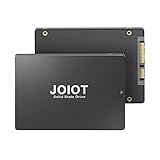
At around $65 the JOIOT is the cheapest 512GB SSD on this list, full stop. For a kiosk machine, a light office PC, or a laptop that needs to boot fast and browse without crashing, it gets the job done. The 550 MB/s read speed keeps it competitive on paper. But you are buying a lesser-known controller with limited firmware track records, and the sustained write behavior after heavy use is unproven in community testing. If this drive is going into a machine you rely on daily for work or gaming, spend the extra few dollars on a Patriot or TEAMGROUP. This is a gamble drive, not a trusted one.
KingSpec M.2 NVMe Gen3x4
This is the only drive on the list that can push past the SATA ceiling, delivering up to 2400 MB/s in sequential reads. For loading large game levels or moving files between drives, the difference is tangible — installs complete noticeably faster than any SATA option here. At around $86 it carries the highest price tag, but the speed premium is real if your system supports it. The 2280 form factor fits most modern motherboards without an adapter. The concern is thermals: Gen3 NVMe drives in compact laptops can throttle under sustained loads, and KingSpec’s thermal management is less tested than premium brands. Skip it if you are putting it in a thin laptop with poor airflow.
fanxiang S101
The S101 is a no-frills SATA drive at around $69 that advertises up to 500 MB/s reads — a number that is actually below the SATA interface ceiling of around 550 MB/s. That gap between the spec and the interface limit hints at a cheaper controller that may not squeeze the most from the NAND. The build is thin and lightweight at 7mm, fitting slim laptops fine. It works for basic storage expansion or a temporary drive while saving for a faster one. The risk is long-term durability: fanxiang is a newer brand with less community feedback on drive longevity. Skip it if you are storing anything you cannot afford to lose.
Patriot P220
The P220 is Patriot’s entry SATA line and lands at around $71, undercutting their own NVMe option by a wide margin. It is a proven drive with years of firmware updates and a straightforward warranty claim process. For anyone upgrading a five-year-old desktop who needs reliability over raw specs, this is a sensible choice. The sequential speed matches the rest of the SATA field, so no complaints there. The con is that at this price you are paying a brand premium over Timetec and JOIOT without a clear performance edge. Buy it for the peace of mind, not the benchmarks.
Buying Guide
SLC Cache Behavior Matters More Than Sequential Speed
Every drive here advertises read speeds near the interface ceiling, and those numbers are achievable in synthetic benchmarks on an empty drive. What you will actually experience is write speed during game installs and large file transfers, which depends on how much SLC cache the controller allocates and what happens when it exhausts. Look for community-tested sustained write numbers, not the spec sheet headline. A drive that writes at 500 MB/s for the first 5GB and then drops to 90 MB/s will ruin your patience during a major patch download.
SATA Versus NVMe at 512GB Is a Value Question
At this capacity, the speed gap between SATA (around 550 MB/s) and Gen3 NVMe (up to 2400 MB/s) costs you 20–30% in price. For gaming, where most assets stream from the drive in small chunks rather than huge sequential reads, the real-world loading difference is modest — perhaps one to two seconds per level. The NVMe premium makes sense if you also do file transfers, video editing, or run virtual machines. For pure game storage, a well-built SATA drive saves money that could go toward a larger capacity drive instead.
Check Physical Compatibility Before You Buy
2.5-inch SATA drives fit any desktop or laptop with a standard drive bay, but verify the thickness — most modern laptops use 7mm bays and the 9.5mm drives will not seat flush. M.2 2280 drives require an available slot on your motherboard and, in older systems, BIOS support for NVMe boot. Some budget laptops ship with M.2 slots wired only for SATA, making an NVMe drive useless in that slot. Confirm your motherboard manual before spending the extra on the KingSpec NVMe.
Our Verdict
The TEAMGROUP T-Force Vulcan Z is the best overall 512GB SSD here because it balances sustained write performance, build quality, and a reasonable price without the risks that come with lesser-known brands. The JOIOT at around $65 is the budget pick for anyone who needs a working drive at the lowest cost and accepts the trade-offs. If your system has an open M.2 slot and you install large game files weekly, the KingSpec NVMe at 2400 MB/s saves meaningful time and is worth the price premium over SATA.
FAQ
Is 512GB enough for gaming?
Barely. A handful of AAA titles at 100–150GB each will fill it fast, leaving little room for the operating system and updates. It works as a secondary game drive or for a focused library of indie and older titles, but plan to add storage within a year.
Should I buy SATA or NVMe for 512GB?
Choose NVMe if you frequently move large files, run VMs, or already have an empty M.2 slot. Choose SATA if your budget is tight, since the real-world gaming load difference is minimal and a larger SATA drive may serve you better than a faster 512GB NVMe.
Do these drives come with heatsinks?
The SATA 2.5-inch drives do not need heatsinks because they do not generate enough thermal output to throttle. The KingSpec M.2 NVMe does not include a heatsink, so if your motherboard does not have one built in, consider adding a cheap aftermarket cover for sustained workloads.
What warranty should I expect at this price?
Patriot and TEAMGROUP typically offer three-year limited warranties with clear claim processes. Timetec and KingSpec also provide coverage, though response times and claim ease are less proven. JOIOT and fanxiang carry basic warranties but have thinner support infrastructure, which is the hidden cost of their low prices.









