
Building a high-performance gaming PC inside a Small Form Factor (SFF) chassis—typically defined as an enclosure under 20 liters in volume—presents a unique puzzle for modern homeowners. Unlike sprawling mid-tower desktop cases tucked under an oversized desk, an SFF case often sits directly on top of a Scandinavian oak credenza, a compact standing desk, or an open floating shelf in a living room or studio apartment. In these shared living spaces, thermal efficiency is only half the equation; acoustic harmony, room airflow, spatial constraints, and long-term interior safety matter just as much as frame rates. When curating a clean, clutter-free workspace, evaluating air cooling vs liquid cooling for sff gaming builds comes down to balancing raw cooling power against physical living conditions.
Working within tight enclosures measuring between 7 and 15 liters forces significant compromises. A top-tier graphics card and high-wattage processor can generate between 300W and 600W of total heat output in a footprint smaller than a standard shoebox. Deciding whether to dissipate that heat through dense aluminum fin-stacks or circulate fluid through flexible rubber tubing affects your room’s soundscape, maintenance routines, and peace of mind near valuable home furnishings.
As an Amazon Associate we earn from qualifying purchases at no extra cost to you.


Our Top Picks


Top 3 picks at a glance
Quick Verdict
For most homeowners seeking a low-stress, whisper-quiet system with zero risk of liquid damage to expensive furniture or flooring, air cooling is the ideal choice for SFF builds drawing up to 150W of CPU power. It relies on simple mechanics, costs less, and requires virtually no maintenance over a five-to-ten-year span. Conversely, for power users running 200W+ flagship processors inside sandwich-style SFF cases with restricted CPU cooler heights (under 55mm), liquid cooling is the superior solution. By routing flexible tubing from a low-profile CPU block to a remote 240mm or 360mm radiator, liquid setups move extreme heat directly out of small enclosures without requiring tall, heavy metal heatsinks.
Side by Side
Understanding how air and liquid thermal solutions perform inside compact living spaces requires comparing key physical and operational metrics side by side.
| Metric / Feature | Air Cooling for SFF | Liquid Cooling (AIO / Custom) for SFF |
|---|---|---|
| Acoustic Comfort | Smooth, predictable fan ramp-up; no pump hum or fluid gurgle (20–32 dB). | Low fan noise at load, but constant low-frequency pump vibration/whine (24–36 dB). |
| Durability & Lifespan | Exceptional; single fan replacement ($10–$25) restores full function after years. | Moderate; AIO pumps typically last 3–6 years; micro-channels can clog over time. |
| Price Range | $35 to $90 for low-profile and compact dual-tower coolers. | $85 to $220 for AIOs; $300 to $600+ for custom liquid loops. |
| Maintenance Level | Zero maintenance beyond occasional dust blowing with compressed air. | Low for AIOs (plug and play); High for custom loops (annual fluid flushes). |
| Space Needed (Clearance) | Requires 37mm to 155mm vertical height above the CPU socket. | Requires 45mm to 55mm CPU block clearance, but needs radiator mounting space. |
| Look & Aesthetic Integration | Industrial, dense, metallic look; minimal RGB diffusion in tight cases. | Sleek, streamlined CPU block; bright RGB accents and clean tube runs. |
| Resale & Transport Safety | Very safe for low-profile units; heavy towers put leverage stress on motherboards. | Risk-free socket pressure during travel, but vulnerable to fluid leaks or Permeation. |
| Best For | Minimalist offices, quiet bedrooms, rental units, and mid-range CPUs (65W–125W TDP). | High-heat living room builds, home theater rigs, and enthusiast CPUs (150W–250W+ TDP). |
Where Air Cooling Wins
Air cooling remains the golden standard for structural simplicity and reliable home integration. In small form factor builds, low-profile air coolers—ranging from ultra-compact 37mm units to beefier 70mm designs—eliminate complex mechanical points of failure. Because an air cooler relies solely on a copper contact plate, heat pipes, and a static pressure fan, there are no electric pumps to burn out, no fluid loops to dry up through micro-permeation, and zero possibility of liquid leaking onto hardwood floors or custom timber desks.
From an acoustic perspective inside quiet living spaces, air cooling delivers a natural, linear sound curve. Fans ramp up smoothly under load without introducing high-pitched electrical pump whine, which can be irritating in open-plan rooms. If your home office environment already maintains ambient comfort with quiet floor appliances—such as a Levoit Tower Fan for Bedroom, 28ft/s Fans that Blow Cold Air, 28dB Quiet (around $54) or a DREO Tower Fan for Bedroom, 28ft/s Velocity, Ultra Quiet Fan, 8 Speeds (around $52)—the soft airflow from a well-tuned CPU air cooler blends invisibly into the background soundscape without adding harsh mechanical chatter.
Financial longevity is another clear advantage. High-quality air coolers last indefinitely; if a fan bearing degrades after four or five years of continuous work and gaming, replacing the 92mm or 120mm fan takes five minutes and costs under $20, rendering the cooler good as new.
Where Liquid Cooling for Sff Gaming Builds Wins
When evaluated strictly on thermal displacement capacity per cubic centimeter, choosing liquid cooling for sff gaming builds unlocks unmatched performance in hyper-compact enclosures. Modern high-end processors routinely draw 200W to 300W under maximum load, generating localized heat that small 47mm air coolers simply cannot dissipate fast enough. Liquid cooling solves this physical bottleneck by separating the CPU heat collection point from the heat dissipation area.
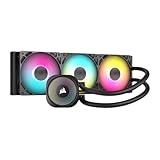
An All-In-One (AIO) liquid cooler uses a compact pump block measuring under 55mm in height, which easily fits beneath narrow side panels in slim 11-liter sandwich cases. Flexible tubing carries hot liquid away from the motherboard socket to a radiator mounted on the top, side, or bottom of the case, where larger 120mm or 140mm fans exhaust thermal energy directly out of the chassis. For larger SFF and compact mid-tower hybrid enclosures, a premium solution like the CORSAIR Nautilus 360 RS ARGB Liquid CPU Cooler – 360mm AIO – Low-Noise – Direct Motherboard Connection – Daisy-Chain – Intel LGA 1851/1700, AMD AM5/AM4 – 3X RS120 ARGB Fans Included – Black (around $99) delivers exceptional thermal headroom, allowing CPUs to sustain peak boost clock speeds without thermal throttling.
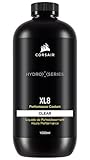
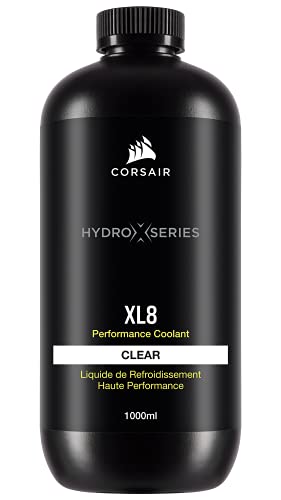
For custom loop enthusiasts who build bespoke liquid-cooled art pieces, custom tubing allows pinpoint routing around graphics cards and power supplies. Using high-grade fluids like CORSAIR Hydro X Series, XL8, Performance Coolant, 1L, Clear ($24) protects internal copper and nickel channels against corrosion while delivering visual clarity through tempered glass panels, turning a small gaming computer into a sophisticated focal point for a contemporary desk setup.
Cost Over 5 Years
Evaluating total ownership costs requires looking beyond initial purchase prices to account for component longevity, routine fluid maintenance, and potential replacement cycles over a half-decade ownership period.
- Air Cooling (5-Year Total: $35 – $115): Initial hardware costs range from $35 for an entry-level low-profile cooler to $90 for a top-tier compact dual-tower. With no liquid to evaporate and no pumps to degrade, routine maintenance costs are $0. At most, a fan replacement around year 4 adds $15 to $25.
- AIO Liquid Cooling (5-Year Total: $175 – $340): Initial prices range from $85 for a standard 240mm AIO up to $180+ for feature-rich models. AIO units are sealed systems, so fluid cannot be refilled easily. By year 4 or 5, pump wear, impeller fatigue, or fluid permeation often necessitates replacing the entire unit ($90–$160 replacement cost).
- Custom Loop Liquid Cooling (5-Year Total: $370 – $750+): High entry cost ($250 to $500 for blocks, pump/reservoir combos, fittings, and radiators). Requires annual flushing and refilling using specialized solutions like CORSAIR XL8 coolant ($24 per bottle, totaling ~$120 over 5 years in fluid and tubing refreshes).
Which One for Your Home
Small Apartment or Studio Workspace
In compact living spaces where your computer sits just inches from your bed or couch, low ambient noise and spatial efficiency are paramount. Air cooling is usually the superior choice here. A low-profile air cooler running in an 11-liter case keeps background noise smooth and free from low-frequency pump hums that can resonate off bare studio apartment walls. Additionally, omitting radiators frees up internal room for cleaner cable routing.
Family Home with Kids or Pets
In busy households where pets shed fur or children might bump against desk furniture, air cooling provides structural resilience. A air-cooled system suffers no permanent harm if knocked or moved sharply, and dusty intake filters on air coolers are quick to vacuum clean. There is also zero risk of fluid leaks spilling onto rugs or child-friendly hardwood play areas.
Rental Property or Frequent Movers
If you rent your home or relocate frequently, physical transport safety matters. Low-profile air coolers (under 60mm tall) exert virtually zero gravitational leverage on the motherboard socket during moves. Conversely, heavy 360mm liquid radiators add significant top-heavy weight inside small cases, and shifting fluid can create air pockets in pumps if the system is transported on its side during a apartment move.
Long-Term Home Office Setup
Looking ahead into 2026, modern home office design prioritizes clean visual lines, integrated RGB lighting, and high-performance productivity workstations. If you run heavy rendering tasks or multi-hour video exports on 200W+ flagship processors, liquid cooling is well worth the investment. Using a multi-fan AIO or custom loop keeps CPU temperatures stable under sustained professional workloads while maintaining a clean, open window view into your system interior.
FAQ
Can a compact low-profile air cooler handle a 200W CPU in an SFF case?
While low-profile air coolers under 50mm height can manage 65W to 125W CPUs easily, 200W+ processors will quickly reach thermal limits (95°C+) under full load in tight cases. For high-wattage CPUs in SFF builds, liquid cooling with at least a 240mm or 280mm radiator is recommended to prevent aggressive thermal throttling.
Is liquid cooling safe near high-end home office furniture?
Modern All-In-One (AIO) liquid coolers use durable zero-permeation rubber tubing and factory-sealed anti-leak connections, making catastrophic leaks extremely rare. However, custom liquid loops require careful pressure testing and periodic maintenance with quality coolants to ensure zero fluid contact with wooden desks or furniture surfaces.
Are liquid cooling pumps louder than air cooling fans?
Under heavy gaming loads, liquid coolers are often quieter because their radiators offer larger surface areas to dissipate heat using low-RPM fans. However, at idle or during light desktop tasks, a liquid pump produces a subtle high-frequency humming or buzzing sound (around 24–30 dB) that silent air cooler fans do not create.
How do case clearance measurements dictate air vs liquid cooling choices?
Every SFF case specifies a maximum CPU cooler height limit (e.g., 47mm, 70mm, or 145mm). If your chosen case offers less than 55mm of vertical height above the motherboard socket, fitting a high-performance air cooler is impossible; in such layouts, liquid cooling with an AIO pump block (often 35mm–45mm tall) becomes the primary thermal solution.









