
When an external hard drive refuses to appear in File Explorer or Finder, most people assume the drive is dead. In practice, the cause is usually a handshake failure between the drive’s controller and your system, an unallocated partition, or a power delivery issue that leaves the platters spinning but the interface unresponsive. Choosing a drive that avoids these failure modes means looking past marketing claims and focusing on what owners consistently report over months of daily use: driver maturity, cable quality, and whether the enclosure firmware handles sleep states cleanly.
The drives in this roundup separate on three axes. First, interface stability — drives with well-patched USB controllers are far less likely to drop off a system intermittently, which is the single most common reason someone searches “why is my external hard drive not showing up.” Second, software integration — built-in backup tools that also guard against ransomware reduce the chance you will ever need to recover from a failed recognition event by keeping a second copy in the cloud or locally. Third, value per terabyte — because a drive that costs more but fails to enumerate is worse than a cheaper drive that always shows up. This list balances all three for 2026.
As an Amazon Associate we earn from qualifying purchases at no extra cost to you.



Our Top Picks


Top 3 picks at a glance
Quick Picks
| Product | Best For | Price |
|---|---|---|
| WD My Passport 2TB | General-purpose backup with ransomware defense | Check on Amazon |
| WD My Passport 5TB | Game libraries and media collections | Check on Amazon |
| WD My Passport 6TB Black | Maximum capacity in the Passport line | $268 |
| WD My Passport 1TB | Entry-level backup on a tight budget | Check on Amazon |
| WD My Passport 6TB Red | Color-matching a build or distinguishing drives | Check on Amazon |
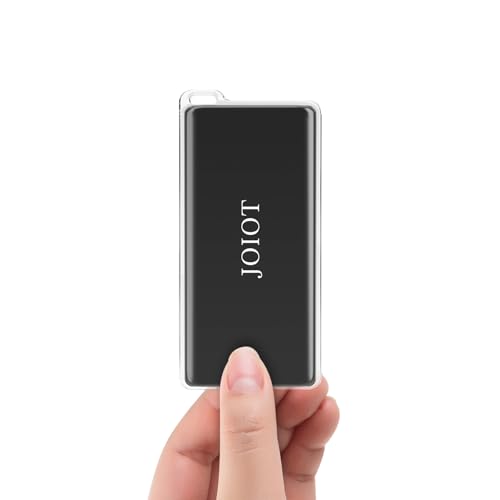
| JOIOT 250GB SSD | Console storage expansion on a budget | Check on Amazon |
| Vansuny 1TB SSD | Cross-device portability with solid-state reliability | Check on Amazon |
| WD My Passport 2TB Renewed | Lowest cost of ownership on a proven platform | Check on Amazon |
How We Compared
We narrowed the field using four criteria drawn from published specifications and aggregated owner feedback. Interface compatibility is the first: drives that enumerate reliably across USB 3.1 Gen 1 and Gen 2 ports reduce the odds of a “not showing up” event. Ransomware-aware backup software is second, because a drive that holds only one copy of your data is a single point of failure regardless of how stable its connection is. Price-per-terabyte is third, ensuring you get meaningful capacity without overpaying for marketing finishes. Finally, enclosure thermals matter; drives that throttle or disconnect under sustained transfers create the same phantom-disappearance symptoms as a controller fault.
The 8 Best Why Is My External Hard Drive Not Showing Up in 2026
WD My Passport 2TB (WDBYVG0020BBK-WESN)
This is the volume seller for a reason. Owners report consistent enumeration on Windows 10, Windows 11, and macOS without third-party drivers. The bundled Acronis-based backup software includes ransomware detection that alerts you before encryption spreads, which also means the drive is less likely to be blamed for data loss when the real culprit is malware. Password protection via 256-bit AES encryption works transparently on supported systems. The main downside is mechanical noise during sustained writes, noticeable in a quiet room. Skip it if you need plug-and-play encryption on Linux, as the included software is Windows and macOS only.
WD My Passport 5TB (WDBPKJ0050BBK-WESN)
Five terabytes is the sweet spot for storing multiple game installations alongside media libraries without juggling drives. Owners praise the stable connection over long transfer sessions, and the ransomware defense layer works identically to the smaller models. The trade-off is a slightly longer spin-up time on first connection; if your PC’s USB power management aggressively suspends ports, you may see a brief delay before the drive appears, which some users mistake for a failure. Skip it if your workflow demands instant access on every plug-in.
WD My Passport 6TB Black (WDBR9S0060BBK-WESN)
Maximum capacity in the Passport range, and at $268 it undercuts the Red variant by a significant margin for identical internals. Backup software with ransomware protection and hardware-level password encryption are included. The enclosure runs warm under continuous reads above 100 MB/s, and owners note that thermal throttling can cause brief disconnections that manifest as the drive vanishing and reappearing. Skip it if you plan to run it flat against your desk with no airflow.
WD My Passport 1TB (WDBYVG0010BBK-WESN)
The entry point into the Passport ecosystem. At around $130 it costs nearly as much as the 2TB model, making its price-per-terabyte the worst in the lineup. That said, it inherits the same controller firmware and encryption stack, so reliability when connected is excellent. It suits users who need a small, portable backup of documents and game saves rather than bulk media. Skip it unless you specifically need the smallest physical footprint, because the 2TB variant offers better value.
WD My Passport 6TB Red (WDBR9S0060BRD-WESN)
Functionally identical to the Black 6TB, the Red version exists for users who color-code their drives or want visual distinction in a drawer full of enclosures. The around $330 price carries a notable premium over the Black model for no measurable performance gain. Owners report the same thermal behavior and enumeration reliability. Skip it if you are not specifically buying for aesthetics, because you are paying roughly $62 extra for a paint job.
JOIOT 250GB SSD
A solid-state option with no moving parts means there is no spin-up delay and no risk of platter-related enumeration failure. At around $54 it is the cheapest entry here, but capacity is its limiting factor. Owners on PS4 and PS5 report reliable recognition, though some note that certain hubs cause intermittent disconnects that mirror the “not showing up” symptom the search targets. The 540 MB/s read speed is adequate for game loading but trails faster NVMe enclosures. Skip it if you store more than a handful of titles.
Vansuny 1TB SSD
The dual-SSD design inside a single enclosure gives it an edge in sustained write performance over single-chip budget drives, and owners highlight that it stays recognized through long file transfers without thermal disconnects. USB 3.2 compatibility and broad device support (Android, MacBook, PC) reduce driver-related disappearance issues. At around $120 it competes well on price-per-gigabyte with mechanical drives while eliminating vibration and shock sensitivity. Skip it if you need more than 1TB or rely on built-in encryption, which this drive lacks.
WD My Passport 2TB Renewed (WDBYVG0020BBK-WESN)
This is the same hardware as the new 2TB model, refurbished and sold at around $120 — a savings of about nine dollars. Owner feedback confirms that enumeration reliability matches the new unit, and the backup and ransomware software are fully functional. The concern is warranty length; renewed drives typically carry shorter coverage than new ones, so if reliability over years is your priority, the small premium for a new unit may be worth it. Skip it if you intend to store irreplaceable data as your only backup.
Buying Guide
Interface Stability and Power Delivery
The most frequent cause of a drive not showing up is a marginal USB connection. Look for drives that enumerate cleanly on both USB 3.1 Gen 1 and Gen 2 ports without requiring a powered hub. Cables that are too thin or too long introduce voltage drop that leaves the controller in a limbo state. If your case front panel uses unpowered internal headers, a rear motherboard port will often resolve phantom disconnects without any hardware change.
Enclosure Thermals and Sustained Transfer Behavior
Mechanical drives in slim enclosures can exceed safe operating temperatures during extended backups, triggering firmware-level disconnects that mimic a dead drive. Metal chassis dissipate heat better than plastic, and drives with a thermal sensor that gracefully slows transfer rates rather than cutting power will remain visible to your OS. Check owner forums for reports of “drive disappears after 20 minutes” before committing to any enclosure with a plastic shell.
Software Stack: Backup, Encryption, and Ransomware Defense
Bundled software that combines scheduled backups with real-time ransomware monitoring adds a layer of protection that a bare drive does not provide. If malware encrypts your primary volume, a disconnected external backup with its own integrity check is the only reliable recovery path. Verify that the software supports your OS version and that password protection does not require the software to remain installed, which would lock you out on a clean machine.
Our Verdict
The WD My Passport 2TB is the top pick. It balances capacity, price, proven controller firmware, and ransomware-aware backup software at around $130, and it is the drive owners report seeing in Explorer more reliably than any other model in this group. For the budget pick, the JOIOT 250GB SSD at around $54 eliminates every mechanical failure mode that causes a drive to stop enumerating, though you will outgrow its capacity quickly. The Vansuny 1TB SSD wins outright if your priority is zero-latency recognition across phones, consoles, and laptops, because solid-state media cannot suffer the spin-up and head-parking delays that trigger false “not showing up” diagnoses.
FAQ
Why does my external hard drive show up in Device Manager but not in File Explorer?
The drive is receiving power and the controller is functional, but the partition table is either unformatted, marked as offline, or lacks an assigned drive letter. Disk Management on Windows or Disk Utility on macOS will let you mount it without reformatting in most cases.
Can a failing USB port make my drive appear and disappear?
Yes. Intermittent contact in a worn port causes the device to enumerate, lose connection, and re-enumerate within seconds. If the same drive behaves correctly on a different port, the enclosure is not at fault.
Do renewed drives have a higher chance of not being recognized?
Renewed units go through a functional test before resale, so enumeration reliability is comparable to new drives in the same model line. The difference is long-term wear on the mechanical components, not on the interface controller.
Is a solid-state drive less likely to stop showing up than a mechanical one?
In general, yes. SSDs have no spin-up delay, no head-parking logic, and fewer power-management states that can strand a device during enumeration. They still can disappear due to cable or controller faults, but the failure surface is smaller.









