
The best gaming mouse depends mostly on grip and priorities: the Logitech G Pro X Superlight 2 and Razer Viper V3 Pro suit competitive players who want a very light wireless mouse, the Razer Viper V3 HyperSpeed fits most players who want a lower-priced wireless option, and the Glorious Model O 2 Wireless is a budget lightweight alternative. Shape, weight and wireless reliability matter more than headline specs like maximum DPI.
As an Amazon Associate we earn from qualifying purchases at no extra cost to you.


Our Top Picks
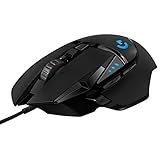
 Razer Basilisk V3 Customizable RGB Wired Ergonomic GamingMouse2.96 x 5.12 x 1.67 inches0.2 poundsCheck on Amazon


Top 3 picks at a glance
What Actually Matters in a Gaming Mouse
Shape and grip
Mice are shaped for palm, claw or fingertip grips, and for hand sizes from small to large. A mouse that fits your hand reduces fatigue and improves aim consistency. Symmetrical shapes like the Superlight family suit many grips, while ergonomic shapes favor right-handed palm users. Measure your hand length and grip, and compare to the maker’s listed dimensions.
Weight
Lightweight wireless mice now commonly weigh around 50 to 65 grams. Reviewers describe lighter mice as easier to flick and less tiring in long sessions, though ultra-light shells can feel less sturdy and some people prefer a little more weight.
Sensor, polling rate and latency
Flagship sensors list very high DPI figures, but most players use a few hundred to a few thousand DPI. More useful are consistent tracking and a high polling rate, such as 1000 Hz as standard and 4000 Hz or more on newer models with the right dongle. Higher polling rates reduce battery life and may use more CPU.
Wireless reliability and battery
Modern 2.4 GHz wireless gaming mice use low-latency dongles and are widely accepted for competitive play. Check the maker’s battery claim at the polling rate you intend to use, as claims often assume lower settings.
Switches and buttons
Optical and mechanical switches differ in feel and durability. Newer models, such as the Logitech G Pro X2 Superstrike, use magnetic analog switches with adjustable actuation, a feature aimed at fast-paced shooters. Extra side buttons help in MMOs and strategy games.
At a Glance: Gaming Mouse Comparison
| Mouse | Type | Best for | Key stated details | Limits |
|---|---|---|---|---|
| Logitech G Pro X Superlight 2 | Wireless, ambidextrous shape | Esports and general competitive play | Widely cited as the proven lightweight wireless standard | Premium tier; few extra buttons |
| Razer Viper V3 Pro | Wireless, symmetrical | Ultra-light esports | Recommended as a default ultra-light pick by roundups | Premium tier; symmetrical shape not for all palm grips |
| Razer Viper V4 Pro | Wireless, symmetrical | Latest-generation light wireless | PC Gamer’s pick for best wireless; a roundup lists 49 g wireless | Premium tier; newer model with fewer long-term reports |
| Logitech G Pro X2 Superstrike | Wireless, analog switches | Fast shooters wanting rapid trigger | Roughly 61 g with adjustable magnetic switches | Premium tier; a new switch type takes adjusting |
| Corsair Sabre V2 Pro | Wireless, light | Players wanting light weight and a sturdy build | PC Gamer calls it the best lightweight gaming mouse | Premium tier |
| Razer Viper V3 HyperSpeed | Wireless, symmetrical | Most players at mid-range | PCGamesN’s pick for most people | Lower spec than Pro variants |
| Glorious Model O 2 Wireless | Wireless, lightweight | Budget lightweight shoppers | Listed as a budget lightweight pick | Fewer extras; brand history on durability is mixed |
| ASUS ROG Keris II Ace | Wireless, light | ROG ecosystem users | Roundups list about 54 g | Software tied to ASUS tools |
Picks by Player Type
Competitive shooter players
Fast aim and consistency are the priority. The Logitech G Pro X Superlight 2, Razer Viper V3 Pro and Corsair Sabre V2 Pro are the models reviewers mention most often. If you like the idea of adjustable trigger points, the G Pro X2 Superstrike is built around analog switches, but it is a niche feature and may take time to configure.
General gamers who want a good all-rounder
The Razer Viper V3 HyperSpeed is PCGamesN’s pick for most people. It trades some weight and polling-rate headroom for a lower price while keeping wireless freedom and a comfortable symmetrical shape.
Large hands and palm grip
Symmetrical lightweight mice can feel small for large palms. Look at ergonomic shapes from Logitech’s G502 family or Razer’s DeathAdder line, which are designed for a palm or relaxed claw grip. Check the maker’s length and width figures against your hand.
MMO and strategy players
Mice with many thumb buttons, such as the Razer Naga line or Logitech G600-style designs, let you map actions without reaching for the keyboard. These are heavier and are usually wired or have shorter battery life.
Budget buyers
The Glorious Model O 2 Wireless is a budget lightweight pick on some lists. Wired lightweight mice from several makers also sit at the budget tier and avoid battery concerns entirely.
Fit and Compatibility Notes
- Operating system: Most mice work on Windows without drivers, but the maker’s software is needed for DPI, button remaps and polling-rate changes. Check Linux and macOS support if relevant.
- Dongle ports: Wireless dongles need a USB port. Use an extension cable to move the dongle near the mouse pad for better signal.
- Mouse pad: Lightweight mice work best on a quality cloth or hard pad; surface affects glide and sensor tracking.
- Software requirements: Some makers require an account or large software suite to change settings. Others offer on-board memory that keeps settings without software.
- Left-handed use: Truly symmetrical mice work for left-handers; many ergonomic shapes are right-handed only.
Budget Tiers
- Budget: Wired lightweight mice and entry wireless models like the Glorious Model O 2 Wireless.
- Mid-range: Razer Viper V3 HyperSpeed and similar wireless models with strong sensors.
- Premium: Logitech G Pro X Superlight 2, Razer Viper V3 Pro and V4 Pro, Corsair Sabre V2 Pro, and Logitech G Pro X2 Superstrike.
Pick X If …
| If you … | Pick | Why |
|---|---|---|
| Want a proven competitive wireless mouse | Logitech G Pro X Superlight 2 | Widely cited standard |
| Want the newest ultra-light Razer | Razer Viper V4 Pro | PC Gamer’s wireless pick |
| Want adjustable rapid-trigger switches | Logitech G Pro X2 Superstrike | Magnetic analog switches |
| Want light weight and sturdy build | Corsair Sabre V2 Pro | PC Gamer’s lightweight pick |
| Want good value wireless | Razer Viper V3 HyperSpeed | PCGamesN’s most-people pick |
| Need to save | Glorious Model O 2 Wireless | Budget lightweight option |
Alternatives Worth Considering
- ASUS ROG Keris II Ace: Light wireless option for ROG users.
- Pulsar X2 or Endgame Gear OP1w 4K: Enthusiast lightweight mice from smaller brands, appreciated by esports players.
- Wired lightweight mice: No battery to charge and often at a lower tier.
Maintenance and Longevity
Gaming mice take heavy use, so a few habits extend their life. Clean the sensor lens and feet with a dry cloth, replace worn skates when the glide changes, and keep the mouse away from liquids. For wireless models, avoid leaving the battery fully drained for long periods and use the maker’s recommended charging cable. Some makers offer replacement feet and grip tape. Warranty length varies by brand, so compare it when choosing between close options.
Wired vs Wireless: A Quick Comparison
| Feature | Wired | Wireless (2.4 GHz) |
|---|---|---|
| Latency | Very low and consistent | Comparable on modern dongle-based models |
| Weight | Can be light, but the cable adds drag | Battery adds weight, but no cable drag |
| Maintenance | None | Charging needed |
| Cost tier | Often lower | Often higher |
Testing Fit Before You Commit
Because shape is personal, read the maker’s dimensions and look at community size charts that compare mice outline against one another. If you already own a mouse you like, compare its length, width and hump position with the candidate. Pay attention to the return policy, since a mouse that feels wrong after a week is better returned than tolerated. Many players keep a spare wired mouse for troubleshooting.
Finally, remember that practice matters more than gear. Give a new mouse a couple of weeks, keep one sensitivity setting, and avoid changing several settings at once so you can judge whether the mouse really suits you.
Frequently Asked Questions
Is a lighter gaming mouse always better?
Not always. Lighter mice are easier to flick, but some players prefer a heavier mouse for stability. Grip style and shape matter as much as weight.
Is wireless good enough for competitive gaming?
Yes, modern 2.4 GHz wireless gaming mice use low-latency links and are common in professional play. Use the supplied dongle rather than Bluetooth for gaming.
What DPI should I use?
Most players use a few hundred to a few thousand DPI, combined with an in-game sensitivity that feels comfortable. Very high DPI numbers are largely marketing.
What does polling rate do?
It sets how often the mouse reports its position to the PC. Higher rates can feel smoother but reduce battery life and use more CPU, so many players stay at 1000 Hz.
How do I find the right size?
Measure your hand length and compare it with the mouse’s listed length and width. Your grip style also matters, since palm users generally want a longer, taller shell than fingertip users.
Are optical switches better than mechanical ones?
Optical switches avoid contact wear and double-click issues, and many makers promote them as more durable. Mechanical switches are still widely used and can feel excellent. Choose based on feel and warranty.


