
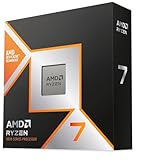
For most Ryzen 7 9800X3D builds, a good dual-tower air cooler such as the Thermalright Peerless Assassin 120 SE is enough, while buyers who want the quietest possible system or a cleaner case look are better served by a 360 mm liquid cooler such as the Arctic Liquid Freezer III Pro 360. The 9800X3D is an 8-core, 16-thread AM5 processor with 3D V-Cache, and AMD lists a default power rating of 120 W. That is far easier to cool than a flagship Intel chip or a high-core-count Ryzen 9, so spending on an oversized cooler rarely pays off in frame rates.
As an Amazon Associate we earn from qualifying purchases at no extra cost to you.


Our Top Picks



Top 3 picks at a glance
Why the 9800X3D Does Not Need an Extreme Cooler
Gaming workloads load only a few cores, and the 9800X3D keeps its power draw modest compared with chips that chase all-core clocks. Reviewers who compared air and liquid cooling on this chip generally report that a quality dual-tower air cooler holds gaming temperatures comfortably in range, and that a 360 mm all-in-one liquid cooler gains only a few degrees under sustained all-core loads. The practical reasons to choose a larger cooler are noise, case aesthetics, and headroom for a later upgrade, not a hard thermal requirement.
The processor also uses the AM5 socket, so any cooler you buy must list AM5 support. Most current coolers ship with AM5 brackets or use the stock AM5 backplate, but older stock on shelves can be missing the mounting hardware. Confirm the box states AM5 before buying.
At a Glance: Cooler Comparison
| Cooler | Type | Best for | Key stated details | Limits |
|---|---|---|---|---|
| Thermalright Peerless Assassin 120 SE | Dual-tower air | Budget builds that still want strong cooling | The maker lists 6 heat pipes, 120 mm fan, 155 mm height, AM4 and AM5 support | Tall towers can clash with large RAM heatsinks; fan noise rises under load |
| Thermalright Phantom Spirit 120 SE | Dual-tower air | Budget buyers wanting a step up | Roundups list 7 heat pipes and dual 120 mm fans | Larger and heavier; check case clearance |
| Noctua NH-D15 chromax.black | Dual-tower air | Quiet, long-lived air cooling | Large dual-tower design with two 140 mm fans, widely cited as a premium air benchmark | Very large; blocks memory and some case panels; premium tier |
| Arctic Liquid Freezer III Pro 360 | 360 mm AIO | Best all-round liquid pick | Named best overall 360 mm AIO by several roundups | Needs a front or top radiator mount in the case |
| Corsair Nautilus 360 RS ARGB | 360 mm AIO | Mid-range liquid with lighting | Three 120 mm fans with addressable lighting | Lighting and software are optional extras, not performance upgrades |
| ASUS ROG Ryujin III 360 | 360 mm AIO | Premium looks and pump-head display | Premium-tier AIO with a decorative pump head | Highest cost tier with little thermal benefit for this CPU |
Air Coolers
Thermalright Peerless Assassin 120 SE
This is the cooler most roundups name as the value pick for the 9800X3D. Thermalright lists six 6 mm heat pipes, a 120 mm fan, a 155 mm overall height, and support for AM4 and AM5. Reviewers describe it as keeping gaming temperatures well within safe limits, and it sits at the budget tier. The trade-offs are typical for a dual-tower: the front tower can sit close to the first memory slot, and the stock fan gets audible when the CPU is pushed hard. For a gaming-focused build it is the default starting point.
Thermalright Phantom Spirit 120 SE
Often described as the next step up in the same brand family, this model is listed in roundups with seven heat pipes and two 120 mm fans. It targets buyers who want a little more cooling headroom and lower noise at the same fan speed. It is bulkier, so measure your case and memory clearance first.
Noctua NH-D15 chromax.black
Noctua’s dual-tower is repeatedly cited as a benchmark for air cooling in both thermals and noise, and the maker backs its coolers with a long warranty and a mounting kit that supports AM5. It sits in the premium tier and is physically large. Noctua also sells a newer generation of its flagship air cooler, so if the exact variant matters to you, read the maker’s compatibility page for height and RAM limits before ordering. For a 9800X3D the main reason to pick it is acoustics and longevity rather than raw temperature.
Liquid Coolers
Arctic Liquid Freezer III Pro 360
Several outlets name this the best overall 360 mm all-in-one for the money. It is available in standard and addressable RGB versions. A 360 mm radiator lets the fans run slower for the same temperature, which is the real benefit on a chip that does not produce extreme heat. It needs a case with a 360 mm radiator mount, usually at the top or front.
Corsair Nautilus 360 RS ARGB
A mid-range alternative from a brand with a large software ecosystem. It suits buyers who want lighting that syncs with other Corsair parts. Cooling performance sits in the same general class as other 360 mm units, so choose it for features and fit rather than a big thermal gain.
ASUS ROG Ryujin III 360
This premium AIO adds a decorative pump head and extra features. Buyers pay mostly for appearance and brand integration with ASUS ROG motherboards. On a 9800X3D it will not meaningfully change gaming frame rates.
Fit and Compatibility Checklist
- Socket: The cooler must support AM5. The mounting holes match AM4 coolers, and many older coolers will fit with the right bracket, but confirm with the maker.
- Cooler height: Compare the maker’s listed height against your case’s CPU cooler clearance. A 155 mm tower needs roughly that much room plus a small margin before the side panel.
- Memory clearance: Tall dual-towers can overhang the first RAM slot. Low-profile memory or a cooler with raised fan mounts avoids conflicts.
- Radiator mount: A 360 mm AIO needs a case with a 360 mm top or front mount, and enough space for tubing and fans.
- Motherboard VRM and GPU: A top-mounted radiator can interfere with tall motherboard heatsinks; a front-mounted one can crowd a long graphics card.
- Fan headers: Check that your board has a CPU fan header and a pump header for AIOs.
- Thermal paste: Most coolers include paste. Apply it per the maker’s instructions and avoid over-tightening mounting screws.
Budget Tiers
- Budget: A single or dual-tower air cooler in the Peerless Assassin class. This covers nearly all gaming needs.
- Mid-range: A larger dual-tower with better fans, or a 360 mm AIO from Arctic or Corsair for lower noise.
- Premium: A top-tier air cooler from Noctua, or a feature-rich AIO such as the ROG Ryujin III 360. Expect small performance gains but better acoustics, build quality or looks.
Pick X If …
| If you … | Pick | Why |
|---|---|---|
| Want the best value cooling | Thermalright Peerless Assassin 120 SE | Strong cooling at the budget tier with AM5 support listed by the maker |
| Want a slightly stronger air option | Thermalright Phantom Spirit 120 SE | More heat pipes and dual fans |
| Care most about noise and longevity | Noctua NH-D15 chromax.black | Premium air cooler with a strong reputation among reviewers |
| Want a clean look and low fan speeds | Arctic Liquid Freezer III Pro 360 | Well-reviewed 360 mm AIO |
| Want synced lighting with Corsair parts | Corsair Nautilus 360 RS ARGB | Integrates with Corsair software |
| Want a premium display-style pump | ASUS ROG Ryujin III 360 | Design and brand match with ROG hardware |
Alternatives Worth Considering
- DeepCool AK620 class dual-tower: A widely available dual-tower air cooler in the same segment as the Peerless Assassin, useful if one brand is out of stock.
- Single-tower coolers: For small cases, a single-tower cooler with a 120 mm fan can handle the 9800X3D’s gaming load, though with higher fan noise.
- 240 mm AIO: When a case cannot take a 360 mm radiator, a 240 mm AIO sits between air and 360 mm liquid in cost and size.
Installation and Noise Tips
Set a fan curve in the motherboard BIOS so the cooler ramps gradually instead of spiking when a game loads. Gaming temperatures on this CPU are usually steady, so a gentle curve keeps noise low. For AIOs, mount the radiator so the pump is not at the highest point of the loop, and keep tubing from kinking. Reapply paste only when you remove the cooler. If you see unusually high temperatures right after building, reseat the cooler and check that the plastic film on the cold plate was removed.
Frequently Asked Questions
Does the Ryzen 7 9800X3D need a liquid cooler?
No. Reviewers generally report that a good dual-tower air cooler keeps the chip within safe temperatures in games. Liquid cooling adds a few degrees of headroom under sustained heavy loads and can lower noise, but it is a preference rather than a requirement.
Does the 9800X3D come with a cooler?
AMD does not include a cooler with this processor, so you must buy one separately. Plan the cooler purchase alongside the case so height or radiator size fits.
Is a 360 mm AIO better than a 240 mm AIO for this CPU?
A 360 mm radiator can run its fans slower for the same temperature, which means less noise. Because the 9800X3D is not extremely hot, a 240 mm unit is also adequate for most players.
Will an AM4 cooler fit an AM5 board?
Many AM4 coolers share mounting hole spacing with AM5, and several makers sell or include adapter parts. Always read the cooler maker’s compatibility list, since some designs need a new bracket.
How tall a cooler can my case take?
The case maker lists a maximum CPU cooler height in its specifications. Choose a cooler whose listed height is a few millimeters under that figure, and remember tall towers also need memory clearance.
Is thermal paste included with these coolers?
Most air and liquid coolers include a small amount of paste or arrive with it pre-applied on the cold plate. Follow the instructions in the manual, and use a thin, even layer if you apply your own.


